Avaya IP Office is a communications solution for small and medium-size businesses. It is available in the cloud, on premise or hybrid deployments are all supported with IP Office along with the ability to migrate from one to the other. The included Avaya Equinox experience provides a single app for voice, video, messaging, conferencing and calendar and keeps employees productive on any device, from any location.
$82
per user/per month
NetFortris (discontinued)
Score6.4 out of 10
Mid-Size Companies (51-1,000 employees)
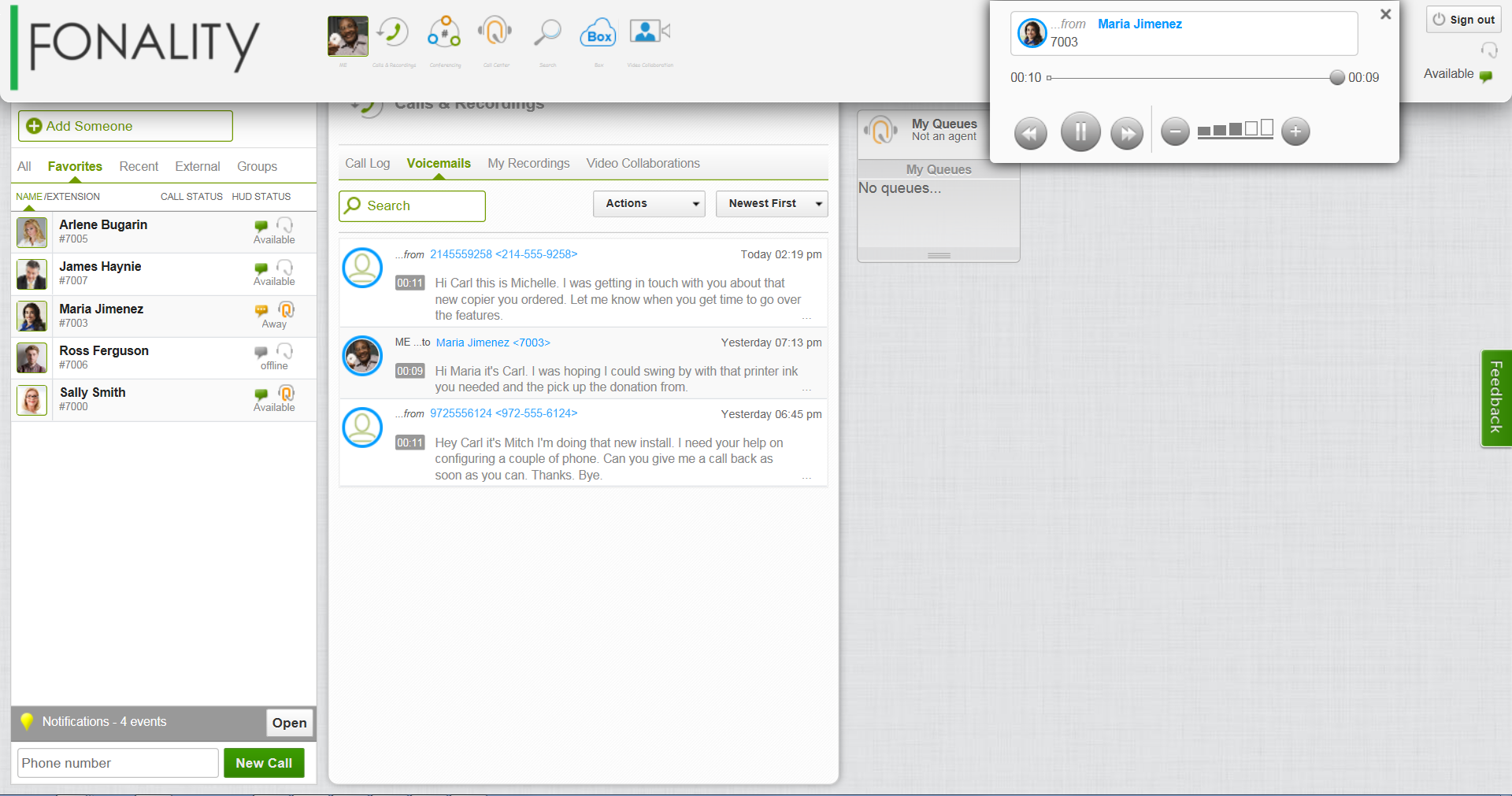
NetFortris, and the former Fonality, provided business phone systems using Polycom and Yealink IP phones. In 2022 the company was acquired by Sangoma. NetFortris and Fonality UCaaS and other services are no longer available.
Business Development in Information Technology at BRADLEY, DENKOVICH & KARAYIANNIS, P.C. (Law Practice, 11-50 employees)
Chose NetFortris (discontinued)
I'm a hardware guy, always had panasonic and siemens PBXs. You can't compare them to Fonality. It is so complex to program them and with less functionalities, it is a waste of money and time in my humble opinion. I've also installed my own Asterix servers and used to admin …
A de minimis incentive was given to thank the reviewer for their time. The incentive was not used to bias or drive a particular response, nor was the incentive contingent on a positive endorsement. TR verified that a representative sample of customers was invited. More Info
COO in Sales at Tire Outlet (Automotive, 51-200 employees)
Chose NetFortris (discontinued)
Fonality was very comparable to Comcast as far as product offering and service, but much more affordable. Avaya was a different system altogether but was much more expensive.
A de minimis incentive was given to thank the reviewer for their time. The incentive was not used to bias or drive a particular response, nor was the incentive contingent on a positive endorsement. TR verified that a representative sample of customers was invited. More Info
Verified User
Chose NetFortris (discontinued)
I have used Nortel systems in the past, and those interfaces were more cumbersome and not as easy to use. Fonality is more straightforward with their web interface and set up of phones. It is easier to use and quicker for users to learn how to maneuver around the system, as …
A de minimis incentive was given to thank the reviewer for their time. The incentive was not used to bias or drive a particular response, nor was the incentive contingent on a positive endorsement. TR verified that a representative sample of customers was invited. More Info
A de minimis incentive was given to thank the reviewer for their time. The incentive was not used to bias or drive a particular response, nor was the incentive contingent on a positive endorsement. TR verified that a representative sample of customers was invited. More Info
So I haven't had one where it's not appropriate at all unless somebody was going pure cloud. Obviously, this is not a cloud product, but from an on-premise solution like the IP office is, we've sold it to companies that have five users and we've sold it to customers that have thousands of users. So it's very expandable, adjustable to be it's hybrid, so it's IP and digital mix capabilities. So that's a strong suit.
A de minimis incentive was given to thank the reviewer for their time. The incentive was not used to bias or drive a particular response, nor was the incentive contingent on a positive endorsement. More Info
For Insurance agencies, small practices, small call centers, anyone that need call forwarding or work with his number remotely while away from office. I can't list all the things I'm gaining as a Fonality customer. From the installation process, the configuration phase with the technicians, the account managers, every Fonality employee was professional and savvy. I was a contact center specialist for more than 10 years and I can tell you that I've never been this happy with a service! Never! Probably if you need a more complex solution and you have an enterprise level company having your own hardware gives you more control over your calls and how to manage them. But again, I think that Fonality can cover most scenarios without the need of a huge investment.
A de minimis incentive was given to thank the reviewer for their time. The incentive was not used to bias or drive a particular response, nor was the incentive contingent on a positive endorsement. TR verified that a representative sample of customers was invited. More Info
Centralization is key. If you want to have all of your facilities on one phone system, to help mitigate telecom costs this is the system for you. You purchase the necessary licensing (one time purchase) and the licenses stay with you as long as you stay on that platform!
Flexibility is fantastic. Whether you want to use the IP Office as a key system, or replace your existing partner system, or run as a PBX. This system will do it all, I was very impressed with the compatibility of the IP Office with legacy equipment. Have a Partner system? Not a problem. Have a Definity system? Not a problem!
Broad based technology. You can utilize CO trunks (POTS lines), ISDN/PRI, T1, SIP, etc.... What ever your carrier hands off to you the IP Office can integrate with. No need to work with a third party vendor to get your interface up and running. AVAYA is a one stop shop, and if you have an existing warranty, just upgrade your IPOSS information on the system and your new hardware is covered.
A de minimis incentive was given to thank the reviewer for their time. The incentive was not used to bias or drive a particular response, nor was the incentive contingent on a positive endorsement. More Info
From an administrator's perspective, Fonality makes administering the company's phone system easy. Configuration menus and setup options are logically structured and easy to understand.
Technical support has been very good. Early on in our deployment, we had some nagging voice quality issues which were network related. Fonality provided exceptional support even though it was not technically their issue. It is important to know ahead of time how well your vendors work with other vendors for integrated services like a VOIP telephone system. Fonality support demonstrated their patience and perseverance in helping us resolve our issues.
Although we don't use remote office capabilities much, the ability to set up phones on the system in remote locations has been a significant help to several of our departments.
A de minimis incentive was given to thank the reviewer for their time. The incentive was not used to bias or drive a particular response, nor was the incentive contingent on a positive endorsement. TR verified that a representative sample of customers was invited. More Info
Rush for updates. At times an updated will fix one problem, and inadvertently create another. However with due diligence from your business partner (Tektivity) patches are tested before being rolled out in production environments.
Part itemization. If you purchase a new system, the power cord does not come with the unit, that is a separate part. Very minor in the grand scheme of things but as a reseller and a customer still somewhat annoying.
Large convoluted organization. As a user trying to navigate the AVAYA website, and track down information can be daunting. Even calling support can be challenging, you never know if your call will be routed to India, Brazil, or Denver. That is why the relationship with Tektivity is so important. You can leverage your business partner to get the answers you need so you can spend your time tackling issues that need your attention.
A de minimis incentive was given to thank the reviewer for their time. The incentive was not used to bias or drive a particular response, nor was the incentive contingent on a positive endorsement. More Info
Bugginess - Some things just really need some tweaking. I had to get very creative with my call routing and hold music, because the in-queue announcements don't work right at all. For example, even set to 'play once' it would loop the 'you are the first caller' announcement over and over, and cause call drops. Or my caller-name ID, which shows the registered user's name on each line on outgoing calls, even though it's not set to such anywhere in the CP settings.
Support - I'll give them 50/50 on this. My experience with Verizon VCE was everyone playing hot potato with issues and saying it was the responsibility of another department, meaning several phone calls and lots of hold time. Fonality doesn't have that issue, I've never really been passed around or blown off. However, some of the 'offshore' CS reps are... wow. I spent about half a dozen emails back and forth with two of them, trying to figure out why queues I deleted from the CP randomly and consistently reappeared in the HUD. Most of those emails were spent trying to explain that no, my issue was NOT that I wanted to create those queues again in the CP.
A de minimis incentive was given to thank the reviewer for their time. The incentive was not used to bias or drive a particular response, nor was the incentive contingent on a positive endorsement. TR verified that a representative sample of customers was invited. More Info
Oddly enough I have been impressed with the IP Office platform so much that I have integrated one into my home. My wife was not happy with it initially but once she started using it she was very happy with the results. It helped that I programmed it to work just like a home phone but with features and options that I can utilize remotely. I would be more than happy to put an AVAYA IP Office against any other phone system on the market, and let you be the judge.
A de minimis incentive was given to thank the reviewer for their time. The incentive was not used to bias or drive a particular response, nor was the incentive contingent on a positive endorsement. More Info
We've already made a deep investment in the system hardware. We wouldn't be interested in another system at this point! And by the look of my colleagues faces when they see the HUD, I don't think we'd want to switch to a system that would limit us or take away any of these features! We may look at putting the server in the cloud, should internet outages prove to be such a common issue that it is preventing our other locations from functioning smoothly
A de minimis incentive was given to thank the reviewer for their time. The incentive was not used to bias or drive a particular response, nor was the incentive contingent on a positive endorsement. More Info
Avaya IP Office is a great system that is somewhat affordable for most SMB's. However, In our experience, Avaya IP Office has a tendency to shelve some of the license as you upgrade the software release on the PBX switch without giving back any comparable license to compensate. The Voicemail Pro license is quite expensive and most of the functionality that most business needs are not covered in the standard voicemail offering.
A de minimis incentive was given to thank the reviewer for their time. The incentive was not used to bias or drive a particular response, nor was the incentive contingent on a positive endorsement. More Info
Overall excellent usability, with a few adjustments I feel this is the absolute best VoIP system out there. Just a clarification on the licences and limit the interface to reflect what licence we have. There should be a back or redunancy feature to Fonality Server, If there was a mistake we should be able to resort back to a usable state asap. Before implementing changes to the server, there should be a trial or sample of the changes to make sure it behaves as intended before effecting customer experience. It would be nice to have a demo version of Fonality interface so possible clients can truly evauluate the system. Because of the quality, it would have made it easier to convince the owners to make the transition sooner
A de minimis incentive was given to thank the reviewer for their time. The incentive was not used to bias or drive a particular response, nor was the incentive contingent on a positive endorsement. TR verified that a representative sample of customers was invited. More Info
Fonality has been available to us 99% of the time. There have rarely been any lengthy outages. If any issues do occur, their support staff is available around the clock to help. This is important, since communication is a big part in our company and availability of the phone system is important in maintaining this reliability
A de minimis incentive was given to thank the reviewer for their time. The incentive was not used to bias or drive a particular response, nor was the incentive contingent on a positive endorsement. TR verified that a representative sample of customers was invited. More Info
Fonality's performance is excellent. The phones work flawlessly and the calls are clear. It is a well put-together system that does not need daily support. It is not complex from a user standpoint, as most of our staff are quick to learn how to use the phones. More systems should strive to work as well as Fonality's
A de minimis incentive was given to thank the reviewer for their time. The incentive was not used to bias or drive a particular response, nor was the incentive contingent on a positive endorsement. TR verified that a representative sample of customers was invited. More Info
Because of their customer support and their attention for details in our problems that we face during our initial stage. We simply love fonality just for the way we are treated when we reach them with our fonality issues - they take it seriously and resolve it as early as possible and the most important part is we dont need to keep on insisting them to do so.
A de minimis incentive was given to thank the reviewer for their time. The incentive was not used to bias or drive a particular response, nor was the incentive contingent on a positive endorsement. TR verified that a representative sample of customers was invited. More Info
Training was provided by the in-house IT administrator. Fonality was able to provide support to the admin, who then assisted the users. It went smoothly and all the details and functions of the system were made available to the office staff. Any questions were answered promptly and if any issues did arise, Fonality was available to answer them
A de minimis incentive was given to thank the reviewer for their time. The incentive was not used to bias or drive a particular response, nor was the incentive contingent on a positive endorsement. TR verified that a representative sample of customers was invited. More Info
Training was excellent, but most of what they had was webinars and not real world situation for our company's need. It would be better to have them remote in my local computer and test my system using inbound / outbound calls. This would have made it easier to learn and more relevant
A de minimis incentive was given to thank the reviewer for their time. The incentive was not used to bias or drive a particular response, nor was the incentive contingent on a positive endorsement. TR verified that a representative sample of customers was invited. More Info
Everything from the installation to the implementation has been great with Fonality, there is a lot of freedom to how the system will operate but the freedom comes at a cost of more technical experience to make sure it is configured correctly. The staff is very helpful can will make sure that the system is setup correctly and work perfectly.
A de minimis incentive was given to thank the reviewer for their time. The incentive was not used to bias or drive a particular response, nor was the incentive contingent on a positive endorsement. TR verified that a representative sample of customers was invited. More Info
Much better feature set with Avaya IP Office, and I really feel you're getting feature-rich telephony for a well priced switch. The system is very adaptable and a much better fit than legacy key systems and cloud-based UCaaS solutions competing in the same market. With the Avaya brand behind the system, there is also a form of working with a Trusted partner with many years in the UC space.
A de minimis incentive was given to thank the reviewer for their time. The incentive was not used to bias or drive a particular response, nor was the incentive contingent on a positive endorsement. More Info
I have not used any other VoIP system that I have been paying for. I hope that Fonality proves itself enough to where I will not have to switch. So far, for the price and the functionality, this is my recommendation for small businesses. I might recommend going with a more high end phone to increase functionality, but other than that, the system is one I would definitely recommend.
A de minimis incentive was given to thank the reviewer for their time. The incentive was not used to bias or drive a particular response, nor was the incentive contingent on a positive endorsement. TR verified that a representative sample of customers was invited. More Info
It is easy to scale this system, as long as you have the proper technical staff available to support it. Adding users and phones is straightforward. The main work involves having the physical network in place and configuring the networking equipment. Overall, it is not that difficult as long as all of this is in place.
A de minimis incentive was given to thank the reviewer for their time. The incentive was not used to bias or drive a particular response, nor was the incentive contingent on a positive endorsement. TR verified that a representative sample of customers was invited. More Info
A de minimis incentive was given to thank the reviewer for their time. The incentive was not used to bias or drive a particular response, nor was the incentive contingent on a positive endorsement. More Info
A de minimis incentive was given to thank the reviewer for their time. The incentive was not used to bias or drive a particular response, nor was the incentive contingent on a positive endorsement. TR verified that a representative sample of customers was invited. More Info