Avatier Identity Anywhere vs. Password Genie

Overview
ProductRatingMost Used ByProduct SummaryStarting Price
Avatier Identity Anywhere
Score 6.2 out of 10
Enterprise companies (1,001+ employees)
The vendor aims to deliver seamless workforce access while maintaining security. Avatier Identity Anywhere is a passwordless IGA solution that includes: user self service and HR driven lifecycle management universal workflow experience with push notification service catalog with asset budgeting & tracking access governance with risk scoring and SOD rule support SSO with SCIM support for Just in Time (JIT) provisioning…
$1.50
per user/month
Password Genie
Score 8.0 out of 10
N/A
Password Genie is a password management application providing smart login and advanced customization, form fill and backup, and 2 step verification, among other features, from NRTC Managed Services (formerly SecurityCoverage).N/A
Pricing
Avatier Identity AnywherePassword Genie
Editions & Modules
Avatier Identity Anywhere Password Management
$1.50
per user/month
Avatier Identity Anywhere Single Sign-On (SSO)
$2
per user/month
Avatier Identity Anywhere Access Governance
$3
per user/month
Avatier Identity Anywhere User Lifecycle Management
$5
per user/month
No answers on this topic
Offerings
Pricing Offerings
Avatier Identity AnywherePassword Genie
Free Trial
YesNo
Free/Freemium Version
NoNo
Premium Consulting/Integration Services
NoNo
Entry-level Setup Fee$5,000 per installationNo setup fee
Additional DetailsVolume discounts available for customers over 3,000 employees Educational/Non-Profit Pricing Available Upon Request
More Pricing Information
Community Pulse
Avatier Identity AnywherePassword Genie
Features
Avatier Identity AnywherePassword Genie
Identity Management
Comparison of Identity Management features of Product A and Product B
Avatier Identity Anywhere
8.9
Ratings
9% above category average
Password Genie
-
Ratings
ID-Management Access Control9.00 Ratings00 Ratings
ID Management Single-Sign On (SSO)9.60 Ratings00 Ratings
Password Management7.80 Ratings00 Ratings
Account Provisioning and De-provisioning8.90 Ratings00 Ratings
ID Management Workflow Automation9.10 Ratings00 Ratings
User Ratings
Avatier Identity AnywherePassword Genie
Likelihood to Recommend
9.2
(0 ratings)
7.9
(0 ratings)
Likelihood to Renew
-
(0 ratings)
8.0
(0 ratings)
User Testimonials
Avatier Identity AnywherePassword Genie
Likelihood to Recommend
Avatier is very well suited for large organizations that struggle with Service Desk getting swamped with password resets or unlocks. Giving end users the power to self service their issues is well worth the investment. In my environment, I even created Slackbot responses that triggered the Avatier site when a user said "reset password" or "locked out."
Read full review
Based on my experience, Password Genie is well suited for small to medium-sized businesses that need to manage login information for a moderate number of employees and external partners. The app's user-friendly interface and features like password generation, secure storage, and syncing across multiple devices make it easy for employees to access the information they need and for IT administrators to manage and monitor usage. The app's team management feature is also beneficial for organizations that need to share login information with specific teams or individuals. However, Password Genie may be less appropriate for larger organizations with more complex needs. The app's limited integrations and browser support, as well as its limited sharing and customization options, may not be sufficient for organizations that need to manage login information for a large number of employees and external partners, or for those that use a wide range of tools and platforms. Additionally, the app's reporting feature is also not as advanced as some other password managers, which may not be enough for some IT administrators who need more detailed data and analysis.
Read full review
Pros
  • It allows users to reset their passwords on their own.
  • It allows our users to request access to VPN and shared drive on their own.
  • It allows us to terminate accounts quickly and easily.
Read full review
  • It can generate strong, random passwords, reducing the risk of weak passwords being used and making it easier for us to implement good password hygiene.
  • It can automatically log users into their accounts, saving time and reducing the risk of typos or mistakes that could result in security incidents.
  • It can be used on multiple devices, including desktop and mobile devices, allowing users to access their password vault from anywhere.
Read full review
Cons
  • Ability to create ad hoc reports in the app
  • Use of biometrics is one that has been improved recently that was not great
  • Managing connector settings in bulk can be tedious
Read full review
  • Limited integrations: Currently, Password Genie only supports integration with a few select apps and services. Some users may find that the app does not integrate with the specific tools they need to use.
  • Limited browser support: Password Genie currently only works on a select number of browsers, this may limit the users who are using some specific browsers.
  • Limited sharing options: While the app has a built-in team management feature, it may be limited for some organizations with more complex sharing and collaboration needs.
  • Limited customization: Some users find that the app's interface and settings are not customizable enough to meet their specific needs.
  • Limited reporting: The app's reporting feature is not as advanced as some other password managers and may not be able to provide all the information that IT administrators need to monitor usage and track activity.
Read full review
Likelihood to Renew
No answers on this topic
Pros:
  • Convenient and secure password storage
  • Easy-to-use password generator
  • Automated password filling
  • Cons:
  • Lack of advanced features: Some users might find that Password Genie lacks some advanced features or customization options that are available in other password management tools.
  • User interface: Some users might find the user interface of Password Genie to be less intuitive or less user-friendly compared to other password management tools.
Read full review
Alternatives Considered
Avatier’ s modules were extremely easy to use and showed the immediate benefit that we would be able to use in our organization. Also the ability for our organization to implement true access governance vs. our homegrown solution will provide us with an exceptional opportunity to be able to keep our organization ever opportunity to stay secure
Read full review
Free open source version was a bit scary to use as this has confidential information stored. This application was cost effective compared to the other products. Capturing of password was great on this product compared to the other products. ManageEngine password manager is an excellent product, however the product is very expensive compared to Password Genie. Hence the appropriate and wise solution was Passwrd Genie for us
Read full review
Return on Investment
  • The main positive is the number of calls into our help desk or LAN team have gone down to a few calls a week; instead of the masses going to them on a daily basis.

Read full review
  • The product it self cannot be deemed very expensive
  • It does what it is buit for, hence I am doubtful that there could be a proper means to calculate the ROI of the product
  • This tool is defenetly a must for admins as when they tend to leave the organization this tool can be really helpful in knowledge transfer sessions.
Read full review
ScreenShots

Avatier Identity Anywhere Screenshots

Screenshot of Avatier Identity Anywhere - User Lifecycle Management 
Avatier Lifecycle Management is your one-stop shop for requesting access to enterprise and cloud applications, assets, and even service requests. It is as easy as shopping online, making business users and IT teams more productive.

Our patented, automated workflow establishes controls, empowering managers and operations to quickly approve access while mitigating risk, improving security, and ensuring compliance.Screenshot of Avatier Identity Anywhere - Password Management 
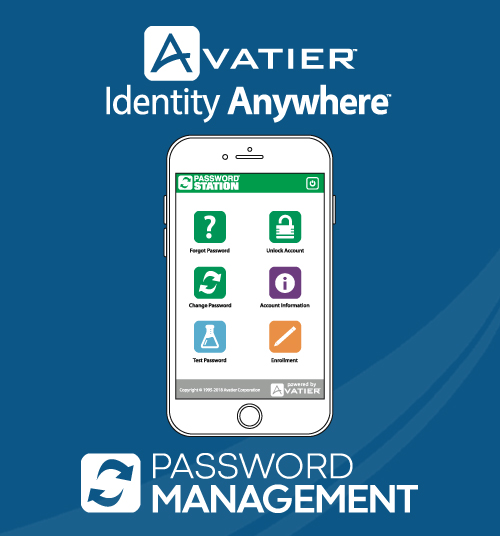
Self-service password reset eliminates your number one help desk request and synchronizes one strong password across your core applications and cloud services. Reduce unnecessary costs from high volumes of help desk requests. Let users help themselves by resetting, synchronizing, and managing their passwords. Users may reset their passwords anytime from anywhere using a Web browser, automated phone system, a wide choice of MFA providers, and even biometric options. Password Management help desk module is used by staff to verify a user’s identity. Ensure 100% usage with forced enrollment.Screenshot of Avatier Identity Anywhere - Single Sign-On (SSO) 
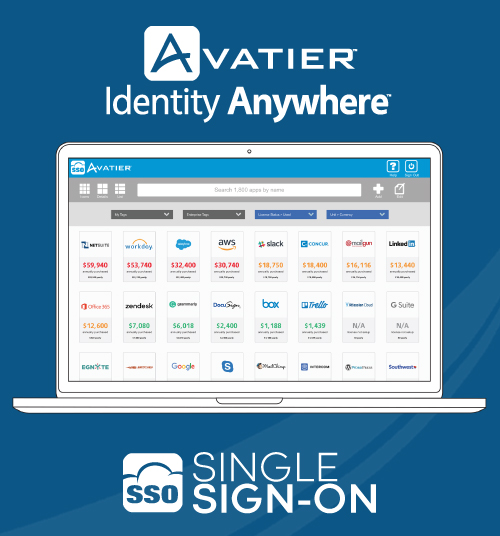
Securely give employees, partners and customers access to public and private web applications. Avatier SSO leverages existing groups, OU’s and users in your native directory to delegate web application access. With built- in SaaS licensing management, your cloud subscription costs can be cut by 30% or more. SSO integrates with Identity Anywhere Lifecycle management for automatic user provisioning and deprovisioning.Screenshot of Avatier Identity Anywhere - Access Governance
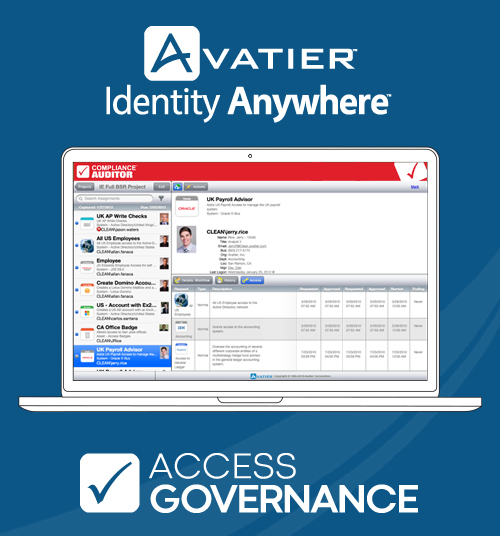
Introducing Identity Anywhere Access Governance, the world’s first based on Docker containers making it the most portable, scalable and secure solution on the market. Docker container technology allows Identity Anywhere Access Governance to run anywhere: on any cloud, on-premise or a private cloud instance hosted by Avatier.

Conduct access certifications IT audit from any device. See your list of audits due along with unreviewed identity and access governance items. Practice security and compliance management with the touch of your finger. Approve and revoke access. Allow exceptions and more. The best GRC software solution ever.Screenshot of Avatier Identity Anywhere - Password Management  MFA Support
Use Avatier's solutions support several MFA options including Avatier's own One Time Passcode via SMS or alternate Email,  our Biometric Face, Fingerprint, or Voice iPhone/Android App, DUO, RSA, PING, OKTA, Symantec VIP, Google Authenticator and more...