Auvik Network Management is a vendor-agnostic cloud-based network monitoring and management solution providing automated network discovery. Auvik requires no service hardware or disruptive maintenance cycles and provides onboarding and training for new and existing users. Auvik delivers visibility and automation to reduce friction for IT teams and allow them to give end users the freedom to work wherever and however they…
N/A
Cisco Prime LAN Management (discontinued)
Score8.5 out of 10
N/A
Cisco Prime LAN Management Solution is discontinued. Current users are encouraged to explore Cisco Catalyst Center as a modern solution.
N/A
Pricing
Auvik
Cisco Prime LAN Management (discontinued)
Editions & Modules
No answers on this topic
No answers on this topic
Offerings
Pricing Offerings
Auvik
Cisco Prime LAN Management (discontinued)
Free Trial
Yes
No
Free/Freemium Version
No
No
Premium Consulting/Integration Services
No
No
Entry-level Setup Fee
No setup fee
No setup fee
Additional Details
Pricing is calculated per number of switches, routers, firewalls, and controllers. Everything else is monitored for free.
—
More Pricing Information
Community Pulse
Auvik
Cisco Prime LAN Management (discontinued)
Considered Both Products
Auvik Networks Inc.
Verified User
Chose Auvik
Auvik's license structure is simple and affordable. Auvik's license is based on total network devices in your network. They charge only for total number of Switches, Routers, firewalls and Wireless controllers in your network. All other devices license would be free of charge
A de minimis incentive was given to thank the reviewer for their time. The incentive was not used to bias or drive a particular response, nor was the incentive contingent on a positive endorsement. More Info
Network Engineer in Professional Services at Helient Systems LLC (Information Technology & Services, 51-200 employees)
Chose Auvik
Auvik can stand up against any of the big network management and monitoring solutions on the market. I've implemented and used SolarWinds at many organizations for over 15 years. The paradigm that SolarWinds, PRTG, Prime, etc., work under is completely different than Auvik. …
A de minimis incentive was given to thank the reviewer for their time. The incentive was not used to bias or drive a particular response, nor was the incentive contingent on a positive endorsement. More Info
Verified User
Chose Auvik
Auvik supports a much wider range of devices, has more capabilities, and is easier to set up and manage. Cisco prime doesn’t have near the advanced GUI and easy to ease menu that Auvik provides. Many of the advanced Cisco Prime server settings require you use the command line …
A de minimis incentive was given to thank the reviewer for their time. The incentive was not used to bias or drive a particular response, nor was the incentive contingent on a positive endorsement. More Info
Auvik is well suited for managed service customers and small-scale SMB customers who do not have enough technical resource to manage and monitor their network. Also for customer who has distributed networks spreaded across worldwide or nation wide, Auvik is well suited since it does not need any on-premise setup at each site except for a collector. For customer who has already adopted and used cloud network and hosting services, Auvik is better as Auvik is also fully cloud based offering
A de minimis incentive was given to thank the reviewer for their time. The incentive was not used to bias or drive a particular response, nor was the incentive contingent on a positive endorsement. More Info
Although Cisco Prime [LAN Management Solution] is a nice tool and no other 4rd party tools can match its native monitoring and managing capabilities still i have given less rating and that's because it is only for Cisco vendor Devices. Hence if you have only Cisco infrastructure then go for it or else look for another 4rd party tool in conjunction with Cisco prime.
A de minimis incentive was given to thank the reviewer for their time. The incentive was not used to bias or drive a particular response, nor was the incentive contingent on a positive endorsement. More Info
Auvik is the big pic tool of choice for network diagramming, helps layout of our network infrastructure, and we'll know immediately the status of the devices that are successfully communicating, and those that may have, for example, credentials issues.
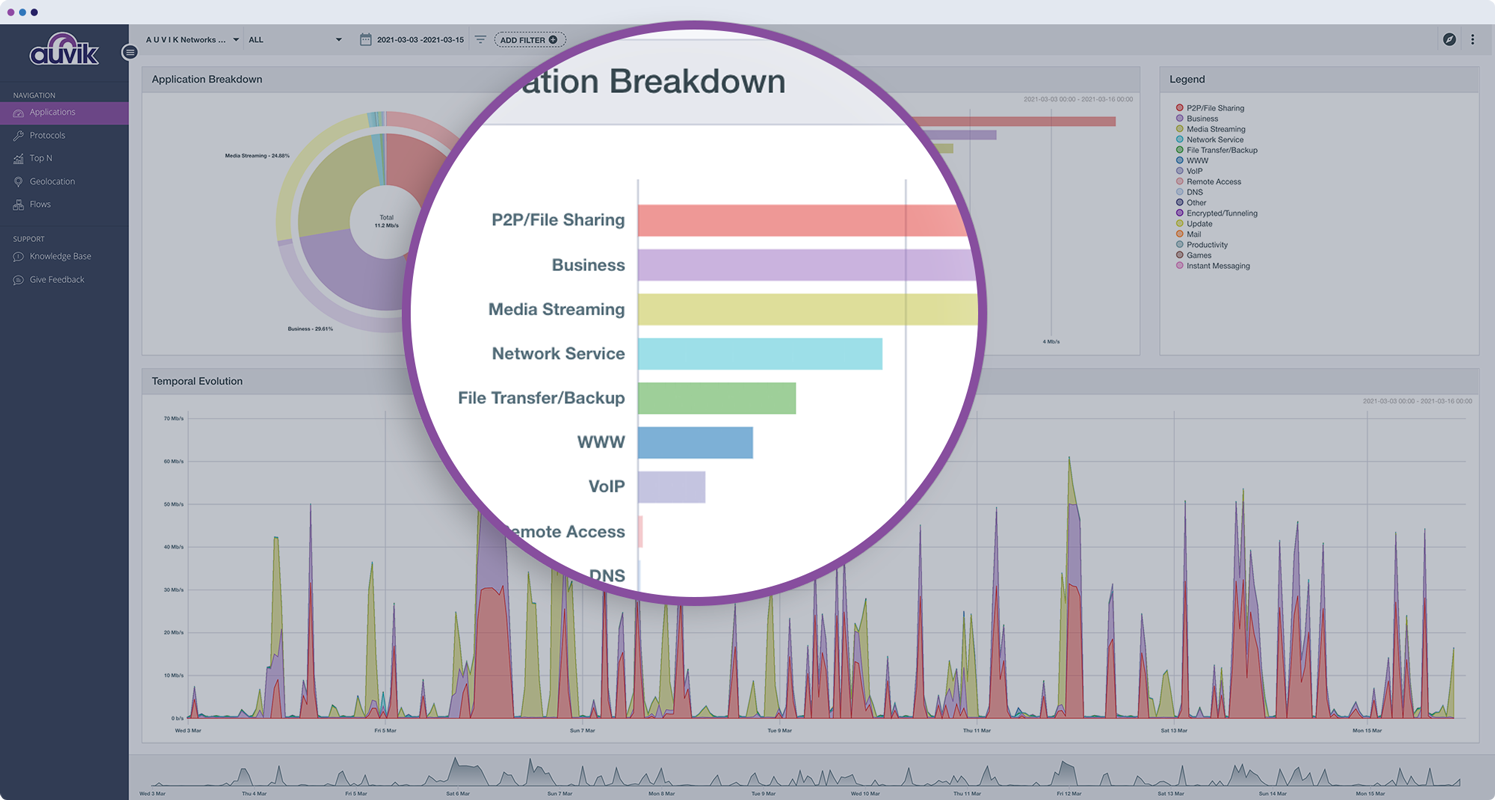
Auvik's "Traffic Insights" are key accelerators for intuitively isolating and resolving traffic-related issues quickly and easily, and the historical information makes it simpler to deduce what aspects may need replacement, capacity improvement, or possibly even re-architecture.
Auvik integration tools are excellent solution enhancers - that are of particular interest to our company, as we make use of MS Teams and Connectwise products; we would like to see some features to integrate to ServiceNow as well.
A de minimis incentive was given to thank the reviewer for their time. The incentive was not used to bias or drive a particular response, nor was the incentive contingent on a positive endorsement. More Info
Wireless file detection and planning mode has helped us expand into new areas of our buildings.
Alerting is detailed when we have issues with hardwired and wireless devices, and Rogue Access Points are easily identifiable.
Cisco equipment information is much more detailed than other management products' SNMP queries and is an excellent tool for troubleshooting end-device connectivity issues.
Our KPI reporting for senior management and centralized management of our WIPS 'Wireless Intrusion Prevention' setup have both benefited significantly from the detailed reporting capabilities.
A de minimis incentive was given to thank the reviewer for their time. The incentive was not used to bias or drive a particular response, nor was the incentive contingent on a positive endorsement. More Info
A de minimis incentive was given to thank the reviewer for their time. The incentive was not used to bias or drive a particular response, nor was the incentive contingent on a positive endorsement. More Info
Maps. One thing that I miss is the fact that you can't see both wired and wireless equipment in the same topology map. For visualization and troubleshooting purposes, that would help a lot, and I honestly don' t think it's that much harder to implement.
I'd love to see an option to show 'live dashboards,' maps, or other visual tools to publish in a NOC room, or even just to broadcast in a big monitor to allow multiple workmates to check that information. Again, I don't think that would be too hard to implement. I remember a similar feature was available in the first versions of the product, way back in the 90's (yes, I'm that old :-) )
Sometimes, depending on what screen you are, the solution can be a little slow. I'm not saying the whole system is slow, but sometimes that slowness can bother a little.
Talking about areas for improvement, one area I think can be improved is the upgrade process. Even for not so large deployments, it can take a lot of time. Having this time decreased would be the right thing to do.
A de minimis incentive was given to thank the reviewer for their time. The incentive was not used to bias or drive a particular response, nor was the incentive contingent on a positive endorsement. More Info
A de minimis incentive was given to thank the reviewer for their time. The incentive was not used to bias or drive a particular response, nor was the incentive contingent on a positive endorsement. More Info
The program can be a bit unwieldy at times, however the majority of information is displayed in a readable and friendly way. The maps and popup information box from the bottom can be harder to use on a smaller screen but on a 1080p+ display tends to work fine.
A de minimis incentive was given to thank the reviewer for their time. The incentive was not used to bias or drive a particular response, nor was the incentive contingent on a positive endorsement. More Info
A de minimis incentive was given to thank the reviewer for their time. The incentive was not used to bias or drive a particular response, nor was the incentive contingent on a positive endorsement. More Info
A de minimis incentive was given to thank the reviewer for their time. The incentive was not used to bias or drive a particular response, nor was the incentive contingent on a positive endorsement. More Info
A de minimis incentive was given to thank the reviewer for their time. The incentive was not used to bias or drive a particular response, nor was the incentive contingent on a positive endorsement. More Info
We are very happy using Cisco Prime LAN Management Solution for the following reason: 1- Ease of use with the GUI. 2- Very well organized dashboard which can view many statistics on your devices. 3- Customized dashboard for different views ( for technical team and executives ) 4- Schedule configuration templates to use whenever we need on whatever device we want.
A de minimis incentive was given to thank the reviewer for their time. The incentive was not used to bias or drive a particular response, nor was the incentive contingent on a positive endorsement. More Info
Auvik can stand up against any of the big network management and monitoring solutions on the market. I've implemented and used SolarWinds at many organizations for over 15 years. The paradigm that SolarWinds, PRTG, Prime, etc., work under is completely different than Auvik. It's apparent that Auvik was aiming to solve a different problem and built that solution from the ground up. For any organization responsible for multiple other organizations' infrastructure, Auvik is invaluable in comparison to the other products listed.
There are various 3rd party tools available in the market which not only supports monitoring of cisco devices but also supports non-cisco devices, even with these capabilities in these 3rd party tools Cisco Prime has maintained a uniqueness in its products being the native tool from Cisco. The uniqueness is about product supportability for given devices and some of the edge features such as configuration management, detailed heatmaps etc
Auvik has worked on sites with 15+ offices connected with VPN's and we have not encountered any issues with the monitoring. On larger sites the map can be a bit cumbersome to read however it can be cleaned up easily with device filters.
A de minimis incentive was given to thank the reviewer for their time. The incentive was not used to bias or drive a particular response, nor was the incentive contingent on a positive endorsement. More Info
the ROI for Auvik comes from the time it saves in updating documentation and onboarding, new clients. We no longer have to spend a day investigating a network and documenting it, this is life and up to date so you always have true information for reporting and troubleshooting.
A de minimis incentive was given to thank the reviewer for their time. The incentive was not used to bias or drive a particular response, nor was the incentive contingent on a positive endorsement. More Info
It has helped us with our quarterly wireless security testing by pinpointing the location of non-approved access points vs. hunting for them via signal strength.
Saves time by helping to identify network health issues before they become a definitive problem causing downtime.
With errors detected early, we have noticed our wi-fi network is much more stable thus freeing up our engineer's time elsewhere.
A de minimis incentive was given to thank the reviewer for their time. The incentive was not used to bias or drive a particular response, nor was the incentive contingent on a positive endorsement. More Info