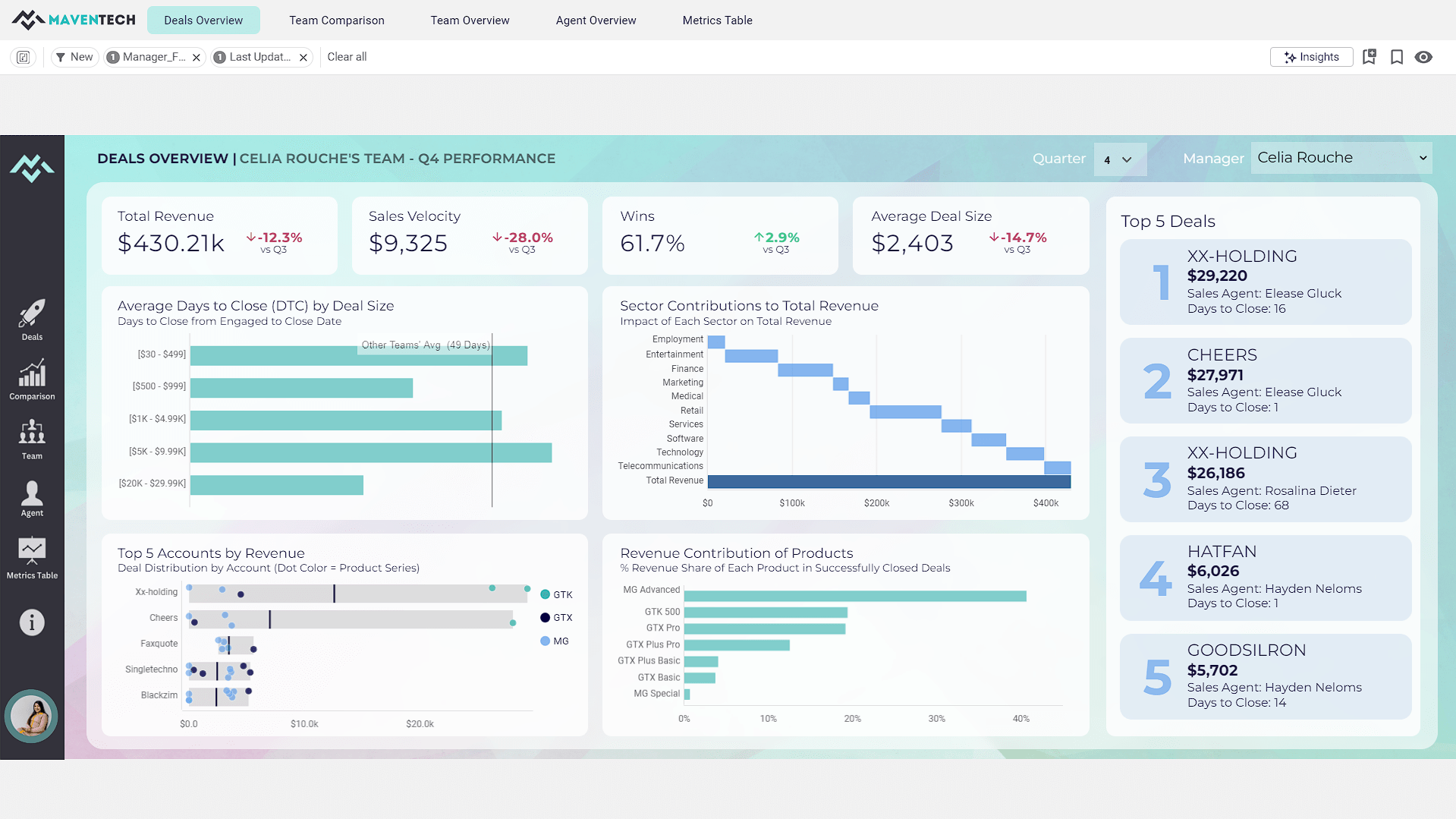
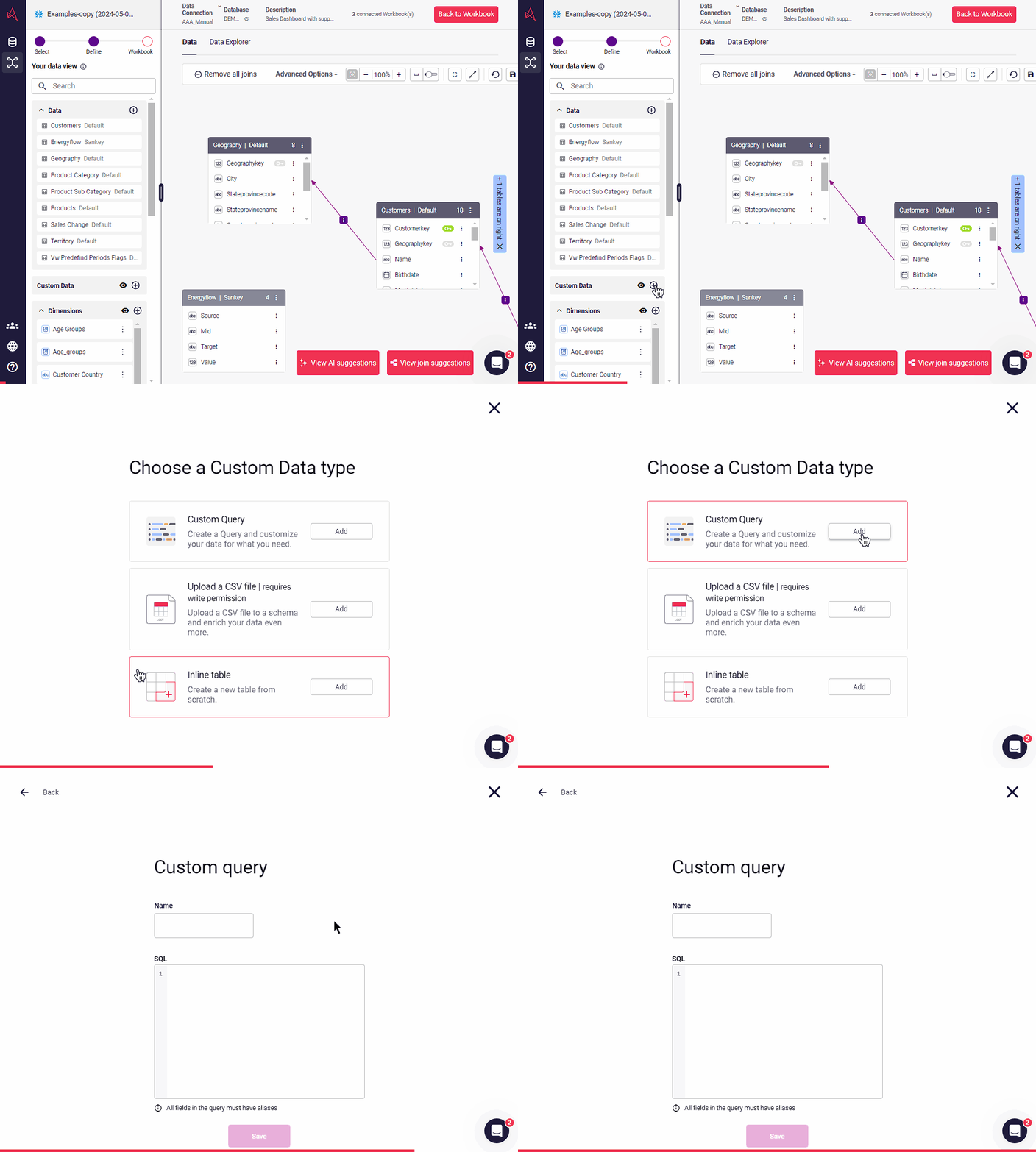
A self-service BI solution, Astrato puts analytics in the hands of every user, enabling them to build their own reports and answer data questions without IT help. Astrato accelerates adoption, speeds up decision-making, and unifies analytics, embedded analytics, data input, and data apps in one platform. With Astrato, Self-Service business users can see and understand data that resides in the Data Cloud (Snowflake, Databricks, BigQuery, Redshift, Dremio,…
$12
per month per user
SAS Visual Analytics
Score7.6 out of 10
Enterprise companies (1,001+ employees)
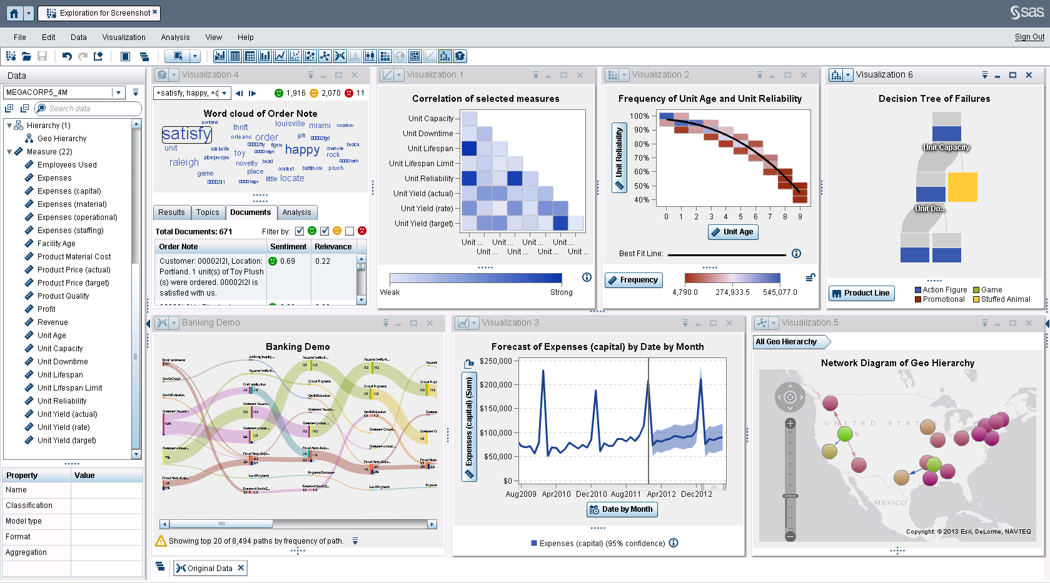
SAS Visual Analytics provides a complete platform for analytics visualization, enabling users to identify patterns and relationships in data that weren't initially evident. Interactive, self-service BI and reporting capabilities are combined with out-of-the-box advanced analytics so everyone can discover insights from any size and type of data, including text.
N/A
Pricing
Astrato Analytics
SAS Visual Analytics
Editions & Modules
No answers on this topic
SAS Visual Analytics for SAS Cloud
$0
Annual By Users: 5, 10, 20
Offerings
Pricing Offerings
Astrato Analytics
SAS Visual Analytics
Free Trial
Yes
Yes
Free/Freemium Version
No
No
Premium Consulting/Integration Services
Yes
Yes
Entry-level Setup Fee
Optional
No setup fee
Additional Details
—
SAS Visual Statistics and SAS Office Analytics are also available as add-ons.
More Pricing Information
Features
Astrato Analytics
SAS Visual Analytics
BI Standard Reporting
Comparison of BI Standard Reporting features of Astrato Analytics and SAS Visual Analytics
Feature
Astrato Analytics
7.3
1 Ratings
11% below category average
SAS Visual Analytics
8.3
11 Ratings
2% above category average
Pixel Perfect reports
7.01 Ratings
8.011 Ratings
Customizable dashboards
8.01 Ratings
8.011 Ratings
Report Formatting Templates
7.01 Ratings
9.010 Ratings
Ad-hoc Reporting
Comparison of Ad-hoc Reporting features of Astrato Analytics and SAS Visual Analytics
Feature
Astrato Analytics
7.0
1 Ratings
14% below category average
SAS Visual Analytics
8.8
12 Ratings
9% above category average
Drill-down analysis
7.01 Ratings
9.012 Ratings
Formatting capabilities
7.01 Ratings
8.012 Ratings
Integration with R or other statistical packages
7.01 Ratings
8.010 Ratings
Report sharing and collaboration
7.01 Ratings
10.011 Ratings
Report Output and Scheduling
Comparison of Report Output and Scheduling features of Astrato Analytics and SAS Visual Analytics
Feature
Astrato Analytics
6.5
1 Ratings
24% below category average
SAS Visual Analytics
9.2
12 Ratings
10% above category average
Publish to Web
7.01 Ratings
9.011 Ratings
Report Versioning
6.01 Ratings
9.09 Ratings
Publish to PDF
00 Ratings
9.012 Ratings
Report Delivery Scheduling
00 Ratings
10.011 Ratings
Delivery to Remote Servers
00 Ratings
9.06 Ratings
Data Discovery and Visualization
Comparison of Data Discovery and Visualization features of Astrato Analytics and SAS Visual Analytics
Astrato Analytics provides a feature-rich application that it easy to use for the non-technical user yet robust enough to create a sophisticated SaaS application. Astrato Analytics provides native integration to all the major large cloud data platforms and the implementation is very straight forward. The value provided through their feature-rich platform and competitive pricing is unmatched.
I was in a meeting with the client and there I have to show them some analytic data to them. But I was confused about how I will manage to show big data to clients with accuracy. But then the SAS Visual Analytics software helps me in presenting accurate data at the moment and it was very presentable and through that, I got the deal for that business.
A de minimis incentive was given to thank the reviewer for their time. The incentive was not used to bias or drive a particular response, nor was the incentive contingent on a positive endorsement. More Info
Writeback to the database is simple and straightforward and allows us to build apps in the tool with a level of interation that is not possible with other BI tools
Version control that is built into the workbooks allows us to quickly deploy changes without the fear of losing the older version and maintianing both a historcal updates and the ability to rollback
Easy connectivity to a wide range of data platforms including Snowflake, Databricks, and Google Workspace within the same tenant allows us to leverage data from each of these platforms for specific use cases
Provides the flexibility to the end user to slice and dice the data.
Anyone can make predictive models with the help of in-built algorithms without the need to write a single line of code or knowledge of what's under the hood of algorithms.
The feature to simply ask a question related to data and getting a response in form of text, chart or graph is amazing.
A de minimis incentive was given to thank the reviewer for their time. The incentive was not used to bias or drive a particular response, nor was the incentive contingent on a positive endorsement. More Info
The product is still young, as a consequence, some features aren't as mature as competitors. Astrato has worked to catch up quickly, by rolling out new features regularly
Better ability to control icons and themes from a central point, instead of having to add/change them on each report
A de minimis incentive was given to thank the reviewer for their time. The incentive was not used to bias or drive a particular response, nor was the incentive contingent on a positive endorsement. More Info
SAS is relatively expensive when compared to other BI tools and requires a large amount of upfront fee which becomes an issue for smaller organizations.
UI for the dashboards looks a little date in comparison to competitors like Tableau and Microstrategy.
Integration with other open source software like Python needs to be built in.
A de minimis incentive was given to thank the reviewer for their time. The incentive was not used to bias or drive a particular response, nor was the incentive contingent on a positive endorsement. More Info
SAS really is the cutting edge in Business Intelligence. That is all they do! They are constantly coming out with new products, product upgrades, and their tech support is second to none. In addition, their support of Education has made our ability to acquire their product possible.
It is a very intuitive system, a pleasure to use, practical and simple, for medium to advanced activities. BI supervisors are delighted with much of the functionality, but highlight some weaknesses that they still have, such as the loading speed in HEIC-type files.
Without a doubt, it is a tool that has become essential in our business routine.
A de minimis incentive was given to thank the reviewer for their time. The incentive was not used to bias or drive a particular response, nor was the incentive contingent on a positive endorsement. More Info
SAS BI is good for creating reports and dashboards and then sharing it with the users. It also has ability to manage access to the reports and dashboards but somehow with most of the world moving to open source languages R, Python and Julia, SAS BI feels to be archaic in terms of feature set and integrations it allow[s]. Also, comparing it with other Business Intelligence tools like Tableau and Microsoft BI, the functionality of SAS BI is very limited and doesn't justify the pricing.
A de minimis incentive was given to thank the reviewer for their time. The incentive was not used to bias or drive a particular response, nor was the incentive contingent on a positive endorsement. More Info
A de minimis incentive was given to thank the reviewer for their time. The incentive was not used to bias or drive a particular response, nor was the incentive contingent on a positive endorsement. More Info
When you call tech support, you are immediately routed to a person who can answer your question. Often they can answer on the spot. However, if they cannot, you are given a track number and then followed up with. There have been times when I have had multiple track numbers open and they will actually TRACK YOU DOWN to ensure that your problem has been resolved. Issues do not fall into black holes with SAS. They are also willing to do a WebEx with you to diagnose the problem by seeing your environment, which is always helpful.
To scale PowerBi, we would have needed a staff of technical folks and a substantial budget, and we still probably could not have created the robust SaaS application we did with Astrato Analytics. Astrato Analytics allowed for a staff of two to create and rollout a SaaS Application in under 60 days and provided hands on support to us as needed. There really is no comparison.
I have used Crystal Reports, Jaspersoft and SQL Server Reporting Services (SSRS). I would recommended Business Intelligence over SSRS and Crystal Reports. SSRS is very SQL-centric and Crystal Reports is more of an end-user tool. I would recommend Jaspersoft over Business Intelligence for developing a seamless web-based reporting interface but I highly recommend Business Intelligence for end-user ad-hoc reporting.
A de minimis incentive was given to thank the reviewer for their time. The incentive was not used to bias or drive a particular response, nor was the incentive contingent on a positive endorsement. More Info
A de minimis incentive was given to thank the reviewer for their time. The incentive was not used to bias or drive a particular response, nor was the incentive contingent on a positive endorsement. More Info