Astrato Analytics vs. Microsoft Power BI Embedded

Overview
ProductRatingMost Used ByProduct SummaryStarting Price
Astrato Analytics
Score 8.0 out of 10
N/A
A self-service BI solution, Astrato puts analytics in the hands of every user, enabling them to build their own reports and answer data questions without IT help. Astrato accelerates adoption, speeds up decision-making, and unifies analytics, embedded analytics, data input, and data apps in one platform. With Astrato, Self-Service business users can see and understand data that resides in the Data Cloud (Snowflake, Databricks, BigQuery, Redshift, Dremio,…N/A
Microsoft Power BI Embedded
Score 8.5 out of 10
N/A
A solution from Microsoft to provide customer-facing reports, dashboards, and analytics in applications by using and branding Power BI as one's own. Designed to reduce developer resources by automating the monitoring, management, and deployment of analytics, while getting full control of Power BI features and intelligent analytics.N/A
Pricing
Astrato AnalyticsMicrosoft Power BI Embedded
Editions & Modules
No answers on this topic
Offerings
Pricing Offerings
Astrato AnalyticsMicrosoft Power BI Embedded
Free Trial
YesNo
Free/Freemium Version
NoNo
Premium Consulting/Integration Services
NoNo
Entry-level Setup FeeOptionalNo setup fee
Additional Details
More Pricing Information
Community Pulse
Astrato AnalyticsMicrosoft Power BI Embedded
Features
Astrato AnalyticsMicrosoft Power BI Embedded
BI Standard Reporting
Comparison of BI Standard Reporting features of Product A and Product B
Astrato Analytics
7.3
Ratings
11% below category average
Microsoft Power BI Embedded
-
Ratings
Pixel Perfect reports7.00 Ratings00 Ratings
Customizable dashboards8.00 Ratings00 Ratings
Report Formatting Templates7.00 Ratings00 Ratings
Ad-hoc Reporting
Comparison of Ad-hoc Reporting features of Product A and Product B
Astrato Analytics
7.0
Ratings
14% below category average
Microsoft Power BI Embedded
-
Ratings
Drill-down analysis7.00 Ratings00 Ratings
Formatting capabilities7.00 Ratings00 Ratings
Integration with R or other statistical packages7.00 Ratings00 Ratings
Report sharing and collaboration7.00 Ratings00 Ratings
Report Output and Scheduling
Comparison of Report Output and Scheduling features of Product A and Product B
Astrato Analytics
6.5
Ratings
24% below category average
Microsoft Power BI Embedded
-
Ratings
Publish to Web7.00 Ratings00 Ratings
Report Versioning6.00 Ratings00 Ratings
Data Discovery and Visualization
Comparison of Data Discovery and Visualization features of Product A and Product B
Astrato Analytics
6.0
Ratings
28% below category average
Microsoft Power BI Embedded
-
Ratings
Pre-built visualization formats (heatmaps, scatter plots etc.)7.00 Ratings00 Ratings
Location Analytics / Geographic Visualization6.00 Ratings00 Ratings
Predictive Analytics5.00 Ratings00 Ratings
Access Control and Security
Comparison of Access Control and Security features of Product A and Product B
Astrato Analytics
7.0
Ratings
19% below category average
Microsoft Power BI Embedded
-
Ratings
Multiple Access Permission Levels (Create, Read, Delete)7.00 Ratings00 Ratings
Single Sign-On (SSO)7.00 Ratings00 Ratings
Mobile Capabilities
Comparison of Mobile Capabilities features of Product A and Product B
Astrato Analytics
7.0
Ratings
11% below category average
Microsoft Power BI Embedded
-
Ratings
Responsive Design for Web Access7.00 Ratings00 Ratings
Dashboard / Report / Visualization Interactivity on Mobile7.00 Ratings00 Ratings
Best Alternatives
Astrato AnalyticsMicrosoft Power BI Embedded
Small Businesses
BrightGauge
BrightGauge
Score 9.0 out of 10
BrightGauge
BrightGauge
Score 9.0 out of 10
Medium-sized Companies
Reveal
Reveal
Score 10.0 out of 10
Reveal
Reveal
Score 10.0 out of 10
Enterprises
Kyvos Semantic Intelligence Layer
Score 9.9 out of 10
Infor Birst
Infor Birst
Score 5.3 out of 10
All AlternativesView all alternativesView all alternatives
User Ratings
Astrato AnalyticsMicrosoft Power BI Embedded
Likelihood to Recommend
8.0
(0 ratings)
8.7
(0 ratings)
Usability
7.0
(0 ratings)
-
(0 ratings)
Support Rating
9.0
(0 ratings)
-
(0 ratings)
User Testimonials
Astrato AnalyticsMicrosoft Power BI Embedded
Likelihood to Recommend
Astrato is a fantastic tool for dashboard development and consumption. Additionally, advanced features like notifications and writeback allow sophisticated workflows like financial approval processes to be run through Astrato as well as typical BI functions
Read full review
The scenario where it shines more is in the treatment of data that is not easily correlated at first sight, it helps to find causes of unsuccess in productive environments. The only thing that is required is to have properly collected data to feed to Power BI, so it won't be useful in environments where the data is not collected with care, since the representations won't be representatives of the reality.
Read full review
Pros
  • Streamlined data compilation in the cloud
  • Expansion in the dynamic spectrum of business processes with our focus on digital marketing
  • Very complete storage capacity
Read full review
  • It is very easy to connect multiple data sources for a single report. You can use CSV, Excel, database integration, etc.
  • Power Bi supports Python as well, which makes it a lot easier for us as it is known by most of our team.
Read full review
Cons
  • Handling massive amounts of data. Simplicity ends there.
  • Template objects need to be explained better in the documentation.
  • Ability to connect to more data sources.
Read full review
  • It was a little difficult to work out how to create certain visualisations, but there is extensive online help material to support with this.
  • Had some issues with assigning pro licences but these were quickly resolved
  • Small learning curve but no more so than similar applications
Read full review
Usability
Astrato Analytics is very easy to use especially for the non-technical user. Their "no-code" application and rich library of options creates a very streamlined approach for developing dashboards and reports.
Read full review
No answers on this topic
Support Rating
Very friendly, with online help, blog and community. The template documentation could be more complete, however.
Read full review
No answers on this topic
Alternatives Considered
To scale PowerBi, we would have needed a staff of technical folks and a substantial budget, and we still probably could not have created the robust SaaS application we did with Astrato Analytics. Astrato Analytics allowed for a staff of two to create and rollout a SaaS Application in under 60 days and provided hands on support to us as needed. There really is no comparison.
Read full review
Microsoft Power BI Embedded is already established as a de-facto standard as a business intelligence platform for the enterprise world. It comprises the best features to be delivered for the products being developed by providing a wide range of functionality. For instance, there are supported numerous graphic visualizations of data points such histograms, pie charts, heat maps and so on
Read full review
Return on Investment
  • Allowed us to provide clients direct access to their reports without having to increase license costs
Read full review
  • Microsoft Power BI has had a positive impact on our business objectives by allowing everyone to better understand the data that is being presented. Some people can process numbers and charts easily, but interactive visualizations can aid visual learners and just makes the dashboard look a lot nicer with the ability to dive deeper into the numbers (through visualizations). Thus, engagement and understanding have improved.
  • One negative impact is that there is a rather steep learning curve since Microsoft Power BI's language (DAX/M) can be quite different from traditional Excel. Because of that, either you need to hire people who are specialized in Microsoft Power BI, or you need to account for the fact that they will need to be trained (or take time to learn it). Thus, there can be direct costs from hiring new people, or indirect costs through training/employee taking time to learn the software.
  • Another positive impact of Microsoft Power BI is that it got us thinking about how we can be better as an organization in terms of laying out our raw data, organizing data, conducting research into better metrics we can track and report on, etc. Because Microsoft Power BI made the presentation/visualization (+ regular updating/maintenance) part of our dashboard easier for us, we were able to start thinking about additional metrics and additional ways we can improve our reporting.
Read full review
ScreenShots

Astrato Analytics Screenshots

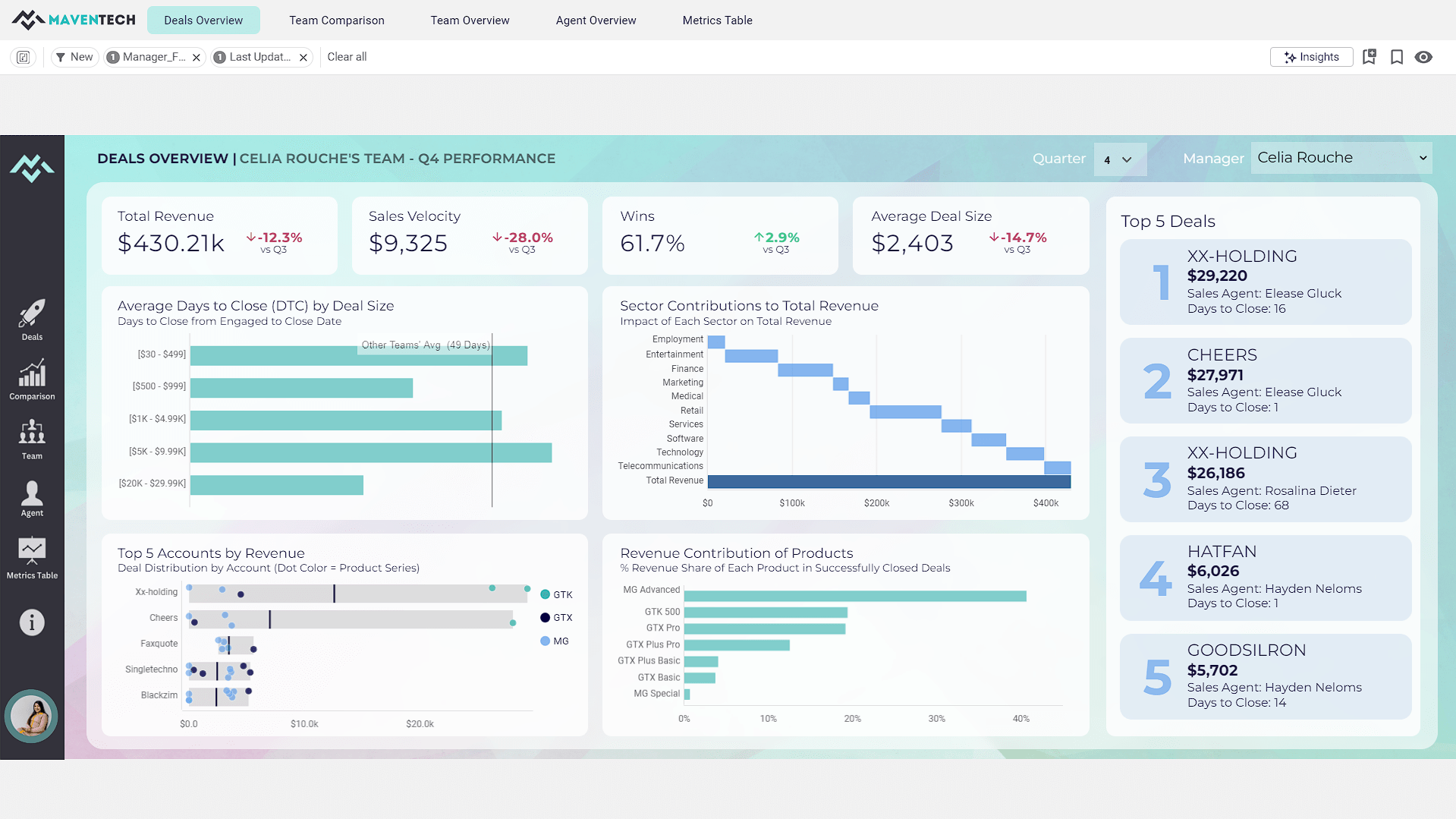
Screenshot of from the Gallery Dashboard: Maventech CRM Sales PerformanceScreenshot of from the Gallery Dashboard: Healthcare Analytics
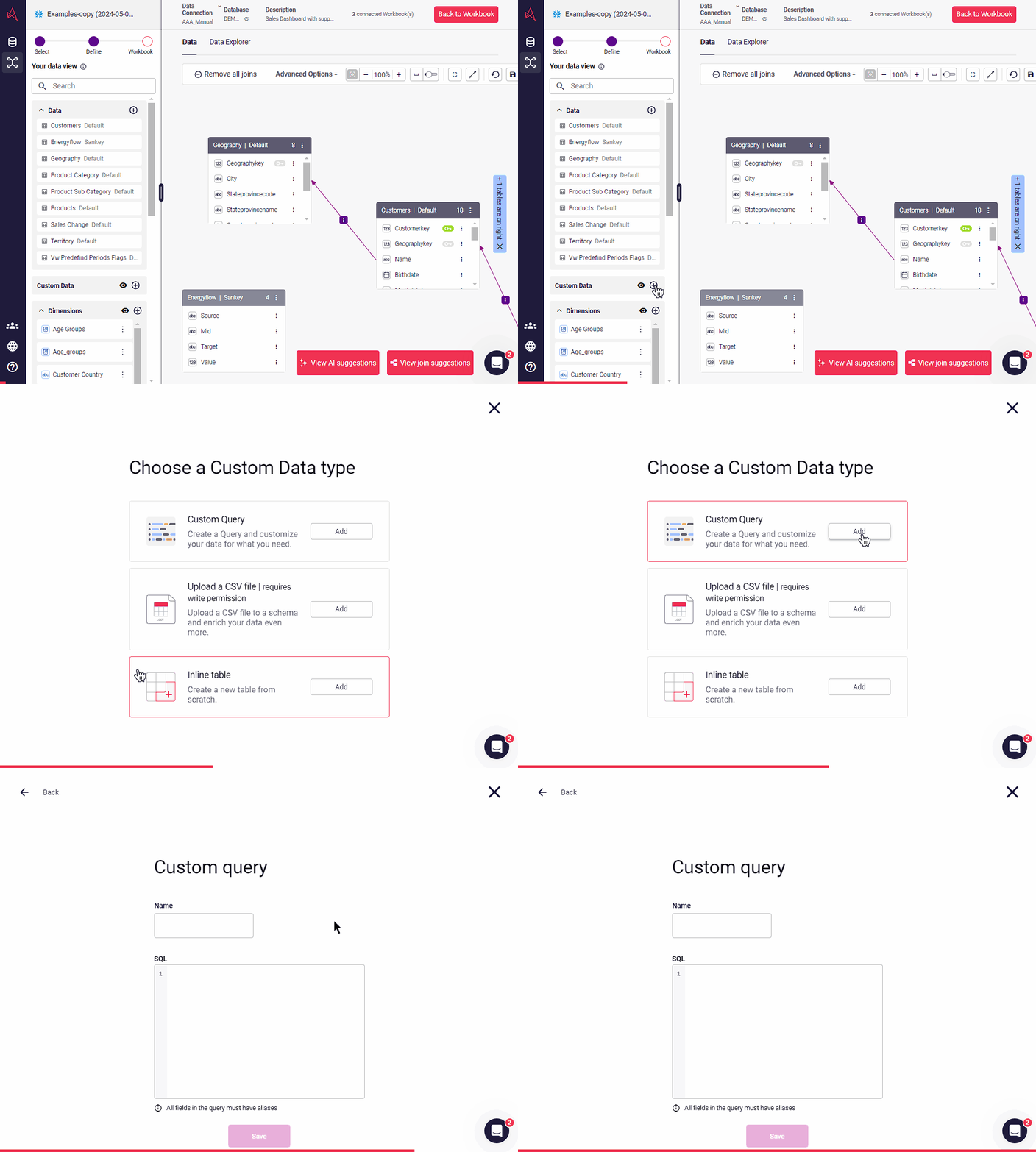
The comprehensive Healthcare System Dashboard was designed for Bedford Health System, a tool leveraging Astrato’s data visualization capabilities. This dashboard provides a holistic view of various critical healthcare metrics, enabling informed decision-making and strategic planning.Screenshot of how to add custom data into the semantic layer