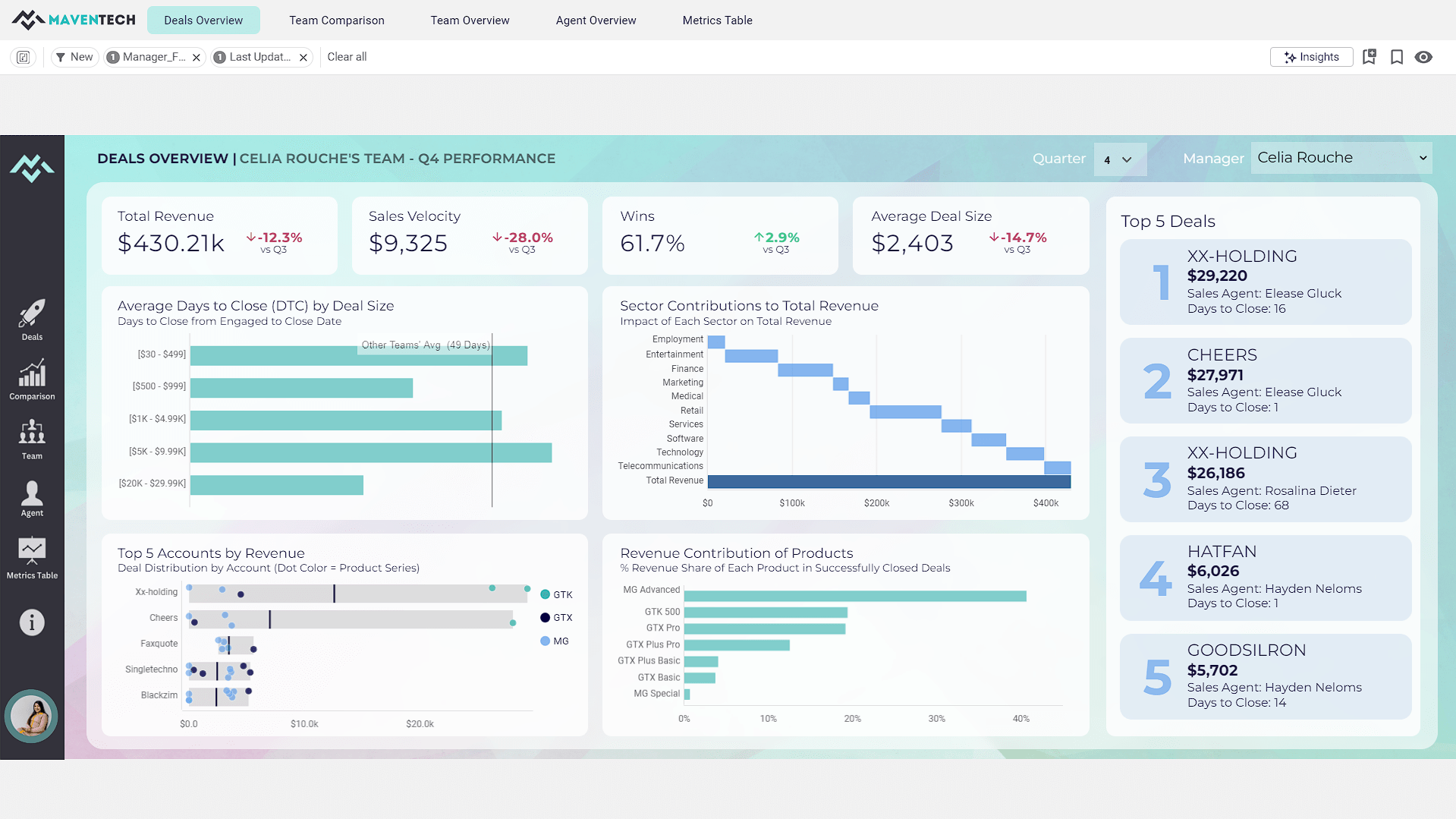
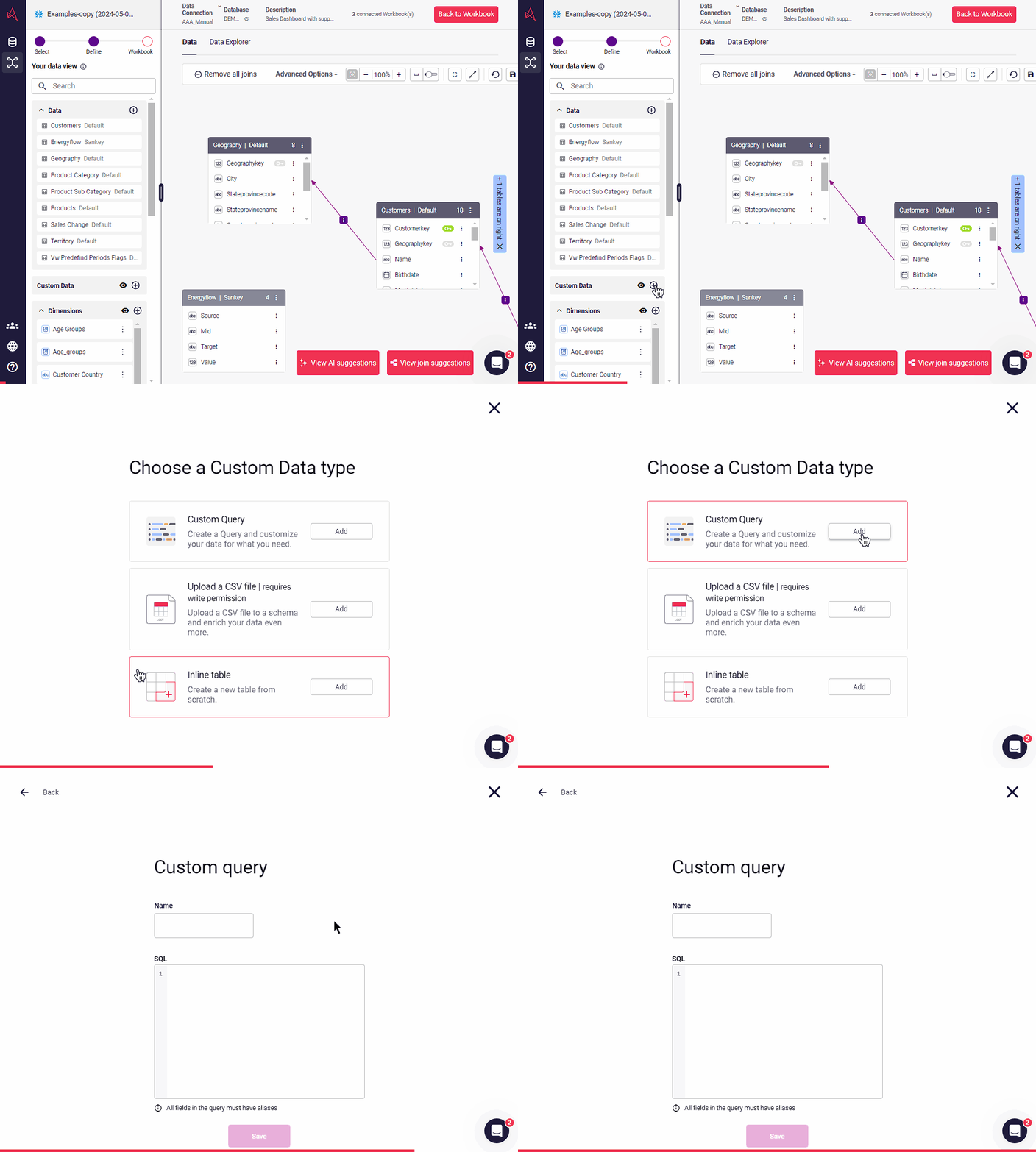
A self-service BI solution, Astrato puts analytics in the hands of every user, enabling them to build their own reports and answer data questions without IT help. Astrato accelerates adoption, speeds up decision-making, and unifies analytics, embedded analytics, data input, and data apps in one platform. With Astrato, Self-Service business users can see and understand data that resides in the Data Cloud (Snowflake, Databricks, BigQuery, Redshift, Dremio,…
$12
per month per user
Microsoft Power BI
Score8.5 out of 10
N/A
Microsoft Power BI is a visualization and data discovery tool from Microsoft. It allows users to convert data into visuals and graphics, visually explore and analyze data, collaborate on interactive dashboards and reports, and scale across their organization with built-in governance and security.
CEO / Managing Partner in Product Management at Impensa (Hospital & Health Care, 1-10 employees)
Chose Astrato Analytics
To scale PowerBi, we would have needed a staff of technical folks and a substantial budget, and we still probably could not have created the robust SaaS application we did with Astrato Analytics. Astrato Analytics allowed for a staff of two to create and rollout a SaaS …
A de minimis incentive was given to thank the reviewer for their time. The incentive was not used to bias or drive a particular response, nor was the incentive contingent on a positive endorsement. More Info
Founder in Professional Services at Navigantum (Information Technology & Services, 1-10 employees)
Chose Astrato Analytics
Astrato is a cloud-native tool with the ability to manage an effortless live connection to modern cloud data warehouses for real time updates. This sets them apart from legacy platforms which are desktop-centric. Astrato is also capable of a level of dashboard graphics quality …
A de minimis incentive was given to thank the reviewer for their time. The incentive was not used to bias or drive a particular response, nor was the incentive contingent on a positive endorsement. More Info
Astrato Analytics provides a feature-rich application that it easy to use for the non-technical user yet robust enough to create a sophisticated SaaS application. Astrato Analytics provides native integration to all the major large cloud data platforms and the implementation is very straight forward. The value provided through their feature-rich platform and competitive pricing is unmatched.
Has significantly improved collation of data and visualisation especially with business across Europe. Has given me the ability to see the Site availability at the click of a button to see which Site is in the "money" and seize opportunities based on Market data
A de minimis incentive was given to thank the reviewer for their time. The incentive was not used to bias or drive a particular response, nor was the incentive contingent on a positive endorsement. More Info
Writeback to the database is simple and straightforward and allows us to build apps in the tool with a level of interation that is not possible with other BI tools
Version control that is built into the workbooks allows us to quickly deploy changes without the fear of losing the older version and maintianing both a historcal updates and the ability to rollback
Easy connectivity to a wide range of data platforms including Snowflake, Databricks, and Google Workspace within the same tenant allows us to leverage data from each of these platforms for specific use cases
Options for data source connections are immense. Not just which sources, but your options for *how* the data is brought in.
Constant updates (this is both good and bad at times).
User friendliness. I can get the data connections set up and draft some quick visuals, then release to the target audience and let them expand on it how they want to.
A de minimis incentive was given to thank the reviewer for their time. The incentive was not used to bias or drive a particular response, nor was the incentive contingent on a positive endorsement. More Info
The product is still young, as a consequence, some features aren't as mature as competitors. Astrato has worked to catch up quickly, by rolling out new features regularly
Better ability to control icons and themes from a central point, instead of having to add/change them on each report
A de minimis incentive was given to thank the reviewer for their time. The incentive was not used to bias or drive a particular response, nor was the incentive contingent on a positive endorsement. More Info
A de minimis incentive was given to thank the reviewer for their time. The incentive was not used to bias or drive a particular response, nor was the incentive contingent on a positive endorsement. More Info
Microsoft Power BI is an excellent and scalable tool. It has a learning curve, but once you get past that, the sky is the limit and you can build from the most simple to the most complex dashboards. I have built everything from simple reports with only a few data points to complex reports with many pages and advanced filtering.
It is a very intuitive system, a pleasure to use, practical and simple, for medium to advanced activities. BI supervisors are delighted with much of the functionality, but highlight some weaknesses that they still have, such as the loading speed in HEIC-type files.
Without a doubt, it is a tool that has become essential in our business routine.
A de minimis incentive was given to thank the reviewer for their time. The incentive was not used to bias or drive a particular response, nor was the incentive contingent on a positive endorsement. More Info
Automating reporting has reduced manual data processing by 50-70%, freeing up analysts for higher-value tasks. A finance team that previously spent 20+ hours per week on Excel-based reports now does it in minutes with Microsoft Power BI's automated Real-time dashboards have shortened decision cycles by 30-40%, enabling leadership to react quickly to sales trends, operational bottlenecks, and customer behavior.
A de minimis incentive was given to thank the reviewer for their time. The incentive was not used to bias or drive a particular response, nor was the incentive contingent on a positive endorsement. More Info
A de minimis incentive was given to thank the reviewer for their time. The incentive was not used to bias or drive a particular response, nor was the incentive contingent on a positive endorsement. More Info
It is a fantastic tool, you can do almost everything related with data and reports, it is a perfect substitutive of Power Point and Excel with a high evolution and flexibility, and also it is very friendly and easy to share. I think all companies should have Power BI (or other BI tool) in their software package and if they are in the MS Suite, for sure Power BI should be the one due to all the benefits of the MS ecosystem.
A de minimis incentive was given to thank the reviewer for their time. The incentive was not used to bias or drive a particular response, nor was the incentive contingent on a positive endorsement. TR verified that a representative sample of customers was invited. More Info
A de minimis incentive was given to thank the reviewer for their time. The incentive was not used to bias or drive a particular response, nor was the incentive contingent on a positive endorsement. More Info
To scale PowerBi, we would have needed a staff of technical folks and a substantial budget, and we still probably could not have created the robust SaaS application we did with Astrato Analytics. Astrato Analytics allowed for a staff of two to create and rollout a SaaS Application in under 60 days and provided hands on support to us as needed. There really is no comparison.
Microsoft Power BI is free. If I didn't want to create a custom platform (i.e. my organization insisted on an existing platform that I *had* to use), I'd use Microsoft Power BI. For any start-up or SMB, I'd just use Claude & Grok to build it quickly, also for free. Would not pay for Tableau or Sigma anymore. Not worth it at all.
A de minimis incentive was given to thank the reviewer for their time. The incentive was not used to bias or drive a particular response, nor was the incentive contingent on a positive endorsement. More Info
A de minimis incentive was given to thank the reviewer for their time. The incentive was not used to bias or drive a particular response, nor was the incentive contingent on a positive endorsement. More Info