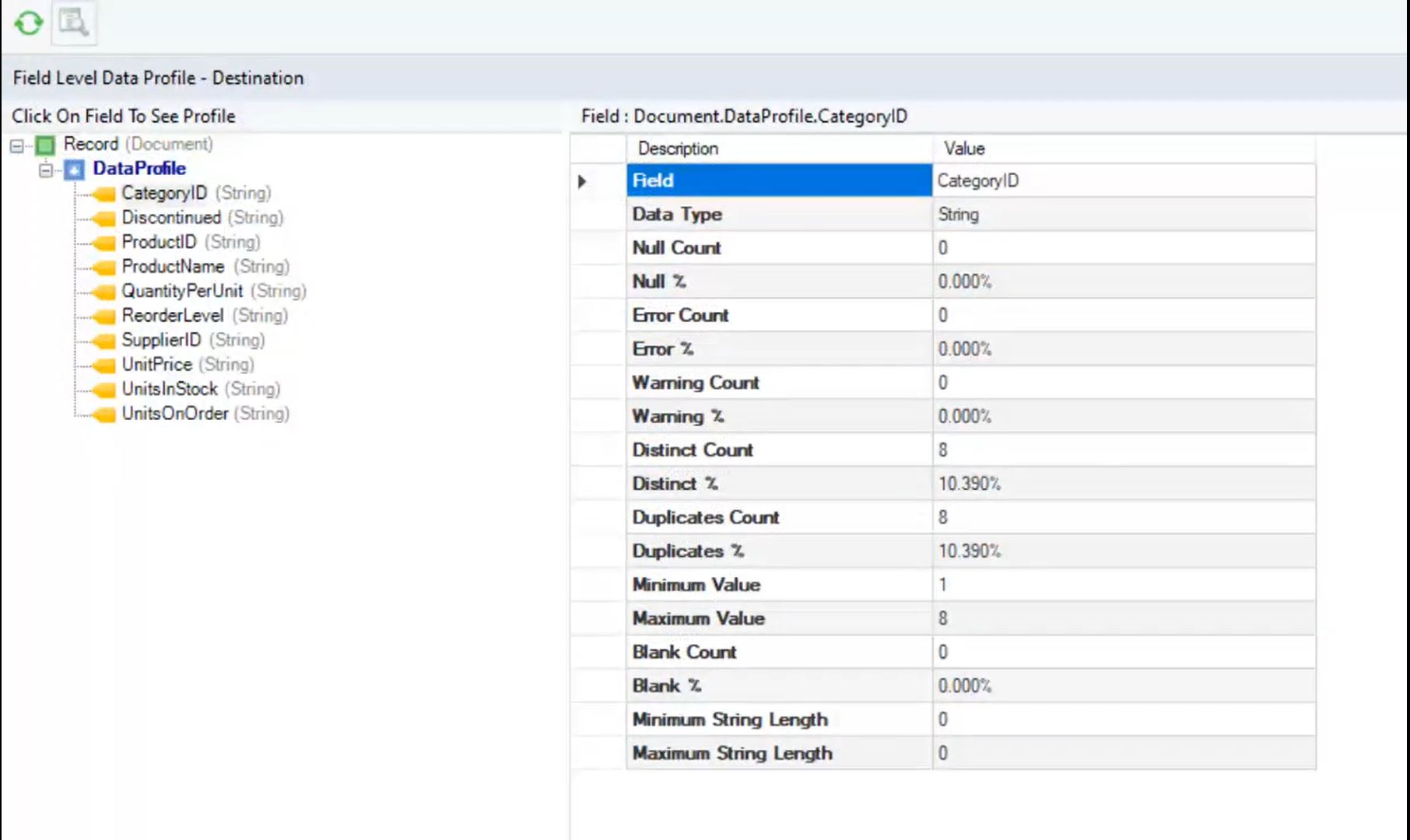
Astera Data Pipeline Builder is a no-code solution for designing and automating data pipelines. It allows users to read and write data across various file formats, databases, and applications. Users can execute ETL and ELT pipelines manually, schedule automated reruns, or integrate them into broader data management processes.
N/A
SAS Data Management
Score8 out of 10
N/A
A suite of solutions for data connectivity, enhanced transformations and robust governance. Solutions provide a unified view of data with access to data across databases, data warehouses and data lakes. Connects with cloud platforms, on-premises systems and multicloud data sources.
N/A
Pricing
Astera Data Pipeline Builder (Centerprise)
SAS Data Management
Editions & Modules
Centerprise Enterprise
Contact rep
Lifetime License per Seat
No answers on this topic
Offerings
Pricing Offerings
Astera Data Pipeline Builder (Centerprise)
SAS Data Management
Free Trial
Yes
No
Free/Freemium Version
No
No
Premium Consulting/Integration Services
Yes
No
Entry-level Setup Fee
No setup fee
No setup fee
Additional Details
Discounts are provided for 10 pack, 20 pack, 50 pack, and enterprise wide Centerprise Professional licenses.
I have only been using Astera Centerprise for about 6 months and I am still learning the ins and out of it. A scenario where it seems to do well is in generating reports from SQL queries that we already had and no longer have to run the reports manually. The SQL Query Source object has been the most useful tool for me thus far. I have yet to fully stress test the server side of Astera Centerprise, but currently there have been some version updates that required me to re-set up all the scheduled jobs that we have. We only have 8 jobs thus far but have plans to expand this into the hundreds and those same updates would require exponential amounts of work.
A de minimis incentive was given to thank the reviewer for their time. The incentive was not used to bias or drive a particular response, nor was the incentive contingent on a positive endorsement. More Info
When data is in a system that needs a complex transformation to be usable for an average user. Such tasks as data residing in systems that have very different connection speeds. It can be integrated and used together after passing through the SAS Data Integration Studio removing timing issues from the users' worries. A part that is perhaps less appropriate is getting users who are not familiar with the source data to set up the load processes.
A de minimis incentive was given to thank the reviewer for their time. The incentive was not used to bias or drive a particular response, nor was the incentive contingent on a positive endorsement. More Info
SAS/Access is great for manipulating large and complex databases.
SAS/Access makes it easy to format reports and graphics from your data.
Data Management and data storage using the Hadoop environment in SAS/Access allows for rapid analysis and simple programming language for all your data needs.
A de minimis incentive was given to thank the reviewer for their time. The incentive was not used to bias or drive a particular response, nor was the incentive contingent on a positive endorsement. More Info
When purchasing Astera Centerprise you are given options on how you would like to be trained and each option comes with a different price tag. We chose to be trained using online meetings over several days. The training went too fast and it was not always easy to understand until I started using the product.
I am a person that wants to learn how and why something works so that I can use the knowledge in the future. When contacting the support team they take the problem, create a solution for you and send it back. The solutions always work, but when I get the solution I have to review every field and function to understand how it works so that I can re-create it for another solution I need. I would much rather have the support team explain what I had done incorrectly and what they changed or I would like to find a solution with them instead of having it handed to me.
Astera uses license keys to allow their customers rights to only the functionality that was purchased. Each user and server has its own key and each key is only good for one year. There have been 2 different times that we received keys that had less functionality that we purchased. It wasn't until it created problems that we noticed and had to request new keys. This year our sales representative made sure she was available when we updated our keys so that if there was a problem she could fix it right away; however, there were not issues this year. I believe this is something they pay closer attention to now.
A de minimis incentive was given to thank the reviewer for their time. The incentive was not used to bias or drive a particular response, nor was the incentive contingent on a positive endorsement. More Info
We've been using Astera Centerprise application for the last 6 years and we've already added EDI connect to it. Both applications are working really well for our enterprise needs so far with no issues, so we'll continue renewing the licenses.
Centerprise is highly usable; however the version we are currently using could be a little more intuitive in some areas though by no means unworkable. I think some of the issues we have have been addressed and solved in the latest version.
The main negative point is the use of a non-standard language for customizations, as well as the poor integration with non-SAS systems. However, there is no doubt that it is a high-performance and powerful product capable of responding optimally to certain requirements.
A de minimis incentive was given to thank the reviewer for their time. The incentive was not used to bias or drive a particular response, nor was the incentive contingent on a positive endorsement. More Info
In most cases Astera is stable. However, our client experiences the error from time to time. Mostly they are related to cdc file and ServerAdminConfig.xml file.
A de minimis incentive was given to thank the reviewer for their time. The incentive was not used to bias or drive a particular response, nor was the incentive contingent on a positive endorsement. More Info
A de minimis incentive was given to thank the reviewer for their time. The incentive was not used to bias or drive a particular response, nor was the incentive contingent on a positive endorsement. More Info
A de minimis incentive was given to thank the reviewer for their time. The incentive was not used to bias or drive a particular response, nor was the incentive contingent on a positive endorsement. More Info
Support is great! No matter if you need technical assistance or you have general questions about the tool - the support is very responsive and provides solutions quickly. They are available via various channels, which makes it very convenient to get in touch with them (Support portal, direct email contact, LinkedIn).
A de minimis incentive was given to thank the reviewer for their time. The incentive was not used to bias or drive a particular response, nor was the incentive contingent on a positive endorsement. More Info
With SAS, you pay a license fee annually to use this product. Support is incredible. You get what you pay for, whether it's SAS forums on the SAS support site, technical support tickets via email or phone calls, or example documentation. It's not open source. It's documented thoroughly, and it works.
A de minimis incentive was given to thank the reviewer for their time. The incentive was not used to bias or drive a particular response, nor was the incentive contingent on a positive endorsement. More Info
Astera support provided us implementation/installation tutorial and we were able to perform all the activities. Also one of the support was there to shadow us to make sure the process was smooth with no issues
We looked at continuing to use SSIS as an alternative. Although we own SSIS as part of our SQL licensing, we found that it takes a much higher skill level to create solutions. It also does not have the ability to parse unstructured data the way that Centerprise Data Integrator can. We also looked at Datawatch Monarch as a possibility but found it over-all to be cost-prohibitive. We also looked at a cheaper alternative called SimX but did not have a strong confidence in the product as we evaluated it. We landed on Centerprise Data Integrator as it met all of our business requirements and we know we could leverage it for many uses across our enterprise.
Because of ease of using SAS DI and data processing speed. There were lots of issues with AWS Redshift on cloud environment in terms of making connections with the data sources and while fetching the data we need to write complex queries.
A de minimis incentive was given to thank the reviewer for their time. The incentive was not used to bias or drive a particular response, nor was the incentive contingent on a positive endorsement. More Info
I was helping on purchase this product but I am not sure about the term and pricing for it. But based on what I understand that the term of the licenses are good.
A de minimis incentive was given to thank the reviewer for their time. The incentive was not used to bias or drive a particular response, nor was the incentive contingent on a positive endorsement. More Info
I think Astera can do multiple things. However, we are not sure what it can do. We only know the basic features. If they can give us some kind of training, then we maybe able to benefit for it. We are planning to use their Azure connection in the future. If they can provide the training for it, it will be wonderful.
A de minimis incentive was given to thank the reviewer for their time. The incentive was not used to bias or drive a particular response, nor was the incentive contingent on a positive endorsement. More Info
A de minimis incentive was given to thank the reviewer for their time. The incentive was not used to bias or drive a particular response, nor was the incentive contingent on a positive endorsement. More Info
It is tough to say on how Centerprise would have helped us with ROI. Unfortunately our project (after 3 years) was scrapped (put on hold) due to the impromptu purchase of another Crop Insurance company. But with that, Centerprise was huge in getting our warehouse loaded for our BI Team to make important decisions about our policies.
A de minimis incentive was given to thank the reviewer for their time. The incentive was not used to bias or drive a particular response, nor was the incentive contingent on a positive endorsement. More Info