AssignmentOS vs. Sage HRMS

Overview
ProductRatingMost Used ByProduct SummaryStarting Price
AssignmentOS
Score 0.0 out of 10
N/A
AssignmentOS is a holistic platform for Higher Education to automate the sending, retrieving, and grading of students’ coding assignments while allowing students to improve their skills with real-world tools & workflows. Coding Bootcamps & Universities can use AssignmentOS to improve the quality and efficiency of the teaching-learning process.N/A
Sage HRMS
Score 9.8 out of 10
N/A
Sage HRMS is an HR management solution that integrates payroll, benefits, recruiting, employee self-service, and analytics capabilities.N/A
Pricing
AssignmentOSSage HRMS
Editions & Modules
No answers on this topic
Offerings
Pricing Offerings
AssignmentOSSage HRMS
Free Trial
YesNo
Free/Freemium Version
NoNo
Premium Consulting/Integration Services
NoNo
Entry-level Setup FeeNo setup feeNo setup fee
Additional Details
More Pricing Information
Community Pulse
AssignmentOSSage HRMS
Features
AssignmentOSSage HRMS
Human Resource Management
Comparison of Human Resource Management features of Product A and Product B
AssignmentOS
-
Ratings
Sage HRMS
5.5
Ratings
35% below category average
Employee demographic data00 Ratings8.00 Ratings
Employment history00 Ratings8.00 Ratings
Job profiles and administration00 Ratings1.30 Ratings
Workflow for transfers, promotions, pay raises, etc.00 Ratings7.90 Ratings
Organizational charting00 Ratings6.00 Ratings
Organization and location management00 Ratings6.00 Ratings
Compliance data (COBRA, OSHA, etc.)00 Ratings1.20 Ratings
Payroll Management
Comparison of Payroll Management features of Product A and Product B
AssignmentOS
-
Ratings
Sage HRMS
4.8
Ratings
50% below category average
Pay calculation00 Ratings6.10 Ratings
Support for external payroll vendors00 Ratings4.00 Ratings
Off-cycle/On-Demand payment00 Ratings6.90 Ratings
Benefit plan administration00 Ratings2.10 Ratings
Direct deposit files00 Ratings8.00 Ratings
Salary revision and increment management00 Ratings3.00 Ratings
Reimbursement management00 Ratings3.20 Ratings
Leave and Attendance Management
Comparison of Leave and Attendance Management features of Product A and Product B
AssignmentOS
-
Ratings
Sage HRMS
1.2
Ratings
148% below category average
Approval workflow00 Ratings1.20 Ratings
Balance details00 Ratings1.20 Ratings
Annual carry-forward and encashment00 Ratings1.00 Ratings
Employee Self Service
Comparison of Employee Self Service features of Product A and Product B
AssignmentOS
-
Ratings
Sage HRMS
3.9
Ratings
70% below category average
View and generate pay and benefit information00 Ratings4.10 Ratings
Update personal information00 Ratings4.20 Ratings
View company policy documentation00 Ratings1.10 Ratings
Employee recognition00 Ratings6.00 Ratings
View job history00 Ratings4.00 Ratings
Asset Management
Comparison of Asset Management features of Product A and Product B
AssignmentOS
-
Ratings
Sage HRMS
7.0
Ratings
14% below category average
Tracking of all physical assets00 Ratings7.00 Ratings
HR Reporting
Comparison of HR Reporting features of Product A and Product B
AssignmentOS
-
Ratings
Sage HRMS
3.7
Ratings
68% below category average
Report builder00 Ratings2.00 Ratings
Pre-built reports00 Ratings1.20 Ratings
Ability to combine HR data with external data00 Ratings8.00 Ratings
Onboarding
Comparison of Onboarding features of Product A and Product B
AssignmentOS
-
Ratings
Sage HRMS
7.0
Ratings
12% below category average
New hire portal00 Ratings7.00 Ratings
Manager tracking tools00 Ratings7.00 Ratings
Performance and Goals
Comparison of Performance and Goals features of Product A and Product B
AssignmentOS
-
Ratings
Sage HRMS
7.3
Ratings
8% below category average
Corporate goal setting00 Ratings8.00 Ratings
Individual goal setting00 Ratings7.00 Ratings
Line-of sight-visibility00 Ratings8.00 Ratings
Performance tracking00 Ratings6.00 Ratings
Performance Management
Comparison of Performance Management features of Product A and Product B
AssignmentOS
-
Ratings
Sage HRMS
7.8
Ratings
0% below category average
Performance plans00 Ratings9.00 Ratings
Performance improvement plans00 Ratings8.00 Ratings
Review status tracking00 Ratings7.00 Ratings
Review reminders00 Ratings8.00 Ratings
Multiple review frequency00 Ratings7.00 Ratings
Succession Planning
Comparison of Succession Planning features of Product A and Product B
AssignmentOS
-
Ratings
Sage HRMS
8.5
Ratings
8% above category average
Create succession plans/pools00 Ratings9.00 Ratings
Candidate ranking00 Ratings8.00 Ratings
Candidate search00 Ratings8.00 Ratings
Candidate development00 Ratings9.00 Ratings
Recruiting / ATS
Comparison of Recruiting / ATS features of Product A and Product B
AssignmentOS
-
Ratings
Sage HRMS
7.6
Ratings
2% below category average
Job Requisition Management00 Ratings5.00 Ratings
Company Website Posting00 Ratings7.20 Ratings
Publish to Social Media00 Ratings9.00 Ratings
Job Search Site Posting00 Ratings7.00 Ratings
Duplicate Candidate Prevention00 Ratings8.00 Ratings
Applicant Tracking00 Ratings8.00 Ratings
Notifications and Alerts00 Ratings9.00 Ratings
Best Alternatives
AssignmentOSSage HRMS
Small Businesses

No answers on this topic

Dayforce Powerpay
Dayforce Powerpay
Score 9.5 out of 10
Medium-sized Companies
Ellucian Banner
Ellucian Banner
Score 2.6 out of 10
Paypro Workforce Management
Score 9.7 out of 10
Enterprises
PeopleAdmin Higher Ed Platform, from Powerschool
Score 7.0 out of 10
PeopleStrong
PeopleStrong
Score 9.9 out of 10
All AlternativesView all alternativesView all alternatives
User Ratings
AssignmentOSSage HRMS
Likelihood to Recommend
-
(0 ratings)
1.2
(0 ratings)
Likelihood to Renew
-
(0 ratings)
8.0
(0 ratings)
User Testimonials
AssignmentOSSage HRMS
Likelihood to Recommend
No answers on this topic
Sage HRMS might be great for a smaller company under 1,000 employees. I would not recommend it for larger companies. It becomes too burdensome because many processes still have to be manual and reports take forever to process if you have too many records in your system
Read full review
Pros
No answers on this topic
  • Reporting - there are three levels of reporting - 1. Standard Reports 2. Query Tool - users can create very simple list with some filtering functionality 3. Crystal Reports - user can create very simple to complex report pulling data from multiple table, calculated fields, etc.
  • Benefit Tracking - benefit plans are setup utilizing rate tables therefore rate changes are updated globally
  • Payroll - everyday payroll processing and tax filing that is very user friendly
Read full review
Cons
No answers on this topic
  • It is sometimes hard to identify parts of competency/compensation history. We built tables to store this data but it is not laid out well on the screen.
  • Sometimes, even when you tell the system to "Add to History" it doesn't update so there is history missing. This impacts someone that relies on history for troubleshooting and reports.
Read full review
Likelihood to Renew
No answers on this topic
I do not work with this software anymore, and I am not involved with the renewal of it. However, if I were, I would still suggest using it unless something better was introduced
Read full review
Alternatives Considered
No answers on this topic
Sage HRMS is popular and it's used in most organizations due to the reputation of Sage in coming up with popular and reliable business softwares. The software is not that expensive and after learning how to use it, everything becomes smooth and perfect. It's ultimate strength lies in payroll management and helping in applicant tracking capabilities
Read full review
Return on Investment
No answers on this topic
  • Sage HRMS allowed us to manage payroll in house.
  • It was disappointing that we had to use an outside vendor to file and pay our withholding tax.
  • Ultimately, the decision was made to outsource payroll after using HRMS for 3 years.
Read full review
ScreenShots

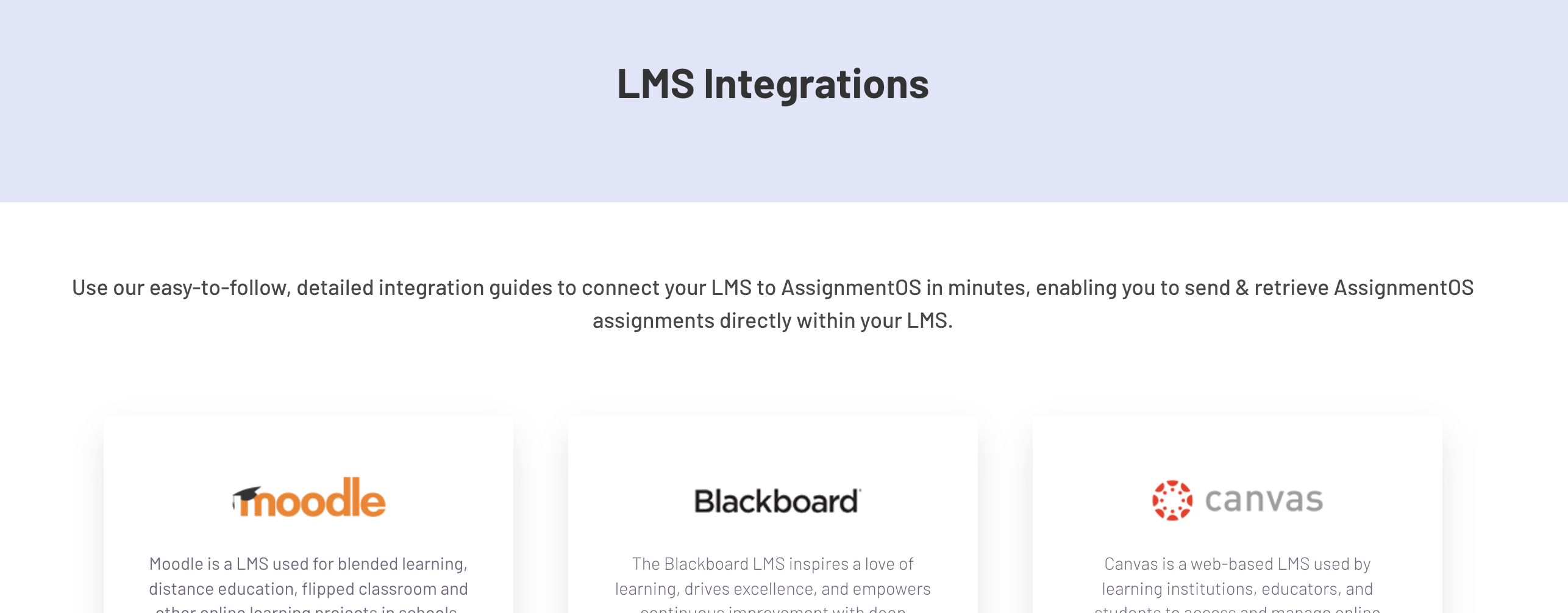
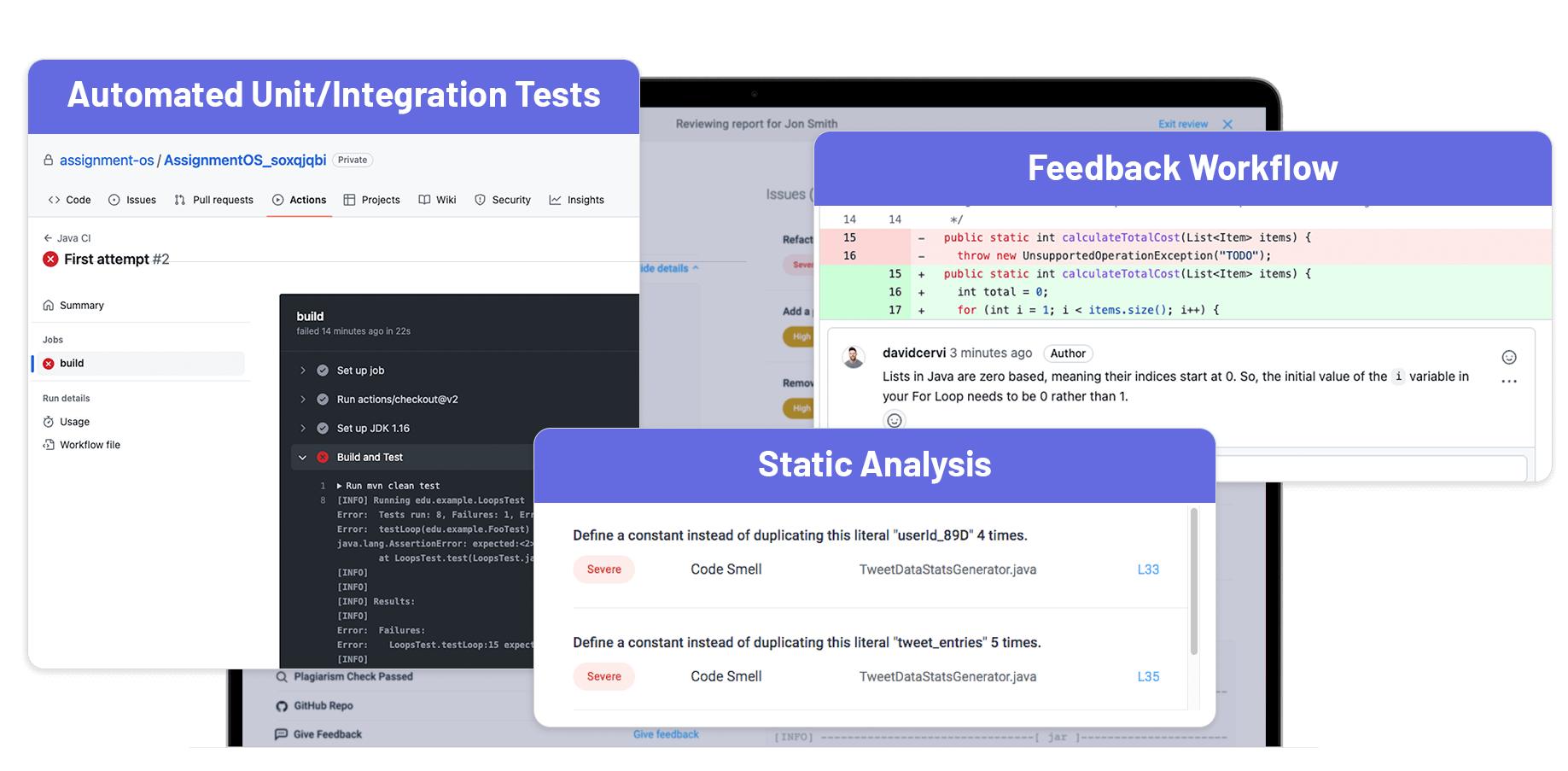
AssignmentOS Screenshots

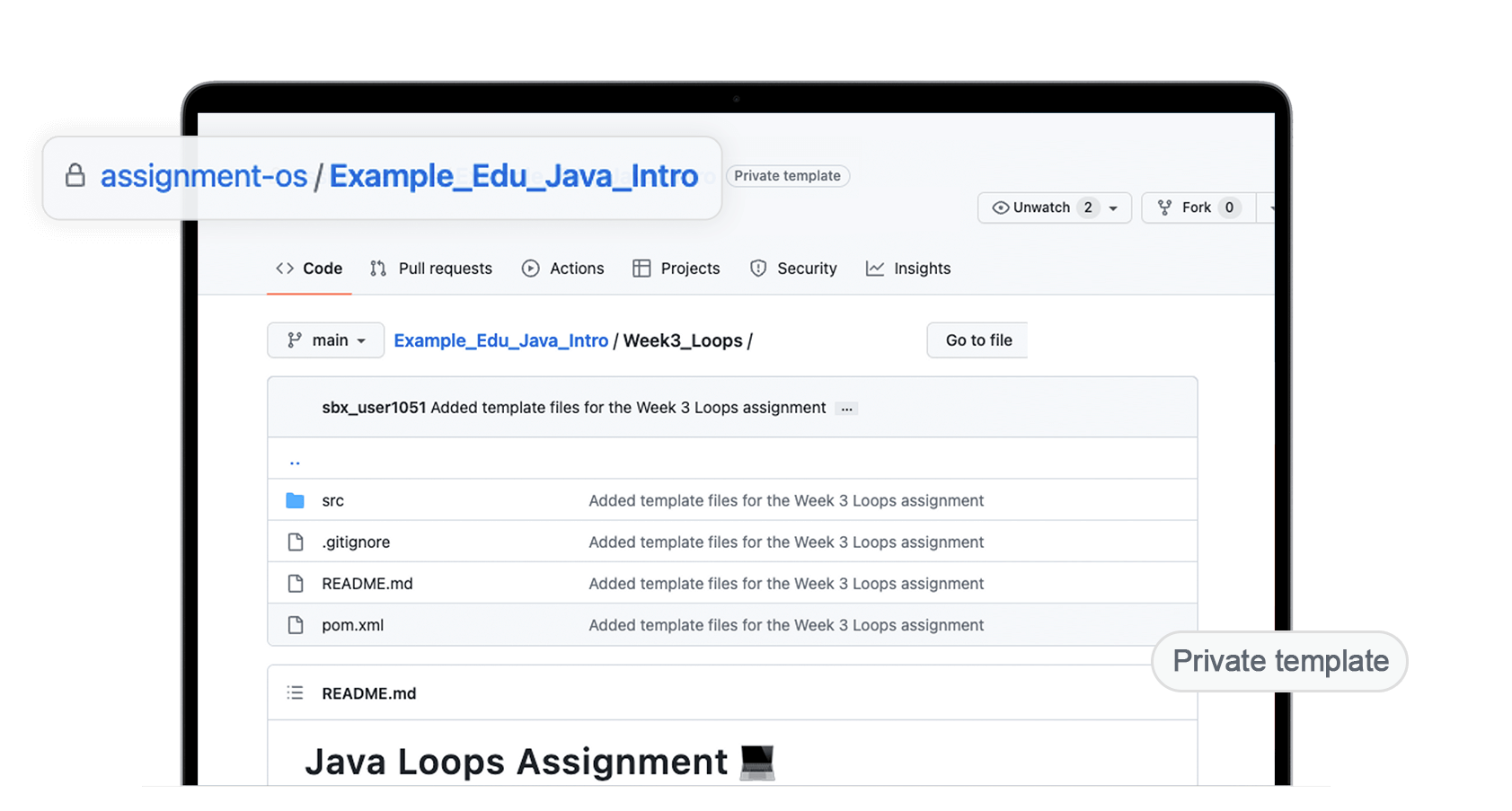
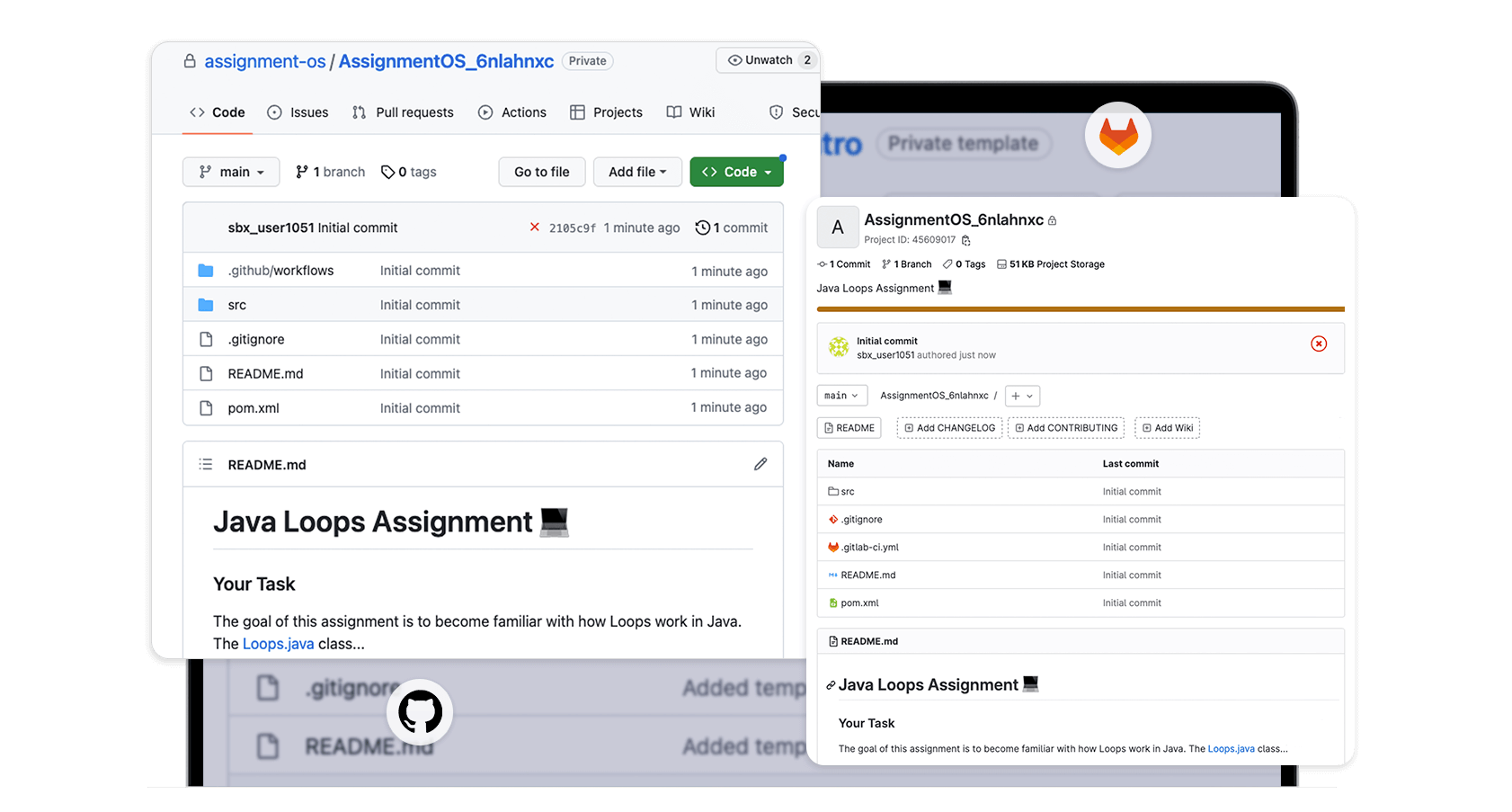
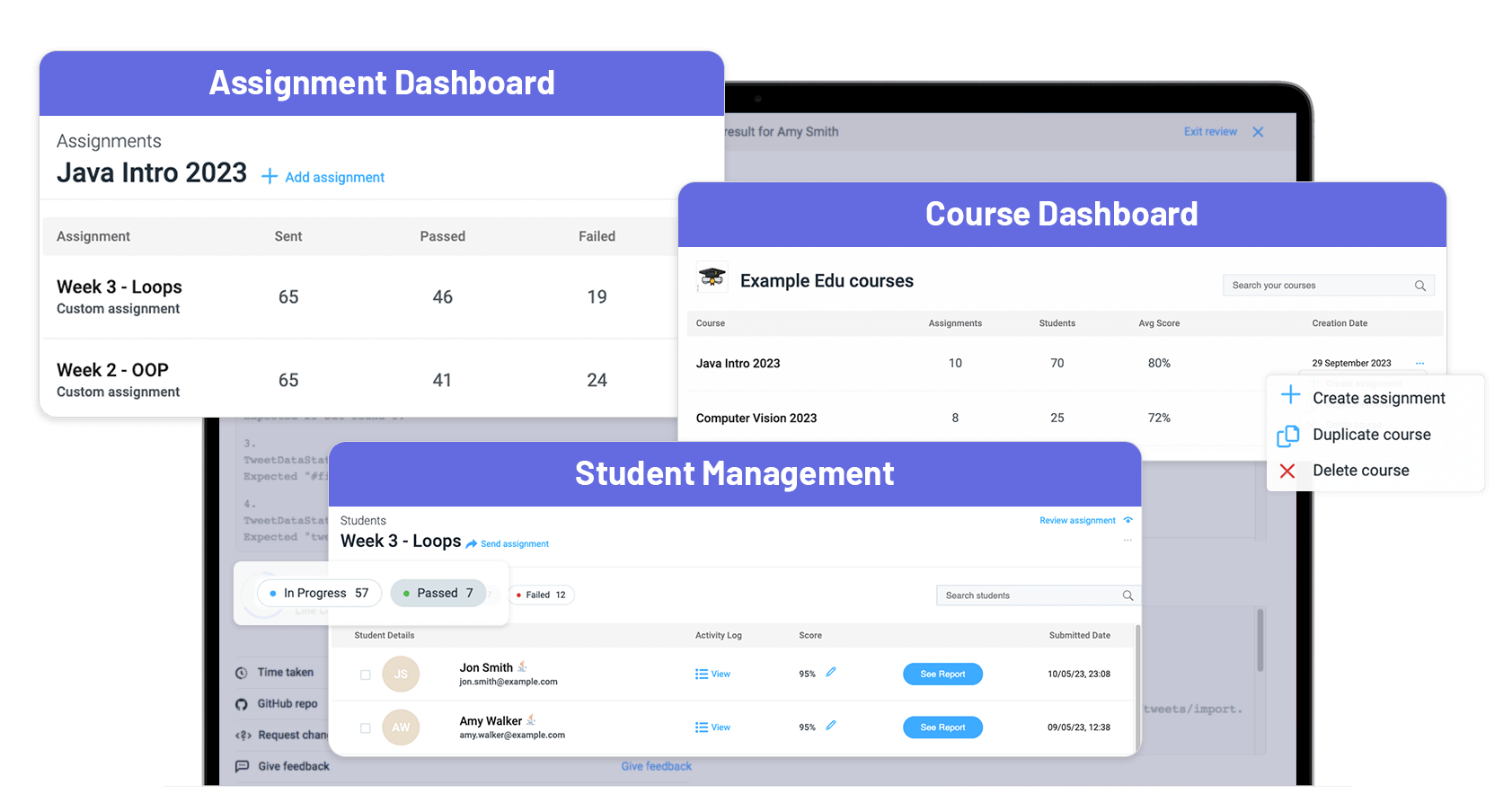
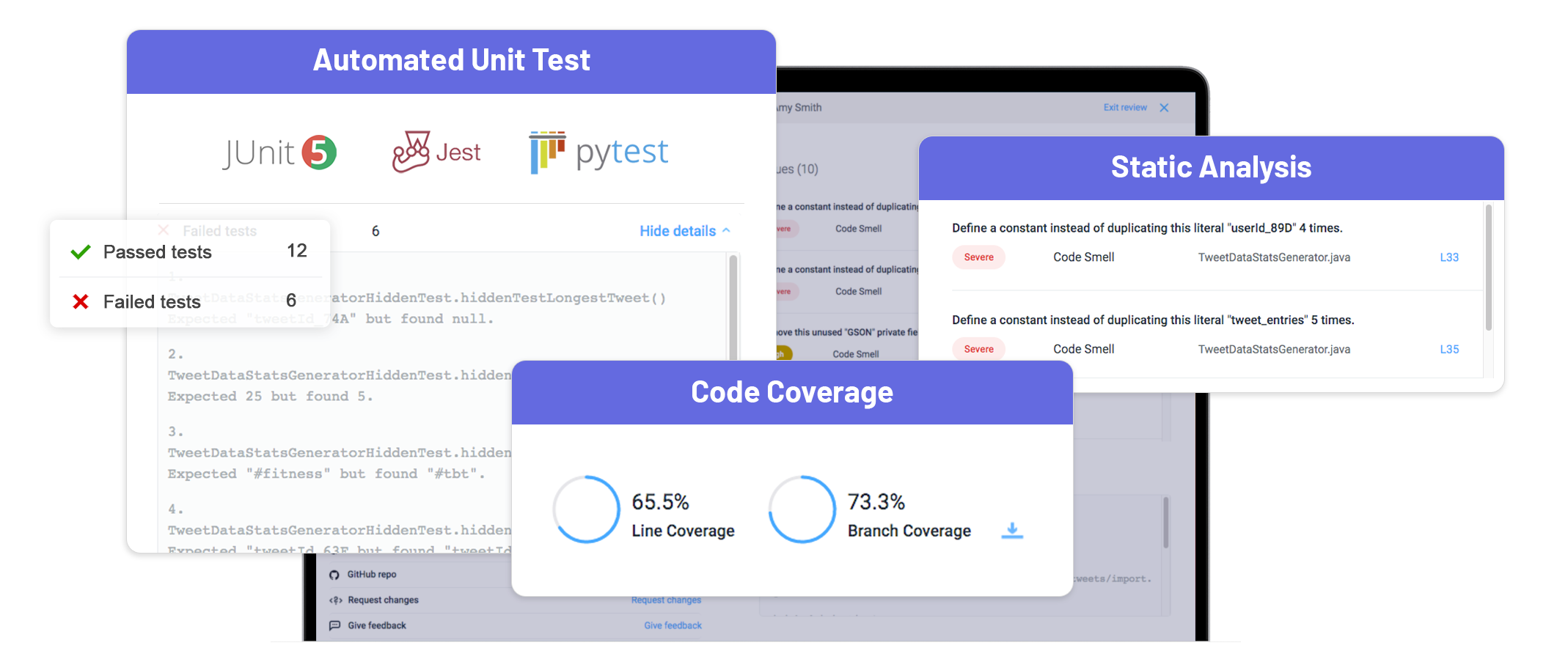
Screenshot of Custom Assignments - Assignments can be customized in 30+ languages & frameworks to continue using existing assignments while leveraging AssignmentOS’s automated workflow.Screenshot of GitHub/GitLab Workflow - Students can work on their assignments like they would develop software in the real world, preparing them well for industry work.Screenshot of Tracking of Assignments & Students - AssignmentOS’s multi-dimensional tracking keeps track of assignments & studentsScreenshot of Automated Grading - AssignmentOS’s Automated Grading (unit/integration tests, static analysis, etc.) removes the manual analysis of the submissions & provides a detailed student analysis report showing how each student performed.Screenshot of LMS Integration - AssignmentOS can be connected to Learning Management Systems, enabling users to send assignments & retrieve submissions directly in an LMS.Screenshot of Multi-dimensional Feedback - AssignmentOS’s multi-dimensional feedback features consists of automated feedback from modern unti/integration tests and a feedback workflow for TAs, to enhance student learning.