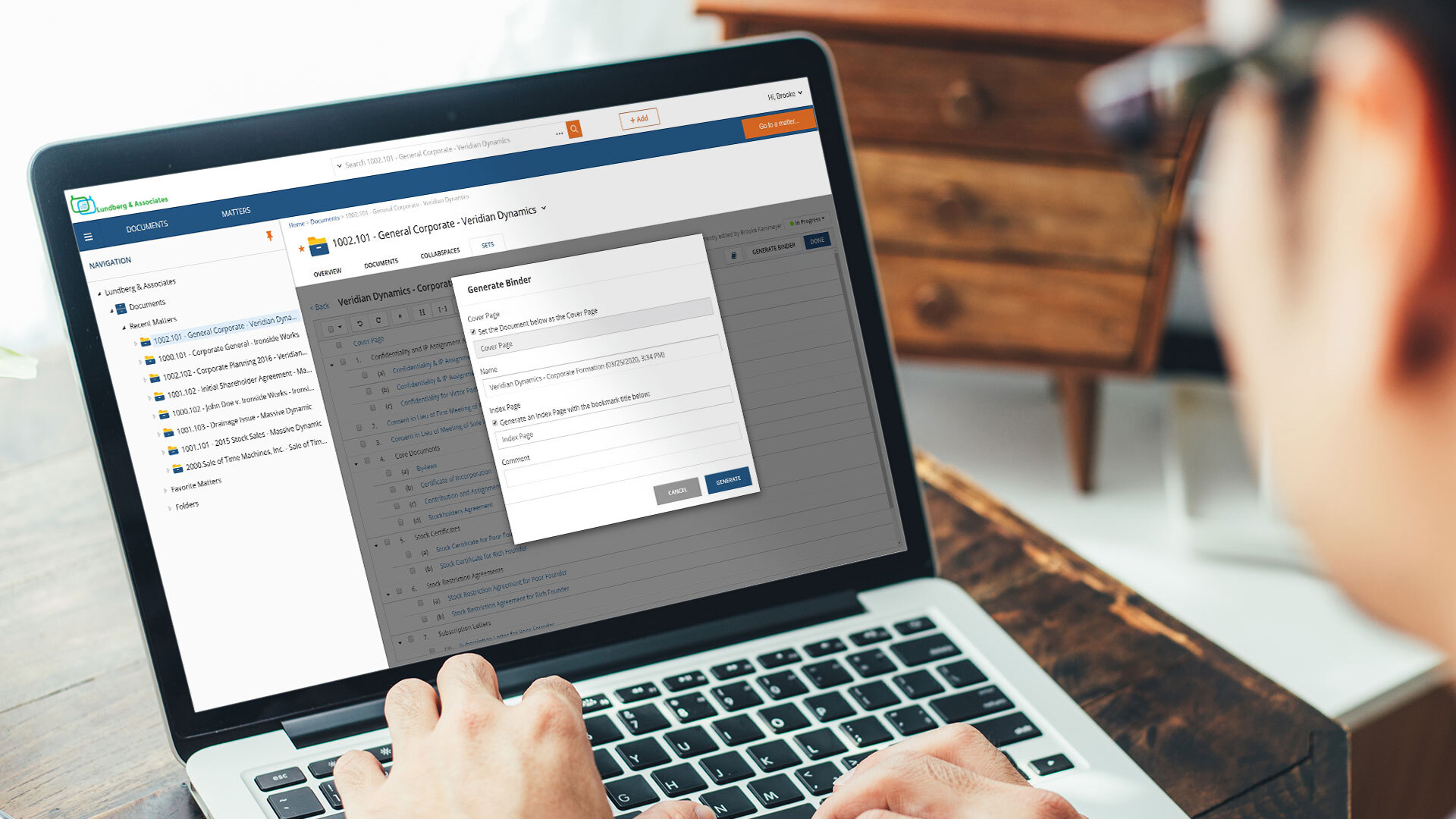
In my personal experience Assembly Neos is well suited for all our business needs here at our law firm. I can't think of any scenario where it's less appropriate. I can't even imagine what my workload would be like without Assembly Neos. It makes my case management easier and bearable. If you haven't worked with Assembly Neos you should give it a try because it will meet your needs.
A de minimis incentive was given to thank the reviewer for their time. The incentive was not used to bias or drive a particular response, nor was the incentive contingent on a positive endorsement. More Info
It is ideal where security is your number one concern or where there is a need to share securely across different physical locations. Speed is less than ideal in certain usage scenarios. It is limited by the speed of the internet and it can be difficult to pull large quantities of documents when researching or answering discovery requests, although, that being said, it can be addressed by maintaining your own secure server to contain a mirror of your online documents. But then the security for a mirror falls back on the organization.
A de minimis incentive was given to thank the reviewer for their time. The incentive was not used to bias or drive a particular response, nor was the incentive contingent on a positive endorsement. More Info
Stores large files/allows for large files to be easily accessed and pulled up
The Assembly Neos tagging feature in the notes section has been incredibly helpful in keeping assignments organized and directing coworkers to certain case files
The tabs in the Documents section are very detailed and help keep large case files organized
The display of each file is easy to look at and organized, even when the files are very big or busy
A de minimis incentive was given to thank the reviewer for their time. The incentive was not used to bias or drive a particular response, nor was the incentive contingent on a positive endorsement. More Info
A de minimis incentive was given to thank the reviewer for their time. The incentive was not used to bias or drive a particular response, nor was the incentive contingent on a positive endorsement. More Info
A de minimis incentive was given to thank the reviewer for their time. The incentive was not used to bias or drive a particular response, nor was the incentive contingent on a positive endorsement. More Info
Delay. At times, there is a delay between saving a document into Netdocuments and actually seeing them in the appropriate workspace. Such a delay is caused by the system indexing the newly added file.
Netdocuments' servers slow down at times causing users to receive error messages. This can be quickly remedied, but can become a nuisance.
A de minimis incentive was given to thank the reviewer for their time. The incentive was not used to bias or drive a particular response, nor was the incentive contingent on a positive endorsement. More Info
I gave Assembly Neos a 10/10 because it has transformed how we manage cases from intake to settlement. The platform combines powerful automation, centralized document management, and seamless communication tracking in a way that saves our team hours every week. It’s intuitive for new users, highly customizable to match our workflows, and backed by responsive customer support. NeosAI and workflow automation have noticeably reduced manual tasks, allowing us to focus more on client service and case strategy. Overall, it’s become an essential tool for running our firm efficiently and effectively.
A de minimis incentive was given to thank the reviewer for their time. The incentive was not used to bias or drive a particular response, nor was the incentive contingent on a positive endorsement. More Info
Because it's been a good and efficient source for our company to manage our client's profiles and being able to track everything that is happening during the process of their case. And while they get the attention needed but also for us to see the progress we have made with their treatment.
A de minimis incentive was given to thank the reviewer for their time. The incentive was not used to bias or drive a particular response, nor was the incentive contingent on a positive endorsement. More Info
The product is simple to learn and adheres to well-known web user protocols. The NetDocuments team spends a lot of time talking to customers regarding how to improve their interface, and are pretty quick about implementing good ideas. The system is reliable and repeatable, and similar functions are laid out consistently and in formats that users are used to.
A de minimis incentive was given to thank the reviewer for their time. The incentive was not used to bias or drive a particular response, nor was the incentive contingent on a positive endorsement. More Info
NetDocuments is a performant web app. It is reliable and provides all the functionality of a sophisticated document management system. It also can serve, through its APIs, as a base system for other applications, which enhances its value. Other vendors find the company easy to work with, and it consistently seems to be the first to offer new features and technologies to its customers.
A de minimis incentive was given to thank the reviewer for their time. The incentive was not used to bias or drive a particular response, nor was the incentive contingent on a positive endorsement. More Info
Each and every time I call with a question, there is someone available to answer. If not, I generally receive a call back the same day and sometimes within minutes
A de minimis incentive was given to thank the reviewer for their time. The incentive was not used to bias or drive a particular response, nor was the incentive contingent on a positive endorsement. More Info
I've never had to contact support, but I won't give it a ten. We've had a few hiccups along the way, but nothing that couldn't be fixed within 24 hours.
A de minimis incentive was given to thank the reviewer for their time. The incentive was not used to bias or drive a particular response, nor was the incentive contingent on a positive endorsement. More Info
Neos stands out strongly against other case management software programs due to its consistent and frequent updates. Most software updates occur once a quarter or even once a year. I feel like I'm receiving a message from Neos Assembly once a week, advising that a new feature is in the beta stage or is now live as a complete new addition.
A de minimis incentive was given to thank the reviewer for their time. The incentive was not used to bias or drive a particular response, nor was the incentive contingent on a positive endorsement. More Info
By creating well-defined processes and implementing automated systems within the platform, it has become significantly easier to handle a higher volume of cases than would be possible without any systems in place.
The time saved on administrative tasks can now be redirected toward higher-value activities, such as client engagement and case strategy, ultimately driving better outcomes and supporting business growth.
With real-time updates and shared access to documents and notes, everyone involved in a case can collaborate more effectively, reducing bottlenecks and ensuring tasks are completed on time. This transparency also helps with tracking progress and identifying areas for improvement.
A de minimis incentive was given to thank the reviewer for their time. The incentive was not used to bias or drive a particular response, nor was the incentive contingent on a positive endorsement. TR verified that a representative sample of customers was invited. More Info
NetDocuments has really saved us from hiring more people. The document management system is a core technology to any law firm. Our last DMS was an in-house system. It easily required the attention of half a FTE and offered a fraction of the functionality.
NetDocuments has also been relatively easy for our employees to use. We have a high adoption rate and it allows for our employees (and third parties) to collaborate pretty well.
NetDocuments offers any number of certifications -- e.g. ISO 27001, business associate agreements for HIPAA -- certifications that are required by some clients, that we could not possibly attain with an in-house system.
A de minimis incentive was given to thank the reviewer for their time. The incentive was not used to bias or drive a particular response, nor was the incentive contingent on a positive endorsement. More Info