Arcoro is an HR technology company focused on the construction industry, offering solutions to help companies hire, manage and grow their back office, professional and skilled trade workforce.
N/A
UKG Ready
Score9 out of 10
N/A
The UKG Ready® software suite is a centralized HCM solution designed for small to mid-sized businesses. It automates and streamlines HR, payroll, benefits, time, talent, and scheduling processes. UKG Ready's suite of tools offer actionable insights while helping to ensure compliance. Using AI, it draws on work, people, and culture data to boost efficiency and productivity. For example, UKG Ready streamlines core HR…
We have recommended to at least two other colleagues. It helps to prevent dishonest time keeping. Manual timekeeping by a supervisor seems to create a lot of room for errors including forgetfulness of who showed up and when. It's nice to be able to track when each employee is working or how many people are on each worksite.
A de minimis incentive was given to thank the reviewer for their time. The incentive was not used to bias or drive a particular response, nor was the incentive contingent on a positive endorsement. TR verified that a representative sample of customers was invited. More Info
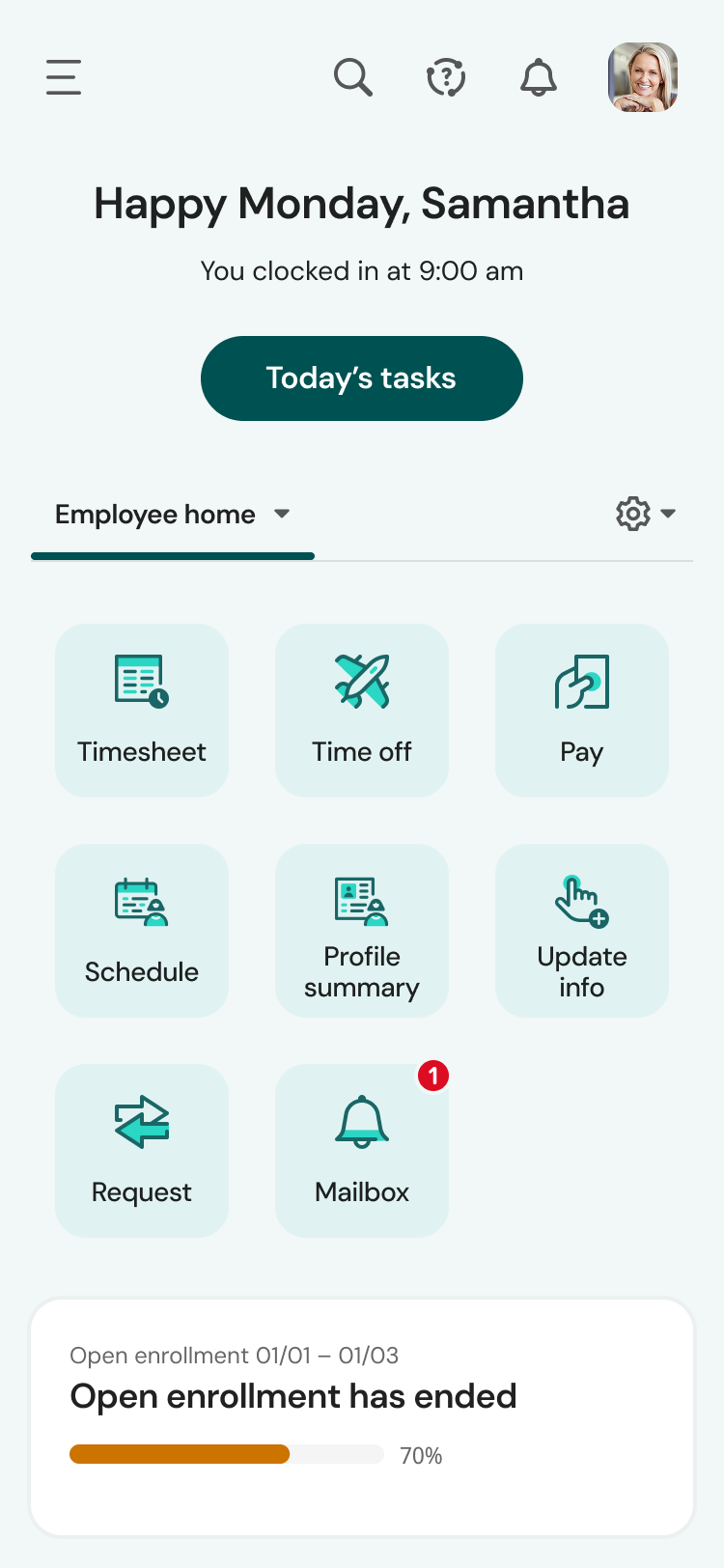
There’s not much for me to share here other than multiple mobile apps for employees to download for different functions. We have the learning function activated and employees had to download a second mobile app (HCMToGo Learning) to be able to access the Learning portal on the go. Concerned that if we continue to add more functionality, there will be more apps to download.
A de minimis incentive was given to thank the reviewer for their time. The incentive was not used to bias or drive a particular response, nor was the incentive contingent on a positive endorsement. TR verified that a representative sample of customers was invited. More Info
Employee logs in and answers health-related questions before beginning work. They remotely provide their own timesheet information, adjustable by the administrator where needed.
Location at time of login is readily available. Distance from jobsite can be determined at any login.
Time for lunch is automatically deducted from work hours, logged by type of work interrupted, and easily adjustable by the employer if necessary.
Reports by employees of time spent on any type of work during the work day and work week are readily available. Work by job name is also available.
A de minimis incentive was given to thank the reviewer for their time. The incentive was not used to bias or drive a particular response, nor was the incentive contingent on a positive endorsement. TR verified that a representative sample of customers was invited. More Info
A de minimis incentive was given to thank the reviewer for their time. The incentive was not used to bias or drive a particular response, nor was the incentive contingent on a positive endorsement. More Info
A de minimis incentive was given to thank the reviewer for their time. The incentive was not used to bias or drive a particular response, nor was the incentive contingent on a positive endorsement. TR verified that a representative sample of customers was invited. More Info
A de minimis incentive was given to thank the reviewer for their time. The incentive was not used to bias or drive a particular response, nor was the incentive contingent on a positive endorsement. More Info
It is easer to keep someing going then change things out. Our employees have taken 6 months to learn this one, I do not want to reinvent the wheel. Just this week I have seen inprovment as they now know they do not get paid if they do not clock in and back out every day.
A de minimis incentive was given to thank the reviewer for their time. The incentive was not used to bias or drive a particular response, nor was the incentive contingent on a positive endorsement. TR verified that a representative sample of customers was invited. More Info
We plan to renew our support and use of UKG Ready each year unless it becomes unavailable or the district seeks another vendor. As of now, there are no plans to changes vendors. The district staff is now familiar with using UKG. Another vendor will need to meet the same expectations we have come to enjoy with using UKG
A de minimis incentive was given to thank the reviewer for their time. The incentive was not used to bias or drive a particular response, nor was the incentive contingent on a positive endorsement. TR verified that a representative sample of customers was invited. More Info
It's easy for anyone tech savvy. It is kind of impossible to make anything even more user-friendly than it already is. The app itself has zero issues for all my staff. The admin side of things takes a bit more knowing and learning.
A de minimis incentive was given to thank the reviewer for their time. The incentive was not used to bias or drive a particular response, nor was the incentive contingent on a positive endorsement. TR verified that a representative sample of customers was invited. More Info
The few challenges we have encountered have been with creating reports for the organization, managing performance goals and creating service tickets for urgent matters. Overall we have found UKG Ready to be super helpful and it has streamlined many of our HR processes for us but there could be some improvements on the items listed
A de minimis incentive was given to thank the reviewer for their time. The incentive was not used to bias or drive a particular response, nor was the incentive contingent on a positive endorsement. More Info
The system seems very stable. Being hosted in the cloud, we are vulnerable to internet speeds and busy times. The system has been down a couple times over the 3 months we have been live, but Kronos resolved the issues very quickly. To have access from a desktop, tablet, time clock, or phone app is one of the best features....users have almost NO REASON they can't clock in.
A de minimis incentive was given to thank the reviewer for their time. The incentive was not used to bias or drive a particular response, nor was the incentive contingent on a positive endorsement. TR verified that a representative sample of customers was invited. More Info
We were always told that Kronos was the best, but there are reports that we got out of ADP and other payroll providers that we cannot get out of Kronos. One example is a report of Productive/Non-productive hours by department. We also need the dollar amount associated with the hours. This is information that is required on our cost report and we were told that that report is unavailable. It is very frustrating when I can't get what I need.
A de minimis incentive was given to thank the reviewer for their time. The incentive was not used to bias or drive a particular response, nor was the incentive contingent on a positive endorsement. TR verified that a representative sample of customers was invited. More Info
I have had problems outside of normal business hours and I get a return phone call from them pretty quickly. There has only been I think 1 instance that I waited for too long to be able to fix my situation.
A de minimis incentive was given to thank the reviewer for their time. The incentive was not used to bias or drive a particular response, nor was the incentive contingent on a positive endorsement. More Info
If I was only rating support itself that would be a 10. Every support case I have entered has been addressed efficiently and with the desired result. On the implementation and transition to support there were multiple issues that those doing the implementation or transition could not answer or workflows and various settings left undone only to be discovered later. We implemented 3 different modules and the expertise we got for each one varied widely.
A de minimis incentive was given to thank the reviewer for their time. The incentive was not used to bias or drive a particular response, nor was the incentive contingent on a positive endorsement. TR verified that a representative sample of customers was invited. More Info
Our in-person training was a hybrid. Live online training with an instructor. They were very knowledgeable of the product & the area they were training on. I asked several specific questions and if they didn't know the answer immediately they followed up after class.
A de minimis incentive was given to thank the reviewer for their time. The incentive was not used to bias or drive a particular response, nor was the incentive contingent on a positive endorsement. TR verified that a representative sample of customers was invited. More Info
Pretty good online training, you have many how to options and can watch them several times. It can be hard at times to dig through the amount of data online but can usually find what you are looking for. Also you can download documentation for setting up the profiles and policies.
A de minimis incentive was given to thank the reviewer for their time. The incentive was not used to bias or drive a particular response, nor was the incentive contingent on a positive endorsement. TR verified that a representative sample of customers was invited. More Info
Gave a notice to all employees to come to work 15 min early on the day planned to implement the program. I had Spanish and English signs on how to down load the program and log in I showed them ALL how to log in and out and explained that they are responsible for reporting accurate time. I had them all sign a policy that lunch breaks were mandatory for all employees at least 30 min per day. This ensures safety on the roofs. We had a few people who did not have passwords to the app store and we had a few problems with android phones but most of them were on their way quickly. Most not happy about the change but I hope they see the benefit of it now.
A de minimis incentive was given to thank the reviewer for their time. The incentive was not used to bias or drive a particular response, nor was the incentive contingent on a positive endorsement. TR verified that a representative sample of customers was invited. More Info
Make sure the people who are doing the build have extensive knowledge on employment law and asking the right questions. I would bet that the people who helped with our builds did not read any of our employment contracts or ordinances; and when I asked questions about how other companies handled certain basic dictates from federal employment laws, they didn't have any idea what FMLA, FLSA, etc were.
A de minimis incentive was given to thank the reviewer for their time. The incentive was not used to bias or drive a particular response, nor was the incentive contingent on a positive endorsement. TR verified that a representative sample of customers was invited. More Info
We still use Sage, and ExakTime is compatible with it, which is why we went with ExakTime. So technically we use both at this time. ExakTime is a great pairing with Sage since Sage does not have any applications that let employees clock in and out. So we use ExakTime for that and then transfer the information to Sage for the reporting and issuing of deposits/checks, etc.
A de minimis incentive was given to thank the reviewer for their time. The incentive was not used to bias or drive a particular response, nor was the incentive contingent on a positive endorsement. TR verified that a representative sample of customers was invited. More Info
We currently use Paycom and are extremely dissatisfied with the lack of functionality and poor customer service. Rippling and ADP were other vendors we evaluated who performed well and offer a lot of functionality but we decided UKG was the best fit for our needs now and to scale with our strategic growth plans.
A de minimis incentive was given to thank the reviewer for their time. The incentive was not used to bias or drive a particular response, nor was the incentive contingent on a positive endorsement. TR verified that a representative sample of customers was invited. More Info
A de minimis incentive was given to thank the reviewer for their time. The incentive was not used to bias or drive a particular response, nor was the incentive contingent on a positive endorsement. More Info
A de minimis incentive was given to thank the reviewer for their time. The incentive was not used to bias or drive a particular response, nor was the incentive contingent on a positive endorsement. TR verified that a representative sample of customers was invited. More Info
Employees clock in and out with accuracy to the minute instead of guessing how many hours they worked on each job/day
Jobs/locations are listed on the app so employees can easily find the job they are working on instead of hunting through paperwork to find the location number
Geofencing tracks employees clocking in outside the job location
A de minimis incentive was given to thank the reviewer for their time. The incentive was not used to bias or drive a particular response, nor was the incentive contingent on a positive endorsement. TR verified that a representative sample of customers was invited. More Info
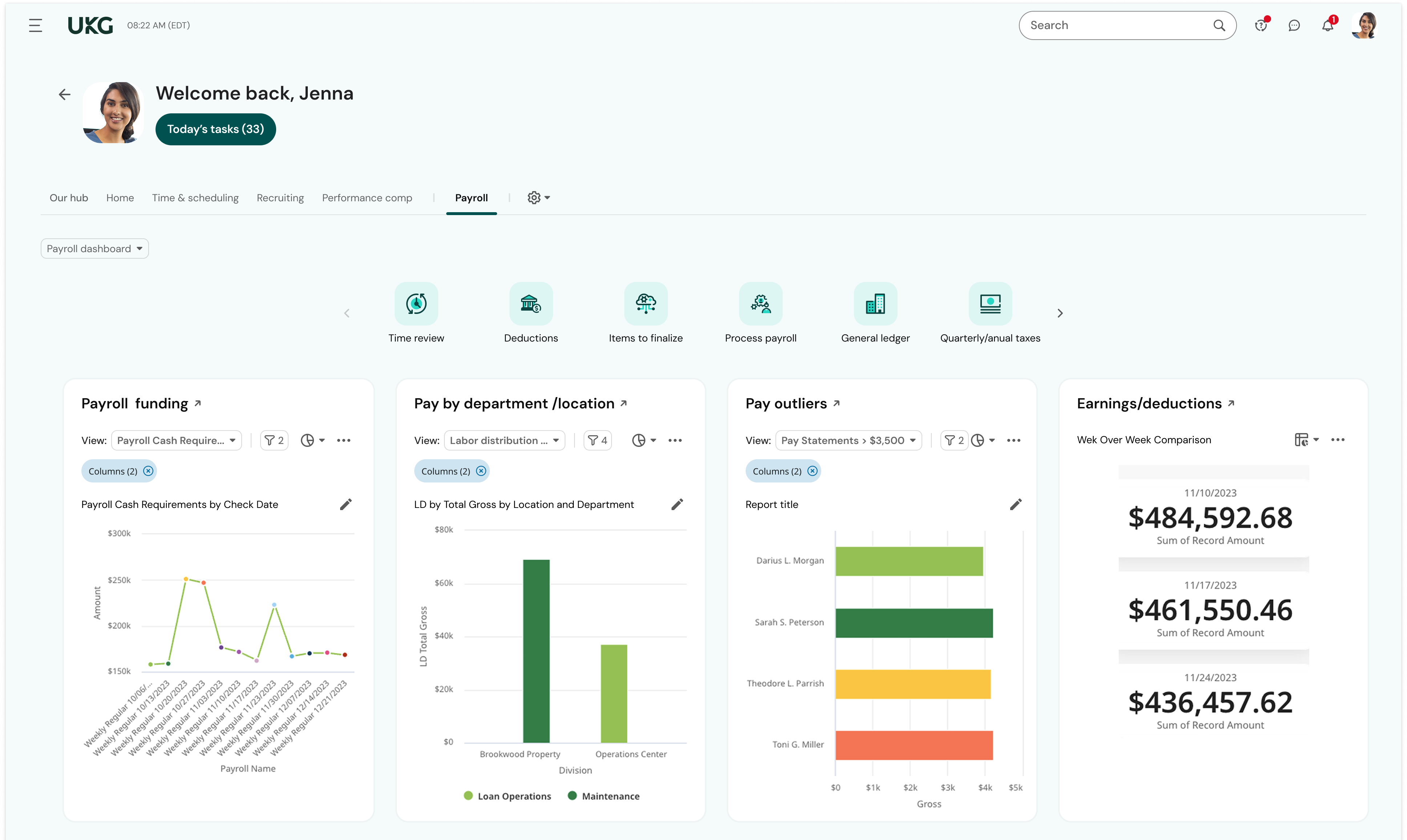
This is basic, but we finally know how many employees we have! It sounds ridiculous, but prior to UKG Ready we were on a payroll system that's reports were only as accurate as the last payroll cycle, so they were always 2 weeks behind and static. UKG Ready allows for realtime, daily reporting of information.
We are able to get salary data for our various locations to be able to compare them to each other, as well as across our "competitors" and external competition.
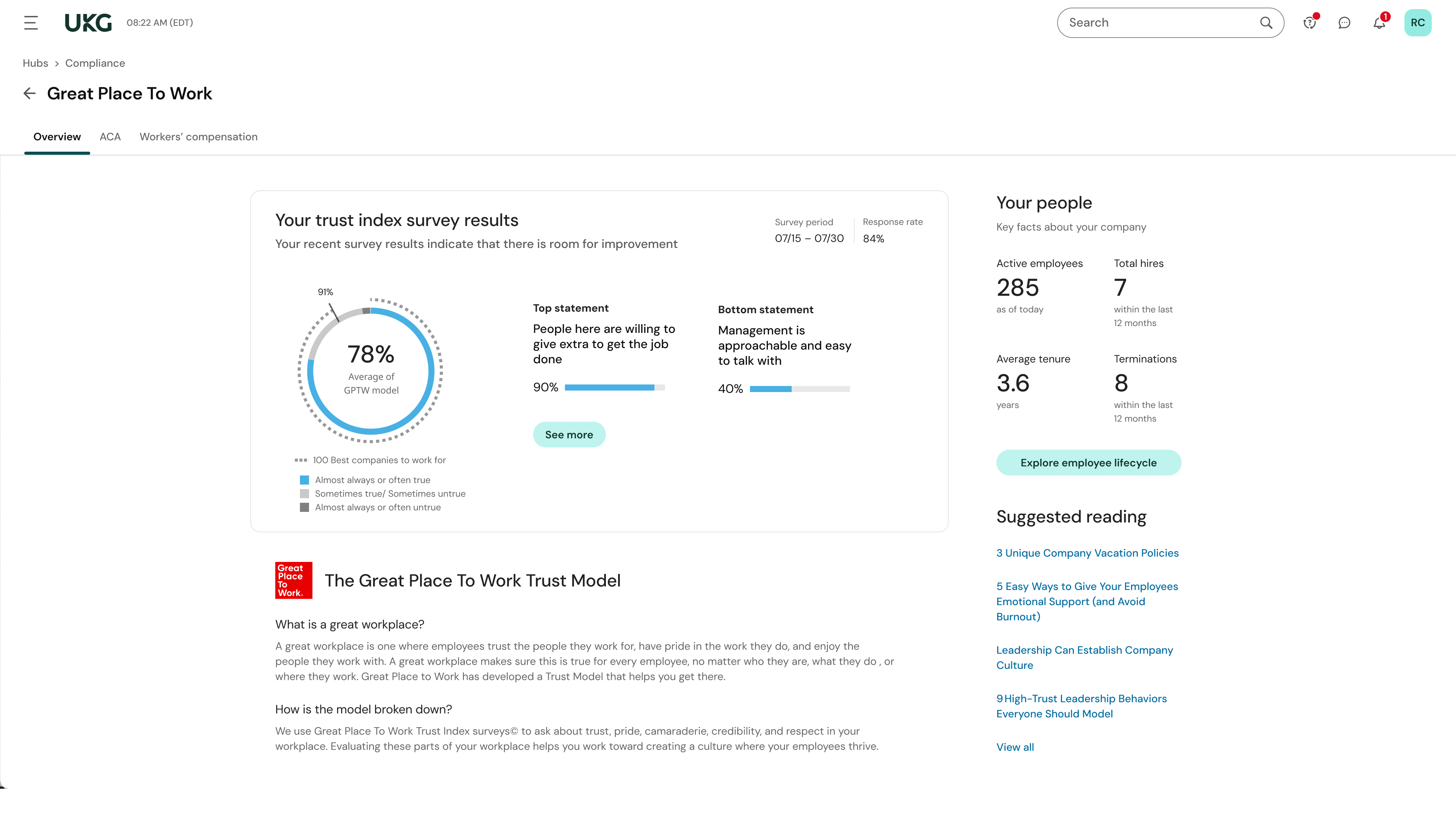
The data provided allows us to be able to understand the trends at individual locations including attrition, advancement, raise information, and other data points that we haven't historically done comparisons on
We can see the demographic and geographical information for our employees and the benefits that they elect