Arcoro is an HR technology company focused on the construction industry, offering solutions to help companies hire, manage and grow their back office, professional and skilled trade workforce.
N/A
PiiQ by Cornerstone
Score 8.7 out of 10
N/A
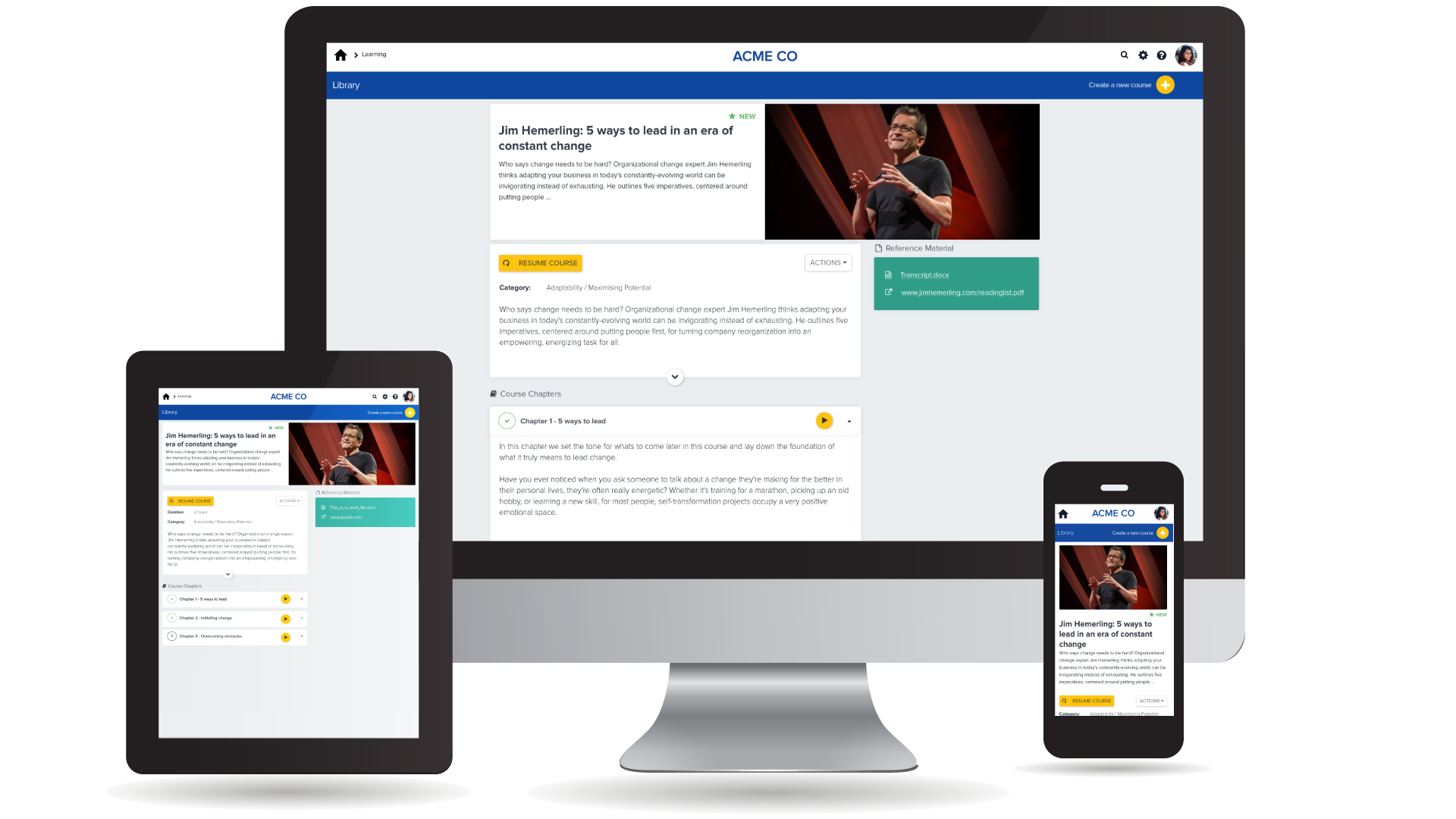
Cornerstone’s PiiQ is an SMB offering formerly known as Sonar6. PiiQ is aimed at small-to-medium sized businesses and includes core learning management and performance management systems, including content creation, mobile accessibility, and in-product reporting.
$8
per user per month
Pricing
Arcoro HR
PiiQ by Cornerstone
Editions & Modules
No answers on this topic
PiiQ Performance
$8.00
per user per month
PiiQ Learning + Content
$8.00
per user per month
PiiQ Learning + Content & Performance
$15.00
per user per month
Offerings
Pricing Offerings
Arcoro HR
PiiQ by Cornerstone
Free Trial
No
Yes
Free/Freemium Version
No
No
Premium Consulting/Integration Services
No
Yes
Entry-level Setup Fee
No setup fee
$1,000 per installation
Additional Details
—
—
More Pricing Information
Community Pulse
Arcoro HR
PiiQ by Cornerstone
Features
Arcoro HR
PiiQ by Cornerstone
Learning Management
Comparison of Learning Management features of Product A and Product B
We have recommended to at least two other colleagues. It helps to prevent dishonest time keeping. Manual timekeeping by a supervisor seems to create a lot of room for errors including forgetfulness of who showed up and when. It's nice to be able to track when each employee is working or how many people are on each worksite.
Employee logs in and answers health-related questions before beginning work. They remotely provide their own timesheet information, adjustable by the administrator where needed.
Location at time of login is readily available. Distance from jobsite can be determined at any login.
Time for lunch is automatically deducted from work hours, logged by type of work interrupted, and easily adjustable by the employer if necessary.
Reports by employees of time spent on any type of work during the work day and work week are readily available. Work by job name is also available.
Enables employees to draft work goals and collaborate with their supervisors on a final version - improves mutual understanding right up front.
Combines performance goal ratings with competency ratings and provides a blended score. Simplifies the goal weighting so you don't have to do any calculations.
9-box matrix provides useful definitions and descriptions so managers can prepare development notes or plans for individual employees.
Would be good to have have a virtual "top level" (eg board) user built in to allow senior execs without a direct manager to be able to be set up with KPIs instead of having to create a dummy user
Reports have difficulty downloading if pop ups disabled or in some browser environments
When competencies are updated while a cycle is open, any changes don't effect that open cycle but only future ones. Would be nice to be able to have the option to apply changes to existing "open" cycles
It is easer to keep someing going then change things out. Our employees have taken 6 months to learn this one, I do not want to reinvent the wheel. Just this week I have seen inprovment as they now know they do not get paid if they do not clock in and back out every day.
It's not that CSB isn't a decent performance management system, but we have decided to go with just one vendor (Workday) for an HRIS/performance management/payroll system so we can directly relate pay to performance. We are more interested in having just one system that "talks" to the other pieces instead of having to work with several vendors. It reduces the hassle of having to communicate with different support teams, having different contracts, and so on.
It's easy for anyone tech savvy. It is kind of impossible to make anything even more user-friendly than it already is. The app itself has zero issues for all my staff. The admin side of things takes a bit more knowing and learning.
There are specific things within the goals and competencies that are user-friendly. For example, the rating slider isn't great in my opinion. You can slide in between ratings which can create some odd scoring (if you use scoring). It seems a better solution would be a drop down where you select your rating. There are also some glitches in the system and have been told Cornerstone is aware of them but are focused on delivering new features. There are workarounds, but that doesn't seem to be a great answer.
The saving process slows it down. It doesn’t auto save. If you leave a page, it will sometimes warn you, but not always. When you hit the save button, a window pops up that says creating/saving packets. It feels very archaic.
I have had problems outside of normal business hours and I get a return phone call from them pretty quickly. There has only been I think 1 instance that I waited for too long to be able to fix my situation.
My assistant could better address this issue. My perception is that there is not immediate assistance, and that there can be a wait for help. That is not a negative, just a perception. I have not used support in two years.
Gave a notice to all employees to come to work 15 min early on the day planned to implement the program. I had Spanish and English signs on how to down load the program and log in I showed them ALL how to log in and out and explained that they are responsible for reporting accurate time. I had them all sign a policy that lunch breaks were mandatory for all employees at least 30 min per day. This ensures safety on the roofs. We had a few people who did not have passwords to the app store and we had a few problems with android phones but most of them were on their way quickly. Most not happy about the change but I hope they see the benefit of it now.
I think we could have done a better job of rolling out the tool to our managers. We were under a tight timeline. In the training, we showed them everything and said go do it by this date. Looking back, I would have done it in pieces: for example, 2 weeks to write goals, 2 weeks to get sign-off from direct reports. I just let them go at it. Since then we’ve moved to agile development environment and are applying the technique to everything. In future would only do through change sprint. It is a big change I didn’t take it seriously enough.
I had a team of 3 project managing. You need a champion from every department to make sure you’re getting it right and to make sure what’s happening is communicated. It’s not something you can do without input from department heads
We still use Sage, and ExakTime is compatible with it, which is why we went with ExakTime. So technically we use both at this time. ExakTime is a great pairing with Sage since Sage does not have any applications that let employees clock in and out. So we use ExakTime for that and then transfer the information to Sage for the reporting and issuing of deposits/checks, etc.
Lesson.ly has been great to work with but it is a very clear and simple, user-friendly system that anyone can pick up with very little training as it is self-explanatory. It also has a great mobile interface and lots of different features that are easy to add for the admin but really impactful for the user.
Employees clock in and out with accuracy to the minute instead of guessing how many hours they worked on each job/day
Jobs/locations are listed on the app so employees can easily find the job they are working on instead of hunting through paperwork to find the location number
Geofencing tracks employees clocking in outside the job location
It's tool and it's only as good as the person wielding it. The investment in PiiQ was accompanied by a quarterly cadence and manager feedback training. We feel like our employees are given regular feedback and bonuses are tied to objective accomplishment.