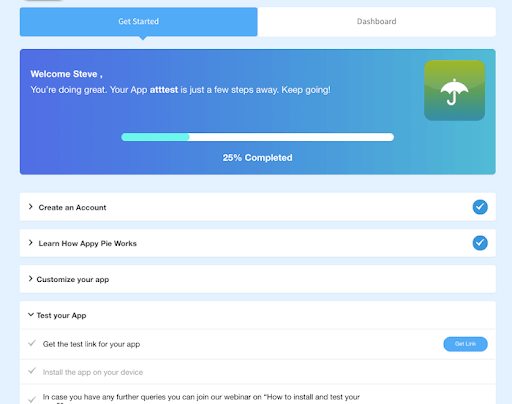
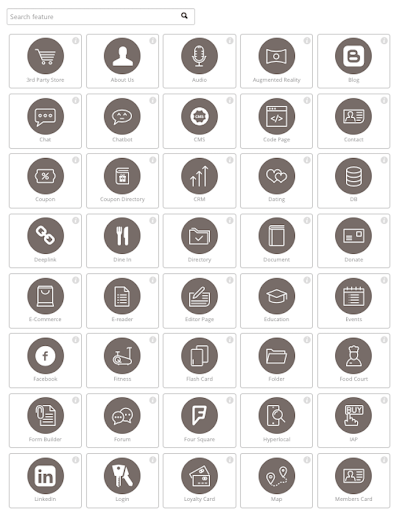
Appy Pie is a diversified no-code development platform. It offers app and web development, helpdesk support, chatbot building, design features, and integration that are helpful when starting, running, or growing a business.
$16
per app/per month
Bonita Platform
Score8.1 out of 10
N/A
Bonita is an open-source business process and workflow management platform created by the French National Institute for Research in Computer Science. It is available as a free community edition or as a commercial subscription product.
Based on my personal experience, this application is well-suited for noncoders who are busy setting up their businesses and since coders are expensive for the company in the initial days as in for startups, this application goes hand in hand and is quick and robust along with its amazing features like drag and drop and just the cloud storage facility.
A de minimis incentive was given to thank the reviewer for their time. The incentive was not used to bias or drive a particular response, nor was the incentive contingent on a positive endorsement. More Info
Well suited for low code/no code applications centered around approval flows. It has built-in task management for users to see their pending actions, comments, statuses, etc. It has a very nice design for process flows. Less appropriate may be for generic type applications with complex screens and logic within those screens that need a lot of data to process.
A de minimis incentive was given to thank the reviewer for their time. The incentive was not used to bias or drive a particular response, nor was the incentive contingent on a positive endorsement. More Info
A de minimis incentive was given to thank the reviewer for their time. The incentive was not used to bias or drive a particular response, nor was the incentive contingent on a positive endorsement. More Info
Bonita seems particularly suited for processes requiring a great deal of human interaction. Its user model allows you to control access to business processes in a fine-grained way. This allows for business processes to move smoothly between users and services as the process advances.
The definition and usage of custom forms from the latest version of Bonita seems particularly powerful. It allows for a thorough customization of the look-and-feel and does not require complex developments.
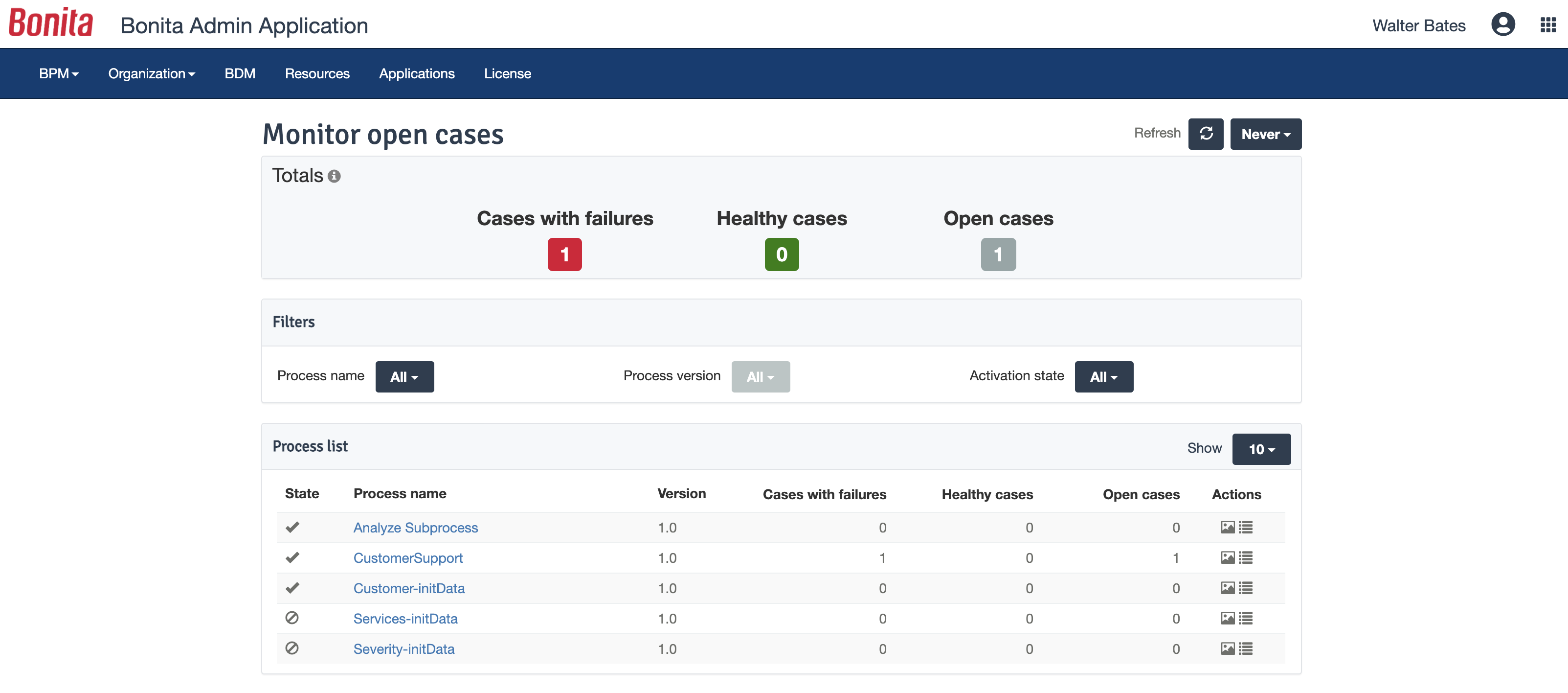
The web interface and administration section have greatly improved in the latest versions. Installation and configuration of processes has become more flexible and more structured. The administration section gives a good view on failed processes, allowing to analyse problems in an efficient way.
A de minimis incentive was given to thank the reviewer for their time. The incentive was not used to bias or drive a particular response, nor was the incentive contingent on a positive endorsement. TR verified that a representative sample of customers was invited. More Info
The application requires to be run on fast processing computers/laptops
This is a good application that isn't much known among non-coders, it needs to be marketed so that boosts this app developer to add more advanced features
A de minimis incentive was given to thank the reviewer for their time. The incentive was not used to bias or drive a particular response, nor was the incentive contingent on a positive endorsement. More Info
There is a learning curve beyond the boot camps that needs to be addressed with more structured curriculum.
The full stack technologies are industry standard, but these [are] challenging to learn and could use a learning path and orientation. There's probably opportunity for third-parties here to help with learning and adoption.
A de minimis incentive was given to thank the reviewer for their time. The incentive was not used to bias or drive a particular response, nor was the incentive contingent on a positive endorsement. More Info
A de minimis incentive was given to thank the reviewer for their time. The incentive was not used to bias or drive a particular response, nor was the incentive contingent on a positive endorsement. TR verified that a representative sample of customers was invited. More Info
Like I said in previous questions, the no-code application has basic and easy features that are literally a no-brainer and even a person with zero knowledge of coding can do wonders with this as his/her tool. Apart from that, the application is cost-effective while time and money are two key things to be taken care of as a startup owner, this app came hand in hand with me
A de minimis incentive was given to thank the reviewer for their time. The incentive was not used to bias or drive a particular response, nor was the incentive contingent on a positive endorsement. More Info
Bonita Platform has allowed us to develop GUI relatively fast using its UI Designer while being able to seamlessly integrate our business logic in Java in a BPMN2 process diagram. It gives a nice productivity boost but still requires programming know-how to be able to deliver the final solution to your business problems.
A de minimis incentive was given to thank the reviewer for their time. The incentive was not used to bias or drive a particular response, nor was the incentive contingent on a positive endorsement. More Info
Engine itself is efficient enough for most cases I dealt with. It can also be extended by clustering. I have done performance tests with JMeter and only managed to induce the crash of... JMeter. If there are efficiency issues they usually concern bad design/implementation of created apps or bottlenecks in integrated systems. Although I have met two cases with efficiency loss.
1. Java 7 related PermGen saturation caused by big number of installed apps (there is no jar dependency reusal between apps option).
2. Big number of waiting event handlers in processes stresses the database.
A de minimis incentive was given to thank the reviewer for their time. The incentive was not used to bias or drive a particular response, nor was the incentive contingent on a positive endorsement. TR verified that a representative sample of customers was invited. More Info
I have been using this for some time now and the website of the no-code application is all self-explanatory that is the reason I never have reached to the support team anytime, but before using this application I have gone through the reviews and read the positive response and I believe it has still gotten stronger since then.
A de minimis incentive was given to thank the reviewer for their time. The incentive was not used to bias or drive a particular response, nor was the incentive contingent on a positive endorsement. More Info
A de minimis incentive was given to thank the reviewer for their time. The incentive was not used to bias or drive a particular response, nor was the incentive contingent on a positive endorsement. More Info
A de minimis incentive was given to thank the reviewer for their time. The incentive was not used to bias or drive a particular response, nor was the incentive contingent on a positive endorsement. TR verified that a representative sample of customers was invited. More Info
Webflow has quite a lot of complexity in comparison to the no-code app which instead is user-friendly. There are more issues with application getting hung in between working but that isn't a bigger problem in the no-code app. Apart from that, the no-code app has blocks that can be used to edit/add/delete which are literally a no-brainer.
A de minimis incentive was given to thank the reviewer for their time. The incentive was not used to bias or drive a particular response, nor was the incentive contingent on a positive endorsement. More Info
A de minimis incentive was given to thank the reviewer for their time. The incentive was not used to bias or drive a particular response, nor was the incentive contingent on a positive endorsement. More Info
Respect of BPMN standard over the long term. Good enhancements by Bonitasoft for new use cases, for example the introduction of a real form editor even if it has been technically difficult to manage. Once done though, we have far greater possibility of human interaction.
A de minimis incentive was given to thank the reviewer for their time. The incentive was not used to bias or drive a particular response, nor was the incentive contingent on a positive endorsement. TR verified that a representative sample of customers was invited. More Info
A de minimis incentive was given to thank the reviewer for their time. The incentive was not used to bias or drive a particular response, nor was the incentive contingent on a positive endorsement. More Info
A de minimis incentive was given to thank the reviewer for their time. The incentive was not used to bias or drive a particular response, nor was the incentive contingent on a positive endorsement. More Info