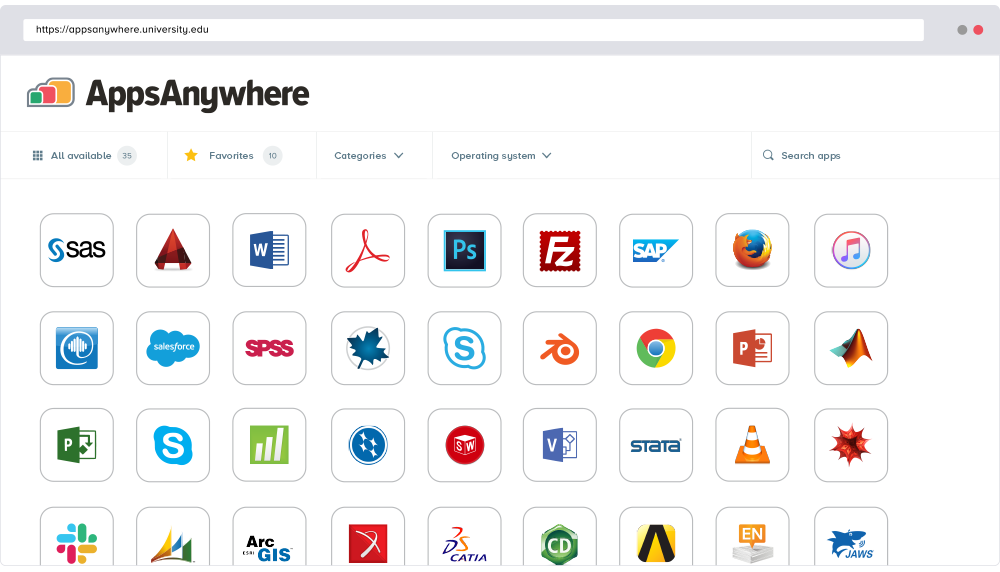
AppsAnywhere
is a software delivery platform that gives students and staff access to
the software they need to get their work done wherever they are, both on and
off campus.
Boasting more than 2 million students at over 200 universities
and colleges worldwide, the vendor states AppsAnywhere improves student outcomes by making
software available on any device, including BYOD, thanks to their unique approach
to virtualization. Used by higher ed
institutions, including University…
N/A
Omnissa Horizon
Score 5.5 out of 10
N/A
A VDI solution used for the secure delivery of virtual desktops and apps from on-premises to the cloud. It is used to deploy, manage, monitor and scale desktops and apps across private, hybrid and multi-cloud infrastructure using a cloud-based console and SaaS management services.
$4.67
per month per user
Pricing
AppsAnywhere
Omnissa Horizon
Editions & Modules
No answers on this topic
Horizon Apps Standard
$4.67
per month per user
Horizon Standard Plus
$5.79
per month per user
Horizon Apps Universal
$6.00
per month per user
Horizon Enterprise Plus
$10.71
per month per user
Horizon Universal
$12.50
per month per user
Offerings
Pricing Offerings
AppsAnywhere
Omnissa Horizon
Free Trial
Yes
No
Free/Freemium Version
No
No
Premium Consulting/Integration Services
No
No
Entry-level Setup Fee
Required
No setup fee
Additional Details
—
—
More Pricing Information
Community Pulse
AppsAnywhere
Omnissa Horizon
Features
AppsAnywhere
Omnissa Horizon
Application Virtualization
Comparison of Application Virtualization features of Product A and Product B
AppsAnywhere is basically suitable for its purpose, despite some usability problems. In our place, applications can in principle be delivered to other machines (not owned by us but by the end-user), who are not even on-site - provided the user can connect to our domain, almost any kind of device is ok. However, I have not tried that myself. The UI could let people work faster, but only by a little, and most people get there in the end. It is basically quite simple to use and appealing to look at
Horizon View is well suited in larger organizations where there are needs to securely access applications and data from outside the internal network. It allows users a complete desktop experience remotely with access to all resources that are available on the local internal private network. It is fast and robust as data does not need to traverse the connection like a VPN connection and stays within the local internal network increasing data security. Cost for hardware and software is a high initial investment so smaller organizations will find it hard to justify the financial costs. In a diverse user environment, there are many uses for Horizon View. When faced with a need for a solution for users to access information or applications outside the internal network, having Horizon View is one of the best go to's to have available. Use your imagination and creativity to solve many business needs
VSAN -- This experience is from a pre-Horizon 7 deployment. While we have had redundancy issues in our deployment, the concerns we experience are said to be resolved in the latest VSAN release.
Persona Management can be troublesome, leading to mismatches in user data against the server. This requires manual interaction to resolve if a network or user error led to the two falling out of sync. The risk in this is user data loss. Again, new developments in user management is said to resolve these concerns in Horizon 7.
Security Servers and off-site access to VMware Horizon View has been difficult due to the problematic deployment scenario (a server inside the network with several external hooks). This is said to be resolved with the advent of EUC in Horizon 7. I'm excited to begin testing on this solution as feedback elsewhere has been positive.
Almost everyone you tell to use it to access a specialist application can find the software they need and install it. However, surprisingly many have difficulties finding AppsAnywhere under the start menu or on the task bar - it is not a icon or name they recognise, and they really want to lunch the target specialist software (Zbrush or whatever). Once you find it, many people ignore the search function which is probably the fastest method, and browse the long list alphabetically, because the standard filters do not help much. Favouriting is rarely used as it is too burdensome and not an issue for users when they are looking for the applicationt hey need.
Because it delivers what it promises, I am giving this rating. While there is scope for improvement, it does the job and meets our requirements reasonab;y well. It helps our remote resources connect to our environment securely and improves their productivity. We also get to access our client environment from remote locations and complete the tasks assigned to us.
There are a lot of things that went into my rating from the ease of use compared to other systems to the limited amount of issues I have had with this one. Any issue with this system has been identified and resolved in a much quicker manner than I have seen with like systems.
It is surely way better than Citrix, but it could improve a bit. Usually, they send us the solution without saying what was the root cause so we can avoid breaking something in the future. Besides that, VMWare support answers in an OK time-frame and even speaks our language (Portuguese).
I recently had the opportunity to compare AppsAnywhere with Oracle VM, Amazon Workspaces, and Kasm Workspaces. I found that AppsAnywhere was the most intuitive and easiest to use out of the four, and it also had the best customer support. Its powerful cloud-based technology made it easy to access applications from any device without having to worry about compatibility issues. The user experience was also great and I found that I could easily customize my workspace according to my needs.
VMware Horizon seems to be more powerful and adaptable to multiple operating systems than the Citrix products I have used. VMware has been simpler to use and has a lot more customization than other of the other similar products I have used. It has solved a lot of the issues I have encountered with the systems put out by Citrix.