
AppsAnywhere vs. Neverinstall
| Product | Rating | Most Used By | Product Summary | Starting Price |
|---|---|---|---|---|
 AppsAnywhere | Score9.8 out of 10 | Enterprise companies (1,001+ employees) | AppsAnywhere is a software delivery platform that gives students and staff access to the software they need to get their work done wherever they are, both on and off campus. Boasting more than 2 million students at over 200 universities and colleges worldwide, the vendor states AppsAnywhere improves student outcomes by making software available on any device, including BYOD, thanks to their unique approach to virtualization. Used by higher ed institutions, including University… | N/A |
 Neverinstall | N/A | N/A | neverinstall is a cloud platform that brings the user's desktop apps to a browser without any downloads or installation with the goal of creating a fundamental shift in the way software applications are used, eliminating the limitations of hardware and making universal access a reality. | N/A |
| AppsAnywhere | Neverinstall | |||||||||||||||
|---|---|---|---|---|---|---|---|---|---|---|---|---|---|---|---|---|
| Editions & Modules | No answers on this topic | No answers on this topic | ||||||||||||||
| Offerings |
| |||||||||||||||
| Entry-level Setup Fee | Required | No setup fee | ||||||||||||||
| Additional Details | — | — | ||||||||||||||
| More Pricing Information | ||||||||||||||||
| AppsAnywhere | Neverinstall | |
|---|---|---|
| Considered Both Products | No answer on this topic | No answer on this topic |
| Key User Insights | ||
| Would buy again | ||
100% Would buy again 6 Answers | No answers on this topic | |
| Delivers good value for the price | ||
100% Delivers good value for the price 5 Answers | No answers on this topic | |
| Happy with the feature set | ||
100% Happy with the feature set 6 Answers | No answers on this topic | |
| Lived up to sales and marketing promises | ||
No answers on this topic | No answers on this topic | |
| Implementation went as expected | ||
No answers on this topic | No answers on this topic | |
| AppsAnywhere | Neverinstall | |||||||||||||||||||
|---|---|---|---|---|---|---|---|---|---|---|---|---|---|---|---|---|---|---|---|---|
| Application Virtualization |
| |||||||||||||||||||
| AppsAnywhere | Neverinstall | |
|---|---|---|
| Small Businesses |  Parallels Desktop for Mac Score9.7 out of 10 | Parallels Desktop for Mac Score9.7 out of 10 |
| Medium-sized Companies | Parallels Desktop for Mac Score9.7 out of 10 | Parallels Desktop for Mac Score9.7 out of 10 |
| Enterprises | Parallels Desktop for Mac Score9.7 out of 10 | Parallels Desktop for Mac Score9.7 out of 10 |
| All Alternatives | View all alternatives | View all alternatives |
| AppsAnywhere | Neverinstall | |
|---|---|---|
| Likelihood to Recommend | 8.2 | - |
| Usability | 8.0 | - |
| AppsAnywhere | Neverinstall | |
|---|---|---|
| Likelihood to Recommend |
| No answers on this topic |
| Pros |
| No answers on this topic |
| Cons |
| No answers on this topic |
| Usability |
| No answers on this topic |
| Alternatives Considered |
| No answers on this topic |
| Return on Investment |
| No answers on this topic |
| ScreenShots | AppsAnywhere Screenshots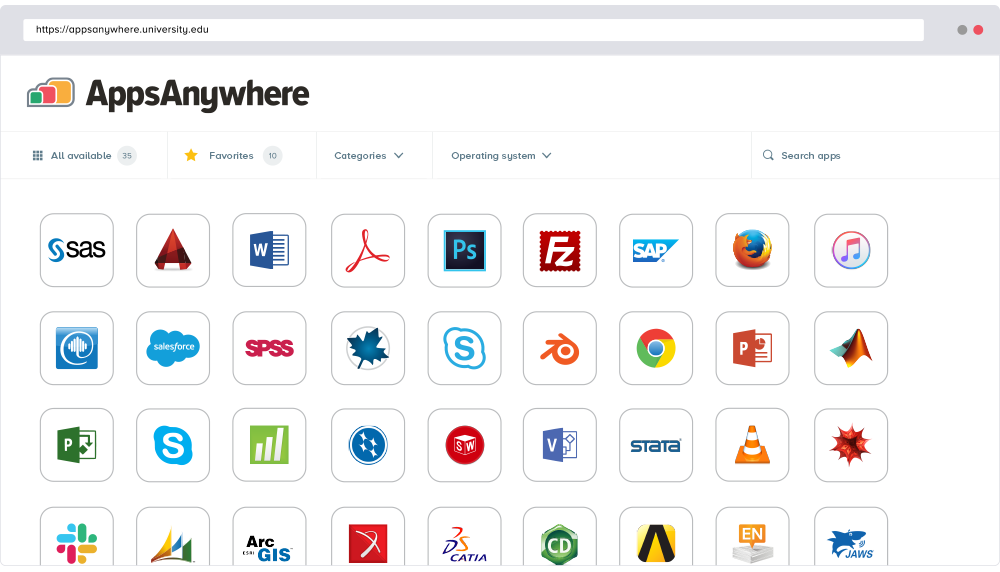 |
