
AppsAnywhere vs. Microsoft Application Virtualization (App-V)
| Product | Rating | Most Used By | Product Summary | Starting Price |
|---|---|---|---|---|
 AppsAnywhere | Score9.8 out of 10 | Enterprise companies (1,001+ employees) | AppsAnywhere is a software delivery platform that gives students and staff access to the software they need to get their work done wherever they are, both on and off campus. Boasting more than 2 million students at over 200 universities and colleges worldwide, the vendor states AppsAnywhere improves student outcomes by making software available on any device, including BYOD, thanks to their unique approach to virtualization. Used by higher ed institutions, including University… | N/A |
 Microsoft App-V | Score8.2 out of 10 | N/A | Microsoft App-V supports the virtualization of applications, making them available to end users without an installation. | N/A |
| AppsAnywhere | Microsoft App-V | |||||||||||||||
|---|---|---|---|---|---|---|---|---|---|---|---|---|---|---|---|---|
| Editions & Modules | No answers on this topic | No answers on this topic | ||||||||||||||
| Offerings |
| |||||||||||||||
| Entry-level Setup Fee | Required | No setup fee | ||||||||||||||
| Additional Details | — | — | ||||||||||||||
| More Pricing Information | ||||||||||||||||
| AppsAnywhere | Microsoft App-V | |
|---|---|---|
| Considered Both Products | No answer on this topic | No answer on this topic |
| Key User Insights | ||
| Would buy again | ||
100% Would buy again 6 Answers | No answers on this topic | |
| Delivers good value for the price | ||
100% Delivers good value for the price 5 Answers | No answers on this topic | |
| Happy with the feature set | ||
100% Happy with the feature set 6 Answers | No answers on this topic | |
| Lived up to sales and marketing promises | ||
No answers on this topic | No answers on this topic | |
| Implementation went as expected | ||
No answers on this topic | No answers on this topic | |
| AppsAnywhere | Microsoft App-V | |||||||||||||||||||
|---|---|---|---|---|---|---|---|---|---|---|---|---|---|---|---|---|---|---|---|---|
| Application Virtualization |
| |||||||||||||||||||
| AppsAnywhere | Microsoft App-V | |
|---|---|---|
| Small Businesses |  Parallels Desktop for Mac Score9.8 out of 10 | Parallels Desktop for Mac Score9.8 out of 10 |
| Medium-sized Companies | Parallels Desktop for Mac Score9.8 out of 10 | Parallels Desktop for Mac Score9.8 out of 10 |
| Enterprises | Parallels Desktop for Mac Score9.8 out of 10 | Parallels Desktop for Mac Score9.8 out of 10 |
| All Alternatives | View all alternatives | View all alternatives |
| AppsAnywhere | Microsoft App-V | |
|---|---|---|
| Likelihood to Recommend | 8.2 | 8.0 |
| Usability | 8.0 | - |
| Support Rating | - | 5.0 |
| AppsAnywhere | Microsoft App-V | |
|---|---|---|
| Likelihood to Recommend |
|
|
| Pros |
|
|
| Cons |
|
|
| Usability |
| No answers on this topic |
| Support Rating | No answers on this topic |
|
| Alternatives Considered |
|
|
| Return on Investment |
|
|
| ScreenShots | AppsAnywhere Screenshots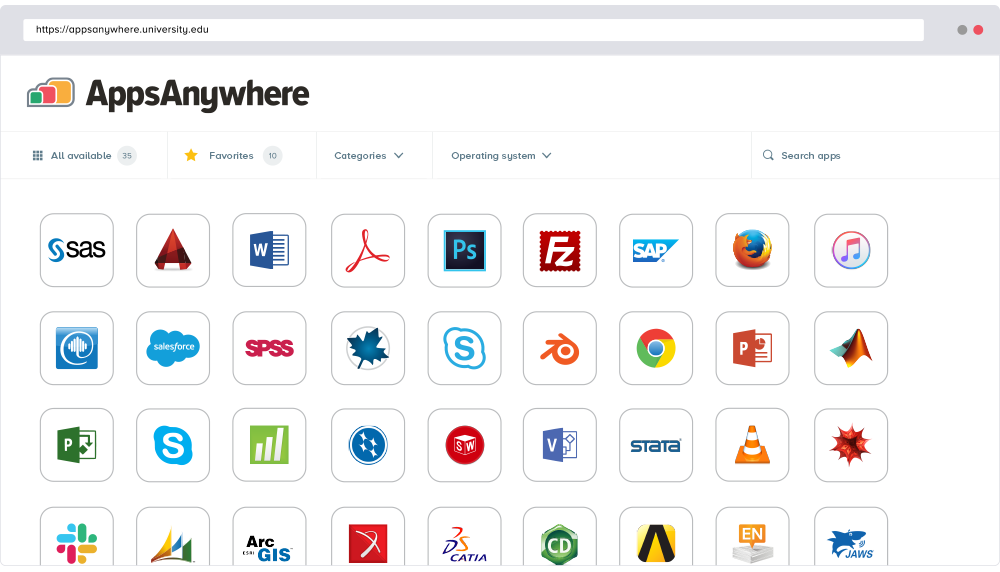 |


