ApprovalMax vs. QuickBooks Online Advanced

Overview
ProductRatingMost Used ByProduct SummaryStarting Price
ApprovalMax
Score 8.1 out of 10
N/A
ApprovalMax provides approval workflow automation for cloud accounting platforms such as Xero and QuickBooks Online. It replaces paper- and email-based approval processes with multi-step and multi-role automated approval workflows that enable automated notifications to approvers, automated audit trails, and mobile approvals. Approval workflows include: Invoice approvals / bill review and bill approval Purchase order approval, including the functionality to create…
$54
per month per organization
QuickBooks Online Advanced
Score 8.6 out of 10
N/A
QuickBooks Online Advanced is a SaaS-based accounting software designed to scale with growing businesses. It includes the functionalities of QuickBooks Online, as well as more robust business analytics, customization, and resource management.N/A
Pricing
ApprovalMaxQuickBooks Online Advanced
Editions & Modules
ApprovalMax Standard
$54
per month per organization
ApprovalMax Advanced
$83
per month per organization
ApprovalMax Premium
$121
per month per organization
No answers on this topic
Offerings
Pricing Offerings
ApprovalMaxQuickBooks Online Advanced
Free Trial
YesYes
Free/Freemium Version
NoNo
Premium Consulting/Integration Services
NoNo
Entry-level Setup FeeOptionalNo setup fee
Additional DetailsDiscount available for annual pricing and for management of multiple organizations.
More Pricing Information
Community Pulse
ApprovalMaxQuickBooks Online Advanced
Features
ApprovalMaxQuickBooks Online Advanced
Payment Management
Comparison of Payment Management features of Product A and Product B
ApprovalMax
8.0
Ratings
7% above category average
QuickBooks Online Advanced
-
Ratings
Customizable Approval Policies9.00 Ratings00 Ratings
Financial Document Management9.00 Ratings00 Ratings
Payment Status Tracking9.00 Ratings00 Ratings
Payment Audit Trail9.00 Ratings00 Ratings
Duplicate Bill Detection4.00 Ratings00 Ratings
Accounts Payable
Comparison of Accounts Payable features of Product A and Product B
ApprovalMax
8.5
Ratings
24% above category average
QuickBooks Online Advanced
-
Ratings
Automated Accounts Payable Processes9.00 Ratings00 Ratings
Vendor Management8.00 Ratings00 Ratings
Customization
Comparison of Customization features of Product A and Product B
ApprovalMax
-
Ratings
QuickBooks Online Advanced
9.0
Ratings
16% above category average
API for custom integration00 Ratings8.20 Ratings
Plug-ins00 Ratings9.90 Ratings
Security
Comparison of Security features of Product A and Product B
ApprovalMax
-
Ratings
QuickBooks Online Advanced
9.2
Ratings
10% above category average
Single sign-on capability00 Ratings9.30 Ratings
Role-based user permissions00 Ratings9.00 Ratings
Reporting & Analytics
Comparison of Reporting & Analytics features of Product A and Product B
ApprovalMax
-
Ratings
QuickBooks Online Advanced
8.4
Ratings
6% above category average
Dashboards00 Ratings8.80 Ratings
Standard reports00 Ratings8.80 Ratings
Custom reports00 Ratings7.70 Ratings
General Ledger and Configurable Accounting
Comparison of General Ledger and Configurable Accounting features of Product A and Product B
ApprovalMax
-
Ratings
QuickBooks Online Advanced
9.3
Ratings
18% above category average
Accounts payable00 Ratings9.40 Ratings
Accounts receivable00 Ratings9.70 Ratings
Cash management00 Ratings9.10 Ratings
Bank reconciliation00 Ratings9.60 Ratings
Expense management00 Ratings9.70 Ratings
Time tracking00 Ratings9.70 Ratings
Multi-currency support00 Ratings9.70 Ratings
Multi-division support00 Ratings7.50 Ratings
Regulations compliance00 Ratings9.20 Ratings
Electronic tax filing00 Ratings9.50 Ratings
Self-service portal00 Ratings9.80 Ratings
Primary and Secondary Ledgers00 Ratings9.90 Ratings
Intercompany Accounting00 Ratings7.50 Ratings
Journals and Reconciliations00 Ratings9.60 Ratings
Enterprise Accounting00 Ratings8.50 Ratings
Configurable Accounting00 Ratings9.80 Ratings
Centralized Rules Framework00 Ratings9.50 Ratings
Standardized Processes00 Ratings9.10 Ratings
Inventory Management
Comparison of Inventory Management features of Product A and Product B
ApprovalMax
-
Ratings
QuickBooks Online Advanced
9.6
Ratings
27% above category average
Inventory tracking00 Ratings9.60 Ratings
Order Management
Comparison of Order Management features of Product A and Product B
ApprovalMax
-
Ratings
QuickBooks Online Advanced
9.5
Ratings
21% above category average
Pricing00 Ratings9.80 Ratings
Order entry00 Ratings9.90 Ratings
Credit card processing00 Ratings8.80 Ratings
Best Alternatives
ApprovalMaxQuickBooks Online Advanced
Small Businesses
Square 9 Softworks
Square 9 Softworks
Score 9.5 out of 10
QuickBooks Self-Employed (discontinued)
Score 8.9 out of 10
Medium-sized Companies
Square 9 Softworks
Square 9 Softworks
Score 9.5 out of 10
Zoho Books
Zoho Books
Score 9.0 out of 10
Enterprises
Webexpenses
Webexpenses
Score 9.2 out of 10
SAP S/4HANA Cloud
SAP S/4HANA Cloud
Score 8.6 out of 10
All AlternativesView all alternativesView all alternatives
User Ratings
ApprovalMaxQuickBooks Online Advanced
Likelihood to Recommend
9.0
(0 ratings)
9.5
(0 ratings)
Likelihood to Renew
-
(0 ratings)
9.9
(0 ratings)
Usability
-
(0 ratings)
9.9
(0 ratings)
Online Training
-
(0 ratings)
9.1
(0 ratings)
Implementation Rating
-
(0 ratings)
6.4
(0 ratings)
Configurability
-
(0 ratings)
9.1
(0 ratings)
User Testimonials
ApprovalMaxQuickBooks Online Advanced
Likelihood to Recommend
As mentioned previously - able to send invoice based on amount , program code and division code ,supplier is very useful feature ; If an invoice does not fit into approval process than it is rejected and an email is received mentioning the reason
Read full review
QuickBooks Online Advanced is best suited for small businesses who don’t have any consolidation considerations. Additionally, the software tends to struggle when there are a large number of projects. The report screens will struggle to load at times and it will be difficult to view reports. However, it does really well at creating an all-in-one solution for companies who need payroll, accounting, and tax compliance in a relatively inexpensive bundle.
Read full review
Pros
  • choice based on Program codes / division codes - we use Xero accounting system and we have 22 program codes and 11 divison codes ; once invoice is entered in Xero depending on relevant program code and divison code, Approval max automatically send invoice to relevant person depending on approval workflow process . One manager could be handling multiple divison and program codes; if our approval work flow process is properly designed - it is accurate in sending invoice to relevant manager.
  • invoice can also send to various managers based on General ledger codes ; this flexibility makes useful when manager is handling only certain nature of expenses regardless of program codes / divisionl.
  • Approval process can also be designed based on level of amount ; and level of amount is derived from our Delegation policy. it makes audit of application of delegation policy easy ; we give copy of delegation policy and print of approval work flow process to auditor.
Read full review
  • It allows us to link to bank accounts in order to get up-to-date, real-time information, which is so important in today's lightning speed work world.
  • The "canned" reports are excellent and allow for extreme customization also. This makes them very helpful to both me and my clients.
  • The user interface for QuickBooks Online Advanced is easy to navigate and is intuitive for novices. The screens are well laid out and have cohesiveness on each screen to match tasks with others that match up well.
Read full review
Cons
  • date and time of change in approval process ; for example if Mr. A was responsible for all expenses above $1000 in Oct 23 and from Nov 23 it is changed to $5000 . in Dec 23 if it is checked - it will show approval limit of $5000 ; but will not show from which date limit was changed. Auditor always asks this question when the limit was changed in approval max - we cannot prove it.
  • If there is audit trail of who made the changes , when and what changes were made ; will be good.
  • when we are in main page of seeing invoices awaiting approval - there are hundreds of invoices - searching for one invoice from particular supplier is very cumbersome job - we have to go by each and every invoice in order to find that invoice ; it will be good if we have search function on main page itself ; in current scenario we have to go to report section - input all filters and than search for that particular invoice.
Read full review
  • Proper advice in QuickBooks Online Pro for the usage if QuickBooks Online Advanced will be more efficient.
  • More features and space in the app for organization of the self-created workflows.
  • The stability of QuickBooks Online Advanced can still be better.
  • There are still file-size issues and limitations on transactions and attributes of transactions.
Read full review
Likelihood to Renew
No answers on this topic
QuickBooks Online Advanced is very easy to use and the data is very transparent. The reporting shortfalls (not being able to report the current month and YTD results on the same report) as well as the issues with the limitations with the management reports.
Read full review
Usability
No answers on this topic
QuickBooks Online Advanced is great and effective. I use it for almost three months and it definitely does their job
Read full review
Reliability and Availability
No answers on this topic
No issue at any time with Availability
Read full review
Performance
No answers on this topic
It can be access at any time and reports is generate in less than a minute
Read full review
Online Training
No answers on this topic
The online training was easy to follow and understand. The online training gave us the specific instructions to follow
Read full review
Implementation Rating
No answers on this topic
I dont have any
Read full review
Alternatives Considered
Read full review
QuickBooks Desktop is no longer being sold in the US, so we had to switch to the online version of the program. It is not a fully fleshed-out all-in-one solution offering everything the desktop version did. That being said, the desktop enterprise was overkill for many people.
Read full review
Scalability
No answers on this topic
Software is very flexible
Read full review
Return on Investment
  • It has certainly made a positive impact ; it is definately worth its value ; when we are processing hundreds of invoices every fortnight ; getting approval of invoices in timely manner for all invoices is of paramount importance . as approval max has its own app - approval can be done on mobile phone also ; this is particularly helpful when staff is travelling .
Read full review
  • QBOA has shown my clients the increase and decrease of my monthly income activity
  • I am able to project my income and spending more easily
  • The P&L reports has shown me a lot and by customizing to focus on my income and expenses has allowed me to better budget
Read full review
ScreenShots

ApprovalMax Screenshots

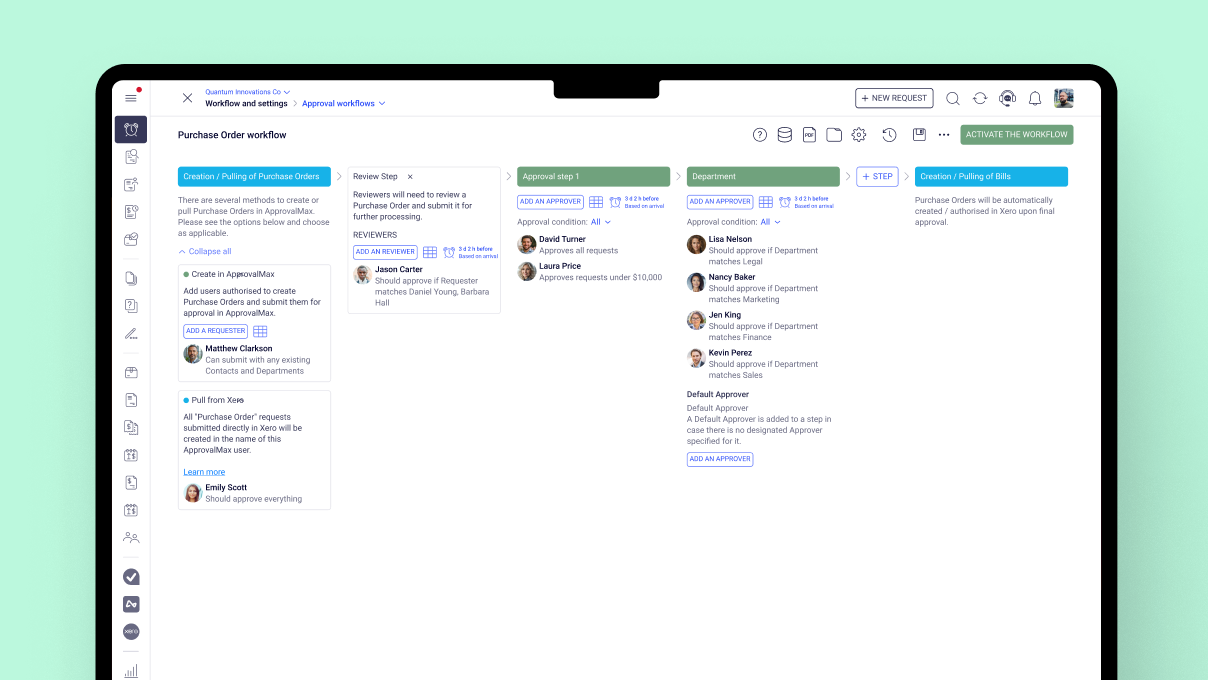
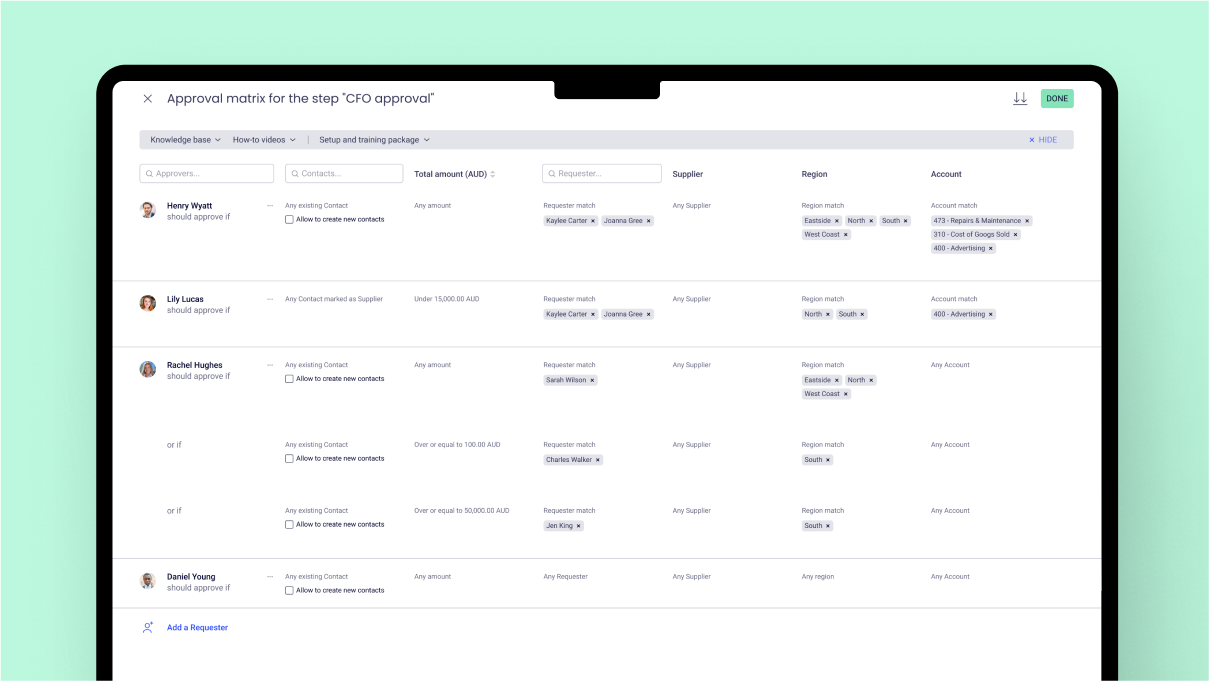
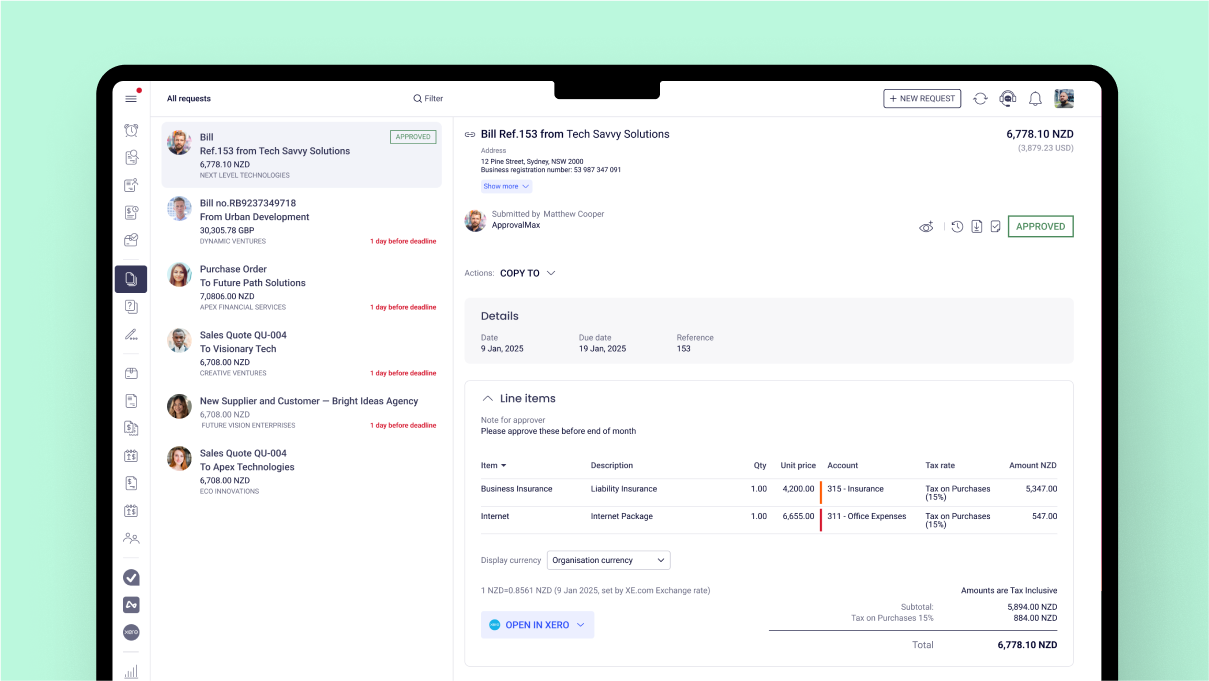
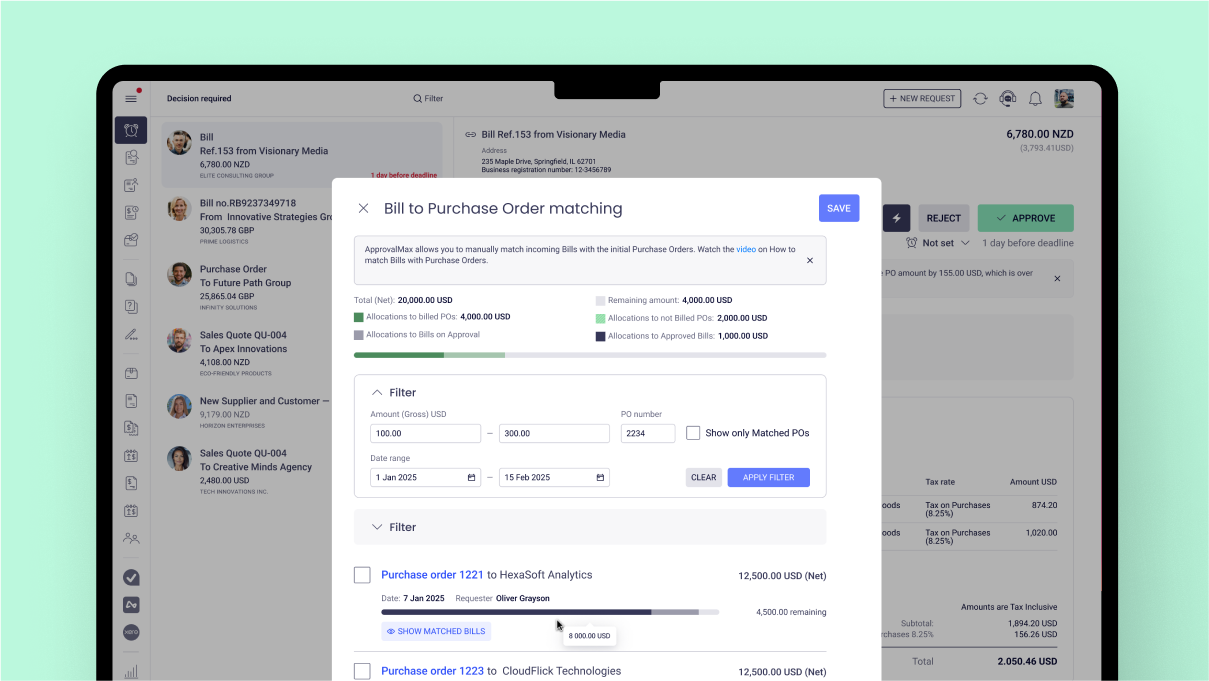
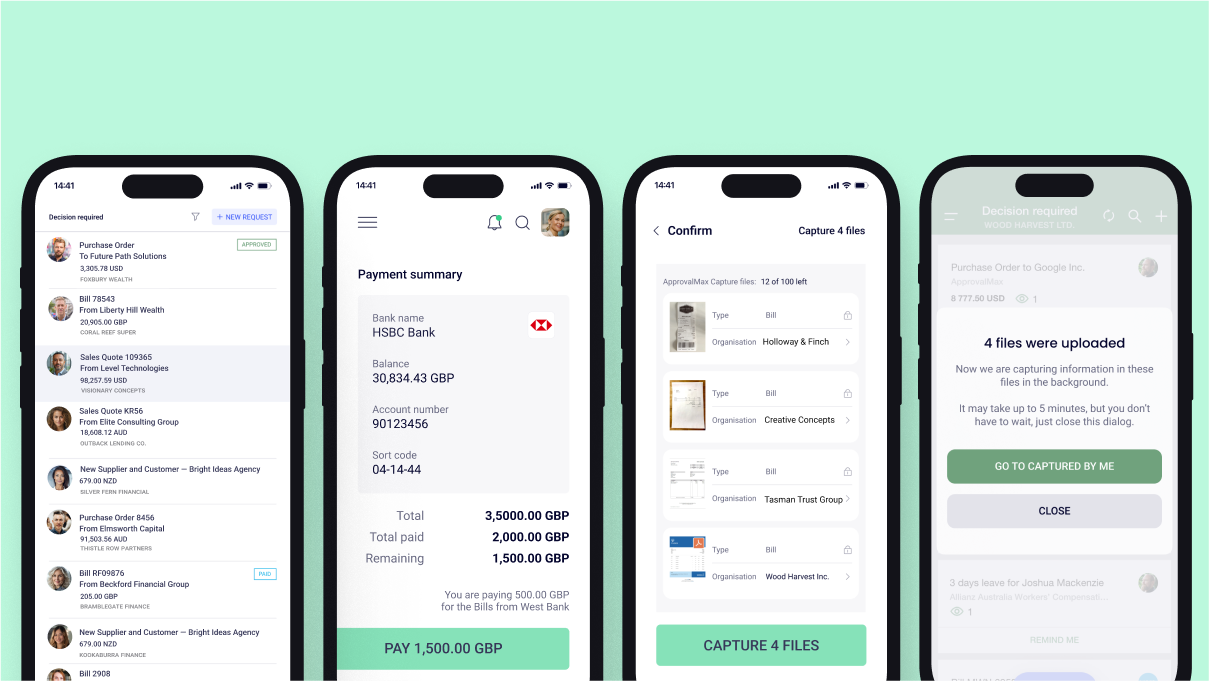
Screenshot of where approval processes are set up  – no matter how simple or complex.Screenshot of the interface to build approval steps that follow any business rules – whether approvals happen one after another, all at once, or only in certain cases. The user can also control who approves based on things like amount, supplier, account code, or category.Screenshot of where to approve bills and purchase orders the way that works best.Screenshot of the interface that matches bills to approved purchase orders from the same supplier to keep coding accurate and control spending. Unmatched bills can also be stopped from being approved.Screenshot of where to mention others in comments to bring them in or get their input – even if they’re not part of the original approval. If they don’t have access, a prompt to add them as a Watcher is sent. Mentions work on web and mobile, sending notifications as soon as access is granted.Screenshot of where to raise purchase orders, approve requests, and extract key details from bills and purchase orders – all on the go with the ApprovalMax mobile app for iOS and Android.