Apple iCloud vs. Onehub

Overview
ProductRatingMost Used ByProduct SummaryStarting Price
Apple iCloud
Score 8.5 out of 10
N/A
Apple iCloud is a document management software offering from Apple. It includes features such as access to music, photos, calendars, contacts, and documents, and it is built into every new iOS device.
$0.99
per month
Onehub
Score 8.0 out of 10
N/A
Onehub is a secure file storage and sharing service built for businesses of any size. Users can maintain existing folder and file structure with secure online document sharing and collaboration, and remain hyper-organized while able to access files from anywhere. Bank-level encryption as well as its granular, role-based permission structure means users can control who has access to content and share critical business files with confidence. Onehub’s security features include role…
$29.95
3 paid users included per month
Pricing
Apple iCloudOnehub
Editions & Modules
50GB
$0.99
per month
200GB
$2.99
per month
2TB
$9.99
per month
Team
$29.95
3 paid users included per month
Business
$99.95
5 paid users included per month
Enterprise
Call for details
Offerings
Pricing Offerings
Apple iCloudOnehub
Free Trial
NoYes
Free/Freemium Version
NoNo
Premium Consulting/Integration Services
NoNo
Entry-level Setup FeeNo setup feeNo setup fee
Additional DetailsTeam Plan - $10 per additional user Business Plan - $15 per additional user
More Pricing Information
Community Pulse
Apple iCloudOnehub
Features
Apple iCloudOnehub
File Sharing & Management
Comparison of File Sharing & Management features of Product A and Product B
Apple iCloud
8.4
Ratings
0% below category average
Onehub
7.7
Ratings
9% below category average
Versioning8.70 Ratings7.00 Ratings
Video files9.30 Ratings00 Ratings
Audio files9.30 Ratings00 Ratings
Document collaboration7.10 Ratings8.00 Ratings
Access control7.70 Ratings8.00 Ratings
File search8.50 Ratings7.80 Ratings
Device sync8.50 Ratings00 Ratings
Cloud Storage Security & Administration
Comparison of Cloud Storage Security & Administration features of Product A and Product B
Apple iCloud
7.5
Ratings
15% below category average
Onehub
8.5
Ratings
2% below category average
User and role management6.90 Ratings8.00 Ratings
File organization8.20 Ratings9.00 Ratings
Device management7.30 Ratings00 Ratings
Cloud Storage Platform
Comparison of Cloud Storage Platform features of Product A and Product B
Apple iCloud
7.1
Ratings
18% below category average
Onehub
9.3
Ratings
9% above category average
Performance7.20 Ratings8.50 Ratings
Reliability8.10 Ratings10.00 Ratings
Storage Reports6.10 Ratings00 Ratings
User Ratings
Apple iCloudOnehub
Likelihood to Recommend
9.1
(0 ratings)
8.0
(0 ratings)
Likelihood to Renew
10.0
(0 ratings)
10.0
(0 ratings)
Usability
8.5
(0 ratings)
-
(0 ratings)
Performance
8.2
(0 ratings)
-
(0 ratings)
Support Rating
7.5
(0 ratings)
-
(0 ratings)
User Testimonials
Apple iCloudOnehub
Likelihood to Recommend
iCloud is also great to keep access to photos synced across devices. Ex: I can snap a photo at a job site and have access to that photo on my desktop when I return to my office. I can then drop the photo into a document that is stored in iCloud and have instant access to that document on my iPad at a client's office later in the day. Seamless transitions make life much easier.
Read full review
We love the tool
Read full review
Pros
  • Syncing files, appointments, Notes and contacts. If I'm away from home, and set an appointment using my phone, that appointment automatically updates real time to my home laptop and vice-versa.
  • It stores files (e.g photos) nicely
  • Once it's set up, it's fairly easy to use.
Read full review
  • Able to customize the pages where you keep files and documents, helping to keep organized.
  • Uploading files is an easy process.
  • Has reliable security for keeping documents safe. Uses a 2-factor authentication process.
Read full review
Cons
  • Customization - iCloud is great at the stuff it does well. But it lacks features that some competitors (in Google Drive or Dropbox) do really well. API support for third-party apps is really great for some other people.
  • Remote use - Managing or accessing information from iCloud while not on one of your logged-in apple devices can sometimes be an issue. From a work computer for example. It doable, but the experience is much less user-friendly.
  • Ability to edit documents on the cloud similar to google docs or some other competitors
Read full review
  • Design
  • Sharing Portal
Read full review
Likelihood to Renew
It's so seamless that I can't imagine another product doing a better job synchronizing all of my devices. I simply do not think about it at all. Everything happens behind the scenes and I'm confident that Apple keeps my data safe and secure. I'm a happy customer as far as this is concerned. I have not had a bad experience with this service.
Read full review
Our clients and staff enjoy the security level when sending sensitive financial data back and forth.
Read full review
Usability
While it may be great to use with other Apple products, I find it's an absolutist-style workflow to be debilitating and to lead to many problems. When you sign into the cloud, it completely takes over your device in many ways that you don't notice at first until there is a problem.
Read full review
Again we love the tool
Read full review
Performance
Occasionally, large files that haven't yet been synced require a few minutes to pull down but I've rarely noticed delays. It does a good job of keeping data cached on my local machines while updating them with changes from other machines transparently.
Read full review
No answers on this topic
Support Rating
I never used Apple iCloud support, but have never needed to do so. It has become more of a personal issue with computers in my organization, where the business solution has been with Dropbox. I do have to admit when my Mac went down, having things on Apple iCloud did help to get things restored. However, since I had more than one photo file for my Business and Personal data, I was not able to recover my Business Photos. Apple iCloud should have been able to do this.
Read full review
No answers on this topic
Alternatives Considered
As I have mentioned, the seamless integration across Apple's ecosystem is what keeps us using this product. However, the robust value of the Microsoft 365 Business Premium suite and functionality of their AI companion - Copilot - makes it superior at an organization level. The same could be said for Google AI (Gemini) as well as their cloud services like Drive.
Read full review
Onehub has the better security, but Evernote is more user friendly and more compatible with other programs the department uses. Onehub is good for sending documents to externals/clients and then having the document reviewed, but like the flow of other programs better. Onehub is more user friendly than OneNote and has the ability to collaborate with members outside of the department. OneNote is used more for internal collaboration where security is not as big of an issue, Onehub is better for shared outside of the department.
Read full review
Return on Investment
  • The ability to access saved content across devices no matter where I am located reduces missed opportunities to share and collaborate.
  • The version history has allowed my team to re-visit previous renditions when errors occur - saving valuable time determining the root cause.
  • The cloud reduces the number of physical documents one must remember when traveling for work.
Read full review
  • Assuring clients of record keeping
  • Client interest
Read full review
ScreenShots

Onehub Screenshots

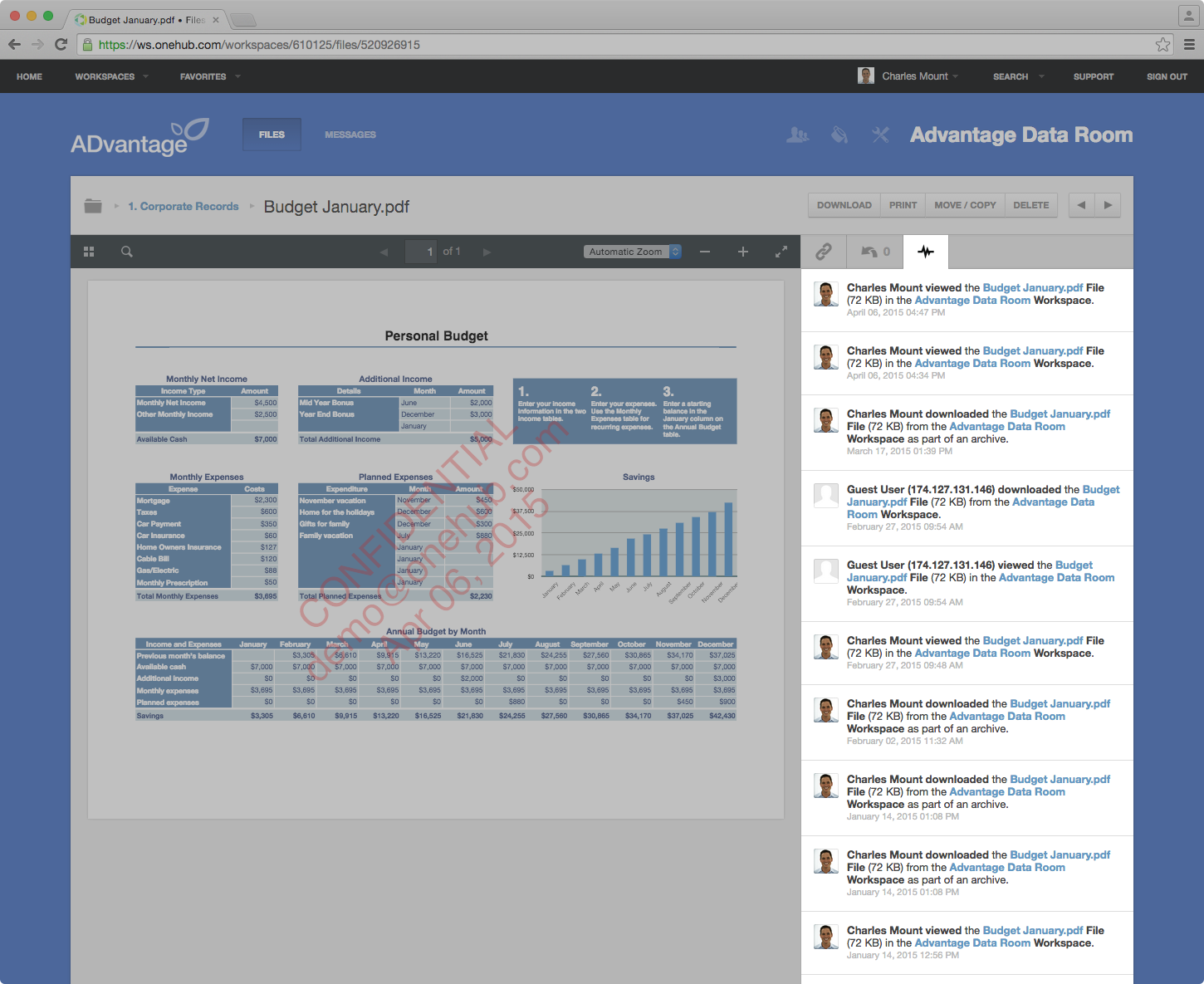
Screenshot of Onehub Workspace homeScreenshot of Data Room ActivityScreenshot of Custom Branded WorkspaceScreenshot of Mobile AccessScreenshot of User Permission Controls