App Builder by Infragistics vs. Claris FileMaker

Overview
ProductRatingMost Used ByProduct SummaryStarting Price
App Builder
Score 7.0 out of 10
N/A
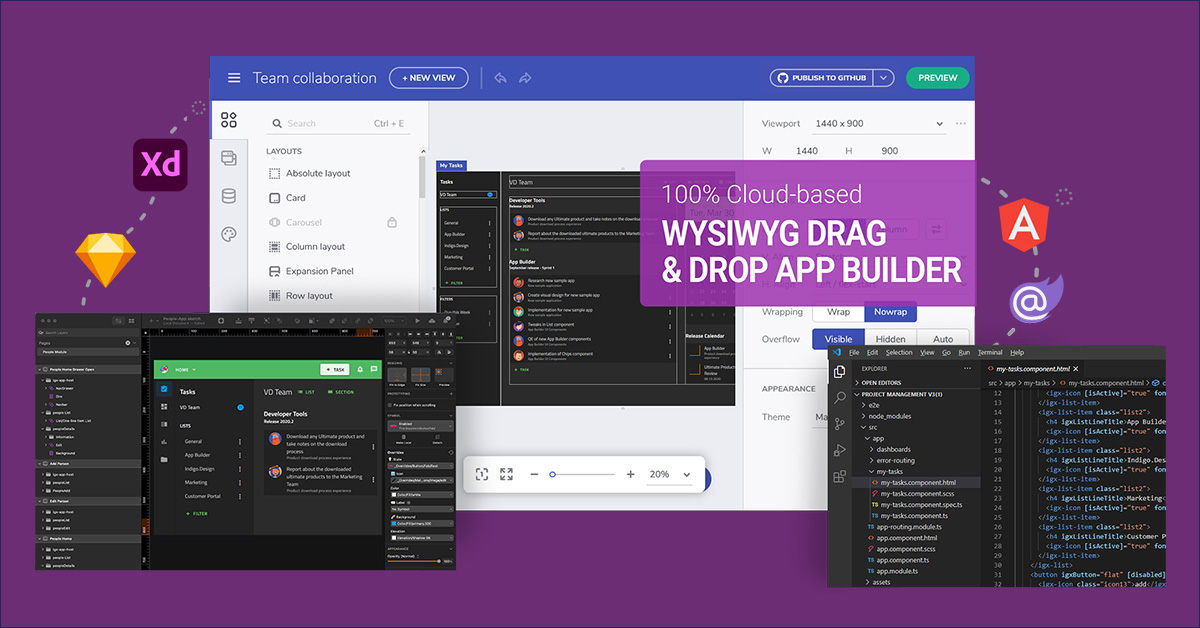
App Builder - Design and Build Real Apps Fast The brand-new App Builder aims to provide design and development teams with a solution to help them deliver apps quickly and efficiently, without losing focus on UX. Users can start an app from scratch or choose from a library of pre-built app templates or responsive screen layouts and then customize with a toolbox of 60+ UI controls to kick-start the next digital product design. If a design already exists in Sketch or Adobe…
$1,295
per year per user
Claris FileMaker
Score 8.2 out of 10
N/A
Claris' FileMaker is presented as a Workplace Innovation Platform, and is used to create a custom app. Manual processes can be automated with Claris FileMaker Pro, and apps can be created to manage contacts, track inventory, organize projects, etc.
$21
per month per user
Pricing
App Builder by InfragisticsClaris FileMaker
Editions & Modules
Ignite UI
$1,295
per year per user
Infragistics Professional
$1,295
per year per user
Infragistics Ultimate
$1,495
per year per user
Platform Subscription
$21
per month per user
Individual desktop license
$594
one-time fee
Offerings
Pricing Offerings
App BuilderClaris FileMaker
Free Trial
YesNo
Free/Freemium Version
NoNo
Premium Consulting/Integration Services
NoNo
Entry-level Setup FeeNo setup feeNo setup fee
Additional DetailsThis product is free to use for non-commercial, educational purposes for students in K-12 grades or University programs, and for educators to use in a classroom setting as examples/tools in their curriculum.
More Pricing Information
Community Pulse
App Builder by InfragisticsClaris FileMaker
Features
App Builder by InfragisticsClaris FileMaker
Low-Code Development
Comparison of Low-Code Development features of Product A and Product B
App Builder by Infragistics
5.8
Ratings
37% below category average
Claris FileMaker
8.4
Ratings
0% above category average
Visual Modeling6.00 Ratings7.30 Ratings
Drag-and-drop Interfaces7.50 Ratings6.50 Ratings
Reusability6.00 Ratings9.00 Ratings
Platform Scalability3.60 Ratings9.30 Ratings
Platform Security00 Ratings9.50 Ratings
Platform User Management00 Ratings8.70 Ratings
Best Alternatives
App Builder by InfragisticsClaris FileMaker
Small Businesses
Creatio
Creatio
Score 9.7 out of 10
Creatio
Creatio
Score 9.7 out of 10
Medium-sized Companies
Quixy
Quixy
Score 9.9 out of 10
Quixy
Quixy
Score 9.9 out of 10
Enterprises
Creatio
Creatio
Score 9.7 out of 10
Creatio
Creatio
Score 9.7 out of 10
All AlternativesView all alternativesView all alternatives
User Ratings
App Builder by InfragisticsClaris FileMaker
Likelihood to Recommend
7.0
(0 ratings)
8.4
(0 ratings)
Likelihood to Renew
5.5
(0 ratings)
5.0
(0 ratings)
Usability
-
(0 ratings)
8.7
(0 ratings)
Availability
-
(0 ratings)
8.0
(0 ratings)
Performance
-
(0 ratings)
5.0
(0 ratings)
Support Rating
-
(0 ratings)
1.0
(0 ratings)
In-Person Training
-
(0 ratings)
8.0
(0 ratings)
Implementation Rating
-
(0 ratings)
5.0
(0 ratings)
Configurability
-
(0 ratings)
5.0
(0 ratings)
Product Scalability
-
(0 ratings)
8.0
(0 ratings)
Vendor post-sale
-
(0 ratings)
5.0
(0 ratings)
Vendor pre-sale
-
(0 ratings)
5.0
(0 ratings)
User Testimonials
App Builder by InfragisticsClaris FileMaker
Likelihood to Recommend
  • Well suited for new and greenfield projects.
  • Great for projects using Material Design concepts
  • Great when you have dedicated design team with the right tools to work with ID
  • Not so good, if your design system or tool does not support ID
Read full review
I think FileMaker [Pro] is a great solution for a small business wanting to take the next step from managing data with Excel spreadsheets to actually using a database. It is very intuitive to use and manage. A tech-savvy user can learn to use FileMaker [Pro] very easily without advanced skills as a developer.
Read full review
Pros
  • WYSIWYG editor
  • Code generation with Angular
  • Theme and styles
Read full review
  • The relational database management system makes the program highly customizable to fit the needs of any product. You can add a ton of information to each record and update your inventory on a regular basis with an Excel import or manually inside of the record. It has the capability to incorporate barcoding, which can manage your available inventory with ease.
  • The scripting language allows FileMaker to automatically calculate complex algorithms automatically or generate report outs with the click of a button. This allows for greater UI, especially with active users who are not familiar with writing code. Almost all of our internal data is linked to the FileMaker database
  • The server license allows many users to update the database in real time, which is handy if your inventory is constantly changing. We have users with Macs, PCs, iPhones and handheld tablets linked to our FileMaker database and they are updating the information constantly throughout the day.
  • If you invest some time into formatting and scripting the database, there is a high ease of use for users without knowledge of any programming or FileMaker itself.
Read full review
Cons
  • Not a viable product yet until the Blazor implementation is entirely completed.
  • More components/controls needed in the toolbox.
Read full review
  • I had some big complaints about how to edit calculations and scripts, and not being able to print/export PDF from server but with the last 2 versions I can't complain any more. Those got added.
  • Syncing records between iOS and Filemaker Server still requires a developer to accomplish. Although I make money doing it for others I wish there was some "central" method of syncing that everyone can follow.
Read full review
Likelihood to Renew
No answers on this topic
It it not really up to me but my opinion does have some weight in the decision and the reason I would renew my use FileMaker Pro 8.5 is because I am finally getting used to it! Now that I have been working with the program, tasks have become quicker and projects are getting done faster. File Maker Pro 8.5 really is a versatile tool and I think we are just scratching the surface with it's abilities.
Read full review
Usability
No answers on this topic
It's almost what it should be after so may years and with Apple's longevity and strength behind it. For people who earn their living based on efficiency I think there are too many developer obstacles that waste time and therefore money.
Read full review
Reliability and Availability
No answers on this topic
mostly never issues and if there are they are resolved fast
Read full review
Performance
No answers on this topic
for the most part but lots of error messages if you type something h correctly
Read full review
Support Rating
No answers on this topic
The forums are great with lots of helpful experts and the staff monitor them to provide help where needed. There have been a couple of unique technical issues I've had to deal with that I haven't been able to get resolved so I chose to score this a 9 instead of a 10.
Read full review
In-Person Training
No answers on this topic
easy to follow along and was able to jump in right away
Read full review
Implementation Rating
No answers on this topic
Suggest you use an iterative R.A.D. or AGILE development approach. (i.e. rather than writing a gigantic spec for a system, then building it). FileMaker facilitates quick prototypes. Developing an example, then allowing users to "try it out" is a snap.
Read full review
Alternatives Considered
When comparing App Builder against PowerApps, the feature set isn't even close. PowerApps is slow and only works in the corporate enterprise whereas App Builder allows for deployments in a full-scale environment. The only thing similar, is that both PowerApps and App Builder are low code.
Read full review
FileMaker Pro is the chaotic, cumbersome and non-integratable little sibling of MS Access. And even MS Access can't be taken serious in a medium sized company. FileMaker Pro can not even be compared to serious products like OutSystems and Sitecore. It's also not free... whereas at least MS Access can be used free, even if your company is (really) small.
Read full review
Scalability
No answers on this topic
it's most definitely does as we are a unique business to use this for scholarship awarding
Read full review
Return on Investment
  • I can't evaluate this.
Read full review
  • Positive impact for my company is that we have designed a solution that meets the needs of our very custom processes.
  • My company is in the process of expanding rapidly and with that the need for new tools are need quickly. With most languages (like Java or .Net), it could take weeks to develop the same tool it takes us 3 days to make in Filemaker.
  • The most negative impact however is that at times Filemaker will just become overwhelmed and we have no choice but to restart the server which hosts the application.
Read full review
ScreenShots

App Builder Screenshots

Screenshot of Use pre-built themes and typography (Material, Bootstrap & Fluent) or customize to match your own app theme and corporate branding on a per-control, per-screen, or per-app basis.Screenshot of With a rich layout system and complete toolbox of components, create screens and full apps in minutes instead of hours!Screenshot of Import Sketch and Adobe XD Designs! With one click, take your static designs and get interactive, responsive apps with real UI components and styling. Import designs from the design system into a real, component-based app. Figma import coming soon!