App Builder by Infragistics vs. Bonita Platform

Overview
ProductRatingMost Used ByProduct SummaryStarting Price
App Builder
Score 7.0 out of 10
N/A
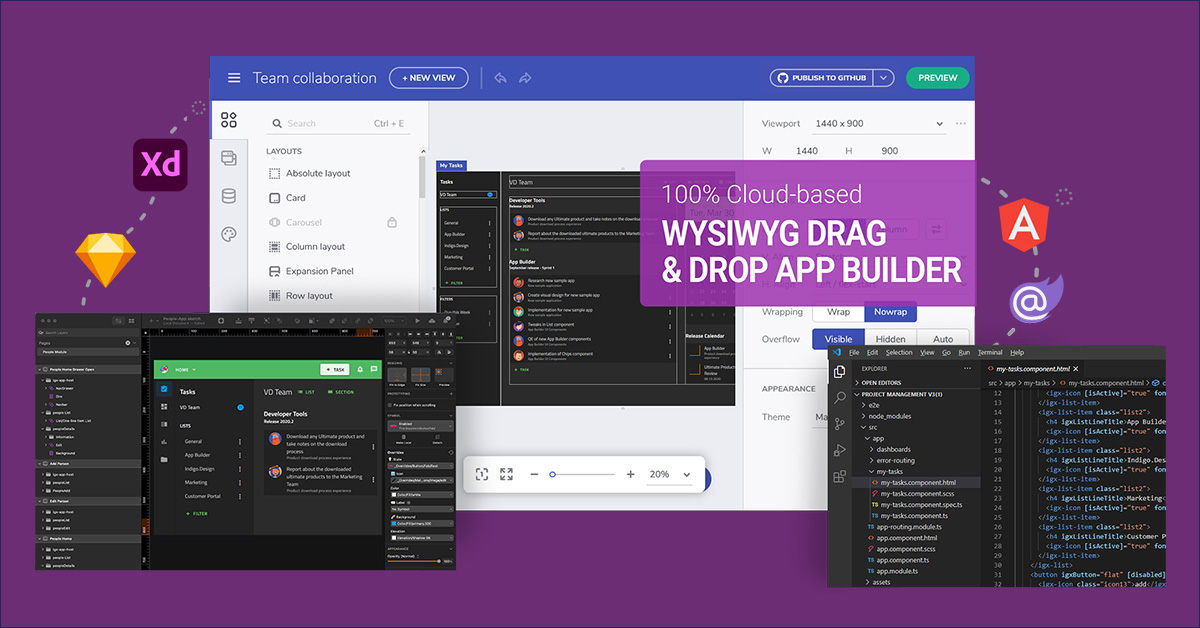
App Builder - Design and Build Real Apps Fast The brand-new App Builder aims to provide design and development teams with a solution to help them deliver apps quickly and efficiently, without losing focus on UX. Users can start an app from scratch or choose from a library of pre-built app templates or responsive screen layouts and then customize with a toolbox of 60+ UI controls to kick-start the next digital product design. If a design already exists in Sketch or Adobe…
$1,295
per year per user
Bonita Platform
Score 8.1 out of 10
N/A
Bonita is an open-source business process and workflow management platform created by the French National Institute for Research in Computer Science. It is available as a free community edition or as a commercial subscription product.N/A
Pricing
App Builder by InfragisticsBonita Platform
Editions & Modules
Ignite UI
$1,295
per year per user
Infragistics Professional
$1,295
per year per user
Infragistics Ultimate
$1,495
per year per user
No answers on this topic
Offerings
Pricing Offerings
App BuilderBonita Platform
Free Trial
YesNo
Free/Freemium Version
NoYes
Premium Consulting/Integration Services
NoNo
Entry-level Setup FeeNo setup feeNo setup fee
Additional DetailsThis product is free to use for non-commercial, educational purposes for students in K-12 grades or University programs, and for educators to use in a classroom setting as examples/tools in their curriculum.
More Pricing Information
Community Pulse
App Builder by InfragisticsBonita Platform
Features
App Builder by InfragisticsBonita Platform
Low-Code Development
Comparison of Low-Code Development features of Product A and Product B
App Builder by Infragistics
5.8
Ratings
37% below category average
Bonita Platform
-
Ratings
Visual Modeling6.00 Ratings00 Ratings
Drag-and-drop Interfaces7.50 Ratings00 Ratings
Reusability6.00 Ratings00 Ratings
Platform Scalability3.60 Ratings00 Ratings
Reporting & Analytics
Comparison of Reporting & Analytics features of Product A and Product B
App Builder by Infragistics
-
Ratings
Bonita Platform
6.4
Ratings
24% below category average
Dashboards00 Ratings6.00 Ratings
Standard reports00 Ratings5.50 Ratings
Custom reports00 Ratings7.70 Ratings
Process Engine
Comparison of Process Engine features of Product A and Product B
App Builder by Infragistics
-
Ratings
Bonita Platform
7.7
Ratings
8% below category average
Process designer00 Ratings9.00 Ratings
Process simulation00 Ratings6.90 Ratings
Business rules engine00 Ratings8.20 Ratings
SOA support00 Ratings6.40 Ratings
Process player00 Ratings6.70 Ratings
Support for modeling languages00 Ratings9.00 Ratings
Form builder00 Ratings8.10 Ratings
Model execution00 Ratings6.90 Ratings
Collaboration
Comparison of Collaboration features of Product A and Product B
App Builder by Infragistics
-
Ratings
Bonita Platform
5.9
Ratings
35% below category average
Social collaboration tools00 Ratings5.90 Ratings
Content Management Capabilties
Comparison of Content Management Capabilties features of Product A and Product B
App Builder by Infragistics
-
Ratings
Bonita Platform
6.8
Ratings
18% below category average
Content management00 Ratings6.80 Ratings
User Ratings
App Builder by InfragisticsBonita Platform
Likelihood to Recommend
7.0
(0 ratings)
8.2
(0 ratings)
Likelihood to Renew
5.5
(0 ratings)
6.4
(0 ratings)
Usability
-
(0 ratings)
7.7
(0 ratings)
Performance
-
(0 ratings)
8.0
(0 ratings)
Support Rating
-
(0 ratings)
4.6
(0 ratings)
Implementation Rating
-
(0 ratings)
4.5
(0 ratings)
Ease of integration
-
(0 ratings)
7.3
(0 ratings)
Product Scalability
-
(0 ratings)
7.5
(0 ratings)
User Testimonials
App Builder by InfragisticsBonita Platform
Likelihood to Recommend
  • Well suited for new and greenfield projects.
  • Great for projects using Material Design concepts
  • Great when you have dedicated design team with the right tools to work with ID
  • Not so good, if your design system or tool does not support ID
Read full review
Well suited for low code/no code applications centered around approval flows. It has built-in task management for users to see their pending actions, comments, statuses, etc. It has a very nice design for process flows. Less appropriate may be for generic type applications with complex screens and logic within those screens that need a lot of data to process.
Read full review
Pros
  • WYSIWYG editor
  • Code generation with Angular
  • Theme and styles
Read full review
  • Efficient and fast prototyping: a process can be modeled and tried out quickly and with low investment.
  • Full stack prototyping for development and implementation allows the process to be developed and implemented as an application from the prototype. It's not just drawings and wire frames that are tossed over the wall to developers.
  • Data modeling is integral from the beginning of the prototype which is appropriate for the stakeholders in the beginning.
Read full review
Cons
  • Not a viable product yet until the Blazor implementation is entirely completed.
  • More components/controls needed in the toolbox.
Read full review
  • There is only one business data model. Even if deploying new processes does not require stopping the platform, the BDM update requires it.
  • During the platform evolution often new bugs were introduced so it was risky to deploy the platform in the low minor version. For example, there were memory leaks from 7.2.0 to 7.2.3.
  • The administrator portal could be improved. It is hard to look at subprocess data, for example and it is sometimes better to investigate with SQL queries. I don't like new (7.3) task list either.
Read full review
Likelihood to Renew
No answers on this topic
We just renewed our license
Read full review
Usability
No answers on this topic
Bonita Platform has allowed us to develop GUI relatively fast using its UI Designer while being able to seamlessly integrate our business logic in Java in a BPMN2 process diagram. It gives a nice productivity boost but still requires programming know-how to be able to deliver the final solution to your business problems.
Read full review
Performance
No answers on this topic
Engine itself is efficient enough for most cases I dealt with. It can also be extended by clustering. I have done performance tests with JMeter and only managed to induce the crash of... JMeter. If there are efficiency issues they usually concern bad design/implementation of created apps or bottlenecks in integrated systems. Although I have met two cases with efficiency loss.
1. Java 7 related PermGen saturation caused by big number of installed apps (there is no jar dependency reusal between apps option).
2. Big number of waiting event handlers in processes stresses the database.
Read full review
Support Rating
No answers on this topic
It was sometimes difficult to get support on Bonita API.
Read full review
Implementation Rating
No answers on this topic
Nothing in particular
Read full review
Alternatives Considered
When comparing App Builder against PowerApps, the feature set isn't even close. PowerApps is slow and only works in the corporate enterprise whereas App Builder allows for deployments in a full-scale environment. The only thing similar, is that both PowerApps and App Builder are low code.
Read full review
RHPAM is maybe a very good BPM process engine but is very limited to build a complete application.
We also try site soft W4 which needs more developments to build an application. We finally choose Bonita which is easier to get ready with.
Read full review
Scalability
No answers on this topic
Respect of BPMN standard over the long term. Good enhancements by Bonitasoft for new use cases, for example the introduction of a real form editor even if it has been technically difficult to manage. Once done though, we have far greater possibility of human interaction.
Read full review
Return on Investment
  • I can't evaluate this.
Read full review
  • We've had serious problems with 'automated' processes in earlier versions of Bonita (via Talend), especially with connectors. In Bonita 7 we replaced these with REST calls, hoping for better performance.
  • Overall, using Bonita has not had a positive impact on our development efficiency. Moving from Talend (using Bonita 5) to Bonita 7 has improved this somewhat. Still, it remains a pain to integrate Bonita in the development and delivery process.
  • Migrating from Bonita 7.0 to 7.1 has proven to be a difficult undertaking, mainly on the database level. This has cost us a lot of time and better support would be welcomed.
Read full review
ScreenShots

App Builder Screenshots

Screenshot of Use pre-built themes and typography (Material, Bootstrap & Fluent) or customize to match your own app theme and corporate branding on a per-control, per-screen, or per-app basis.Screenshot of With a rich layout system and complete toolbox of components, create screens and full apps in minutes instead of hours!Screenshot of Import Sketch and Adobe XD Designs! With one click, take your static designs and get interactive, responsive apps with real UI components and styling. Import designs from the design system into a real, component-based app. Figma import coming soon!

Bonita Platform Screenshots

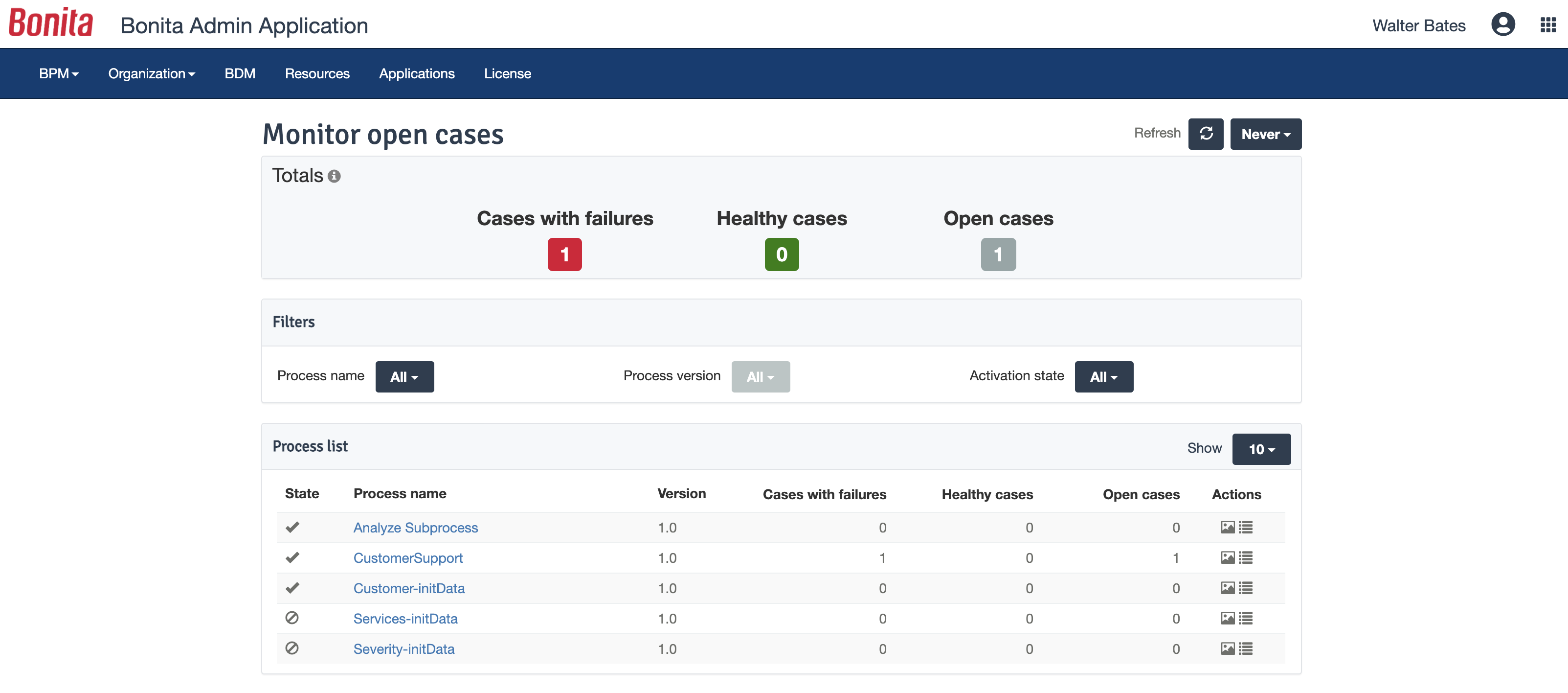
Screenshot of process designed in Bonita BPM StudioScreenshot of Bonita BPM project overviewScreenshot of Fully customized end user interfaceScreenshot of Bonita BPM Admin AppScreenshot of Bonita Process Insights