Apache Airflow is an open source tool that can be used to programmatically author, schedule and monitor data pipelines using Python and SQL. Created at Airbnb as an open-source project in 2014, Airflow was brought into the Apache Software Foundation’s Incubator Program 2016 and announced as Top-Level Apache Project in 2019. It is used as a data orchestration solution, with over 140 integrations and community support.
N/A
Redwood RunMyJobs
Score 9.6 out of 10
N/A
Redwood Business Process Automation is a workload automation and job scheduling solution designed for and
delivered via Software-as-a-Service (SaaS). It transforms the digital
enterprise with scalability and integration with all
technologies in the modern enterprise. Redwood unifies workflows across
on-premises, private, hybrid and public cloud environments. It bridges gaps in
complex processes that function between mainframe, distributed, virtual and
cloud resources. Clients use Redwood to…
N/A
Pricing
Apache Airflow
Redwood RunMyJobs
Editions & Modules
No answers on this topic
No answers on this topic
Offerings
Pricing Offerings
Apache Airflow
Redwood RunMyJobs
Free Trial
No
Yes
Free/Freemium Version
Yes
No
Premium Consulting/Integration Services
No
No
Entry-level Setup Fee
No setup fee
No setup fee
Additional Details
—
—
More Pricing Information
Community Pulse
Apache Airflow
Redwood RunMyJobs
Features
Apache Airflow
Redwood RunMyJobs
Workload Automation
Comparison of Workload Automation features of Product A and Product B
For a quick job scanning of status and deep-diving into job issues, details, and flows, AirFlow does a good job. No fuss, no muss. The low learning curve as the UI is very straightforward, and navigating it will be familiar after spending some time using it. Our requirements are pretty simple. Job scheduler, workflows, and monitoring. The jobs we run are >100, but still is a lot to review and troubleshoot when jobs don't run. So when managing large jobs, AirFlow dated UI can be a bit of a drawback.
For scheduling the jobs and monitoring purpose there is no comparison in the market of Redwood tools. Because everything is almost present in this tools at the very suitable price. According to me the most like scenario is the transportation of jobs as well as easy creation. I hope redwood will provide more options in future for users.
Apache Airflow is one of the best Orchestration platforms and a go-to scheduler for teams building a data platform or pipelines.
Apache Airflow supports multiple operators, such as the Databricks, Spark, and Python operators. All of these provide us with functionality to implement any business logic.
Apache Airflow is highly scalable, and we can run a large number of DAGs with ease. It provided HA and replication for workers. Maintaining airflow deployments is very easy, even for smaller teams, and we also get lots of metrics for observability.
SAP Batch Scheduling - This is THE BEST tool for triggering SAP jobs, bar none.
User management- Other scheduling tools make it much more difficult to manage user access. Redwood user access management is a breeze and take less than half the time it take in other products.
Scheduling Flexibility- The ease with which you can make custom time windows with Redwood is one of my favorite pluses. You can build as simple or as complex of a time window as you need to with Redwood.
Support- The support that you get from Redwood is in my opinion the best in the world. I have dealt with all the big name players in IT and they all pale in comparison to Redwood. You will never feel like you are in it alone with the best support in the world right at your fingertips.
During day light saving, we need to change the date and time manually. If it can be automatically change based day light saving , very helpful for sap support team.
The tool should be extended, as it has lot of options, it is easy to deploy, manage. Integrate with Incident Management tools.
The Redwood Software can be a little difficult. So please try make as simple as possible.
Being in the cloud is a big help, with less hardware to maintain, the patches and updates are fast and easily done, we have built a good working relationship with Redwood.
For its capability to connect with multicloud environments. Access Control management is something that we don't get in all the schedulers and orchestrators. But although it provides so many flexibility and options to due to python , some level of knowledge of python is needed to be able to build workflows.
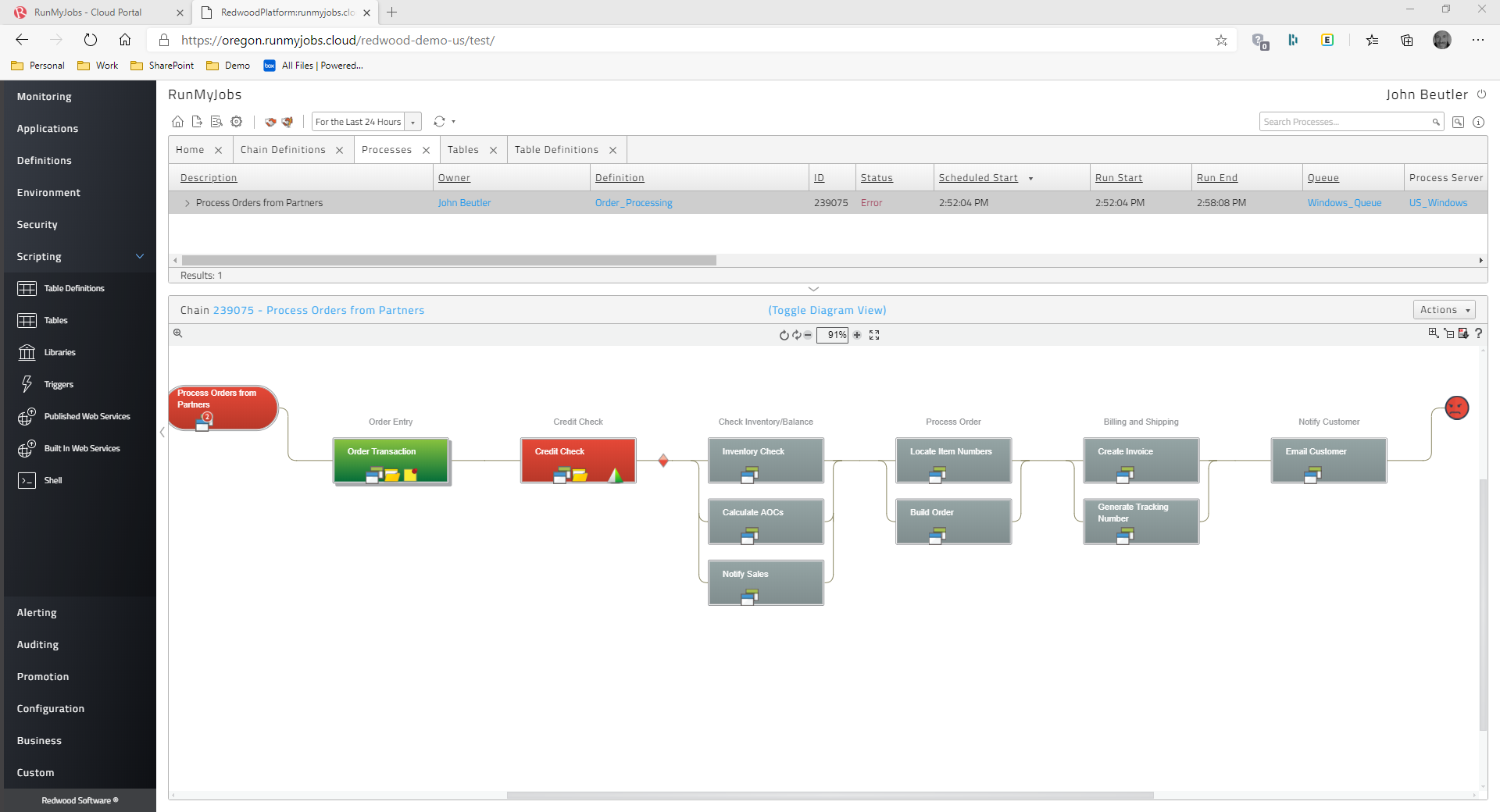
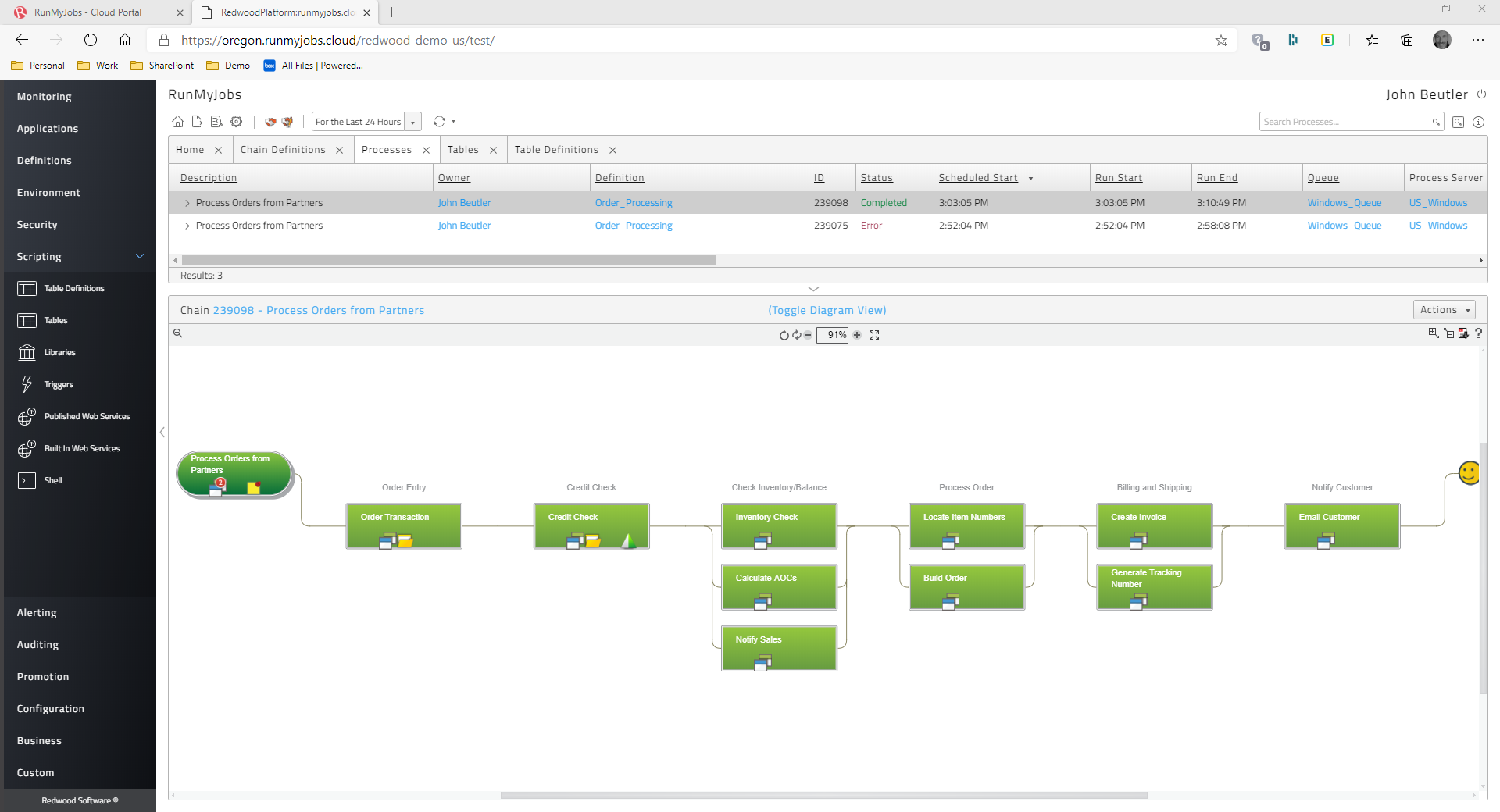
The Redwood user interface is straightforward. The script can be used to renew the Redwood license by just copying the text from the. txt file from start to finish of license. The current page and the status of the work can both be refreshed automatically by setting a timer in Redwood. Redwood software's eye-catching features include online help through documentation and help support, which may be accessed by clicking the "I" button in the top right corner.
It seems many pressing issues have to be escalated to their dev team, which I believe is mostly overseas. The response time isn't always the greatest. I go back to the documentation as well, if that was better there would be less need of support from myself. There are also times when they figure out the resolution, it has to be included with a fix in which you have to wait for the next release, however long that may be. Update - the support response time and quality of answers has greatly increased in the past 6 months or more.
Apache Airflow is suited for a much wider set of use cases compared to Databricks. You can run it anywhere, and there is also no vendor lock-in. With Airflow, we can utilize almost any compute engine. Same thing we want to do with Databricks. There might be some level of difficulty based on the support.
I don't have any first-hand experience using or analysing Redwood Workload Automation or any other workload automation technologies because I'm an AI language model. Yet, according to market analysis and user reviews, Redwood Workload Automation is renowned for its adaptability, usability, and scalability, making it a well-liked option for businesses seeking a dependable and effective automation solution. Redwood Workload Automation's capability to automate complicated business processes across several platforms and apps is one of its main advantages. Organizations can easily create, schedule, and monitor workflows thanks to its user-friendly interface and intuitive drag-and-drop capability, and it can be integrated with a variety of systems and apps to offer a complete automation solution. Scalability is another asset of Redwood Workload Automation. It is capable of managing massive automation projects, and because to its distributed architecture, it can perform workflows concurrently across several servers, speeding up processing and maximizing efficiency. Redwood Workload Automation stands out for its user-friendly interface, scalability, and ability to integrate with a wide range of systems and applications, even though other workload automation tools such as BMC Control-M, IBM Workload Automation, CA Atomic Workload Automation, Microsoft System Center Orchestrator, and Cisco Workload Automation also offer similar functionalities.
Simple to install Redwood Workload Automation agent servers on every server side and trigger the necessary jobs in keeping with business needs.
Allows for the interdependent scheduling of groups of Windows scripts and shell scripts.
Many problems have been fixed, such as the ability to gather data on the number of activities that are executed each day, receive email notifications when a job expires, and connect system agents to monitors.
capable of adhering to SLAs for complicated order flows