Any.do is a project management solution built around list and taskmanagement capabilities.
N/A
Planview AgilePlace
Score 9.9 out of 10
N/A
AgilePlace is a project management solution built around flexibility, data-driven analytics, and workflow automation. The software was acquired by Planview in December 2017 to expand that company's capabilities.
$19
per user, per month
Pricing
Any.do
Planview AgilePlace
Editions & Modules
No answers on this topic
Teams
$19
per user, per month
Scaled Teams
$29
per user, per month
Custom
Contact Sales for Quote
per user, per month
Offerings
Pricing Offerings
Any.do
Planview AgilePlace
Free Trial
No
Yes
Free/Freemium Version
No
No
Premium Consulting/Integration Services
No
No
Entry-level Setup Fee
No setup fee
No setup fee
Additional Details
—
All editions include unlimited boards.
More Pricing Information
Community Pulse
Any.do
Planview AgilePlace
Features
Any.do
Planview AgilePlace
Project Management
Comparison of Project Management features of Product A and Product B
Any.do
7.1
Ratings
7% below category average
Planview AgilePlace
7.4
Ratings
3% below category average
Task Management
10.00 Ratings
10.00 Ratings
Resource Management
7.00 Ratings
9.90 Ratings
Gantt Charts
7.00 Ratings
10.00 Ratings
Scheduling
7.00 Ratings
9.90 Ratings
Workflow Automation
6.00 Ratings
00 Ratings
Team Collaboration
9.00 Ratings
00 Ratings
Support for Agile Methodology
8.00 Ratings
9.30 Ratings
Support for Waterfall Methodology
3.00 Ratings
4.00 Ratings
Document Management
6.00 Ratings
6.50 Ratings
Email integration
3.00 Ratings
7.30 Ratings
Mobile Access
10.00 Ratings
2.10 Ratings
Timesheet Tracking
9.00 Ratings
6.40 Ratings
Change request and Case Management
5.00 Ratings
7.20 Ratings
Budget and Expense Management
9.50 Ratings
00 Ratings
Visual planning tools
00 Ratings
7.30 Ratings
Agile Development
Comparison of Agile Development features of Product A and Product B
Any.do is well suited for anyone who needs help managing tasks and reminders for projects at work or at home. It's very easy to use and can be shared with others for increased collaboration. It will always run up against its greatest competition - pen to paper. It is less appropriate where specific project management tools are being used that Any.do doesn't integrate with.
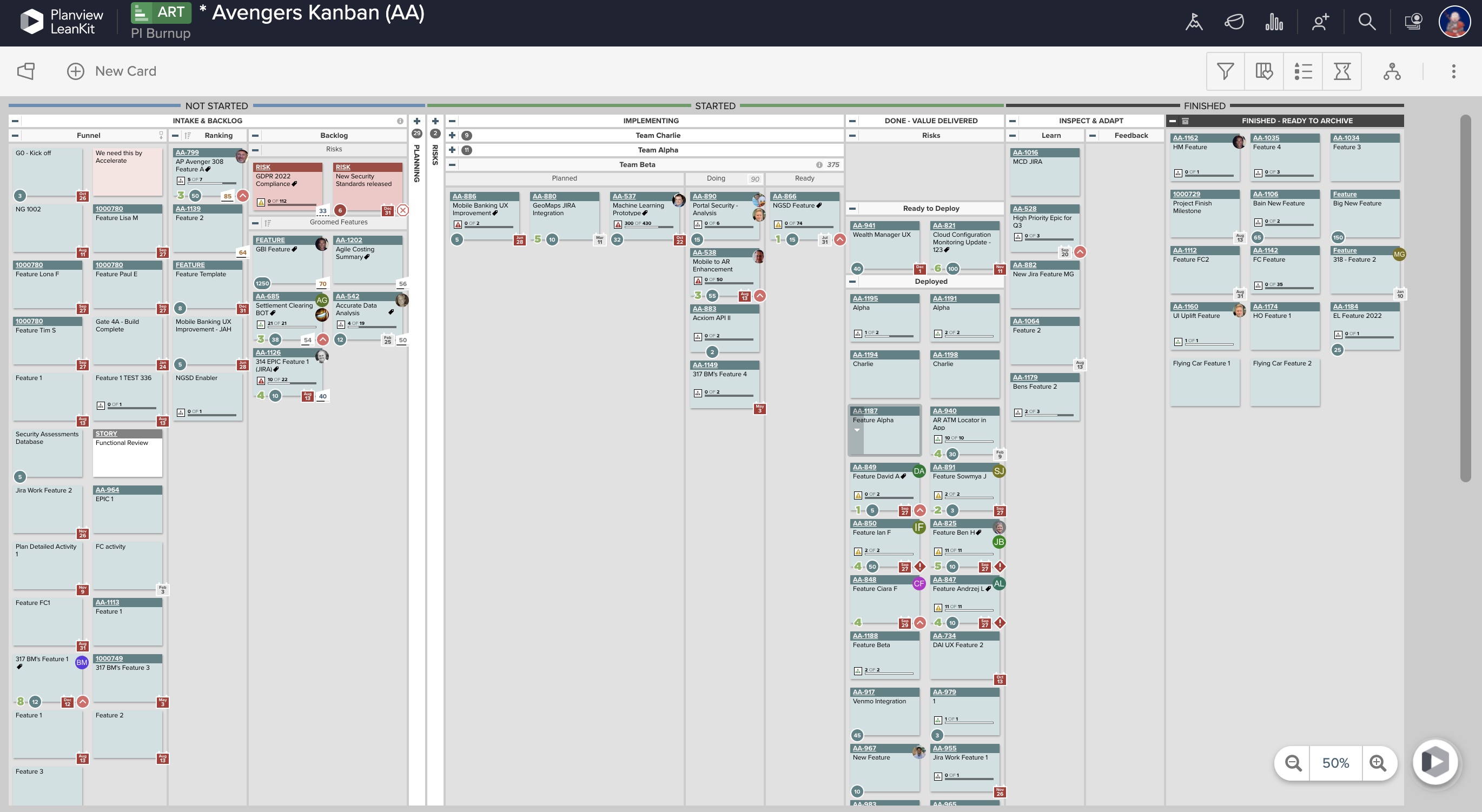
AgilePlace is a great way for teams, or individuals, to bring visibility to the work in process and in their backlog. The color coding and icon use helps to quickly analyze the type of work or status of the work. The product team is doing a good job at listening to their user's feedback and implementing improvements. Where it falls short is when reporting needs to occur.
Okta Integration: We love using SSO for all our SaaS apps, and as new team members join, they can be automatically joined to the appropriate LeanKit boards.
Filtering and viewing: Can filter and refine by several fields as well as custom fields. Assigned Users, Tagged, Card Type, Date, etc
Their analytics and reporting can be helpful for PMs, especially if they have several teams they oversee.
It is very very intuitive, I have been using the app since it was launched, started using it as a personal reminder, and then also recommended within the organization. The experience is very similar to writing on a pad and then when complete crossing it off. I love it's user experience.
LeanKit isn't the best designed Kanban system I've seen, but overall it's pretty usable. The boards I've used are pretty complex, so it can be difficult to find things. I found that searching and filtering for specific cards was somewhat of a challenge. Dragging a card from one lane to another is kind of a fun way to get things done though.
I have not needed to use support for Any.do at this point. Because the user interface is very easy to use, most problems can be figured out on your own. That said, I have been told that the support is efficient and helpful when needed. Answers are given in quick order.
Every time I have reached out to the AgilePlace support team I have received a timely response in addition to professional & personal feedback. Their consultants are knowledgeable and the management team is happy to jump in and help when needed.
This app is very easy to use and has a very user-friendly interface. I am using it on my iPhone so I can use it on the go. It has a list view as well as a calendar view so you can choose according to your convenience. I can use it for personal and professional tasks and it keeps me organised.
Originally, we had evaluated two other tools next to Planview LeanKit: Kanbantool and Kanbanflow. The latter was a close contestant for productive use, as it was also very customizable and a joy to work with and look at. It also had lower user fees and a mobile integration. In the end, we picked Planview LeanKit because of several reasons: Aesthetics: The look was much more clean and professional. Reporting: It was obvious from the start that we could use Planview LeanKit as a tool for improvement. API: We needed to integrate the Kanban into our central systems and Planview LeanKit API was (and still is) a way to do it. Card Headers: This sounds like a simple thing, but the headers above the titles fit our work perfectly and looked perfect, which helped the decision.