AnalyticsCreator vs. Dataloader.io

Overview
ProductRatingMost Used ByProduct SummaryStarting Price
AnalyticsCreator
Score 0.0 out of 10
N/A
AnalyticsCreator automates design, development, deployment, and change processes, to enable teams to manage data for analytical needs. AnalyticsCreator's prototyping empowers business to showcase results faster and generate code for data management through a connected analytical frontend, such as Power BI. Whether on Azure SQL DB, Azure data warehouse, or on-premises MS SQL, AnalyticsCreator provides a tool for streamlined data management.N/A
Dataloader.io
Score 10.0 out of 10
N/A
Dataloader.io delivers a cloud based solution to import and export information from Salesforce.
$99
per month
Pricing
AnalyticsCreatorDataloader.io
Editions & Modules
No answers on this topic
Professional
$99.00
per month
Enterprise
$299.00
per month
Offerings
Pricing Offerings
AnalyticsCreatorDataloader.io
Free Trial
YesNo
Free/Freemium Version
NoNo
Premium Consulting/Integration Services
NoNo
Entry-level Setup FeeNo setup feeNo setup fee
Additional Details
More Pricing Information
Community Pulse
AnalyticsCreatorDataloader.io
Best Alternatives
AnalyticsCreatorDataloader.io
Small Businesses
Skyvia
Skyvia
Score 9.9 out of 10

No answers on this topic

Medium-sized Companies
IBM InfoSphere Information Server
Score 8.0 out of 10
IBM InfoSphere Information Server
Score 8.0 out of 10
Enterprises
IBM InfoSphere Information Server
Score 8.0 out of 10
IBM InfoSphere Information Server
Score 8.0 out of 10
All AlternativesView all alternativesView all alternatives
User Ratings
AnalyticsCreatorDataloader.io
Likelihood to Recommend
-
(0 ratings)
7.1
(24 ratings)
Likelihood to Renew
-
(0 ratings)
8.9
(5 ratings)
Usability
-
(0 ratings)
8.9
(8 ratings)
Performance
-
(0 ratings)
8.0
(1 ratings)
Support Rating
-
(0 ratings)
7.6
(8 ratings)
User Testimonials
AnalyticsCreatorDataloader.io
Likelihood to Recommend
AnalyticsCreator Solutions GmbH
No answers on this topic
Salesforce
Dataloader is an incredible asset for a large organization or an organization that has a robust Salesforce environment. Specifically, Dataloader has allowed our sales team to focus on driving sales while our operations team can load the data they need in a manner that allows for robust reporting and tracking on our sales process. Organizations with less robust Salesforce environments or Salesforce environments in which many people are expected to maintain their own information likely do not need Dataloader.
Read full review
Pros
AnalyticsCreator Solutions GmbH
No answers on this topic
Salesforce
  • Extracting Salesforce attachments in original file format! I do not know of a tool that can do this better, or more efficiently! This is a huge benefit to companies that would like to extract attachments from Salesforce for tasks like data migrations.
  • Cross-object data extract within one file. You can pull data from related objects as long as there is a populated lookup from the object you are extracting, to another object (Child or Parent).
  • UI is simple and requires very little to no training. Given the acquisition of Mulesoft by Salesforce, I would not be surprised if DataLoader.IO is rolled out as the new global data loading tool for Salesforce.
Read full review
Cons
AnalyticsCreator Solutions GmbH
No answers on this topic
Salesforce
  • At the moment, I can't find a way to rename jobs. This would be useful to organize what was previously created hastily by techs in a rush.
  • A preview of the job, especially upserts, would take a great deal of stress away from some of us (especially those who are not so confident in their ETL practice).
  • A native vlookup equivalent may be a welcome addition.
Read full review
Likelihood to Renew
AnalyticsCreator Solutions GmbH
No answers on this topic
Salesforce
It is easy to use and doesn't require a security token, so I enjoy using it. It also doesn't require any download or installation, which is sometimes a blocker to gettingthings done if the company has limits. also, the dataloader.io is easy for other people to pick up, so others can have visibility into the data jobs that have occurred
Read full review
Usability
AnalyticsCreator Solutions GmbH
No answers on this topic
Salesforce
It is an intuitive application to use. Within a few clicks, you can be signed in to your org and ready to perform tasks. Data imports/exports/updates are streamlined so you can quickly start and configure your jobs. These can run in the background while you set up new tasks. Job history and tasks currently running on are on your home screen.
Read full review
Performance
AnalyticsCreator Solutions GmbH
No answers on this topic
Salesforce
Dataloader is made for updating, inserting, and deleting of contacts. For these operations this tool is excellent.
Read full review
Support Rating
AnalyticsCreator Solutions GmbH
No answers on this topic
Salesforce
Customer support might be where Dataloader.io saves money. Most of the competitors offer 24/7 live support but Dataloader.io only offers support via email and the community. Those types of support work fine until you need an answer right away. Some questions can't wait until the next business day or business hours for a reply.
Read full review
Alternatives Considered
AnalyticsCreator Solutions GmbH
No answers on this topic
Salesforce
I have used salesforce inspector also for operations like import and export of data from custom objects but it doesn't work well when you have data in huge numbers. Instead of using Salesforce Inspector, one should go for Dataloader.io if the number of records is huge to be dealt with.
Read full review
Return on Investment
AnalyticsCreator Solutions GmbH
No answers on this topic
Salesforce
  • HUGE time saving. When we need to clean or review data, we used to have to do it line by line. This can do the work within excel and make cleanup/management an afternoons work as opposed to a week.
  • Rollback what you did/change/deleted is relatively simple if you remember to back up the data you are manipulating.
Read full review
ScreenShots

AnalyticsCreator Screenshots

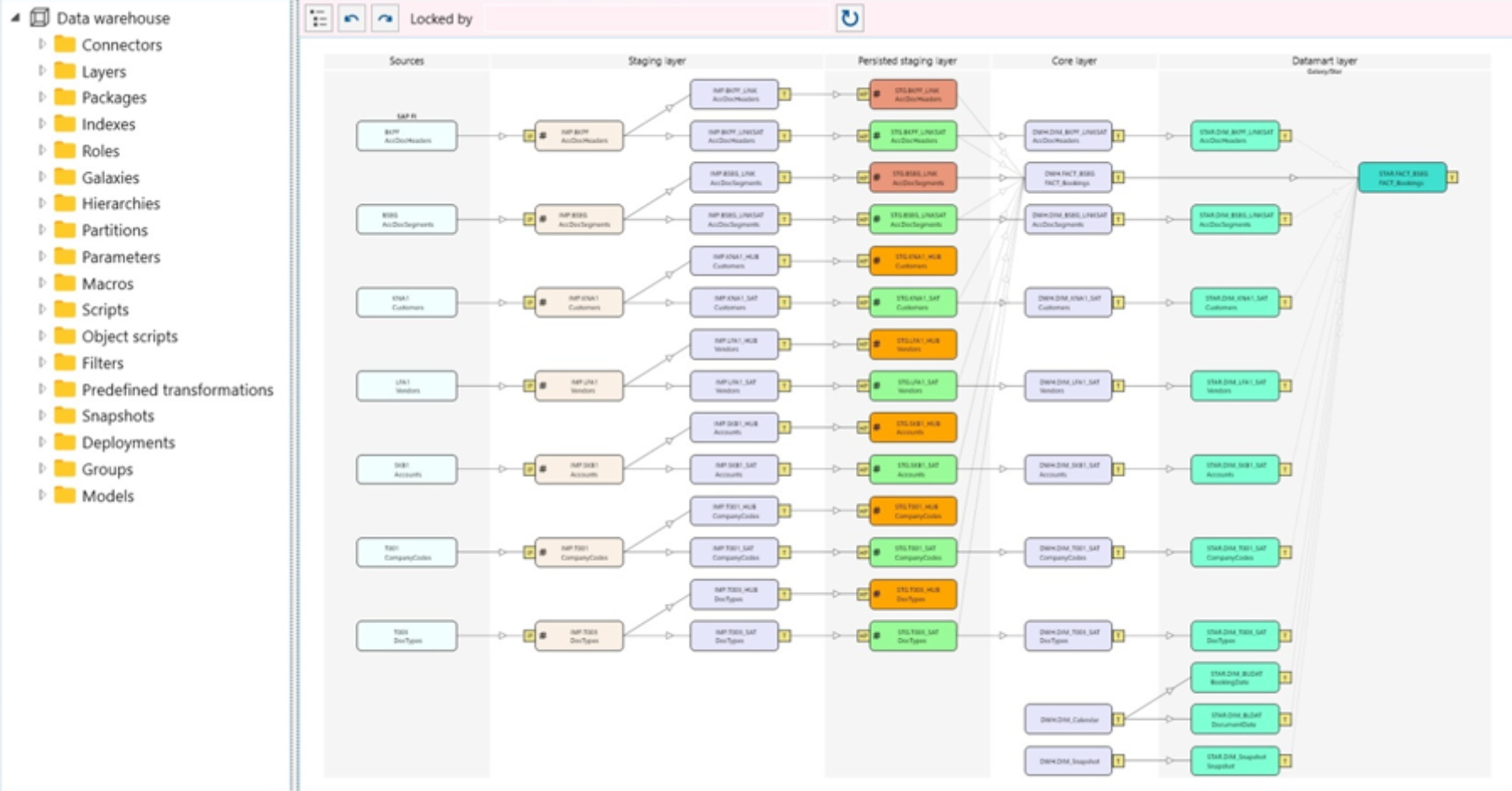
Screenshot of AnalyticsCreator data sourcesScreenshot of AnalyticsCreator data environmentScreenshot of AnalyticsCreator DACPAC & SSIS packages.Screenshot of AnalyticsCreator data lineageScreenshot of AnalyticsCreator DWH wizardScreenshot of AnalyticsCreator source data