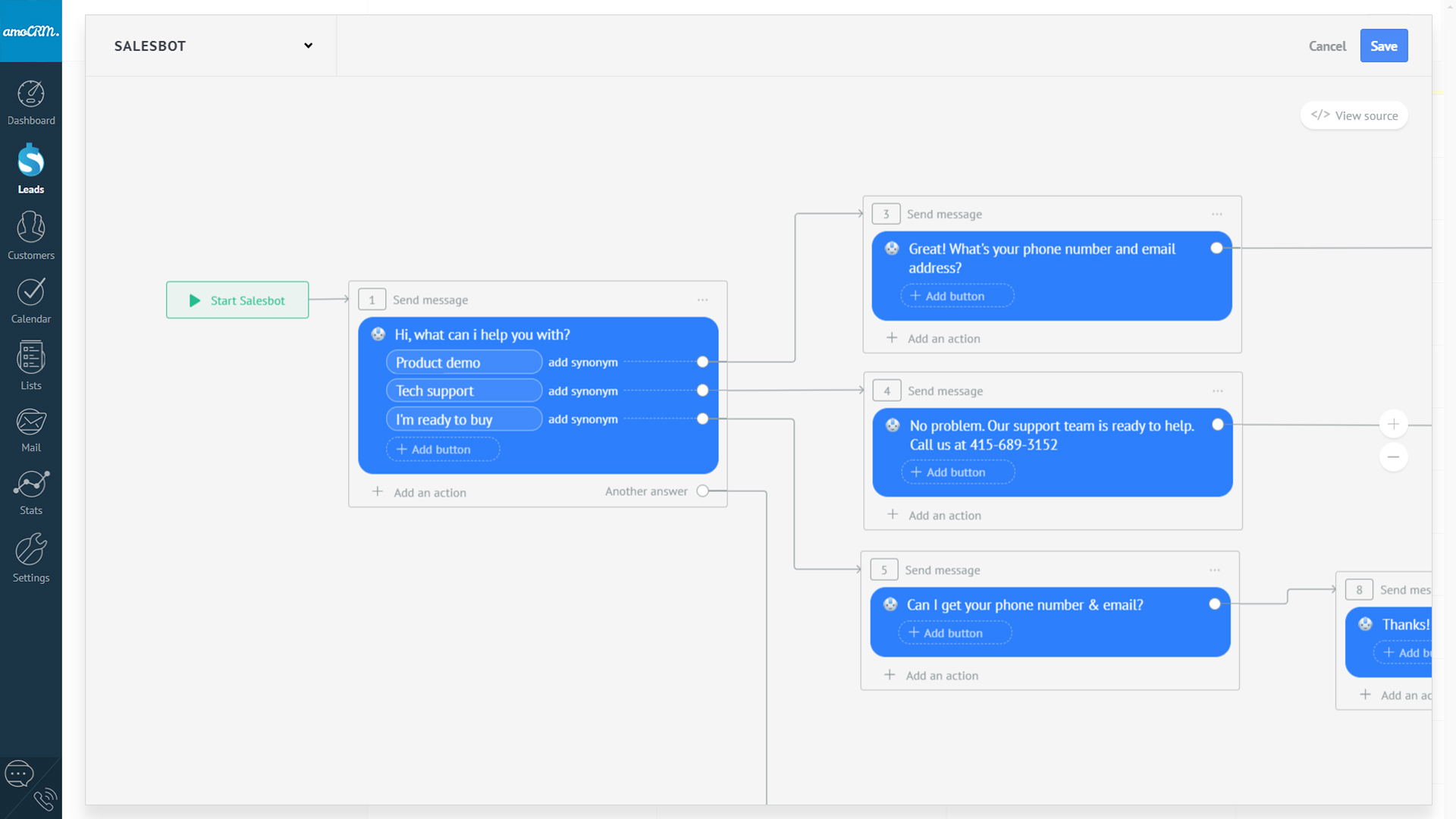
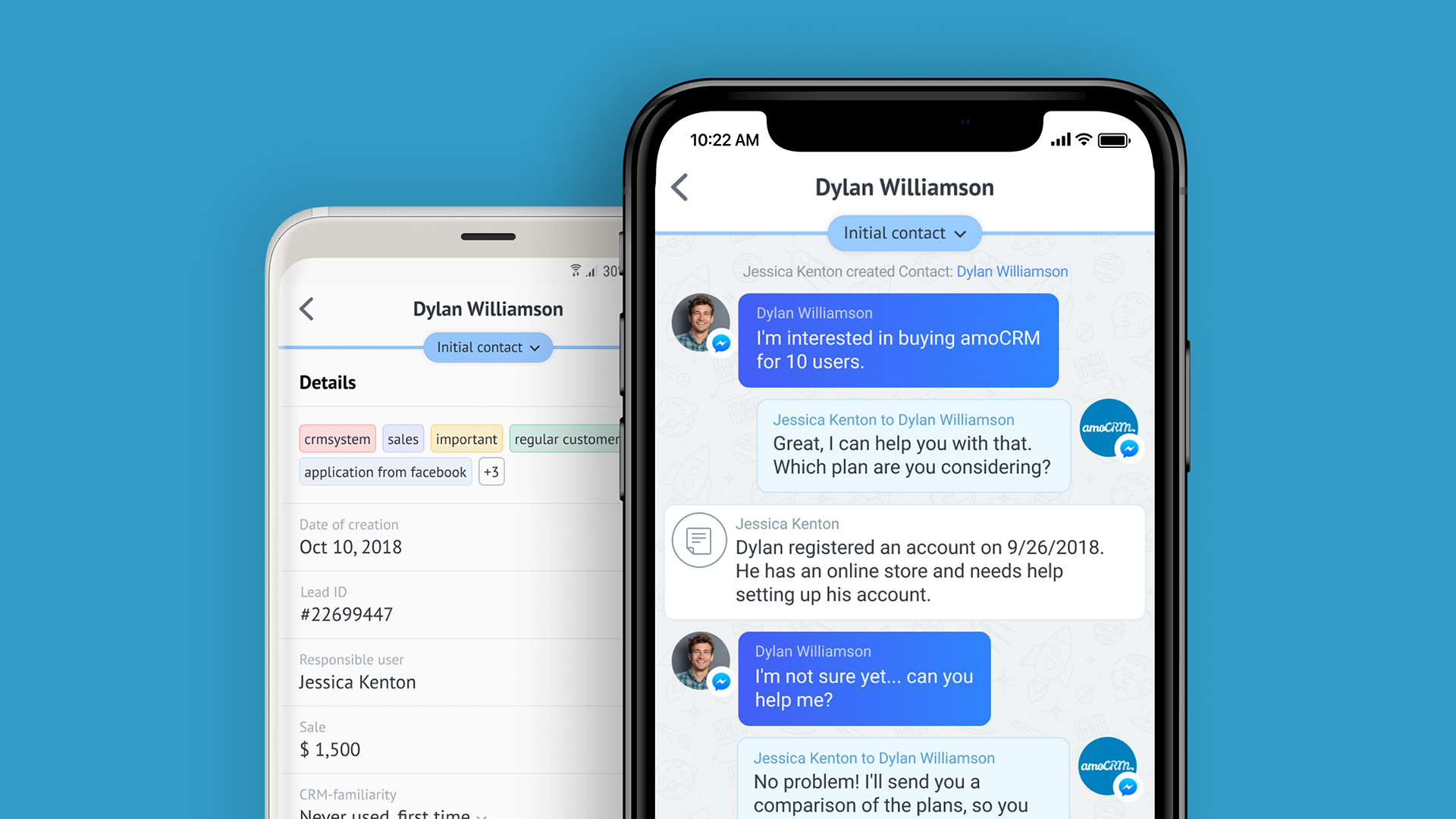
amoCRM is a cloud-based sales management solution designed for small to medium sized businesses. Some key features include: Webform Integration, Pipeline Management and Tasks Management.
$15
/user/month
HubSpot CRM
Score8.3 out of 10
N/A
HubSpot’s CRM enables growth-minded businesses to optimize their relationships with leads and customers. Through harnessing the power of carefully crafted sales, marketing, customer service, content management, and operations tools, the software aims to make it easy to unify team strategy and drive conversion. Additionally, the software allows users to connect with over 875 integration apps, APIs, and solutions partners to create a customizable user experience that suits the way teams work.…
$0
Per Month [Unlimited Users]
Pricing
amoCRM
HubSpot CRM
Editions & Modules
Basic
$15
/user/month
Advanced
$25.00
/user/month
Enterprise
$45
/user/month
Free Forever
$0
Per Month [Unlimited Users]
CRM Bundle
$50
per month
Offerings
Pricing Offerings
amoCRM
HubSpot CRM
Free Trial
Yes
Yes
Free/Freemium Version
No
Yes
Premium Consulting/Integration Services
No
Yes
Entry-level Setup Fee
No setup fee
No setup fee
Additional Details
No minimum amount of users.
Free set-up assistance with your own personal amoCRM expert.
A de minimis incentive was given to thank the reviewer for their time. The incentive was not used to bias or drive a particular response, nor was the incentive contingent on a positive endorsement. More Info
Where amoCRM is extremely beneficial is with sales teams needing to find a cloud platform that can be easily learned and implemented. At the high school, college and small business level it is fairly priced and easy to work with. The automated pipeline to track calls, sites visits and online chats makes it fast and quick to connect with potential customers. In a day like today where it is crucial to make sales as fast as possible, because any hesitate could result in a loss of a sale, this platform makes it pretty simple. Web forms implemented on our website really helps to connect all of our communication. I would highly recommend it as a means for small businesses to track sales, clients and data. I think as the business grows there may be software that does the sales, marketing tracking side, as well as payroll and HR services as well to not need multiple providers.
A de minimis incentive was given to thank the reviewer for their time. The incentive was not used to bias or drive a particular response, nor was the incentive contingent on a positive endorsement. More Info
I am giving it a 9 rating out of 10 because it has saved my job and helped my team to cracks very big deals. Last year, we were supposed to give a presentation to a client as we were about to sign him for a project. The client asked for our numbers in a real meeting, but we hadn't prepared them for our presentation. I logged in to HubSpot CRM and created a small report that included the relevant numbers. This turned out to be a very good decision for our company, as we subsequently signed that client.
A de minimis incentive was given to thank the reviewer for their time. The incentive was not used to bias or drive a particular response, nor was the incentive contingent on a positive endorsement. More Info
A de minimis incentive was given to thank the reviewer for their time. The incentive was not used to bias or drive a particular response, nor was the incentive contingent on a positive endorsement. More Info
Timeline view and conversation log is extremely helpful and an underrated feature; this is in addition to the entire user profile view.
Task management is simple but effective.
Deal and company tracking with stakeholder management inside companies / deals is very handy; we know what is happening even though we might not be directly working on it.
Gmail integration is quite smooth along with email tracking.
A de minimis incentive was given to thank the reviewer for their time. The incentive was not used to bias or drive a particular response, nor was the incentive contingent on a positive endorsement. TR verified that a representative sample of customers was invited. More Info
Room for improvement would be that you need to manually integrate some of the apps for use.
Adding information to different fields is timely, and having an auto-fill would be very useful for a lot of the text fields. Perhaps using AI platforms could help identify what content should flow where on the platform.
Allow for Twitter integration. Grabbing leads from twitter is very important, using it for FB Messenger is great, but what about other platforms?
A de minimis incentive was given to thank the reviewer for their time. The incentive was not used to bias or drive a particular response, nor was the incentive contingent on a positive endorsement. More Info
More of an integration issue I think than a problem with HubSpot CRM, but we have AirCall integrated for direct phone lines and synching with individual users for outbound calls. Opening Aircall to make an outbound call automatically generates a new client - unattached to a company record as an orphan.
Historical records with activities is awesome but when creating a deal it isn't always a choice to capture last 30 days of history. When it is an option and you click to add that to a deal you can see all the activity items and people who have done anything with the "file".
I would like to see more native options for automation.
A de minimis incentive was given to thank the reviewer for their time. The incentive was not used to bias or drive a particular response, nor was the incentive contingent on a positive endorsement. TR verified that a representative sample of customers was invited. More Info
Thus far, our company has found HubSpot CRM to be a reliable service that serves its purpose well: a centralized business contacts database, accessible remotely, with a simple and visually-pleasing interface. Issues are non-existent or resolved quickly, and when the service is experiencing interruptions, notifications and/or updates are sent regularly.
A de minimis incentive was given to thank the reviewer for their time. The incentive was not used to bias or drive a particular response, nor was the incentive contingent on a positive endorsement. TR verified that a representative sample of customers was invited. More Info
I am giving it this rating because it has helped us keep track of leads, it saved us a lot of time by automating tasks, and it makes it easy for different teams to work together. It is user-friendly and has improved our approach to communicating with customers and closing deals.
A de minimis incentive was given to thank the reviewer for their time. The incentive was not used to bias or drive a particular response, nor was the incentive contingent on a positive endorsement. TR verified that a representative sample of customers was invited. More Info
Because when I needed help HubSpot responded immediately and provided me with the information I needed which enabled me to realize that HubSpot was even more customizable and easier to use than I thought! And I already thought HubSpot was very user friendly and easy to use, and then Support showed me how to manipulate the settings, columns and the appearance of the tool.
A de minimis incentive was given to thank the reviewer for their time. The incentive was not used to bias or drive a particular response, nor was the incentive contingent on a positive endorsement. More Info
If you've had any prior experience with cloud based marketing automation or group communication tools, you can do the implementation without paid outside support. Though getting to a SLA (service level agreement) would be best achieved with the help of a third party who can facilitate
A de minimis incentive was given to thank the reviewer for their time. The incentive was not used to bias or drive a particular response, nor was the incentive contingent on a positive endorsement. More Info
Reasons why we chose amoCRM: 1. It's customizable, we can add custom fields and processes. 2. It has a lot of ready integrations with services we use. 3. Rich API that allows building completely custom analytics based on data from CRM. 4. UI can be customized too. We show our internal users all the data they need to work with the client.
A de minimis incentive was given to thank the reviewer for their time. The incentive was not used to bias or drive a particular response, nor was the incentive contingent on a positive endorsement. More Info
We've been using Hubspot for years and don't foresee making any changes away from it. It has been fully integrated into how our business operates. We ultimately selected HubSpot CRM because it had all the features and functions that our marketing, sales, and operations teams wanted. And it offered those features and functions at the right price point for our organization.
A de minimis incentive was given to thank the reviewer for their time. The incentive was not used to bias or drive a particular response, nor was the incentive contingent on a positive endorsement. TR verified that a representative sample of customers was invited. More Info
Positive impact is on time, the mobile app makes it easy to implement on all devices. For students, it helps to improve their communication skills.
Positive, the leads you can gather all in one place makes it much more of an efficient process to track communication, so it saves time, and as a result, saves money.
Negative, it seems to take up a lot of data on our mobile devices. Overall it does not have a major impact on the business, but on a mobile device it does drain the battery more than other apps do.
A de minimis incentive was given to thank the reviewer for their time. The incentive was not used to bias or drive a particular response, nor was the incentive contingent on a positive endorsement. More Info
A de minimis incentive was given to thank the reviewer for their time. The incentive was not used to bias or drive a particular response, nor was the incentive contingent on a positive endorsement. TR verified that a representative sample of customers was invited. More Info