Amazon's Elastic Load Balancing automatically distributes incoming application traffic across multiple targets, such as Amazon EC2 instances, containers, IP addresses, and Lambda functions. It can handle the varying load of your application traffic in a single Availability Zone or across multiple Availability Zones. Elastic Load Balancing offers three types of load balancers with the vendor states all feature the high availability, automatic scaling, and robust security necessary to make…
$0.01
Partial Hour
NGINX
Score9.2 out of 10
Mid-Size Companies (51-1,000 employees)
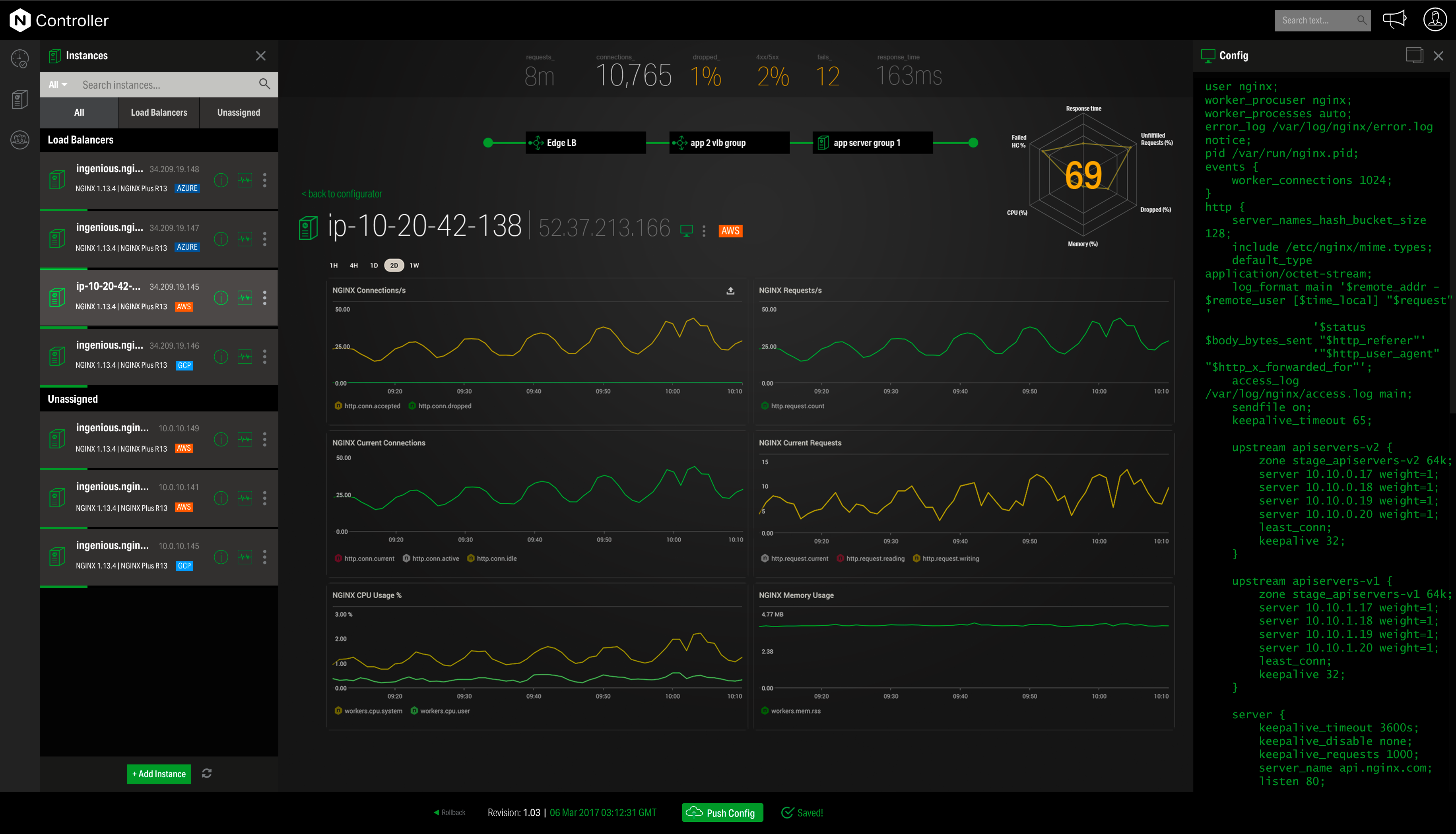
NGINX, a business unit of F5 Networks, powers over 65% of the world's busiest websites and web applications. NGINX started out as an open source web server and reverse proxy, built to be faster and more efficient than Apache. Over the years, NGINX has built a suite of infrastructure software products o tackle some of the biggest challenges in managing high-transaction applications. NGINX offers a suite of products to form the core of what organizations need to create…
N/A
Pricing
Elastic Load Balancing
NGINX
Editions & Modules
Gateway
$0.0125
Partial Hour
Application
$0.0225
Partial Hour
Network
$0.025
Partial Hour
No answers on this topic
Offerings
Pricing Offerings
Elastic Load Balancing
NGINX
Free Trial
No
Yes
Free/Freemium Version
No
Yes
Premium Consulting/Integration Services
No
Yes
Entry-level Setup Fee
No setup fee
Optional
Additional Details
—
—
More Pricing Information
Community Pulse
Elastic Load Balancing
NGINX
Considered Both Products
Amazon AWS
Verified User
Chose Elastic Load Balancing
We have not used any other solution out there in the market but our dev-ops team did deep research and AWS provided us the solution we needed to be cost-effective. Also, the decision to keep working with Amazon was strategic. We were already using other AWS features and [Amazon …
A de minimis incentive was given to thank the reviewer for their time. The incentive was not used to bias or drive a particular response, nor was the incentive contingent on a positive endorsement. More Info
F5
Verified User
Chose NGINX
The support and ability to provide near zero downtime for changes is a winner. The lightweight engine also helps reduce cost.
A de minimis incentive was given to thank the reviewer for their time. The incentive was not used to bias or drive a particular response, nor was the incentive contingent on a positive endorsement. TR verified that a representative sample of customers was invited. More Info
We use Amazon Elastic Load Balancers to serve mobile applications and websites. It works really well. We have not had any problems until now. Last year we integrated the AWS ELB with the EC2 Auto Scaling and now we have a fully working elastic solution. We increase/decrease EC2s instances based on traffic over our load balancers.
A de minimis incentive was given to thank the reviewer for their time. The incentive was not used to bias or drive a particular response, nor was the incentive contingent on a positive endorsement. More Info
[NGINX] is very well suited for high performance. I have seen it used on servers with 1k current connections with no issues. Despite seeing it used in many environments I've never seen software developers use it over apache, express, IIS in local dev environments so it may be more difficult to setup. I've also seen it used to load balance again without issues.
A de minimis incentive was given to thank the reviewer for their time. The incentive was not used to bias or drive a particular response, nor was the incentive contingent on a positive endorsement. More Info
A de minimis incentive was given to thank the reviewer for their time. The incentive was not used to bias or drive a particular response, nor was the incentive contingent on a positive endorsement. More Info
A de minimis incentive was given to thank the reviewer for their time. The incentive was not used to bias or drive a particular response, nor was the incentive contingent on a positive endorsement. More Info
Occasionally we have a huge number of users using our network at once, and Amazon ELB isn't quite fast enough to scale effectively when that occurs. But this doesn't happen very often as our usage is usually quite stable
If we want to add another application to our learning suite, we would have to add another load balancer, which would incur additional cost
The setup was not easy and could really only be handled by one person on our team with the technical background to do so
A de minimis incentive was given to thank the reviewer for their time. The incentive was not used to bias or drive a particular response, nor was the incentive contingent on a positive endorsement. More Info
Customer support can be strangely condescending, perhaps it's a language issue?
I find it a little weird how the release versions used for Nginx+ aren't the same as for open source version. It can be very confusing to determine the cross-compatibility of modules, etc., because of this.
It seems like some (most?) modules on their own site are ancient and no longer supported, so their documentation in this area needs work.
It's difficult to navigate between nginx.com commercial site and customer support. They need to be integrated together.
I'd love to see more work done on nginx+ monitoring without requiring logging every request. I understand that many statistics can only be derived from logs, but plenty should work without that. Logging is not an option in many environments.
A de minimis incentive was given to thank the reviewer for their time. The incentive was not used to bias or drive a particular response, nor was the incentive contingent on a positive endorsement. More Info
AWS Elastic Load Balancing has this trick. First, you need to know how it works. ELB is not the only piece here. ELB has a very close relation with AWS Target Groups. You create or select a target group every time you create a Load balancer. Target groups allow you to connect the load balancer to EC2 autoscaling groups, Lambda functions, or even a single EC2 instance. While this sounds complex, it becomes easy, once you know his tricks. Thanks to the user interface, managing a ELB is an easy task. The rules editor is really useful, although it will need a bit of improvement to some interface items
A de minimis incentive was given to thank the reviewer for their time. The incentive was not used to bias or drive a particular response, nor was the incentive contingent on a positive endorsement. More Info
Front end proxy and reverse proxy of Nginx is always useful. I always prefer to Nginx in overall usability when you have application server and database or multiple application servers and single database i.e. clustered application. Nginx provides really good features and flexibility which helps the system administrator in case of troubleshooting and also from the administration perspective. Also, Nginx doesn't delay any request because of internal performance issues.
A de minimis incentive was given to thank the reviewer for their time. The incentive was not used to bias or drive a particular response, nor was the incentive contingent on a positive endorsement. More Info
AWS gives you several support plans. On the free plan, you basicaly need to google for help, but the good news is that AWS Elastic Load Balancing works. We has more than 15 load balancers and we never run into a problem that require support. But you mght consider a support plan if you are going to do something more complex or critical
A de minimis incentive was given to thank the reviewer for their time. The incentive was not used to bias or drive a particular response, nor was the incentive contingent on a positive endorsement. More Info
Community support is great, and they've also had a presence at conferences. Overall, there is no shortage of documentation and community support. We're currently using it to serve up some WordPress sites, and configuring NGINX for this purpose is well documented.
A de minimis incentive was given to thank the reviewer for their time. The incentive was not used to bias or drive a particular response, nor was the incentive contingent on a positive endorsement. More Info
We have not used any other solution out there in the market but our dev-ops team did deep research and AWS provided us the solution we needed to be cost-effective. Also, the decision to keep working with Amazon was strategic. We were already using other AWS features and [Amazon Elastic Load Balancing] integrates great with those.
A de minimis incentive was given to thank the reviewer for their time. The incentive was not used to bias or drive a particular response, nor was the incentive contingent on a positive endorsement. More Info
We have used Traffic, Apache, Google Cloud Load Balancing and other managed cloud-based load balancers. When it comes to scale and customization nothing beats Nginx. We selected Nginx over the others because
we have a large number of services and we can manage a single Nginx instance for all of them
we have high impact services and Nginx never breaks a sweat under load
individual services have special considerations and Nginx lets us configure each one uniquely
A de minimis incentive was given to thank the reviewer for their time. The incentive was not used to bias or drive a particular response, nor was the incentive contingent on a positive endorsement. More Info
A de minimis incentive was given to thank the reviewer for their time. The incentive was not used to bias or drive a particular response, nor was the incentive contingent on a positive endorsement. More Info
Nginx has decreased the burden of web server administration and maintenance, and we are spending less time on server issues than when we were using Apache.
Nginx has allowed more people in our company to get involved with configuring things on the web server, so there's no longer a single point of failure ("the Apache guy").
Nginx has given us the ability to handle a larger number of requests without scaling up in hardware quite so quickly.
A de minimis incentive was given to thank the reviewer for their time. The incentive was not used to bias or drive a particular response, nor was the incentive contingent on a positive endorsement. More Info