
Amazon CloudWatch vs. OpsCompass
| Product | Rating | Most Used By | Product Summary | Starting Price |
|---|---|---|---|---|
 Amazon CloudWatch | Score8.2 out of 10 | N/A | Amazon CloudWatch is a native AWS monitoring tool for AWS programs. It provides data collection and resource monitoring capabilities. | $0 per canary run |
 OpsCompass | Score6 out of 10 | N/A | OpsCompass is an enterprise-ready cloud security management software that drives multi-cloud operational control, visibility, and security to Microsoft Azure, AWS, and Google Cloud Platform. Its UI is designed to provide clear data visualization for resource management, remediation, and configuration drift management. OpsCompass utilizes CIS SecureSuite benchmarks as industry-accepted system hardening standards, and are used by organizations in meeting compliance requirements for FISMA, PCI DSS,… | $0 |
| Amazon CloudWatch | OpsCompass | |||||||||||||||
|---|---|---|---|---|---|---|---|---|---|---|---|---|---|---|---|---|
| Editions & Modules |
|
| ||||||||||||||
| Offerings |
| |||||||||||||||
| Entry-level Setup Fee | No setup fee | No setup fee | ||||||||||||||
| Additional Details | With Amazon CloudWatch, there is no up-front commitment or minimum fee; you simply pay for what you use. You will be charged at the end of the month for your usage. | — | ||||||||||||||
| More Pricing Information | ||||||||||||||||
| Amazon CloudWatch | OpsCompass | |
|---|---|---|
| Considered Both Products | No answer on this topic | No answer on this topic |
| Key User Insights | ||
| Would buy again | ||
100% Would buy again 18 Answers | No answers on this topic | |
| Delivers good value for the price | ||
100% Delivers good value for the price 18 Answers | No answers on this topic | |
| Happy with the feature set | ||
94% Happy with the feature set 17 Answers | No answers on this topic | |
| Lived up to sales and marketing promises | ||
100% Lived up to sales and marketing promises 15 Answers | No answers on this topic | |
| Implementation went as expected | ||
100% Implementation went as expected 17 Answers | No answers on this topic | |
| Amazon CloudWatch | OpsCompass | |||||||||||||||||||
|---|---|---|---|---|---|---|---|---|---|---|---|---|---|---|---|---|---|---|---|---|
| Cloud Management |
| |||||||||||||||||||
| Amazon CloudWatch | OpsCompass | |
|---|---|---|
| Small Businesses | No answers on this topic |  Rackspace Fabric Score6.3 out of 10 |
| Medium-sized Companies |  Datadog Score8.4 out of 10 |  IBM Turbonomic Score9.3 out of 10 |
| Enterprises |  NetBrain Technologies Score9.2 out of 10 | IBM Turbonomic Score9.3 out of 10 |
| All Alternatives | View all alternatives | View all alternatives |
| Amazon CloudWatch | OpsCompass | |
|---|---|---|
| Likelihood to Recommend | 7.7 | 8.2 |
| Usability | 7.0 | - |
| Support Rating | 8.4 | - |
| Amazon CloudWatch | OpsCompass | |
|---|---|---|
| Likelihood to Recommend |
|
|
| Pros |
|
|
| Cons |
|
|
| Usability |
| No answers on this topic |
| Support Rating |
| No answers on this topic |
| Alternatives Considered |
|
|
| Return on Investment |
|
|
| ScreenShots | Amazon CloudWatch Screenshots  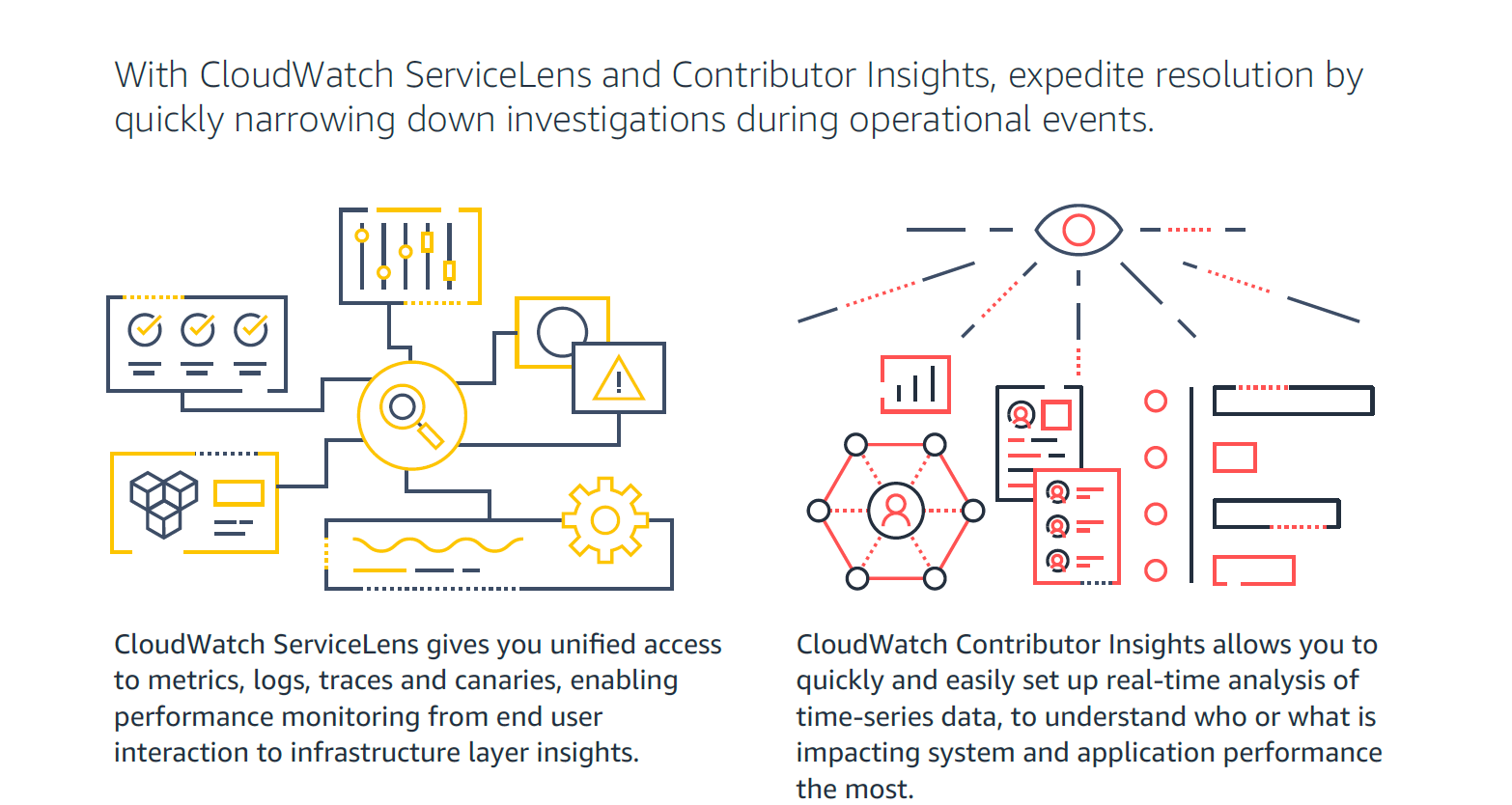   | OpsCompass Screenshots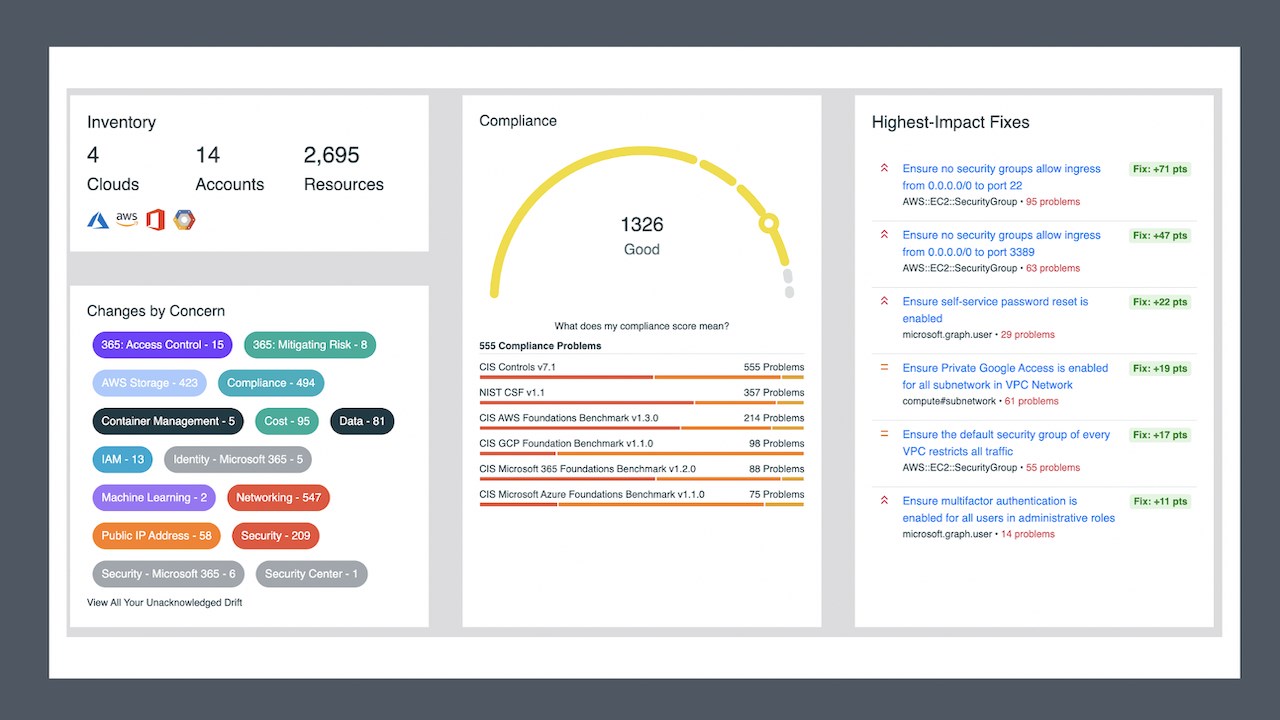   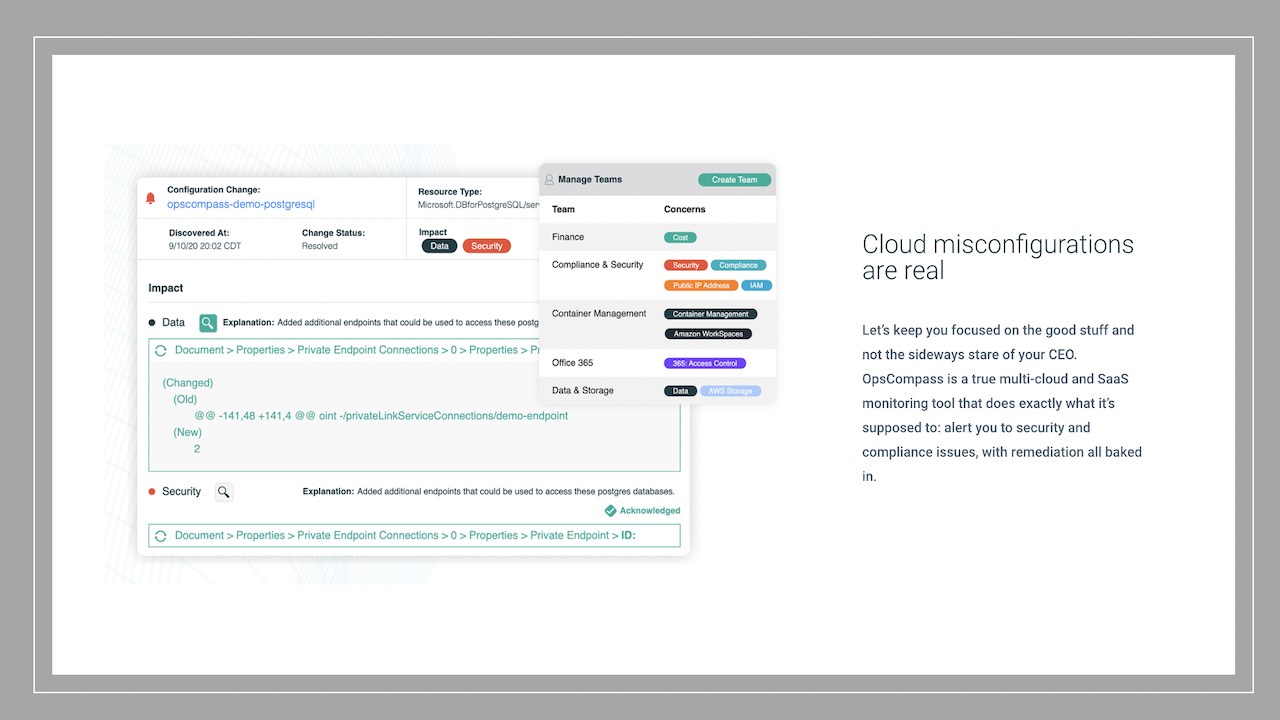  |


