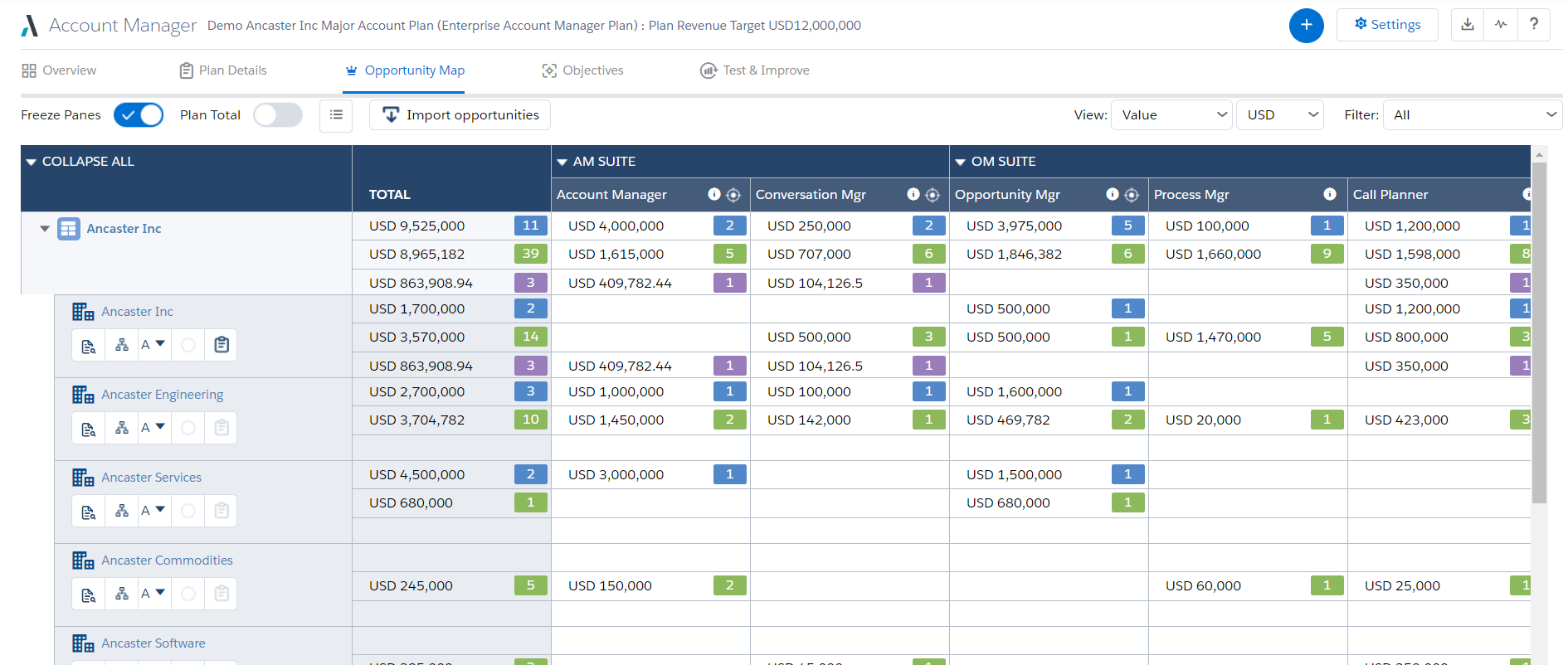
Altify’s suite of Salesforce native solutions guide and coach sellers to identify and map key relationships, uncover business insights, align sales processes to buying processes, qualify, manage and execute deals, and grow wallet share in accounts.
N/A
LeadFuze
Score8.7 out of 10
Small Businesses (1-50 employees)
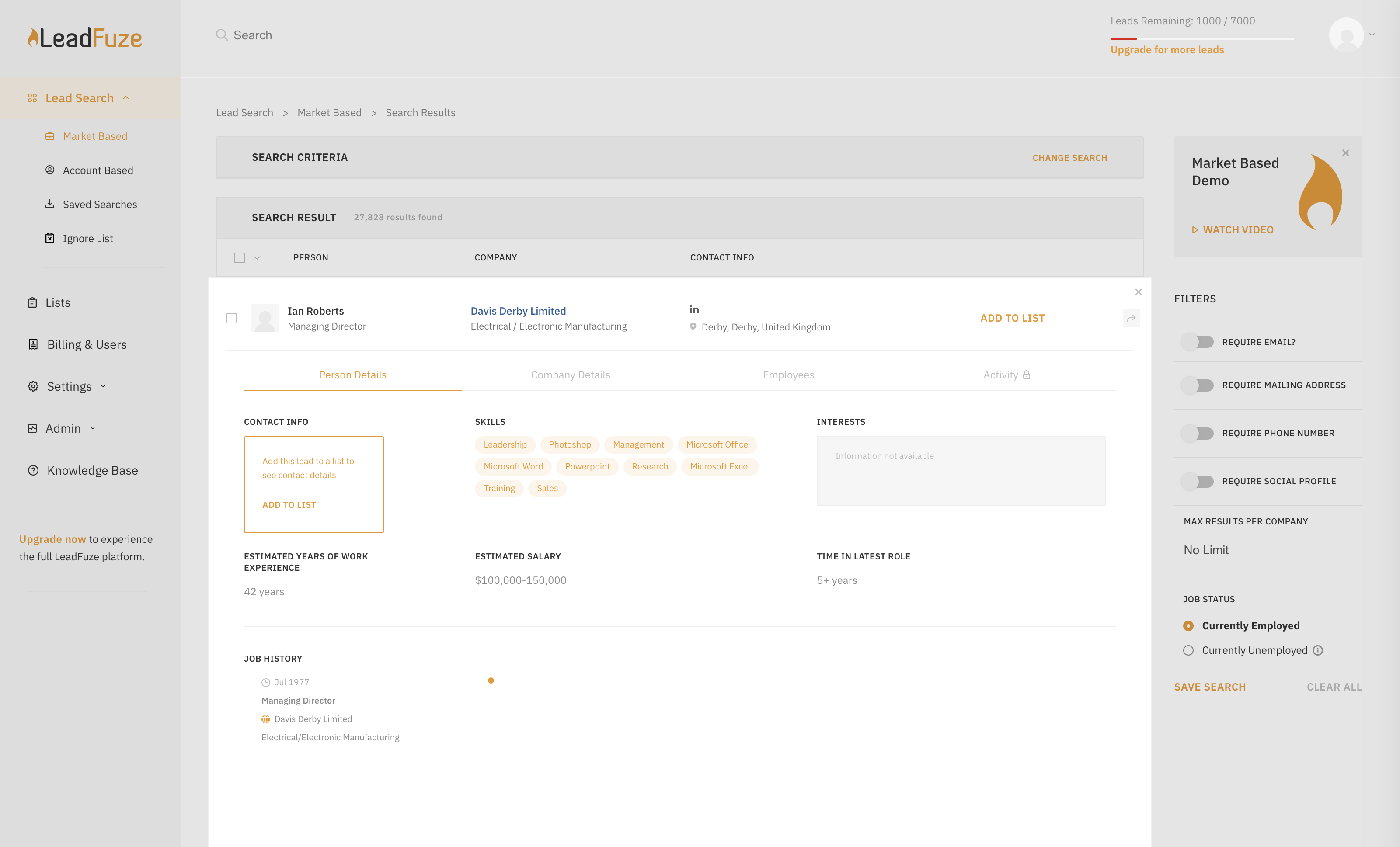
Find any business professional's contact information. Search entire market segments, or for specific individuals or accounts.
Used by salespeople, recruiters, and marketers to help them build their ideal list of leads and candidates. LeadFuze aggregates the world’s professional data to continue to deliver fresh leads.
It's prospecting, automated!
N/A
Pricing
Altify
LeadFuze
Editions & Modules
No answers on this topic
No answers on this topic
Offerings
Pricing Offerings
Altify
LeadFuze
Free Trial
No
Yes
Free/Freemium Version
No
No
Premium Consulting/Integration Services
Yes
No
Entry-level Setup Fee
Optional
No setup fee
Additional Details
—
The LeadFuze team offers to write your cold email copy for you on our Professional and Rainmaker subscriptions for no additional cost. We have sent over 2 million cold emails and know what works and you can take advantage of this expertise with this offer.
Altify is very well suited for customer relationship mapping and for use on very large, long term and complex deals. Altify is created and represented as an enterprise-level tool, but even some of its functions are too overbuilt for enterprise level sales activities. Altify is a tool best utilized only for the top level of complex deals within an organization. Features such as customer relationship mapping do have use and benefit for mid to large level deals and is arguably the most valuable tool in the Altify suite. After nearly a year using Altify, my recommendation on its use would be to enable account plans, account management, opportunity management, and sales process manager only to the top strategic account reps in the organization, realizing that they are probably best used purely out of the box as any customizations create other complications. For the rest of the sales teams, the customer relationship mapping feature is the one tool reps would gain the most value out of.
A de minimis incentive was given to thank the reviewer for their time. The incentive was not used to bias or drive a particular response, nor was the incentive contingent on a positive endorsement. More Info
I give Lead Fuze an excellent rating because the double-checking feature for email addresses makes it so you don't have to purchase additional software and you don't have to worry about emails bouncing back from old, wrong emails like some other lead scrapers do. You can scrape 1000 quality leads in about 1 day and feed them directly into your cold emailing software like High Level, Woodpecker, Active Campaign, etc.
A de minimis incentive was given to thank the reviewer for their time. The incentive was not used to bias or drive a particular response, nor was the incentive contingent on a positive endorsement. More Info
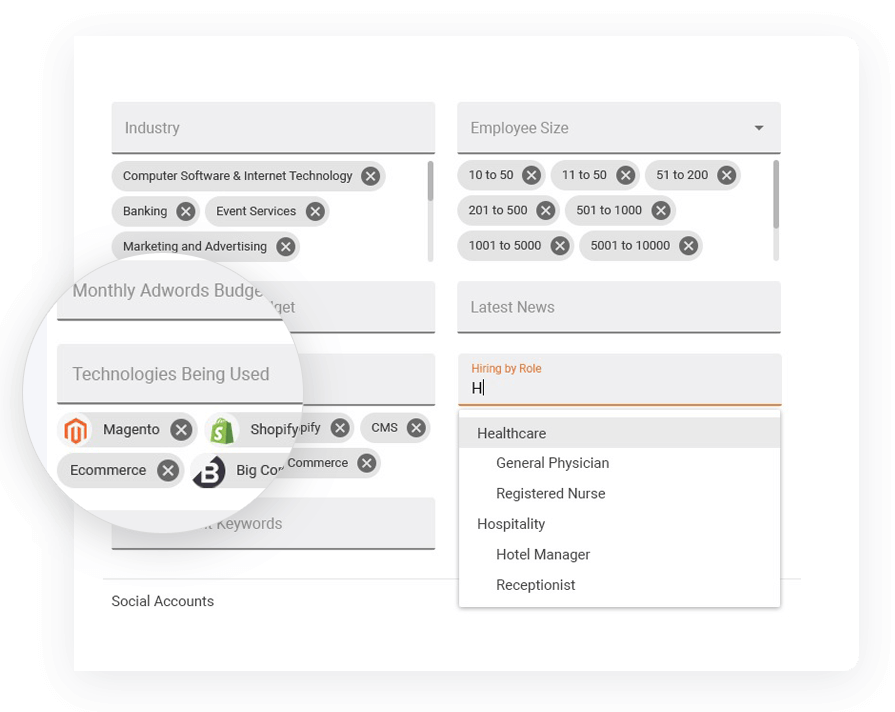
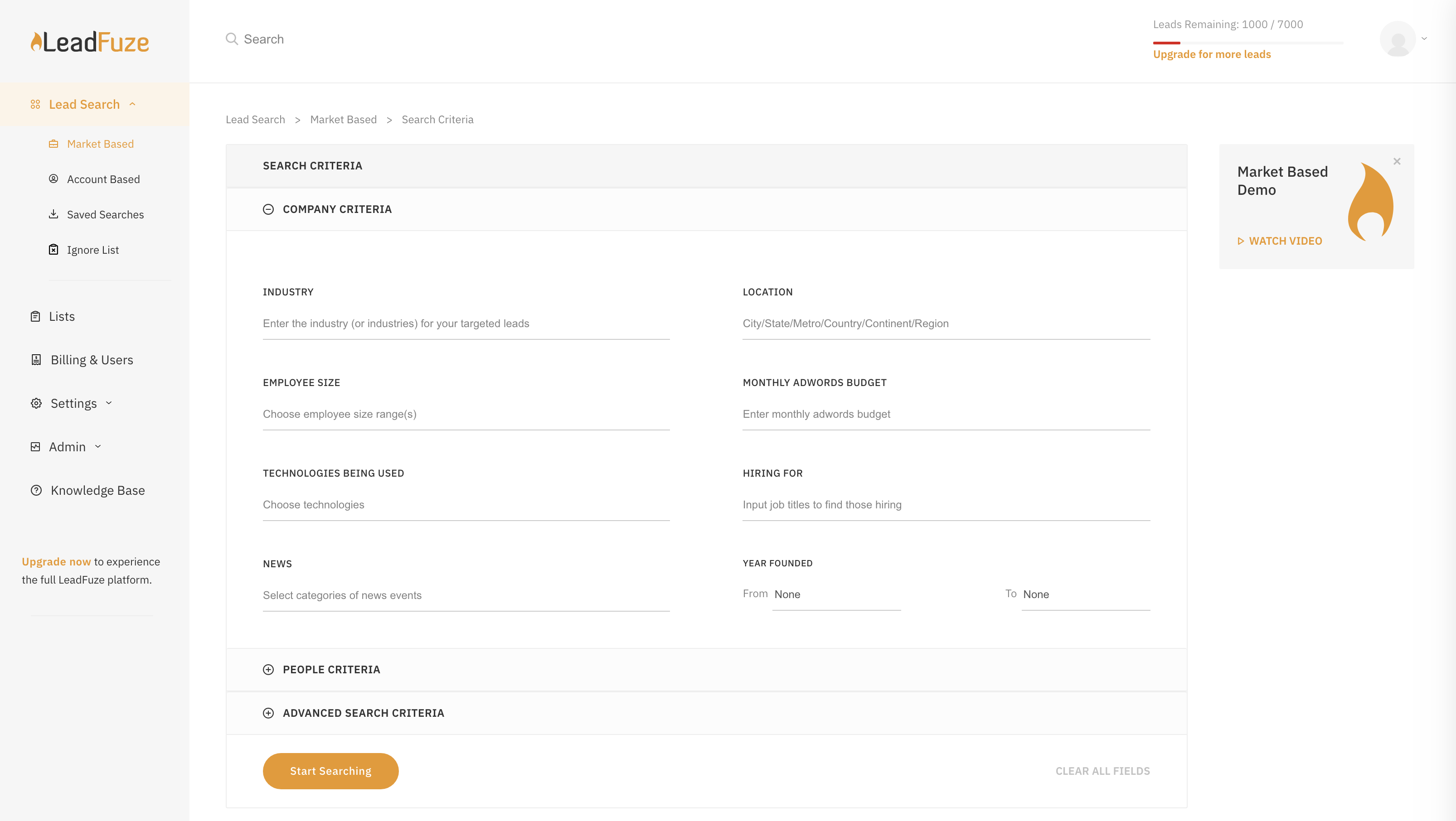
I really like the 'no nonsense' interface and simplicity of LeadFuse. As a digital marketing agency, I also really like the AdWords budget filter... This is great! I can target prospects who are already spending at least 'X' amount of money on paid ads, so I have a basic idea of their budget before I even approach them. This avoids the 'what's your budget' question evasiveness that prospects often give. I can tell them I already know how much they are spending on PPC and cut through the BS.
I also like the 'technology used' filter. Since we work primarily with Wordpress, I can target prospects NOT using WordPress and pitch web design in a more meaningful way. Or, conversely, I can target ONLY companies using WordPress.
Finally, I like the semi-automation feature. I can have FuseBot pull down 100 new leads based on my criteria every Monday and, before I dump them into my automated email outreach/nurture campaign, I can glance over them and make sure the all look ok (admittedly, sometimes there are some weird strays in the results that are not in the geography or industry I'm looking for, so I can skip those).
A de minimis incentive was given to thank the reviewer for their time. The incentive was not used to bias or drive a particular response, nor was the incentive contingent on a positive endorsement. More Info
Sales Process Manager: The Altify Sales Process manager's biggest drawback is the lack of usability for the end user. Altify has an out of the box sales process or a custom one can be created based on the company sales process. The drawback is that unless the sales process includes very few items, it can be more cumbersome than helpful. The Rep walks through the Sales Process by selection whether they have "Completed" are "In Progress" or have "Not Completed" the sales process activities at each stage of the opportunity. Altify saves after each selection so there is considerable downtime as the user waits for their selection to be recorded before they can answer the next question. Altify has an option to automatically advance the Salesforce opportunity Sales Stage once a certain % or mandatory steps in the sales process are completed, however this is not entirely useful as it does not advance until the set % or mandatory marked processes within a Sales Stage are completed AS WELL as at least one process from the next sales stage. This becomes very confusing and cumbersome for the users. In most cases, the sales process manager becomes more of a micromanagement tool with managers requiring all items to be marked completed and the Users merely marking items to satisfy that requirement without getting the intended benefit of the guided selling experience.
Account Plans: Account Plans can be grouped in both "does well" and "does poorly" for the Altify Suite. I will outline the bad in this portion of the review. Altify Account Plans do have some ability for customization, however the standard out of the box options are incredibly overbuilt. Filling out all of the information within the Account Plan can consume 40+ man hours for a single Account. While some of this information can be useful and important to note, other portions become more cumbersome than useful. The Completeness and Scorecard portions of the use a number of calculations. These calculations are explained at the bottom of the page but from a user perspective are very confusing and not straightforward. Most users that begin using account plans quickly abandon them because of the difficulty in setting them up correctly and the minimal insights that are gleaned out of the work put into them. One place for the greatest opportunity to improve account plans is in the objectives section, there the user can set objectives and activities (tasks) to meet them. The tasks must be manually selected to create an actual task in Salesforce and this cannot be assigned out to other SF Users. This portion of the Account plan would be improved if it could be used as a holistic account management platform to manage tasks across all the opportunities and potential opportunities, with an ability to assign them out to others in Salesforce within the account team.
Altify Max Insights: Altify max insights is intended to provide coaching advice at the opportunity level. This feature is tied into the opportunity manager. The drawback to this feature is that the insight mainly pertains to whether or not a user filled out all the steps in the opportunity manager: the sales process, the opportunity assessment, strategy, and the customer relationship map. The insights are far less action-oriented and more of a reminder to use the tool components. This tool just doesn't hold value, especially as it is an add on product.
Lack of Customization - While Altify does allow customization of some of their products and components, Altify has a ton of limitations. One of the most frustrating aspects is that all of the processes happen from their "black box" which is the dealmaker opportunity objects that Altify creates. This is essentially a shadow copy of the opportunities within Salesforce that then push changes to the actual opportunity. There is no way to tap into this shadow opportunity to either run custom processes or to even surface the Altify insights in a BI tool such as Einstein. This means that a lot of the use and functionality that Altify does do well cannot be leveraged for company insights or user end improvements.
A de minimis incentive was given to thank the reviewer for their time. The incentive was not used to bias or drive a particular response, nor was the incentive contingent on a positive endorsement. More Info
A de minimis incentive was given to thank the reviewer for their time. The incentive was not used to bias or drive a particular response, nor was the incentive contingent on a positive endorsement. More Info
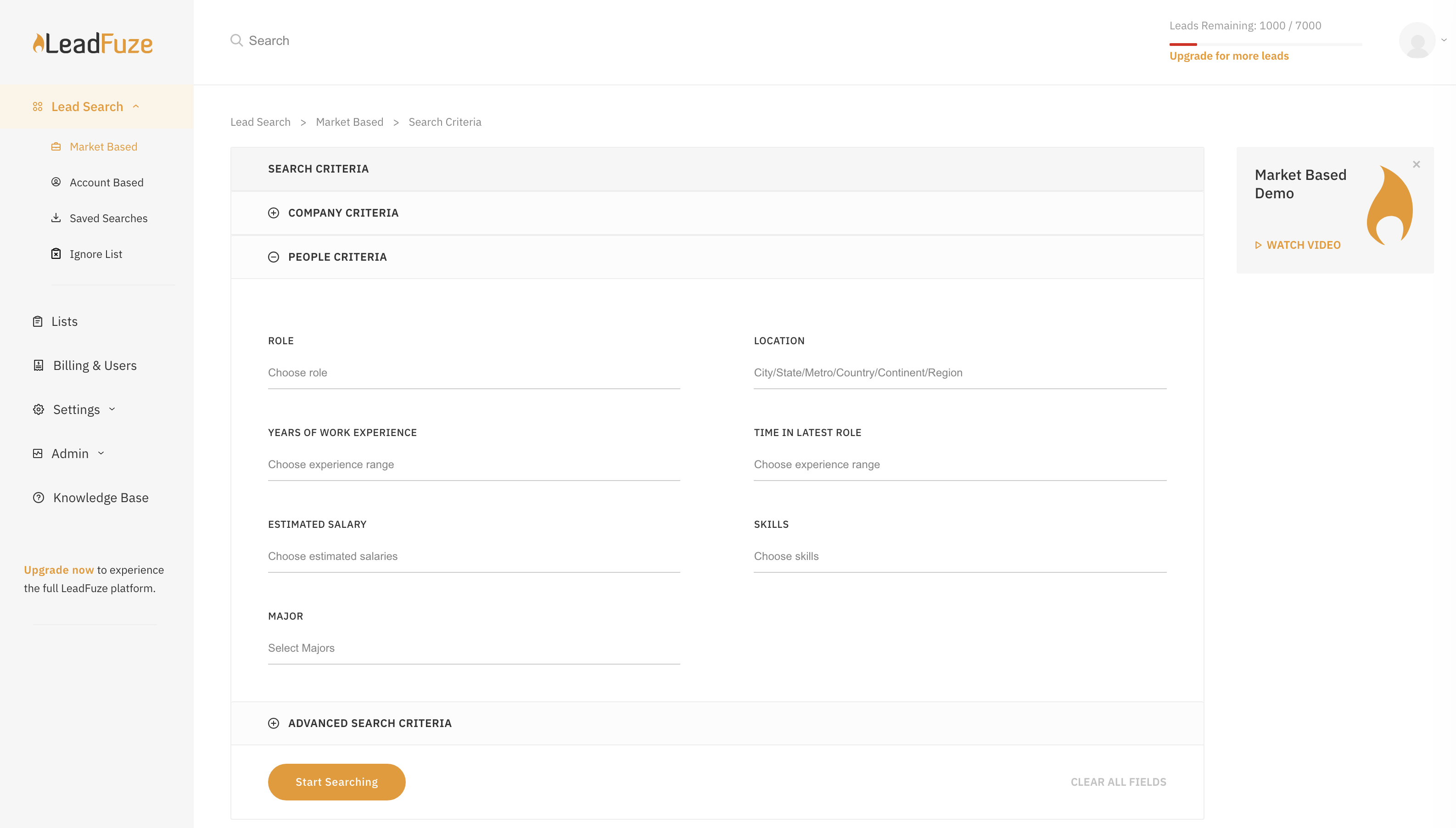
LeadFuze is super easy to get going and start to work with. There are videos to walk you through it but all you have to do is fill out the form that tells the system what kind of leads you're looking for and you're good to go - it does the rest of the work for you!
A de minimis incentive was given to thank the reviewer for their time. The incentive was not used to bias or drive a particular response, nor was the incentive contingent on a positive endorsement. More Info
Very poor again. I booked 3 demonstrations with them, the first failed to support due to tech issues, the second one failed to arrive for the meeting, as did the third meeting arranged. I had difficulty trying to find anywhere to engage online with them, so the customer experience is very low down in my opinion.
While Skuid is not a match to what Altify does in terms of capabilities, Skuid did allow us to natively create the functions that we needed within the business in a way that was more useful than the Altify tools out of the box functionality. Altify does not offer anything for a more "light touch" opportunity, which is its greatest drawback. With Skuid we were able to create our own solution for these lighter touch opportunities
A de minimis incentive was given to thank the reviewer for their time. The incentive was not used to bias or drive a particular response, nor was the incentive contingent on a positive endorsement. More Info
LeadFuze has more filters than other software I've been using such as FindThatLead and Snovio and that gives me the chance to drill down even further into specific niches. Also, the system is really more user friendly and simple to use even more than other software I used in the past.
A de minimis incentive was given to thank the reviewer for their time. The incentive was not used to bias or drive a particular response, nor was the incentive contingent on a positive endorsement. More Info
We have been able to reduce PPC spend and spend a fraction of that with LeadFuze. We are producing leads and a reasonable percentage is converting into orders and long term clients. Can't beat that.
We now spend less time chasing and generating leads. LeadFuze does all the heavy lifting and we have more time to build the business.
We have obtained several larger, long term clients from being able to get in front of them due to LeadFuze. LeadFuze helps us make that initial contact....the rest is up to us. That is the way it should be and the way I like it.