Altair Monarch (formerly Datawatch Monarch, acquired by Altair in December, 2018) works with both relational and multi-structured data including support for a wide range of formats including PDF, XML, HTML, text, spool and ASCII files. The product can access data from invoices, sales reports, balance sheets, customer lists, inventory, logs and more. According to the vendor, the system is easy to use, allowing users to quickly select any data source and automatically convert it into…
N/A
Alteryx Platform
Score 8.9 out of 10
N/A
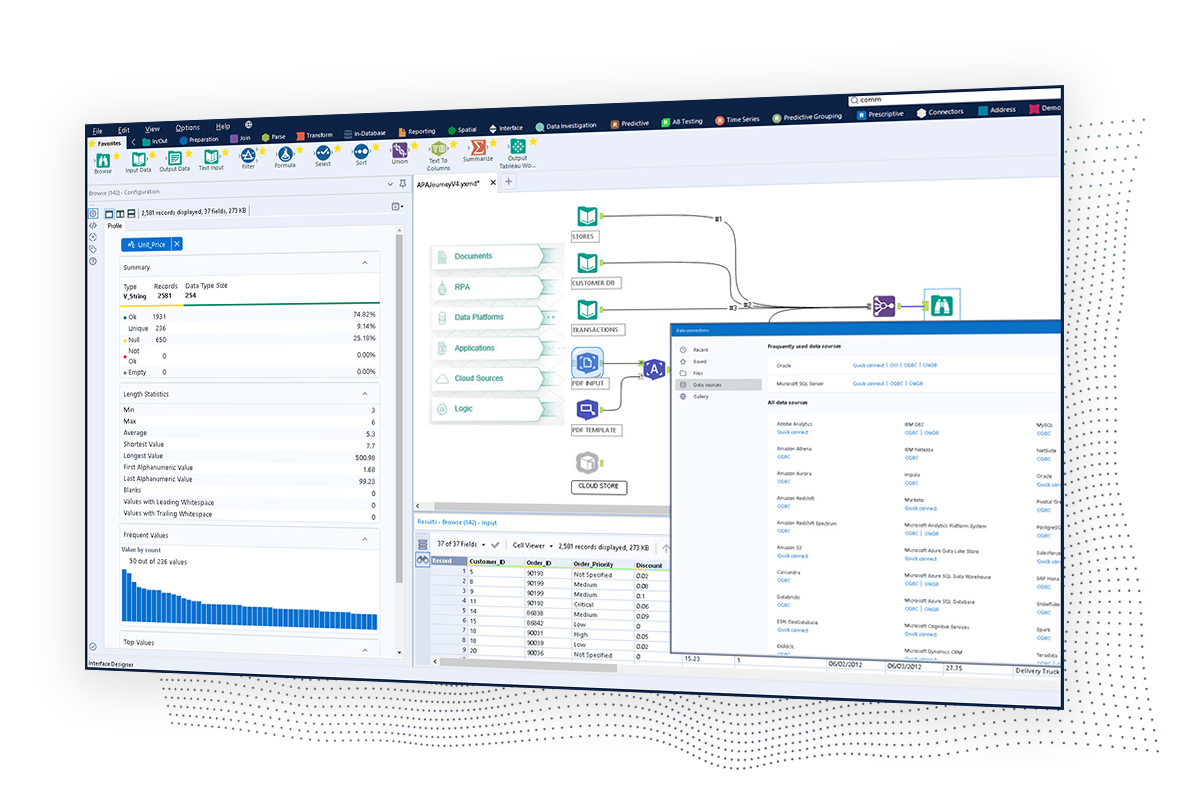
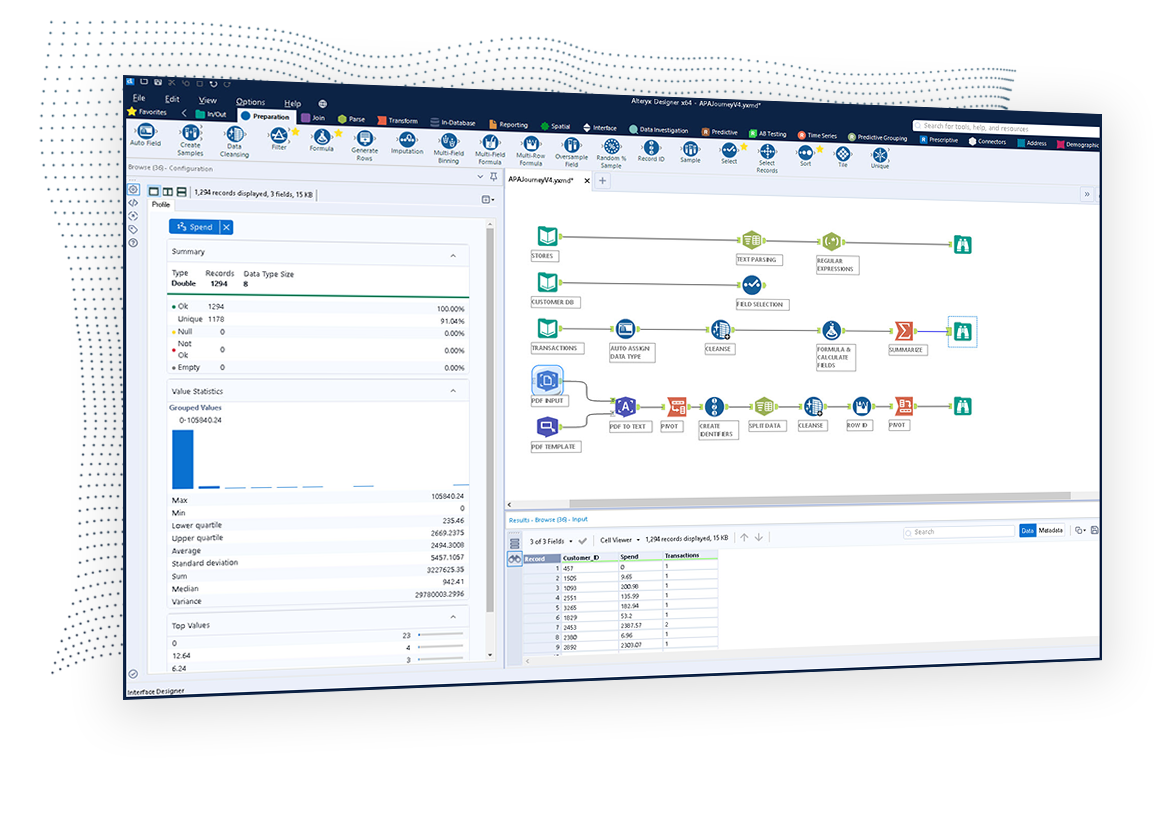
The Alteryx AI Platform gives organization automated data preparation, AI-powered analytics, and machine learning with embedded governance and security. Its self-service functionality, with self-service data prep, machine learning, and AI-generated insights, gives enterprise teams with a simplified user experience allowing everyone to create analytic solutions that improve productivity, efficiency, and the bottom line. Alteryx Designer can be used to automate every analytics step…
* Individual seat licenses are very expensive, which is one reason we are moving to CMOD/RMS. But RMS has less functionality than standalone Monarch (now known as "Modeler"). I would like to know what improvements we can expect in RMS, I would also ask, what is the future of the standalone version? * In the past there has been a dearth of user discussion and support in the online community, although this seems to be improving with the new "Datawatch Commmunity" (http://community.datawatch.com).
We're trying right now to get more people using it at our company so we can send management documented cases for how we can expand and purchase Alteryx Server which will extend the capabilities even more and across more departments. It's been well suited for pretty much everything we do on a repeating schedule. It's worth the time to set up the workflows. When Treasury sends me the bank download now - I save it to a folder and run our workflows and send back 2 journal entries in .9 seconds. (yes - in less than a second it's finished running)
Pulling data from multiple disparate data sources.
Allows users to see the data at every step of the workflow to be able to cleanse, analyze, and optimize the data.
Provides an analytics platform that is easy for users of all levels to thrive in whether they are just starting out in their analytics journey or they have a master's degree in Data Science.
Setting up visualizations with time series data requires a good understanding of how the software works. I would like it to be more intuitive. Having said that, time series data is inherently complicated and I don't see any obvious ways to make it simpler. But I'm not a software designer myself; they could put more resources into the user experience.
Their video training is really helpful and they have a big library of videos, but the videos get out of date as they come out with new versions. I can imagine that it's difficult to keep all the videos updated, but it would be great if the videos were always using the latest major version of the product.
They need more visualizations. They have a pretty big collection now but it seems like there is often some other way to present and visually analyze data that would be a better/tighter fit with requirements than the visualizations available in the standard product. I understand it is possible to add more visualizations - custom visualizations - but that's beyond my expertise.
Steeper Learning Curve: Alteryx can have a steep learning curve for users who are new to the platform or have limited experience with data analytics. Enhancements to the user interface and user onboarding resources could help make the learning process more intuitive and accessible to a wider range of users.
Enhanced Data Visualization Capabilities: Alteryx offers basic data visualization capabilities, but there is room for improvement in terms of advanced visualizations and interactive dashboarding features. Adding more sophisticated chart types, interactive widgets, and customization options would enhance the data visualization capabilities within the platform.
Improved Error Handling and Debugging: Alteryx provides error handling mechanisms, but enhancing the error reporting and debugging capabilities would be beneficial. Improved error messages, better visibility into data flow, and debugging tools could help users troubleshoot and resolve issues more efficiently.
Datawatch recently repositioned Data Pump and essentially priced us out of the market. The initial investment was very inexpensive, but the yearly maintenance contract was viewed as being a little pricey. The only value of the contract was that it included software upgrades. The Professional Services portion of the contract that was meant to provide support was not viewed as being very effective or beneficial.
We've developed a working partnership with Alteryx. As an enablement suite, we're continuing to innovate and deliver great products with use of Alteryx in our solutions. Alteryx use expands to our global product development teams and is in use in multiple parts of our organization. Alteryx also delivers Experian demographic content to other clients in their product offering. We're highly likely to renew, but that decision is way above my pay grade.
I've found that while some things might take a little longer to create, the flexibility of Alteryx allows you to perform any function needed. I haven't found a use that was not available in Alteryx yet. APIs and XMLs can be created to perform certain functions. In addition, CMD line commands can be sent using Alteryx to perform certain functions as well.
I use many programs and compared to others, Alteryx virtually never goes down, freezes up or gives an application error. Over a 4 year time period that I have used this program, any of these may have happened 3 times. It is an incredibly stable program that I feel completely confident in.
Alteryx is an extremely reliable platform. If there is an error in my workflow, I feel pretty strongly it was probably my fault. The platform also handles large amounts of data very quickly and can join/match, sort, filter, calculate on that data quickly as well. One of my favorite things to build into a workflow are the messages based on data/metadata and error messages based on errors I have come across before.
Stellar, bar-none. Some of the best support folks of any vendor. The Alteryx Community is the most responsive and supportive. On the rare occasion of a release issue or bug, we've been able to get quick help to solve the core problem. Alteryx does not play the blame game. They genuinely help the users solve their issues or respond to questions
1st level of trainings which I've attended in Paris was easy and I was already knowing %90, that learning could have been an e-learning instead of in-person
Very good, detailed online trainings which you can take at your own pace, and strong certifications exists, certifications are extremely detailed and hard...
There is really not much to it (the installation, that is). Once you get it installed, along with any of the add-ons (demographics, R, etc.), you are up and running almost immediately. There is really no additional setup. You can immediately begin blending data, running demographics, performing spatial queries, running predictive analysis, etc. And for many of these functions, the learning curve is quite easy.
Datawatch is very good value of money compared to QlikView; QlikView is really more of a BI tool and has a lot of functions that I didn't need. Datawatch is very strong in the real-time area where Tableau, Panorama, and Qlik don't do very well. If you need to set up a visual monitoring dashboard, Datawatch is the best product I've seen for that. if you want to do a lot of in depth statistical analysis of large databases, Tableau is probably a good option.
I used ACL before so all my scripts were written in SQL and it was not low code at all. After me and my team started using Alteryx, we moved all the scripts to workflows in Alteryx, it took some time, but works way better than ACL, it is faster and easier to maintain it any changes have to be done.
Individual analysts can quickly generate results using their own copy of Alteryx Designer. But using the Server and developing macros for more complex needs can be time consuming.
Error handling - allows controls to be built into workflows easily and allows them to be isolated and spat into control reports that can be easily reviewed and audited, thanks to the ability to create multiple outputs in one go.
Time-saving - saved huge amounts of time, especially when moving Excel processes into Alteryx.
Product development - allowed my firm to create products that we have been able to market and sell to clients.