
Aladtec vs. Cronofy
| Product | Rating | Most Used By | Product Summary | Starting Price |
|---|---|---|---|---|
 Aladtec | Score8.8 out of 10 | Small Businesses (1-50 employees) | Aladtec is employee scheduling software that is targeted at businesses in the public safety sector, including EMS, Fire & Rescue, Law Enforcement, Communication Centers/Dispatch, Security and Health Care. According to the vendor, Aladtec helps organizations with the following: Monitor Operations: Access and change schedules, view employee info and credentials 24/7 from any computer, smartphone or other mobile devices with… | N/A |
 Cronofy | Score6 out of 10 | N/A | Cronofy's Scheduler enables scheduling across large teams, timezones, and workflows. Cronofy can schedule panel and group meetings across multiple domains, so the user can book external meetings as fast as internal ones. | $15 per month per user |
| Aladtec | Cronofy | |||||||||||||||
|---|---|---|---|---|---|---|---|---|---|---|---|---|---|---|---|---|
| Editions & Modules | No answers on this topic | No answers on this topic | ||||||||||||||
| Offerings |
| |||||||||||||||
| Entry-level Setup Fee | No setup fee | No setup fee | ||||||||||||||
| Additional Details | Aladtec is an annual subscription based on the number of people the customer has using the system, so it's fairly priced for any size organization. | — | ||||||||||||||
| More Pricing Information | ||||||||||||||||
| Aladtec | Cronofy | |
|---|---|---|
| Small Businesses |  When I Work Score8.7 out of 10 | When I Work Score8.7 out of 10 |
| Medium-sized Companies | When I Work Score8.7 out of 10 | When I Work Score8.7 out of 10 |
| Enterprises | No answers on this topic | No answers on this topic |
| All Alternatives | View all alternatives | View all alternatives |
| Aladtec | Cronofy | |
|---|---|---|
| Likelihood to Recommend | 9.0 | - |
| Support Rating | 8.0 | - |
| Aladtec | Cronofy | |
|---|---|---|
| Likelihood to Recommend |
| No answers on this topic |
| Pros |
| No answers on this topic |
| Cons |
| No answers on this topic |
| Support Rating |
| No answers on this topic |
| Alternatives Considered |
| No answers on this topic |
| Return on Investment |
| No answers on this topic |
| ScreenShots | Aladtec Screenshots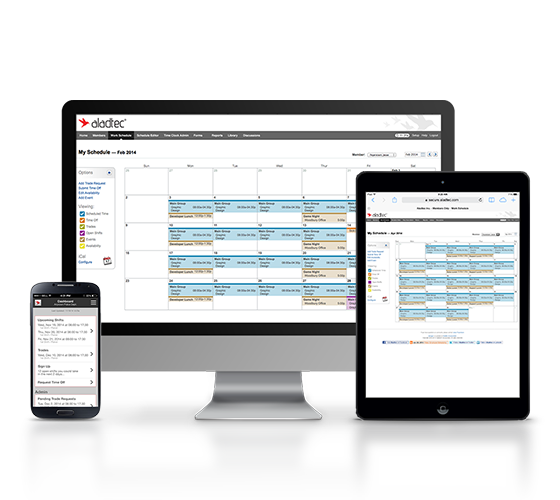     |


