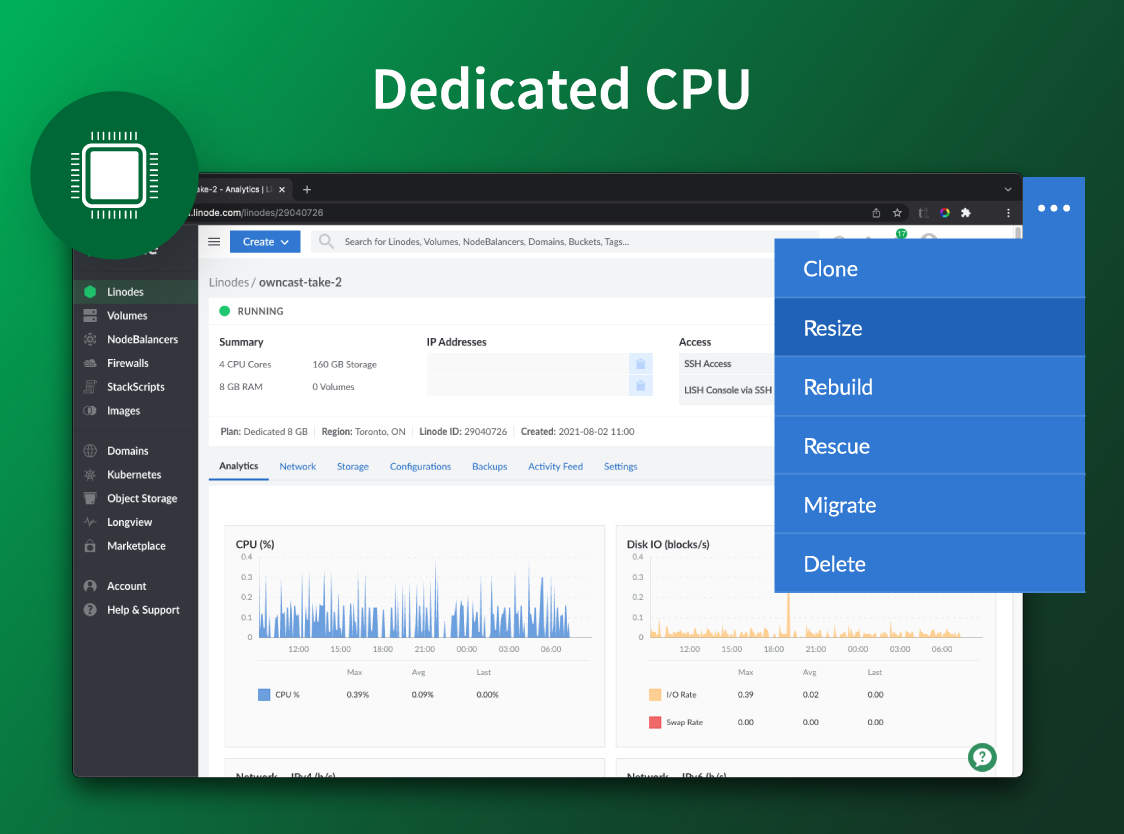
Akamai Cloud Computing (formerly Linode) include scalable and accessible Linux cloud solutions and services. These products and services support developers and enterprises as they build, deploy, secure, and scale applications.
$5
per month
Amazon Elastic Container Service (Amazon ECS)
Score8.5 out of 10
N/A
Amazon Elastic Container Service (Amazon ECS) is a scalable, high performance container management service that supports Docker containers.
CPU, transfer, storage, and RAM are bundled into one price. Storage capacity can be increased with additional Block Storage or S3-compatible Object Storage. Instant Backups can be added with complete independence to the stack. Linode NodeBalancers ensure applications are available.
There is no additional charge for Amazon ECS. You pay for AWS resources (e.g., Amazon EC2 instances or Amazon EBS volumes) you create to store and run your application. You only pay for what you use, as you use it; there are no minimum fees and no upfront commitments.
A de minimis incentive was given to thank the reviewer for their time. The incentive was not used to bias or drive a particular response, nor was the incentive contingent on a positive endorsement. More Info
Verified User
Chose Akamai Cloud Computing
As a VPS provider, equally as functional for my needs as Amazon, Linode is less flexible (con), but also easier to use (pro). DigitalOcean seems equally good on many aspects, maybe they are ahead on adopting new/useful technologies. I wish Linode supported Fargate like container …
A de minimis incentive was given to thank the reviewer for their time. The incentive was not used to bias or drive a particular response, nor was the incentive contingent on a positive endorsement. More Info
Akamai Connected Cloud Linode would be a good service to host a content delivery network (CDN) because of its edge network but I'd prefer not to use Akamai Connected Cloud Linode for tasks that need GPU power such as Machine Learning or Artificial Intelligence (AI) because Akamai Connected Cloud Linode lacks deep GPU compute compared to AWS or Google Cloud or Microsoft Azure
Amazon ECS is well suited for the scenarios where you want to deploy a microservice to a cloud and instead of manually specifying instance size, number of instances and then specifying the configurations and connecting it with other cloud services like database service, secret manager service etc., you just want to specify these configurations as a file and using that file, the ECS would deploy the service and keep it healthy. It might be less suited for a scenario when you don't want to stick to AWS specific solution for your microservice deployment. The ECS configuration file is specific to AWS ECS and may not be useful for other cloud providers like Azure etc.
A de minimis incentive was given to thank the reviewer for their time. The incentive was not used to bias or drive a particular response, nor was the incentive contingent on a positive endorsement. More Info
A de minimis incentive was given to thank the reviewer for their time. The incentive was not used to bias or drive a particular response, nor was the incentive contingent on a positive endorsement. More Info
One of the biggest advantages is the flexibility to change underlying EC2 instances. As the traffic or demand increases, we can easily change EC2 instances without any issues.
Amazon ECS APIs are extremely robust and one can start and stop containers by firing one post request only. So, it is not mandatory to keep the demo solutions up for every time. Just at the time of demo fire the command - make the container up and running - do the demo - down the container with API. A simple portal can control every container which helps non-technical (sales, marketing) to do the demo without keeping the solutions up for the entire time frame.
A de minimis incentive was given to thank the reviewer for their time. The incentive was not used to bias or drive a particular response, nor was the incentive contingent on a positive endorsement. More Info
A de minimis incentive was given to thank the reviewer for their time. The incentive was not used to bias or drive a particular response, nor was the incentive contingent on a positive endorsement. More Info
Another AWS Service - While AWS has a service for just about everything, that is also a negative point. There is no service that does 4 out of 4 things you need. This service does 3 out of 4, another service does the fourth thing you need and another two things that the other service does.
With AWS things in general, it's really hard to remain cloud agnostic. Keep that in mind.
A de minimis incentive was given to thank the reviewer for their time. The incentive was not used to bias or drive a particular response, nor was the incentive contingent on a positive endorsement. More Info
I've been with them a long time. They provide me with the capabilities I need coupled with knowledgeable support that's not pay-for-extra. However, if I move to a non-Linux OS, the level of support by necessity will drop off. I can still ask questions about the infrastructure but I my ability to ask about OS features will decrease.
A de minimis incentive was given to thank the reviewer for their time. The incentive was not used to bias or drive a particular response, nor was the incentive contingent on a positive endorsement. More Info
Simple and clear, no BS interface. From a design perspective it's no Apple or Stripe, but it does what it needs without making me want to stick a fork in my eyes, like when being forced to use Azure, AWS or GCP.
A de minimis incentive was given to thank the reviewer for their time. The incentive was not used to bias or drive a particular response, nor was the incentive contingent on a positive endorsement. More Info
Aside from some ECS-specific terms to learn at first, learning & starting to use ECS is relatively straightforward. AWS docs on the topic are also of high quality, with sound & relevant examples to follow. Troubleshooting container issues is also a breeze thanks to CloudWatch integration & helpful error messages on the AWS console.
A de minimis incentive was given to thank the reviewer for their time. The incentive was not used to bias or drive a particular response, nor was the incentive contingent on a positive endorsement. More Info
There is very little planned downtime. Whenever planned downtime is necessary I'm always given lots of advanced notice and an explanation that I can pass along to my users that they'll understand. I really appreciate that Linode appreciates my commitment to reliable service to my users. It shows that they believe they've been successful when I'm successful.
A de minimis incentive was given to thank the reviewer for their time. The incentive was not used to bias or drive a particular response, nor was the incentive contingent on a positive endorsement. More Info
Servers are well dimensioned and price performant. Of course one always wants more, so if they were to upgrade their hardware for the same price I'd consider moving more workloads. Networking - never had an issue. Hardware speeds - disks are fast and can grow to great size.
A de minimis incentive was given to thank the reviewer for their time. The incentive was not used to bias or drive a particular response, nor was the incentive contingent on a positive endorsement. More Info
Support was excellent and fast. The documentation is extensive and helpful. I learned many things from their online documentation. I did not contact them by phone, but email took a day or less. Complex problems would probably need a service contract. I liked the friendly and polite tone of the support.
A de minimis incentive was given to thank the reviewer for their time. The incentive was not used to bias or drive a particular response, nor was the incentive contingent on a positive endorsement. TR verified that a representative sample of customers was invited. More Info
Support is relatively good, although the documentation sometimes is lacking, as well as outdated in our experience, especially when we initiated the process of using this service. But once we found how to assemble things, we haven't really required support from anyone at AWS, the service works without problems so we haven't had the need to contact support, which speaks well of how ECS is built.
A de minimis incentive was given to thank the reviewer for their time. The incentive was not used to bias or drive a particular response, nor was the incentive contingent on a positive endorsement. More Info
We got kick started with an initial walkthrough along with some free credits. The initial walkthrough helped us to understand Linode's ecosystem and start our hands on with Linode. We tried out some apps from Marketplace initially with the free credits, which not only helped us understand Linode better, but also those apps. We had implemented many such apps to our customers with Linode
A de minimis incentive was given to thank the reviewer for their time. The incentive was not used to bias or drive a particular response, nor was the incentive contingent on a positive endorsement. More Info
We're a small organization. The implementation of our Linode solution was trivial. Once I justified a cloud server to my bosses over a co-location -- the co-lo wasn't as fast as our linode server in load tests -- it was a matter of moving one Linux implementation to another. Trivial.
A de minimis incentive was given to thank the reviewer for their time. The incentive was not used to bias or drive a particular response, nor was the incentive contingent on a positive endorsement. More Info
We switched to Linode from Namecheap due to poor uptime, and never had any issues with stability ever again after switching. We also cut our costs in half by switching. We compared Linode to DigitalOcean and Vultr, with the primary factor that caused us to go with Linode initially being their documentation. After using Linode for 3 years, their amazing support is another reason why we wouldn't consider anyone else at this point.
A de minimis incentive was given to thank the reviewer for their time. The incentive was not used to bias or drive a particular response, nor was the incentive contingent on a positive endorsement. More Info
I chose Amazon ECS over Amazon EKS and other products because the whole infrastructure was decided to be designed on AWS cloud and Amazon ECS made it easier to make the clusters live in just a few minutes. Amazon ECS has better integration with other AWS services and we don't have to look for plugins to do the things, everything is available and can be configured from the AWS console.
A de minimis incentive was given to thank the reviewer for their time. The incentive was not used to bias or drive a particular response, nor was the incentive contingent on a positive endorsement. More Info
Although I use only a fraction of their product offerings, the total set makes scalability an easy goal to shoot for. As I said, I have a few customers that use the services my Linode provides...and I like it that way. However, should I need to scale up, I can...without incurring any more cost than I need to.
A de minimis incentive was given to thank the reviewer for their time. The incentive was not used to bias or drive a particular response, nor was the incentive contingent on a positive endorsement. More Info
A de minimis incentive was given to thank the reviewer for their time. The incentive was not used to bias or drive a particular response, nor was the incentive contingent on a positive endorsement. More Info