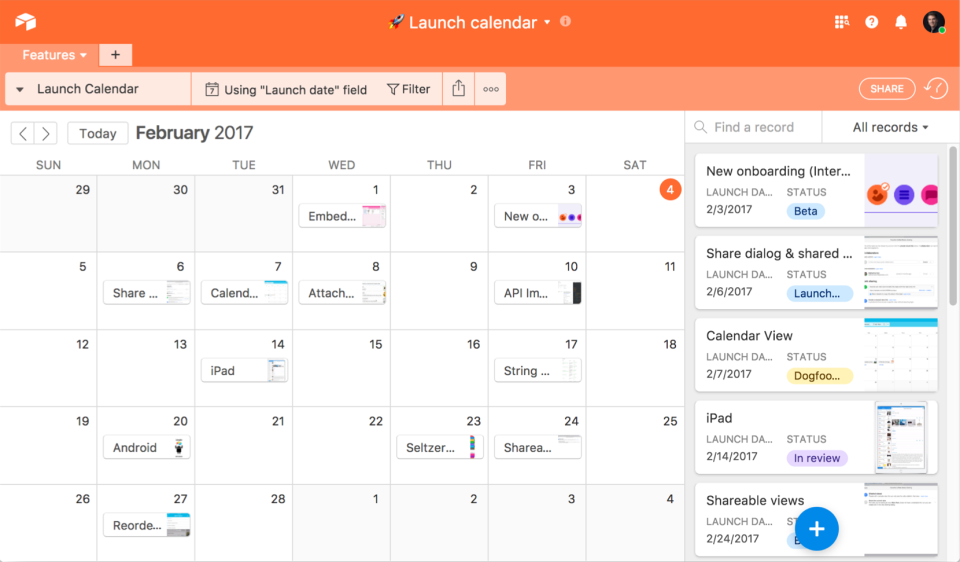
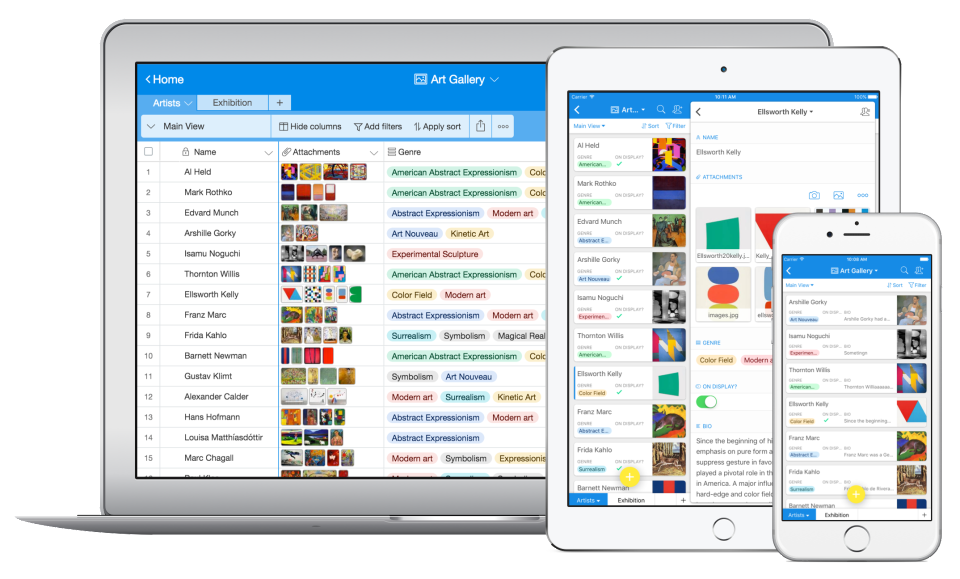
Airtable is a project management and collaboration platform designed to enable content pipelines, product management, events planning, user research, and more. It combines spreadsheet,database, calendar, and kanban functionality within one platform.
$24
per month per user
Microsoft To Do
Score 9.5 out of 10
N/A
Microsoft To Do replaces the former Wunderlist task management tool.
N/A
Pricing
Airtable
Microsoft To Do
Editions & Modules
Team
$24
per month per user
Business
$54
per month per user
Enterprise
Custom Pricing
No answers on this topic
Offerings
Pricing Offerings
Airtable
Microsoft To Do
Free Trial
Yes
No
Free/Freemium Version
Yes
No
Premium Consulting/Integration Services
No
No
Entry-level Setup Fee
No setup fee
No setup fee
Additional Details
—
—
More Pricing Information
Community Pulse
Airtable
Microsoft To Do
Features
Airtable
Microsoft To Do
Project Management
Comparison of Project Management features of Product A and Product B
Airtable
7.1
Ratings
7% below category average
Microsoft To Do
7.0
Ratings
9% below category average
Task Management
9.00 Ratings
8.00 Ratings
Resource Management
9.00 Ratings
7.00 Ratings
Gantt Charts
8.00 Ratings
4.50 Ratings
Scheduling
6.00 Ratings
5.00 Ratings
Workflow Automation
9.00 Ratings
6.40 Ratings
Team Collaboration
10.00 Ratings
7.80 Ratings
Support for Agile Methodology
8.00 Ratings
5.10 Ratings
Support for Waterfall Methodology
8.00 Ratings
6.30 Ratings
Document Management
5.00 Ratings
6.90 Ratings
Email integration
7.00 Ratings
6.00 Ratings
Mobile Access
3.00 Ratings
10.00 Ratings
Timesheet Tracking
5.00 Ratings
6.60 Ratings
Change request and Case Management
5.00 Ratings
9.00 Ratings
Budget and Expense Management
8.00 Ratings
9.00 Ratings
Professional Services Automation
Comparison of Professional Services Automation features of Product A and Product B
Airtable is well suited for cross-functional teams who all have an interest in data site - it's democratizing who owns data. Especially if there will be a need to add input on a cell-level basis view comment functionality with the expectation of @mentioned parties respond. Airtable is less suited for teams who need to run functions, jobs, and macros across a data set; they're best suited for Excel.
Wunderlist is a fantastic task management system, not the best project management system. For a long time, I tried to use Wunderlist to plan large events with multiple users and it wasn't as effective. But, once we simplified our desired outcome to accomplishing tasks that repeat or are unique to a given work-week, we had much more success. Now my assistant can manage her weekly tasks and give feedback through this app. I can also add tasks, assign them and see what is being accomplished
Airtable has capabilities commonly found in spreadsheet applications, but also has some of the features found in databases.
The ability to filter fields. I set up a filter on the status field, so when a project is marked, complete, on hold, or canceled, that record is hidden from my current projects table view. If it is marked complete, the record is moved to the completed projects table view. In this way I can easily access a record of past projects
Being able to duplicate tables and create alternate views
Collapse and expand records. When I collapse the rows, I can easily scan current projects, next steps, project status, and due dates. When I expand the row, or field, I can see more detailed information about that field or record very easily. I can also expand or open the entire record. This is is helpful, when I am entering a lot of information to multiple fields in that record.
Smart due dates are the greatest thing about Wunderlist. I can tell it to "print past due reports on Monday" and then set that up as a repeating event.
It's clutter free. When I'm creating or assigning tasks I like to have a distraction free area to think, and the simplicity of Wunderlist gives me that.
The fact that I can look at it on my phone, on the web, and on my PC and it always looks the same is great. I can always tell what I'm doing b/c of their consistent design choices.
Airtable does not integrate with collaboration services with which it is possible to review live changes within each spreadsheet (in the case of keeping them closed).
Does not automate analysis traffic.
It does not include any section where it is possible to communicate with the other editors.
Sub-tasks should have their own separate due dates
The main list needs some more intuitive tools to sort the list in any way I choose
Hovering over links should show a description of how to use it. For example, it would have been nice to know right away that double-clicking on a task is the way to open the details list.
We love Airtable for how we use it and we know there are probably tons of other ways we can implement it for other departments. We just haven't gotten there yet (due to bandwith) Customer Support is also super helpful and overall ease of use is fantastic
Airtable is a simple and intuitive tool. However, when you first set it up, you need someone who is curious and able to design a system that works for your organisation's use case. This takes some time, but it can be intuitive once it's set up.
The actual user interface and the way to navigate around the app is very intuitive and easy to learn/use which would make me give it a high ranking, but the syncing issues drop down my rating because there are times where you add an item to the list and then it just disappears. Then when you add it again the sync will happen and now you have duplicates. The other negative with the usability is adding extra information to an item, such as files or comments or assignments. You can do it but it's difficult to tell which items have this information from the main screen. You have to click on them individually.
I have rarely experience downtime, compared to other tools, and given how much time we spend on the tool. Even if there were to be, their updates on it are very timely, and our support team are able to provide any questions regarding
I never had any issues with load time, even with the integrations that we use today (google sheets) However, I'm curious if adding additional layers of integrations would slow down performance. We do carry quite a bit of data in Airtable, but, again, no impact on overall performance
Airtable has great support. They have a variety of support features to answer any questions. They have great self teaching instructions for templates and product tours. They also have support for teams and project management. They also have a fantastic customer help line. They are able and willing to answer customer questions and never have customers waiting long
I have not had an issue where I needed to reach out to Wunderlist, but I know their contact and online chat is easy to access and feel confident that they would be helpful. My only worry is Wunderlist is becoming Microsoft to-do in May 2020, and I believe the app will become worse after that.
Recorded trainings were provided by the Airtable team. Great as an evergreen resources to new team members and for anyone that wants to refresh their Airtable knowledge
Training all users was an important part of the implementation, which did take considerable time and effort. At first glance without training, the content calendar can be overwhelming because of the amount of data. The features within Airtable seem to be endless but our team was able to identify the most important to be successful.
Airtable is the most user-friendly and adaptive. It's UX/UI is the most aesthetically pleasing (which matters a lot if its what you're staring at every day), and the customizability of having different views and perspectives of the same record is extremely helpful. It's also a great cloud-based storage place for marketing materials, as it goes beyond simple storage - you can group together, make notes, connect, and comment on assets.
It's a small tool compared to bigger project management software, but we found that they work perfectly together. It helps you declutter the larger PM tools, keep your smaller tasks in-line and make sure they get completed. When you're working in a creative agency, ideas and tasks are flying around, so having a tool like this that keeps you accountable and reminds you of your tasks is a must!
There are TONS of opportunity to scale, but I think it's a matter if you have the time and resources to do so because the initial setup can be fairly time consuming and prioritized dedication
Through this platform, I always have the idea bout which of my team member is working on which particular part of the project, I can easily track their progress, and also I can easily correct them where it is required by adding sticky notes, by sending the attachments and URLs.
We reduced the number of meetings of teams and companies by 5 times because now all participants have access to comments and know at what stage the project is located.
Simple to use common to-do lists allow you to manage the projects of the group and give all its participants a clear idea of who is responsible for each task. There is no need to waste time explaining the business processes and responsibilities of team members
Wunderlist for business stores all group correspondence together with tasks.
This is convenient for all participants and for management because sometimes important moments are lost in other messengers or chats. Now you can do everything in one application. The number of problems with this