Airtable vs. App Builder by Infragistics

Overview
ProductRatingMost Used ByProduct SummaryStarting Price
Airtable
Score 9.0 out of 10
N/A
Airtable is a project management and collaboration platform designed to enable content pipelines, product management, events planning, user research, and more. It combines spreadsheet,database, calendar, and kanban functionality within one platform.
$24
per month per user
App Builder
Score 7.0 out of 10
N/A
App Builder - Design and Build Real Apps Fast The brand-new App Builder aims to provide design and development teams with a solution to help them deliver apps quickly and efficiently, without losing focus on UX. Users can start an app from scratch or choose from a library of pre-built app templates or responsive screen layouts and then customize with a toolbox of 60+ UI controls to kick-start the next digital product design. If a design already exists in Sketch or Adobe…
$1,295
per year per user
Pricing
AirtableApp Builder by Infragistics
Editions & Modules
Team
$24
per month per user
Business
$54
per month per user
Enterprise
Custom Pricing
Ignite UI
$1,295
per year per user
Infragistics Professional
$1,295
per year per user
Infragistics Ultimate
$1,495
per year per user
Offerings
Pricing Offerings
AirtableApp Builder
Free Trial
YesYes
Free/Freemium Version
YesNo
Premium Consulting/Integration Services
NoNo
Entry-level Setup FeeNo setup feeNo setup fee
Additional DetailsThis product is free to use for non-commercial, educational purposes for students in K-12 grades or University programs, and for educators to use in a classroom setting as examples/tools in their curriculum.
More Pricing Information
Community Pulse
AirtableApp Builder by Infragistics
Features
AirtableApp Builder by Infragistics
Project Management
Comparison of Project Management features of Product A and Product B
Airtable
7.1
Ratings
7% below category average
App Builder by Infragistics
-
Ratings
Task Management9.00 Ratings00 Ratings
Resource Management9.00 Ratings00 Ratings
Gantt Charts8.00 Ratings00 Ratings
Scheduling6.00 Ratings00 Ratings
Workflow Automation9.00 Ratings00 Ratings
Team Collaboration10.00 Ratings00 Ratings
Support for Agile Methodology8.00 Ratings00 Ratings
Support for Waterfall Methodology8.00 Ratings00 Ratings
Document Management5.00 Ratings00 Ratings
Email integration7.00 Ratings00 Ratings
Mobile Access3.00 Ratings00 Ratings
Timesheet Tracking5.00 Ratings00 Ratings
Change request and Case Management5.00 Ratings00 Ratings
Budget and Expense Management8.00 Ratings00 Ratings
Low-Code Development
Comparison of Low-Code Development features of Product A and Product B
Airtable
-
Ratings
App Builder by Infragistics
5.8
Ratings
37% below category average
Visual Modeling00 Ratings6.00 Ratings
Drag-and-drop Interfaces00 Ratings7.50 Ratings
Reusability00 Ratings6.00 Ratings
Platform Scalability00 Ratings3.60 Ratings
Best Alternatives
AirtableApp Builder by Infragistics
Small Businesses
Stackby
Stackby
Score 9.0 out of 10
Creatio
Creatio
Score 9.7 out of 10
Medium-sized Companies
InEight
InEight
Score 8.3 out of 10
Quixy
Quixy
Score 9.9 out of 10
Enterprises
InEight
InEight
Score 8.3 out of 10
Creatio
Creatio
Score 9.7 out of 10
All AlternativesView all alternativesView all alternatives
User Ratings
AirtableApp Builder by Infragistics
Likelihood to Recommend
9.9
(0 ratings)
7.0
(0 ratings)
Likelihood to Renew
8.0
(0 ratings)
5.5
(0 ratings)
Usability
8.0
(0 ratings)
-
(0 ratings)
Availability
9.0
(0 ratings)
-
(0 ratings)
Performance
9.0
(0 ratings)
-
(0 ratings)
Support Rating
8.2
(0 ratings)
-
(0 ratings)
In-Person Training
8.0
(0 ratings)
-
(0 ratings)
Online Training
9.0
(0 ratings)
-
(0 ratings)
Implementation Rating
9.0
(0 ratings)
-
(0 ratings)
Configurability
9.0
(0 ratings)
-
(0 ratings)
Ease of integration
9.0
(0 ratings)
-
(0 ratings)
Product Scalability
8.0
(0 ratings)
-
(0 ratings)
Vendor post-sale
8.0
(0 ratings)
-
(0 ratings)
Vendor pre-sale
8.0
(0 ratings)
-
(0 ratings)
User Testimonials
AirtableApp Builder by Infragistics
Likelihood to Recommend
Airtable is well suited for cross-functional teams who all have an interest in data site - it's democratizing who owns data. Especially if there will be a need to add input on a cell-level basis view comment functionality with the expectation of @mentioned parties respond. Airtable is less suited for teams who need to run functions, jobs, and macros across a data set; they're best suited for Excel.
Read full review
  • Well suited for new and greenfield projects.
  • Great for projects using Material Design concepts
  • Great when you have dedicated design team with the right tools to work with ID
  • Not so good, if your design system or tool does not support ID
Read full review
Pros
  • I can create tables, create and customize fields
  • Airtable has capabilities commonly found in spreadsheet applications, but also has some of the features found in databases.
  • The ability to filter fields. I set up a filter on the status field, so when a project is marked, complete, on hold, or canceled, that record is hidden from my current projects table view. If it is marked complete, the record is moved to the completed projects table view. In this way I can easily access a record of past projects
  • Being able to duplicate tables and create alternate views
  • Collapse and expand records. When I collapse the rows, I can easily scan current projects, next steps, project status, and due dates. When I expand the row, or field, I can see more detailed information about that field or record very easily. I can also expand or open the entire record. This is is helpful, when I am entering a lot of information to multiple fields in that record.
Read full review
  • WYSIWYG editor
  • Code generation with Angular
  • Theme and styles
Read full review
Cons
  • Airtable does not integrate with collaboration services with which it is possible to review live changes within each spreadsheet (in the case of keeping them closed).
  • Does not automate analysis traffic.
  • It does not include any section where it is possible to communicate with the other editors.
Read full review
  • Not a viable product yet until the Blazor implementation is entirely completed.
  • More components/controls needed in the toolbox.
Read full review
Likelihood to Renew
We love Airtable for how we use it and we know there are probably tons of other ways we can implement it for other departments. We just haven't gotten there yet (due to bandwith) Customer Support is also super helpful and overall ease of use is fantastic
Read full review
No answers on this topic
Usability
Airtable is a simple and intuitive tool. However, when you first set it up, you need someone who is curious and able to design a system that works for your organisation's use case. This takes some time, but it can be intuitive once it's set up.
Read full review
No answers on this topic
Reliability and Availability
I have rarely experience downtime, compared to other tools, and given how much time we spend on the tool. Even if there were to be, their updates on it are very timely, and our support team are able to provide any questions regarding
Read full review
No answers on this topic
Performance
I never had any issues with load time, even with the integrations that we use today (google sheets) However, I'm curious if adding additional layers of integrations would slow down performance. We do carry quite a bit of data in Airtable, but, again, no impact on overall performance
Read full review
No answers on this topic
Support Rating
Airtable has great support. They have a variety of support features to answer any questions. They have great self teaching instructions for templates and product tours. They also have support for teams and project management. They also have a fantastic customer help line. They are able and willing to answer customer questions and never have customers waiting long
Read full review
No answers on this topic
In-Person Training
This training was done in-house, but the Airtable team provided resources and how to guides to ensure that we covered all components of the system
Read full review
No answers on this topic
Online Training
Recorded trainings were provided by the Airtable team. Great as an evergreen resources to new team members and for anyone that wants to refresh their Airtable knowledge
Read full review
No answers on this topic
Implementation Rating
Training all users was an important part of the implementation, which did take considerable time and effort. At first glance without training, the content calendar can be overwhelming because of the amount of data. The features within Airtable seem to be endless but our team was able to identify the most important to be successful.
Read full review
No answers on this topic
Alternatives Considered
Airtable is the most user-friendly and adaptive. It's UX/UI is the most aesthetically pleasing (which matters a lot if its what you're staring at every day), and the customizability of having different views and perspectives of the same record is extremely helpful. It's also a great cloud-based storage place for marketing materials, as it goes beyond simple storage - you can group together, make notes, connect, and comment on assets.
Read full review
When comparing App Builder against PowerApps, the feature set isn't even close. PowerApps is slow and only works in the corporate enterprise whereas App Builder allows for deployments in a full-scale environment. The only thing similar, is that both PowerApps and App Builder are low code.
Read full review
Scalability
There are TONS of opportunity to scale, but I think it's a matter if you have the time and resources to do so because the initial setup can be fairly time consuming and prioritized dedication
Read full review
No answers on this topic
Return on Investment
  • It gives us a real-time experience of working.
  • Through this platform, I always have the idea bout which of my team member is working on which particular part of the project, I can easily track their progress, and also I can easily correct them where it is required by adding sticky notes, by sending the attachments and URLs.
  • Quality services.
Read full review
  • I can't evaluate this.
Read full review
ScreenShots

Airtable Screenshots

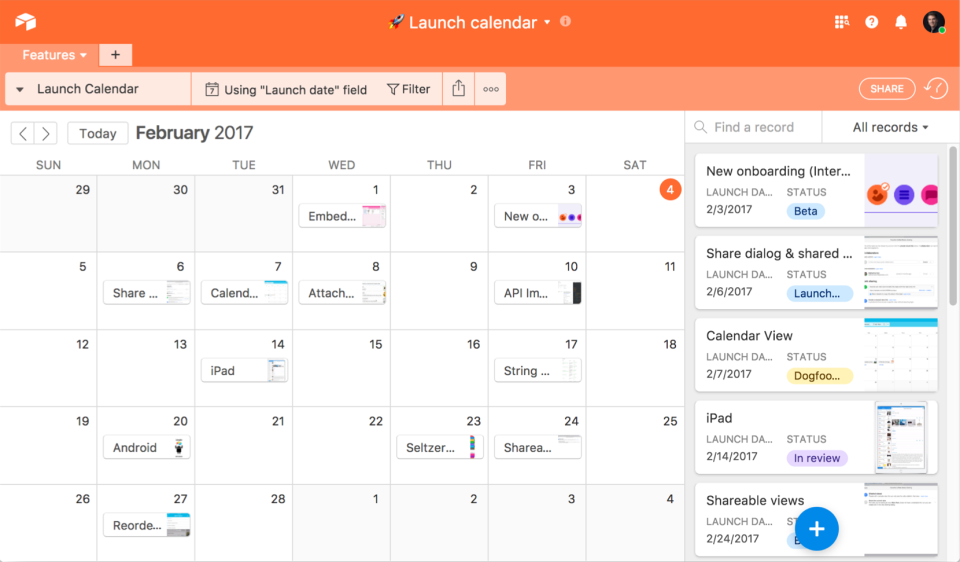
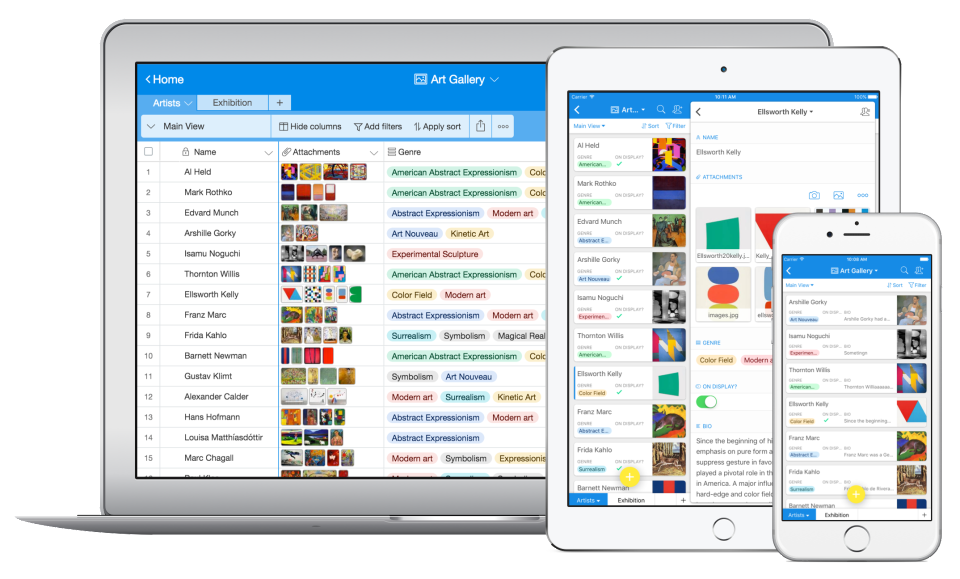
Screenshot of Screenshot of Screenshot of Screenshot of Screenshot of

App Builder Screenshots

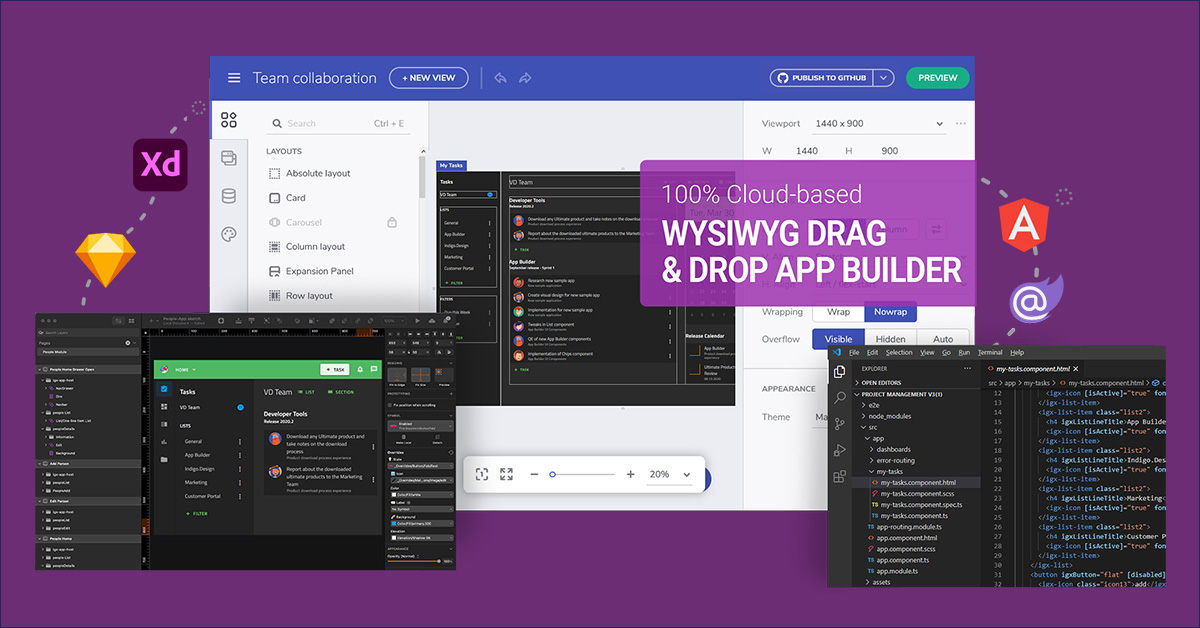
Screenshot of Use pre-built themes and typography (Material, Bootstrap & Fluent) or customize to match your own app theme and corporate branding on a per-control, per-screen, or per-app basis.Screenshot of With a rich layout system and complete toolbox of components, create screens and full apps in minutes instead of hours!Screenshot of Import Sketch and Adobe XD Designs! With one click, take your static designs and get interactive, responsive apps with real UI components and styling. Import designs from the design system into a real, component-based app. Figma import coming soon!