airSlate WorkFlow vs. Avokaado

Overview
ProductRatingMost Used ByProduct SummaryStarting Price
airSlate WorkFlow
Score 7.5 out of 10
N/A
airSlate is a codeless workflow building platform, focusing on document generation, contract lifecycle management with e-sign, and what the vendor describes as mobile-friendly web forms which can be integrated with systems of record (e.g. CRM, etc), using no code airSlate bots.N/A
Avokaado
Score 7.0 out of 10
N/A
Avokaado is a contract lifecycle management platform that helps businesses manage, create and collaborate on documents and contracts at every stage of the document lifecycle.N/A
Pricing
airSlate WorkFlowAvokaado
Editions & Modules
No answers on this topic
Offerings
Pricing Offerings
airSlate WorkFlowAvokaado
Free Trial
YesNo
Free/Freemium Version
YesNo
Premium Consulting/Integration Services
NoNo
Entry-level Setup FeeOptionalOptional
Additional Details
More Pricing Information
Community Pulse
airSlate WorkFlowAvokaado
Best Alternatives
airSlate WorkFlowAvokaado
Small Businesses
Stackby
Stackby
Score 9.0 out of 10
airSlate WorkFlow
airSlate WorkFlow
Score 7.5 out of 10
Medium-sized Companies
CMW Platform
CMW Platform
Score 8.9 out of 10
PandaDoc
PandaDoc
Score 9.0 out of 10
Enterprises
CMW Platform
CMW Platform
Score 8.9 out of 10
Conga CLM
Conga CLM
Score 8.8 out of 10
All AlternativesView all alternativesView all alternatives
User Ratings
airSlate WorkFlowAvokaado
Likelihood to Recommend
7.5
(0 ratings)
-
(0 ratings)
Likelihood to Renew
7.7
(0 ratings)
-
(0 ratings)
Usability
5.0
(0 ratings)
-
(0 ratings)
Support Rating
3.6
(0 ratings)
-
(0 ratings)
Configurability
7.5
(0 ratings)
-
(0 ratings)
User Testimonials
airSlate WorkFlowAvokaado
Likelihood to Recommend
Well suited for forms that need to be signed by one or more people (ie multiple levels of managers). Great to keep all completed slates in one section so that you can find what was completed and where. It does get a bit tricky with routing when it's a bit of back and forth.
Read full review
No answers on this topic
Pros
  • The airSlate interface is very easy to use. Creating new forms or updating existing ones is way less challenging than other similar platforms.
  • airSlate integration with other platforms is straightforward and doesn't require special unique code.
  • The look and feel of the user interface is clean and inviting.
Read full review
No answers on this topic
Cons
  • Field mapping to Salesforce is precise but a bit fidgety. Would be nice to be able to do it on the form builder instead of in a separate bot.
  • Fillable fields in PDFs are ugly. It would be nice if font size/spacing/alignment actually matched the document.
Read full review
No answers on this topic
Likelihood to Renew
I give this rating because I am hopeful the functions I would like will be added in the near future.
Read full review
No answers on this topic
Usability
Starting with a template it is easy to see how parts of the workflow are connected and make changes that will customise the product for your own use case. In our situation, rather than starting from scratch, our form was working within hours of joining the trial version. Several hours of tweaks lead us to a form that is better than the tool it was replacing and we are saving real man-hours with a minimum investment of time and money. Service has been exceptional.
Read full review
No answers on this topic
Support Rating
I have reached out to airSlate support a number of times during setup and after. The platform includes a built-in support chat that is very convenient and fast. I'm able to get the answers I need is less time than it takes with any other software I use. And I don't need to pick up a phone or write an email and wait for a response. They support staff is very knowledgeable and accommodating
Read full review
No answers on this topic
Alternatives Considered
HelloSign is the only other products we've used but it does not have the automation we needed. We used it when we were processing fewer digital forms and most others were required by our legal department to be printed and signed.
Read full review
No answers on this topic
Return on Investment
  • Time saved from having to email or run documents to other people for sign off
  • Time saved from auto-storing documents in the correct place once we get all the bots set up
  • Confidence from a legal standpoint due to the validity of e-signatures and its tracking
Read full review
No answers on this topic
ScreenShots

Avokaado Screenshots

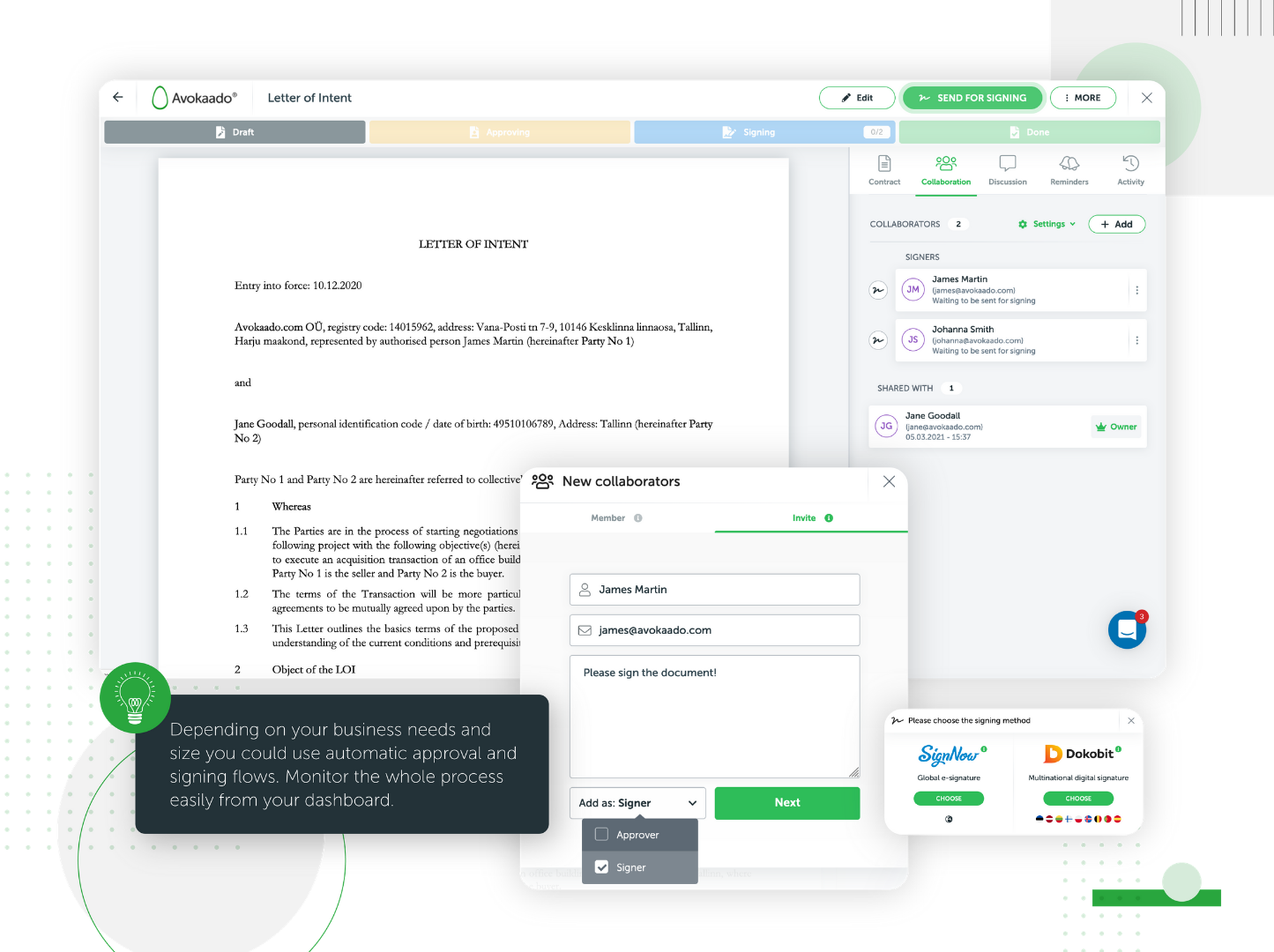
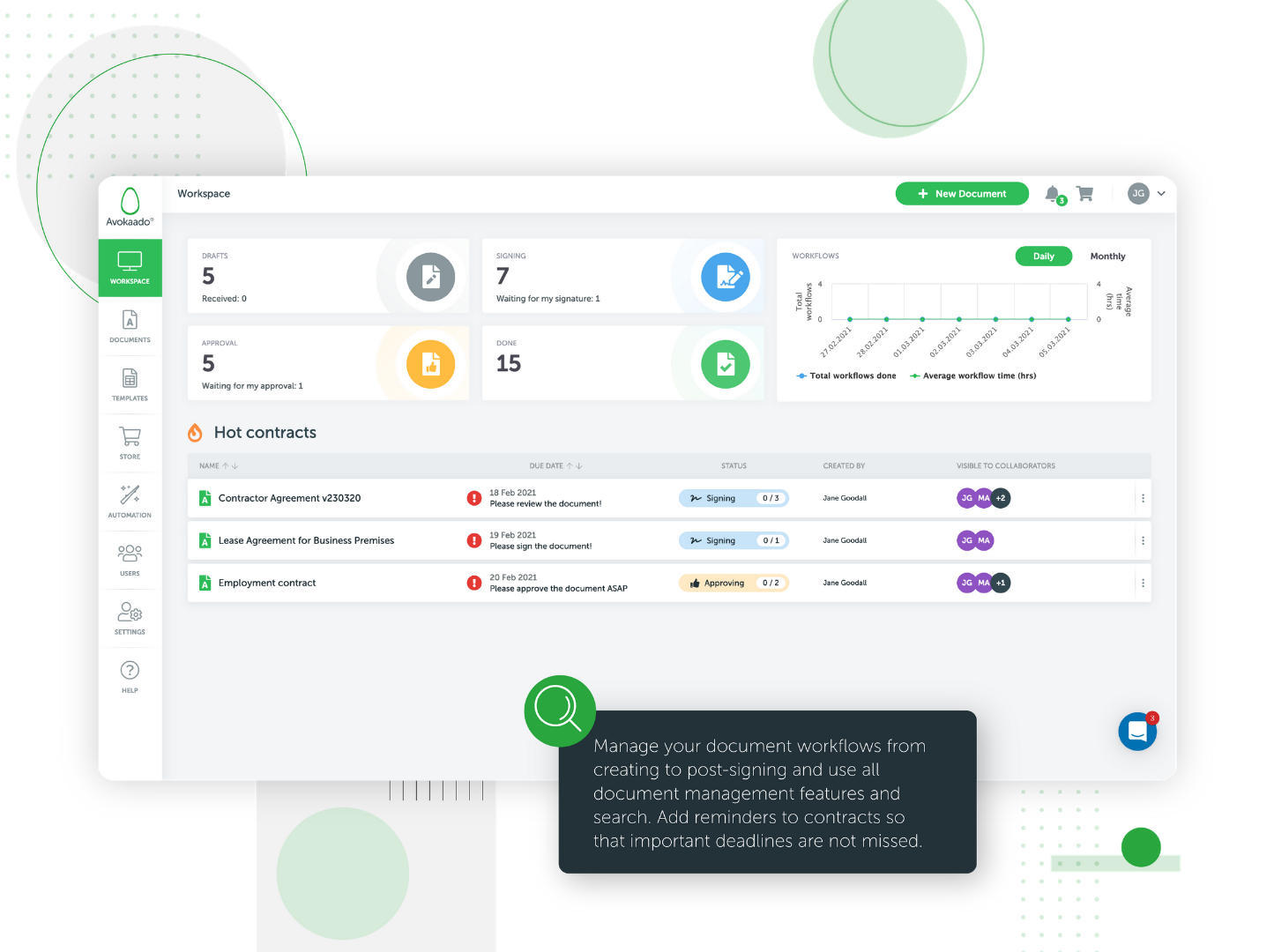
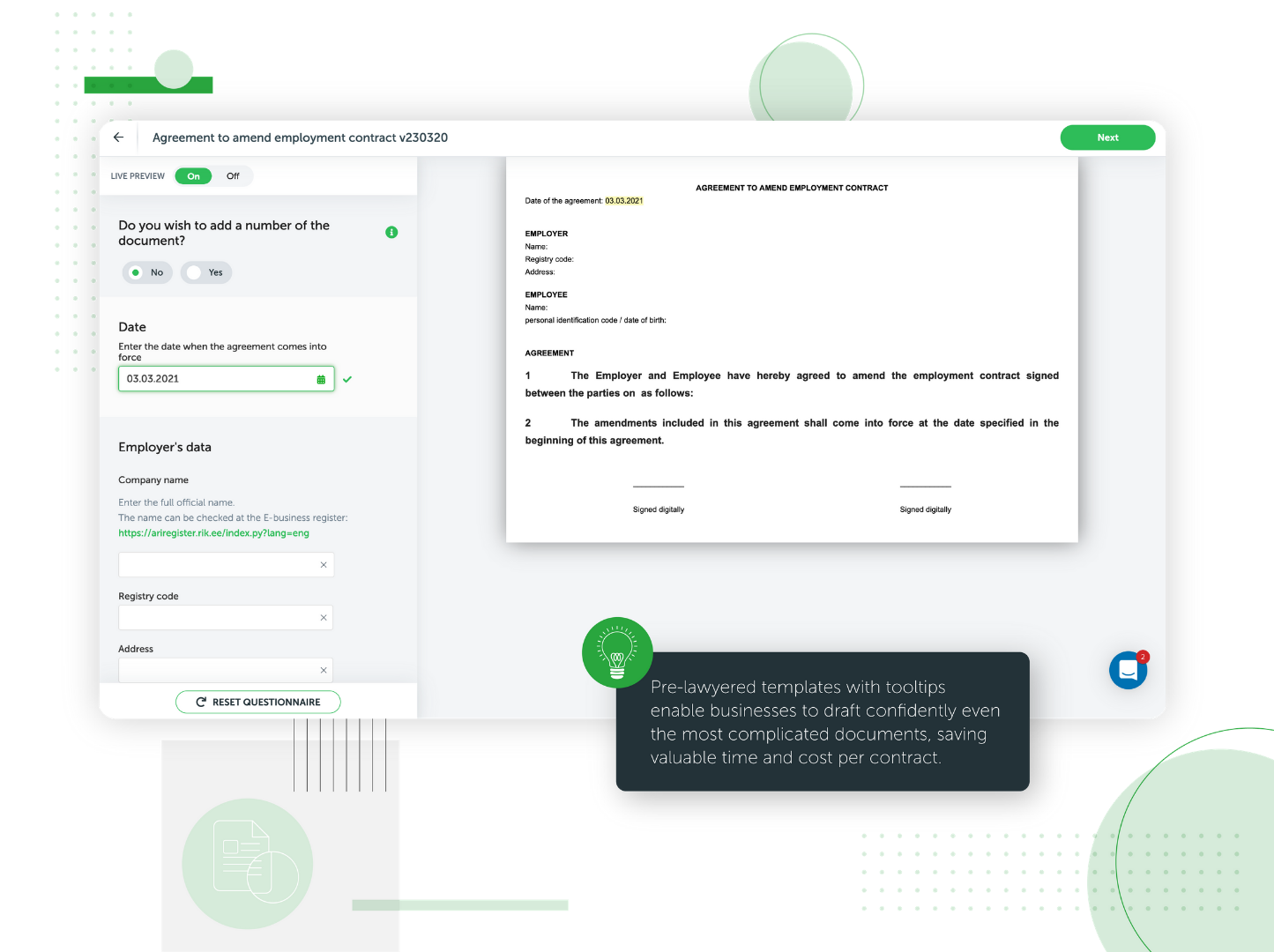
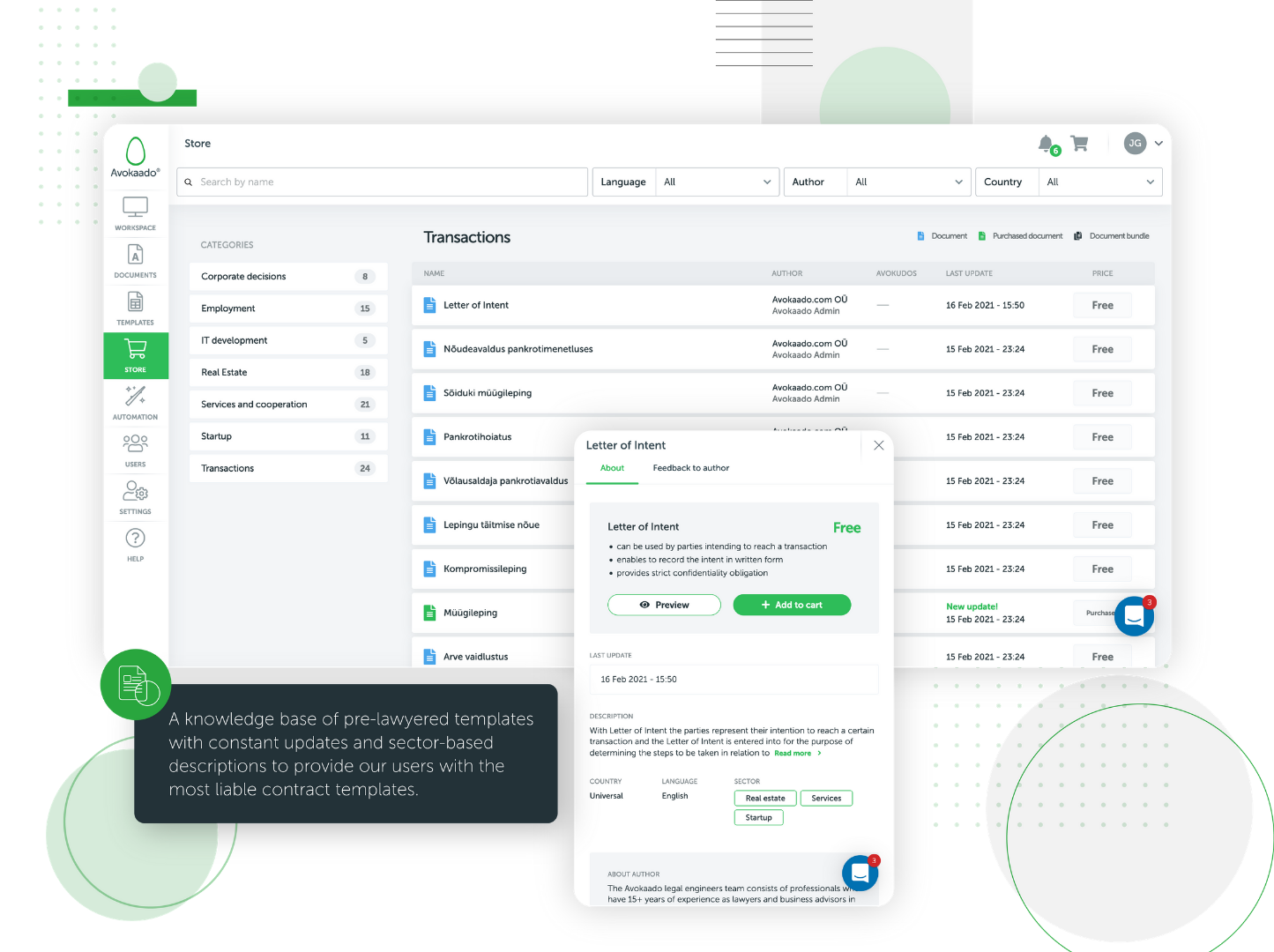
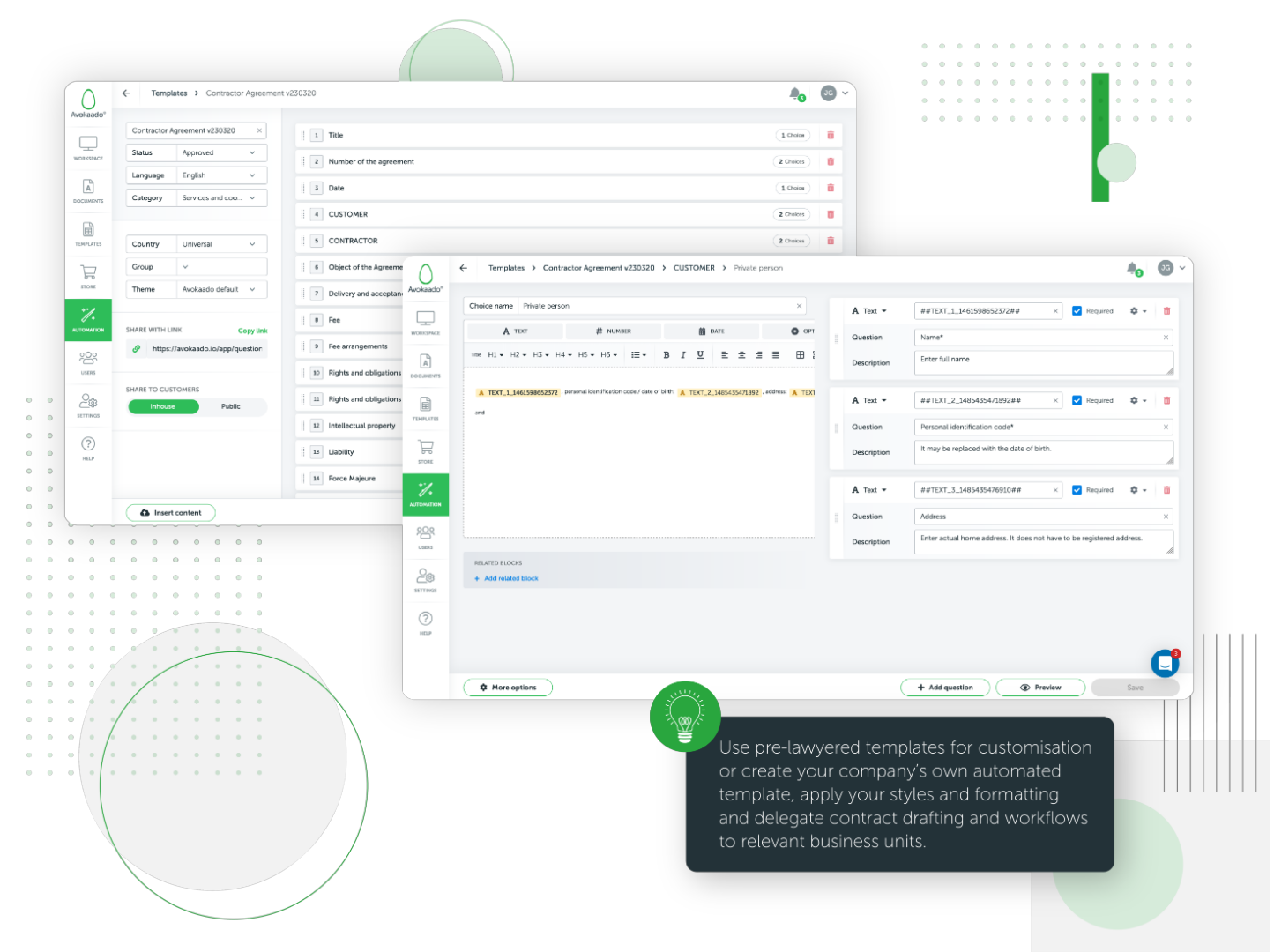
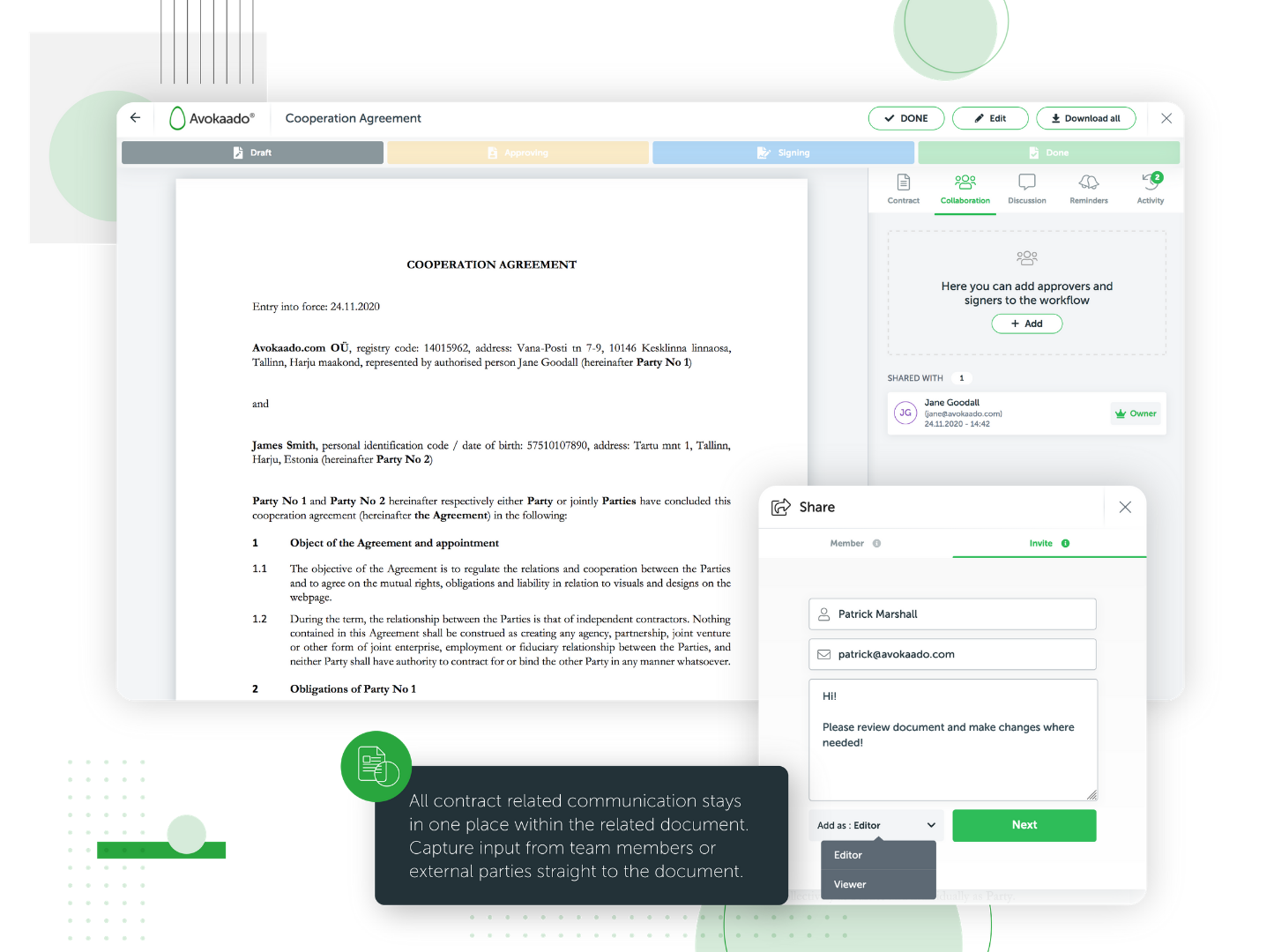
Screenshot of the online document signing integrated in Avokaado, so there's no need to download the document and send it for signing over email, nor create an account within the digital signature tool, nor pay additional fees for signatures.Screenshot of the Avokaado contract lifecycle management platform workspace, from which legal and business teams manage, create and collaborate on documents at every stage of the document lifecycle: clause-based contract automation, drafting based on smart templates, workflow management with digital signing and electronic storing.Screenshot of automated templates that ensure compliance with legal requirements and limit the risks: fill in the questionnaire, choose between available options, use tooltips and helpful best practices.Screenshot of a knowledge base of pre-lawyered templates with constant updates and sector-based descriptions to provide users with liable contract templates.Screenshot of the document automation feature used to generate complex documents faster. Automated templates eliminate routine and repetitive drafting parts by enabling one-time data insertion, automated formatting and styles, default answers, tooltips and guidelines.Screenshot of the document editing interface, used to co-draft documents, manage approvals and sign documents digitally with any device. All steps are tracked and visualised on the centralised dashboard.