Ahsay Cloud Backup Suite vs. Veeam Backup for Azure

Overview
ProductRatingMost Used ByProduct SummaryStarting Price
Ahsay Cloud Backup Suite
Score 7.9 out of 10
Small Businesses (1-50 employees)
Ahsay Backup Software is specifically designed for Managed Service Providers, System Integrators and IT Consulting Companies. It aims to empower users to offer secure managed, cloud hosted, and on-premises backup service to business end customers and earn recurring income. The whole solution is with server-client architecture. The server-side centralized management console (AhsayCBS) can be installed either on one's own backup server hosted in a datacenter, or on a cloud platform such as…
$18
Per Device Per Year
Veeam Backup for Azure
Score 7.1 out of 10
N/A
Veeam® Backup for Azure delivers native, policy-based protection for reliable recovery from accidental deletion, ransomware and other data loss scenarios. With an API-first approach, immutable backups and full- and file-level restores ensure resilient protection that’s easy and cost-optimized, freeing up time and resources for more strategic IT priorities. Immutable and Encrypted - Data integrity through WORM state and encryption Logically…
$40
per year per Azure VM (Back up and recover in Azure only with 24/7 production support)
Pricing
Ahsay Cloud Backup SuiteVeeam Backup for Azure
Editions & Modules
AhsayACB client for workstation backup
$18.00
Per Device Per Year
AhsayACB client for workstation backup
$18.00
Per Device Per Year
AhsayOBM client for server backup
$48.00
Per Device Per Year
AhsayOBM client for server backup
$48.00
Per Device Per Year
AhsayCBS central management software
$60.00
Per Installation Per Year
AhsayCBS central management software
$60.00
Per Installation Per Year
BYOL edition
$40
per year per Azure VM (Back up and recover in Azure only with 24/7 production support)
Free Edition
Free
Backup up to 10 Azure VMs FREE with no limitations on features or number of restores.
BYOL edition (Hybrid-/multi-cloud)
VUL Portable licensing
Backup and recover anything, anywhere via Veeam Universal License for any supported workload – cloud, virtual and physical – interchangeably
Offerings
Pricing Offerings
Ahsay Cloud Backup SuiteVeeam Backup for Azure
Free Trial
YesNo
Free/Freemium Version
NoYes
Premium Consulting/Integration Services
NoNo
Entry-level Setup Fee$500 Per CBS ServerNo setup fee
Additional DetailsAhsayOBM client agent includes free File, Microsoft Exchange Server Database, Microsoft SQL Server, MySQL Database, Windows System, Windows Systems State backup modules. If you need to backup VMware/Hyper-V guest VMs, Office 365, Exchange individual mailboxes, Synology/QNAP NAS, then corresponding add-on paid modules need to be added to AhsayOBM. See the modules pricing in Ahsay's website. AhsayACB client agent includes free File and Windows System backup modules.
More Pricing Information
Community Pulse
Ahsay Cloud Backup SuiteVeeam Backup for Azure
Features
Ahsay Cloud Backup SuiteVeeam Backup for Azure
Data Center Backup
Comparison of Data Center Backup features of Product A and Product B
Ahsay Cloud Backup Suite
-
Ratings
Veeam Backup for Azure
8.3
Ratings
7% below category average
Management dashboard00 Ratings8.20 Ratings
Retention options00 Ratings8.30 Ratings
Encryption00 Ratings8.50 Ratings
Enterprise Backup
Comparison of Enterprise Backup features of Product A and Product B
Ahsay Cloud Backup Suite
-
Ratings
Veeam Backup for Azure
7.7
Ratings
11% below category average
Malware protection00 Ratings7.70 Ratings
SaaS Backup
Comparison of SaaS Backup features of Product A and Product B
Ahsay Cloud Backup Suite
-
Ratings
Veeam Backup for Azure
8.0
Ratings
13% below category average
SaaS Product Integration00 Ratings7.60 Ratings
Multiple Data Restoration Options00 Ratings8.10 Ratings
Data Storage in the Cloud or On-Premises00 Ratings8.40 Ratings
User Ratings
Ahsay Cloud Backup SuiteVeeam Backup for Azure
Likelihood to Recommend
8.0
(0 ratings)
8.0
(0 ratings)
Likelihood to Renew
-
(0 ratings)
9.1
(0 ratings)
Usability
-
(0 ratings)
8.5
(0 ratings)
Support Rating
-
(0 ratings)
9.1
(0 ratings)
User Testimonials
Ahsay Cloud Backup SuiteVeeam Backup for Azure
Likelihood to Recommend
Being able to back up critical data in real time gives us a better edge in service delivery. Ahsay has sufficiently delivered in terms of secure storage for files and data. Ahsay version 9.1.4.0 is scheduled to be released soon (just received the notification earlier) and they claim it will have higher storage usage so the future with Ahsay is promising. Ahsay has incredible encryption source retention policies and will be suitable for all your confidential files.
Read full review
When migrating from on Prim to AWS then to AZure the process was a little challenging because of some of the way we configured up front but once we went from AWS to Azure it was no looking back. We didn't have the extra storage to move things around like most companies to but it worked out great and we were also able to store more cold backups on Azure due to the low cost of cold storage.
Read full review
Pros
  • It supports both local storage and public cloud FTP servers
  • By supporting offsite storage, data protection is improved
  • Troubleshooting never goes wrong as most of the time we perfectly pinpoint the issues.
Read full review
  • Reduce storage costs and minimizing the impact on network consuption.
  • Veaam Backup for Azure provides application-aware backups for Microsoft SQL Server, ensuring that our data is backed up and available for recovery correctly.
  • Replication: Veeam Backup for Azure helps us to replicate our workloads to another Azure region or on-premises environment for disaster recovery purposes and compliance needs.
Read full review
Cons
  • Administrators have to control the back ups remotely, would be better to have this done automatically
Read full review
  • Documentation around service account permissions was a little sparse when we implemented it
  • It's sometimes hard to get the reason behind a (rare) job failure without going into logs
  • The UI around snapshots and backups could do with some clarity around the restore points that will be available
Read full review
Likelihood to Renew
No answers on this topic
Plainly, the product just works. I don't have to babysit it.
Read full review
Usability
No answers on this topic
Still clunky compared to the on-prem version but getting better with every release. It does what it needs to do, and does it well. They are stuck with some limitations in the way Azure works so I don't know how much better they can make it but they've just added 365 backup management all from the same pane so it seems they're not done yet.
Read full review
Support Rating
No answers on this topic
Great support team!
Read full review
Alternatives Considered
No answers on this topic
Backup Exec was a very clunky application and took forever to backup to and restore from. We would backup to SSD external hard drives from a flash array, but the process still took forever to finish. Sending our data to the Azure blob storage via Veeam is a faster and more secure process than saving to the external hard drives with Backup Exec.
Read full review
Return on Investment
  • We are shielded from ransomware attacks by backing up data to multiple offsite destinations.
  • Securely backing up critical data.
Read full review
  • We have had fast recovery of documents when needed; sub 10 minutes from start of restore to complete and in the users hands
  • Easily a value add for backing up files outside of the given Microsoft retention period; piece of mind
  • Easy tool to use with minimal training required to use it and set up backups
  • When you do change your cloud licensing it does require manual intervention to update backup data requirements. if the business makes changes then your backup person may not know to make these changes
Read full review
ScreenShots

Ahsay Cloud Backup Suite Screenshots

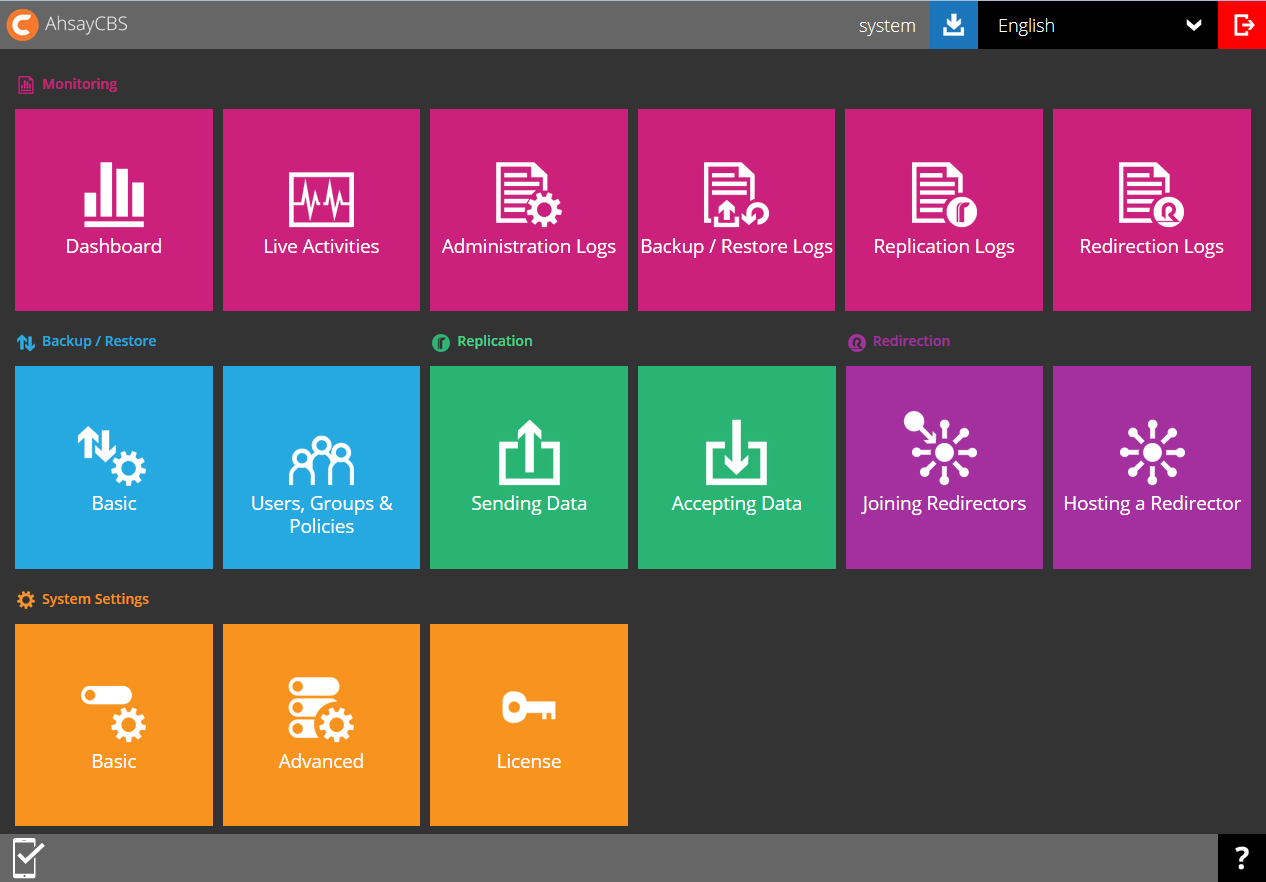
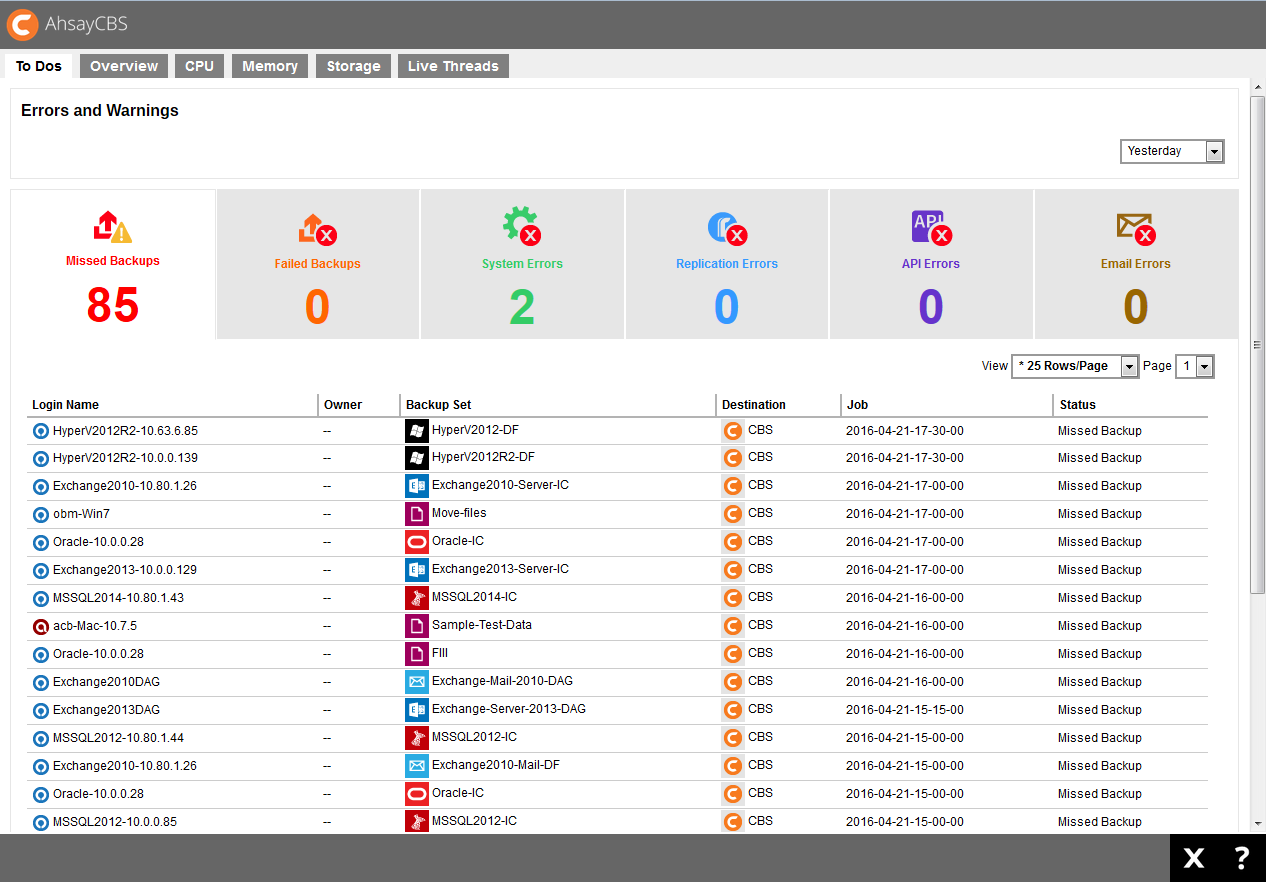
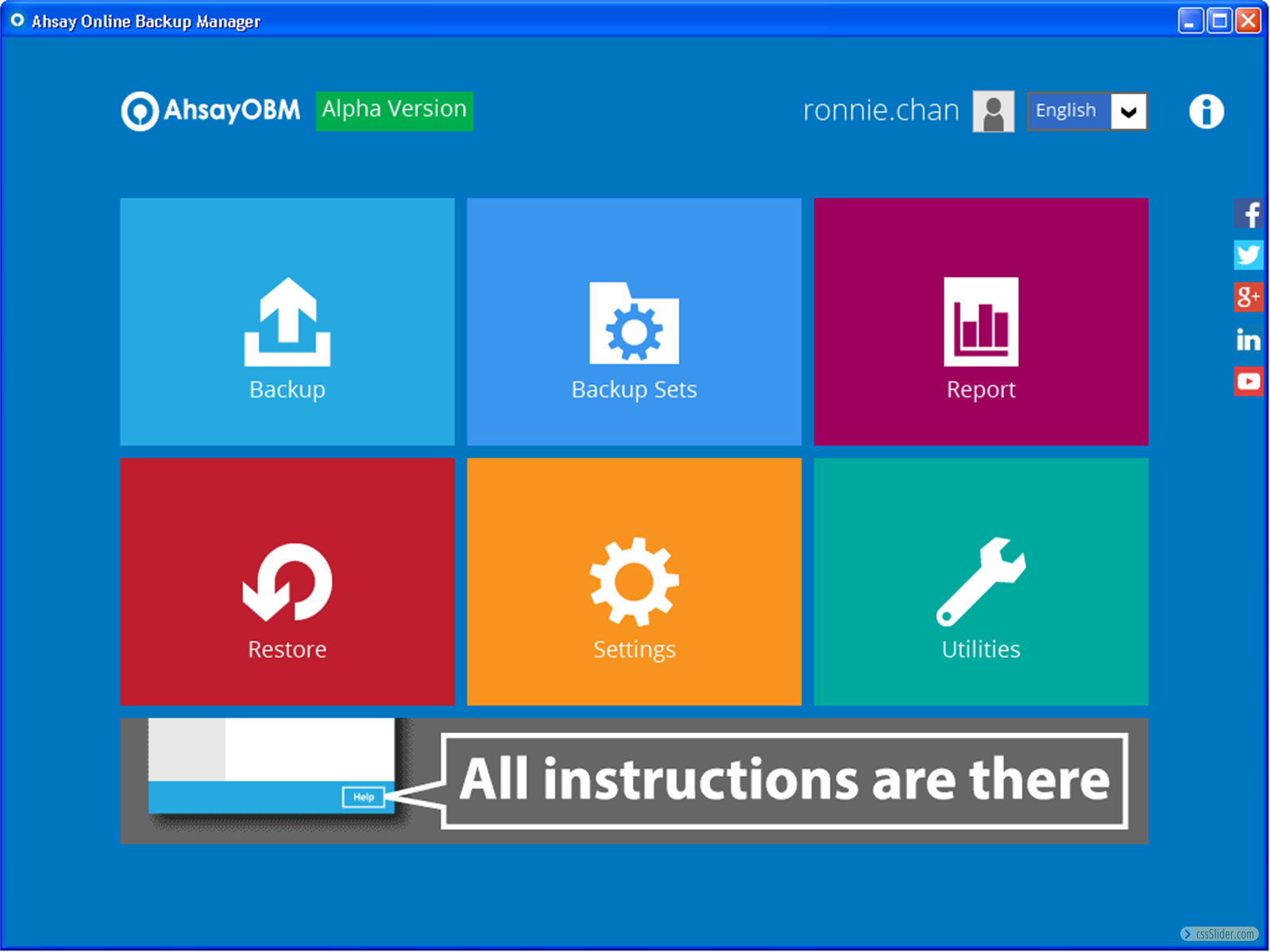
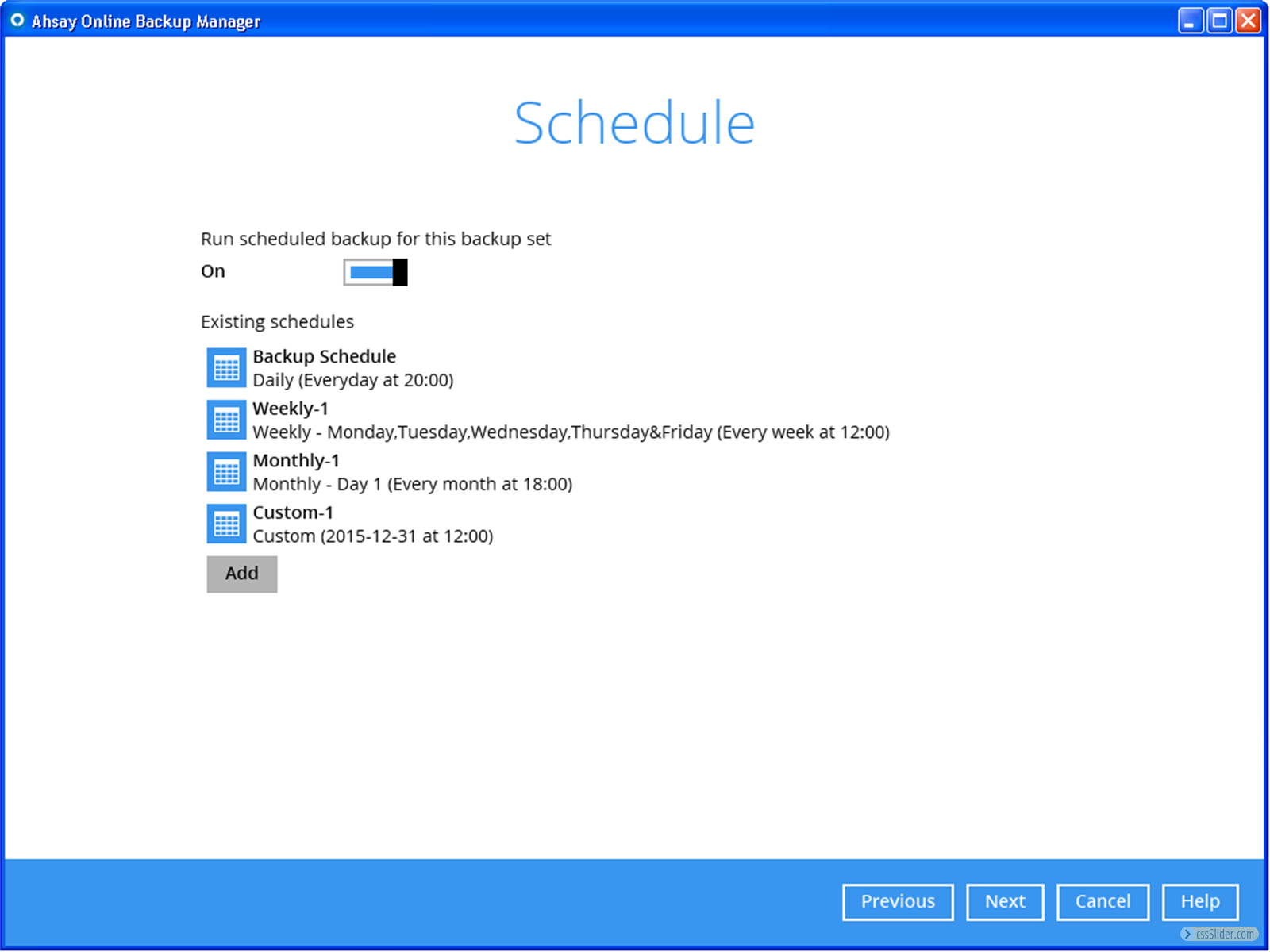
Screenshot of AhsayCBS central management home screenScreenshot of Dashboard in AhsayCBS central management software for administrator to monitor and locate issues to fixScreenshot of System resources monitoring screen in AhsayCBS central management softwareScreenshot of Backup users management screen in AhsayCBS central management softwareScreenshot of AhsayOBM client backup software home screen. User can select to create new backup set, editing existing backup sets, trigger backup and restore, view reports from this screen.Screenshot of Backup schedule creation screen in AhsayOBM client backup software

Veeam Backup for Azure Screenshots

Screenshot of Welcome screenScreenshot of Policies setupScreenshot of Cost estimationScreenshot of Restore options