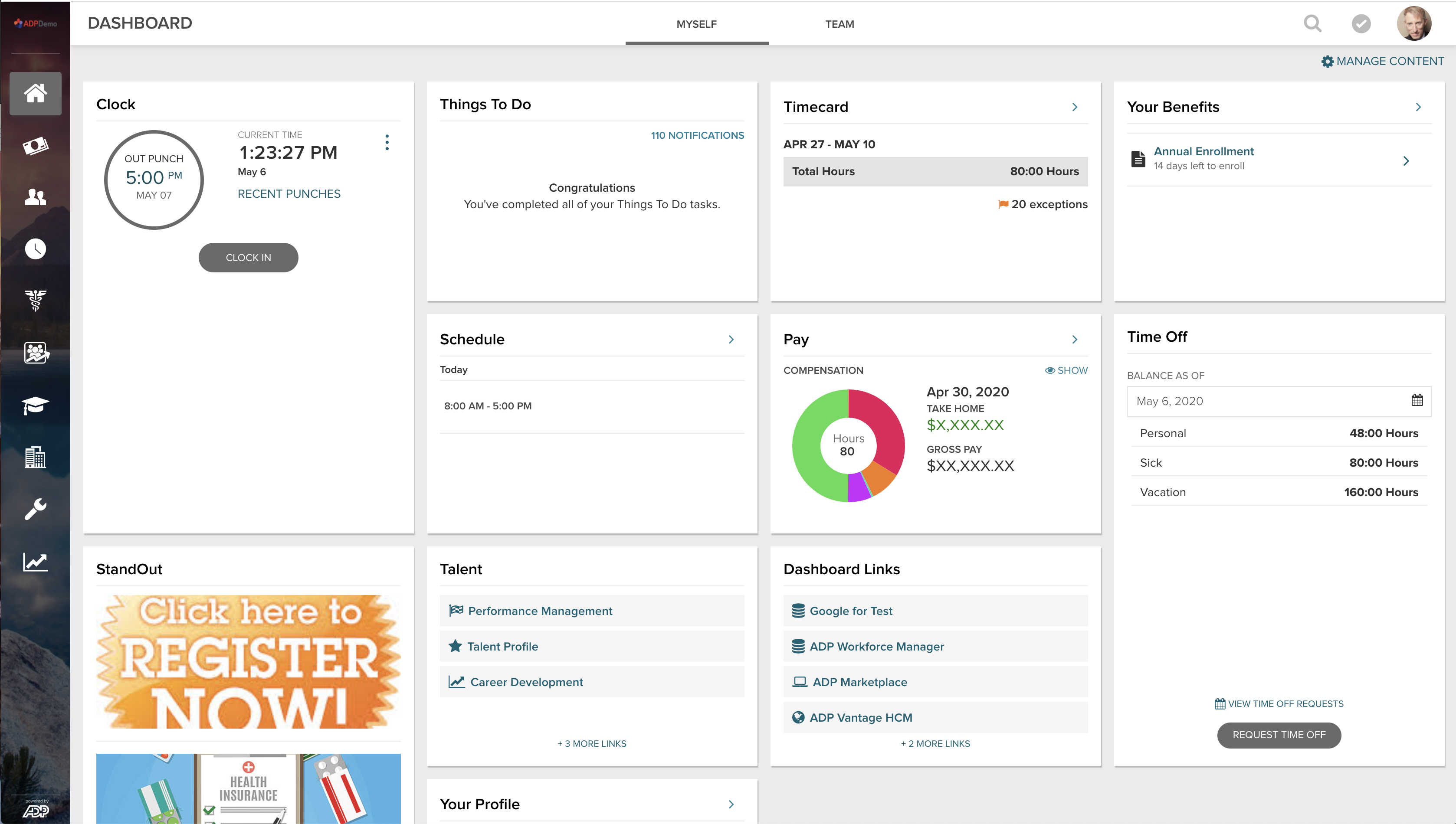
ADP Vantage combined HR, payroll, benefits, talent management and time & attendance. It is a legacy product.
N/A
PDS Vista
Score 1.2 out of 10
Enterprise companies (1,001+ employees)
Vista® is a human resource, benefits, payroll, recruiting, and self-service software. Functional elements include recruitment, staffing, position and training management, compliance, and performance and compensation.
N/A
Pricing
ADP Vantage (legacy)
PDS Vista
Editions & Modules
No answers on this topic
No answers on this topic
Offerings
Pricing Offerings
ADP Vantage (legacy)
PDS Vista
Free Trial
No
No
Free/Freemium Version
No
No
Premium Consulting/Integration Services
No
No
Entry-level Setup Fee
Optional
No setup fee
Additional Details
—
License pricing is based on the number of full and part-time active employees within bands (e.g. 751-1,000). SaaS pricing is based on PEPM.
More Pricing Information
Community Pulse
ADP Vantage (legacy)
PDS Vista
Features
ADP Vantage (legacy)
PDS Vista
Human Resource Management
Comparison of Human Resource Management features of Product A and Product B
ADP Vantage (legacy)
9.2
Ratings
16% above category average
PDS Vista
1.9
Ratings
122% below category average
Employee demographic data
9.20 Ratings
1.00 Ratings
Employment history
9.00 Ratings
1.00 Ratings
Job profiles and administration
9.30 Ratings
1.00 Ratings
Workflow for transfers, promotions, pay raises, etc.
9.30 Ratings
1.00 Ratings
Organizational charting
9.10 Ratings
3.00 Ratings
Organization and location management
9.40 Ratings
3.00 Ratings
Compliance data (COBRA, OSHA, etc.)
9.30 Ratings
3.00 Ratings
Payroll Management
Comparison of Payroll Management features of Product A and Product B
ADP Vantage (legacy)
9.4
Ratings
17% above category average
PDS Vista
3.2
Ratings
85% below category average
Pay calculation
9.50 Ratings
3.00 Ratings
Support for external payroll vendors
9.20 Ratings
1.00 Ratings
Off-cycle/On-Demand payment
9.30 Ratings
4.00 Ratings
Benefit plan administration
9.20 Ratings
1.00 Ratings
Direct deposit files
9.40 Ratings
4.00 Ratings
Salary revision and increment management
9.60 Ratings
1.00 Ratings
Reimbursement management
9.10 Ratings
8.20 Ratings
Leave and Attendance Management
Comparison of Leave and Attendance Management features of Product A and Product B
ADP Vantage (legacy)
9.2
Ratings
14% above category average
PDS Vista
1.0
Ratings
156% below category average
Approval workflow
9.30 Ratings
1.00 Ratings
Balance details
9.10 Ratings
1.00 Ratings
Annual carry-forward and encashment
9.10 Ratings
1.00 Ratings
Employee Self Service
Comparison of Employee Self Service features of Product A and Product B
ADP Vantage (legacy)
9.4
Ratings
15% above category average
PDS Vista
2.0
Ratings
121% below category average
View and generate pay and benefit information
9.10 Ratings
4.00 Ratings
Update personal information
9.10 Ratings
1.00 Ratings
View company policy documentation
9.40 Ratings
3.00 Ratings
Employee recognition
9.70 Ratings
1.00 Ratings
View job history
9.50 Ratings
1.00 Ratings
Asset Management
Comparison of Asset Management features of Product A and Product B
ADP Vantage (legacy)
9.9
Ratings
20% above category average
PDS Vista
7.3
Ratings
10% below category average
Tracking of all physical assets
9.90 Ratings
7.30 Ratings
HR Reporting
Comparison of HR Reporting features of Product A and Product B
ADP Vantage (legacy)
8.7
Ratings
15% above category average
PDS Vista
2.0
Ratings
116% below category average
Report builder
9.10 Ratings
2.00 Ratings
Pre-built reports
7.70 Ratings
2.00 Ratings
Ability to combine HR data with external data
9.20 Ratings
2.00 Ratings
Onboarding
Comparison of Onboarding features of Product A and Product B
ADP Vantage (legacy)
8.9
Ratings
12% above category average
PDS Vista
1.0
Ratings
155% below category average
New hire portal
8.40 Ratings
1.00 Ratings
Manager tracking tools
9.30 Ratings
1.00 Ratings
Performance and Goals
Comparison of Performance and Goals features of Product A and Product B
ADP Vantage (legacy)
8.8
Ratings
11% above category average
PDS Vista
2.8
Ratings
96% below category average
Corporate goal setting
8.90 Ratings
1.00 Ratings
Individual goal setting
8.50 Ratings
1.00 Ratings
Line-of sight-visibility
8.50 Ratings
00 Ratings
Performance tracking
9.40 Ratings
6.40 Ratings
Performance Management
Comparison of Performance Management features of Product A and Product B
ADP Vantage (legacy)
8.7
Ratings
10% above category average
PDS Vista
1.0
Ratings
155% below category average
Performance plans
7.80 Ratings
1.00 Ratings
Performance improvement plans
8.60 Ratings
1.00 Ratings
Review status tracking
8.60 Ratings
1.00 Ratings
Review reminders
9.10 Ratings
1.00 Ratings
Multiple review frequency
9.20 Ratings
1.00 Ratings
Succession Planning
Comparison of Succession Planning features of Product A and Product B
ADP Vantage (legacy)
9.4
Ratings
18% above category average
PDS Vista
2.3
Ratings
109% below category average
Create succession plans/pools
9.70 Ratings
3.60 Ratings
Candidate ranking
8.80 Ratings
1.00 Ratings
Candidate search
9.50 Ratings
1.00 Ratings
Candidate development
9.50 Ratings
3.60 Ratings
Recruiting / ATS
Comparison of Recruiting / ATS features of Product A and Product B
[ADP Vantage HCM is] great for big organizations with complex processes and who need all the features/functionalities provided by the platform. May not be very suitable for smaller companies who aren't as elaborate in terms of their HR processes and the enterprise licensing costs can be slightly prohibitive. Great for companies looking for plug-and-play solutions which need minimal/no customization off the shelf.
You have the option of taking the system in house or being a hosted client. Figure out what resources your IT department has to spare, if you will have a dedicated administrator who will do all the upgrades and enhancements or if you will be job sharing those responsibilities. Like all software, Vista HRMS has multiple upgrades a year. You will need someone or a team of a few individuals to test these upgrades out and be able to take on a role of administrator, technology consultant or front end user and make sure these upgrades are working from all angles. Vista HRMS really is a good product for keeping all HR and Payroll related records in one system, I just stress the fact that you have to have someone on hand who wants to own the product and be willing to learn as much as possible. The more you put into this product, the more you will get out of it
EPIP batch uploads are customizable. Each payroll processor was given their own upload template so they could input all of their changes on it, and then upload at payroll processing time.
We had multiple pay groups. ADP Vantage makes the ability to submit and close multiple pay groups individually very easy. This was a big pain point for us and we were able to speed our timing up by opening and closing our pay groups individually.
Report writing in ADP Vantage is a breeze. It has the ability to drag fields into the report writer, so you don't have to remember the exact fields you need. You can literally go to the screen you want to report off of, and drag the field into your report.
Vista HRMS is very flexible, it does everything we need for HR, benefits and payroll. It’s user-friendly and intuitive to use, when we roll out new self-service items our employees have no problems and require minimal training or documentation.
PDS has excellent customer service and support. We get answers to the majority of our questions and problems quickly, within the day that we call. More complex issues that may require PDS’ technical support are usually addressed within a few days. We were upgrading our production servers to Windows 2012 over a weekend and a key person in our organization was on leave. When we checked with PDS to see what cost would be involved if we needed their help, they said it was included in our regular maintenance, no extra cost.
The PDS User’s Conference is an excellent learning opportunity for training on everything Vista does, including using Crystal Reports for custom reporting. You also get to meet and talk to the executive and development staff and have direct input into the future product development.
[The] tax setup section needs more work, it is unclear sometimes if we need to set up tax in Smart Compliances or somewhere else, and then the rode to make that tax active and add it to the employee.
[The] payroll audit could be more clear and include more data from all adjustments, for example, if there is [a] salary rate change, there [are] not flags to check that in [the] audit section of the payroll.
Because we have only been using the system for 5 years, we will continue using this service until our business outgrows the support we need or is unable to meet our needs. we need a system that will integrate with our carriers and well as our general ledger system. We are currently looking for another GL system to fit our needs that will need to integrate with ADPVantage
It's working well for us. Yes, we do have some challenges, but we're working through them. With all the time and money put in to this, why would we switch. Especially since we really haven't used this product to it's full potential, but that's many due to time challenges.
It's a great product and the enhancements make it better all the time. I feel there are some areas that are severly lacking attention, such as Garnishments. This area of the product is not user friendly at all and ADP has not made an enhancement here since we went live 2012.
In my line of work, PDS Vista doesn't fit. I recruit and manager talent pipelines, as well as all onboarding aspects of 11 companies. I spend more hours getting data configured and searching for information within this software than I spend with my candidates. Theres an abundance duplication, and there isn't a single stream of information shared across screens. I have to input the SAME details into several screens for them to match up. Nothing is intuitive, and its certainly not end user friendly
The software just works. I can count on one hand the number of actual outages I have experienced in the last 10 years. We have had slowdowns, where response/processing time was slow, but those too are few and far between. The redundancies and backups they have in place at ADP mean my resources are available all the time. The only reason I say 9 of 10 is because there are times when an update or patch will cause an issue in another part of the system that usually isn't discovered prior to the patch/update's implementation. These have happened several times. The plus side is that these are almost always resolved immediately.
Pages do load pretty swiftly, and reports do not take too long. However, I have noticed that most reports become available sooner than some. Which if you are trying to process payroll, it may slow you down and tends to be time consuming when you're in a crunch
I think it's important for other companies to do their research and to make sure to not be oversold like we were. We needed to have an implementation expert with the sales person who could have explained some of what we wanted was not doable without costing extra. It's for this reason that I'm giving ADP Vantage HCM this rating. Everything is a project and comes with an additional cost.
PDS has excellent customer service and support. We get answers to the majority of our questions and problems quickly, within the day that we call. More complex issues that may require PDS’ technical support are usually addressed within a few days
I personally did not receive in-person training. I do know that person to person interaction is more efficient versus self taught and online training. The instructor can work at your pace, and you will be able to ask more questions to better understand the system and how it works. I also prefer in person training overall.
super easy to follow along. I loved that I was able to move along with the instructions without feeling overwhelmed and lost. Being able to go back as many times as I needed really helped when I was helping my co-workers stay on task with the training.I love that ADP
It was a great implementation, ADP went above and beyond to ensure it was successful. ADP hosted modeling sessions that included the subject matter experts from all areas. It was helpful that the implementation was all inclusive as we received indepth detail of how each area affects another.
Ask lots of questions, ensure you fully understand the functionality (particularly history records) and train, train, train the users for correct and complete utilization of the system.
I inherited this system when I came on board. Most recently I had been using ADP Enterprise, along with eTime and Virtual Edge. I have also used home-grown systems. I know there are some limitations between Vantage vs Enterprise, but I really haven't noticed them working in Vantage. It gives me a very similar experience to what I was used to, so it was simple for me to adapt. I am always aware of other systems that are being developed, but I am pleased with what I have right now with Vantage.
We had multiple vendors come and demo their products/systems for us. Each one had great features but at the end of the day, based on what the Vista HRMS system had to offer and how we were able to personalize the system to meet our needs we felt the choice was simple and we havent looked back since.
ADP Vantage is able to scale to our needs. As your organization's payroll and time and attendance needs grow, ADP has optional modules (scheduler, HR, ect.) that can be purchased. The basic reporting and metrics are nice add-ons.
Positive - saving the admins time by allowing EE's to access their own information.
Positive - Managers being able to use Vantage easily to manage their employees.
Negative - would probably be when the system gives you errors randomly that are not true errors. Once you refresh the page or log out and back in then the error does not come up. Not sure if this has to do with connection as well.
Vista HRMS offers a very reasonably priced solution that performs the functions we need for our business.
With a very small IT staff we successfully implemented all modules of Vista HRMS in approx. 6 months from start of implementation. Compared to other projects the cost to implement this system was very cost effective.
We have been able to maintain our internal benefits, payroll & HR functions in-house with no additional staff at a significantly reduced annual maintenance cost.