ADP GlobalView Payroll vs. CheckMark Payroll

Overview
ProductRatingMost Used ByProduct SummaryStarting Price
ADP GlobalView Payroll
Score 6.0 out of 10
Mid-Size Companies (51-1,000 employees)
GlobalView Payroll is an infrastructure of experts, technology, insight, and innovation, designed to help users understand what motivates and drives employees. It draws on the vendor ADP's 65 years of experience solving for the complexities and intricacies of payroll on a global scale. When fully leveraged, the vendor says ADP GlobalView HCM can be used to create a new strategic approach to building a sustainable and engaged global workforce with the goal of driving modern business needs.…N/A
CheckMark Payroll
Score 0.0 out of 10
N/A
Engineered for small businesses, CheckMark Payroll software for Macintosh and Windows is a solution for small business owners, accountants, and payroll professionals. Features include direct deposit, MICR encoding blank check stock printing and users can process as many payrolls as desired for employees and companies. Up-to-date Federal and State tax withholding tables and printable IRS forms are included.
$509
per year
Pricing
ADP GlobalView PayrollCheckMark Payroll
Editions & Modules
No answers on this topic
CheckMark Payroll 2023 Edition
$509
per year
Offerings
Pricing Offerings
ADP GlobalView PayrollCheckMark Payroll
Free Trial
NoYes
Free/Freemium Version
NoNo
Premium Consulting/Integration Services
NoYes
Entry-level Setup FeeNo setup feeNo setup fee
Additional Details
More Pricing Information
Community Pulse
ADP GlobalView PayrollCheckMark Payroll
Features
ADP GlobalView PayrollCheckMark Payroll
Payroll Management
Comparison of Payroll Management features of Product A and Product B
ADP GlobalView Payroll
8.7
4 Ratings
6% above category average
CheckMark Payroll
-
Ratings
Pay calculation9.03 Ratings00 Ratings
Support for external payroll vendors8.03 Ratings00 Ratings
Off-cycle/On-Demand payment9.02 Ratings00 Ratings
Benefit plan administration9.04 Ratings00 Ratings
Direct deposit files8.03 Ratings00 Ratings
Salary revision and increment management9.03 Ratings00 Ratings
Reimbursement management9.03 Ratings00 Ratings
Best Alternatives
ADP GlobalView PayrollCheckMark Payroll
Small Businesses
Dayforce Powerpay
Dayforce Powerpay
Score 9.5 out of 10
Dayforce Powerpay
Dayforce Powerpay
Score 9.5 out of 10
Medium-sized Companies
Paypro Workforce Management
Score 9.7 out of 10
Paypro Workforce Management
Score 9.7 out of 10
Enterprises
Infor Human Resources
Score 7.1 out of 10
Infor Human Resources
Score 7.1 out of 10
All AlternativesView all alternativesView all alternatives
User Ratings
ADP GlobalView PayrollCheckMark Payroll
Likelihood to Recommend
9.0
(5 ratings)
-
(0 ratings)
Usability
10.0
(2 ratings)
-
(0 ratings)
Support Rating
10.0
(1 ratings)
-
(0 ratings)
User Testimonials
ADP GlobalView PayrollCheckMark Payroll
Likelihood to Recommend
ADP
ADP GlobalView Payroll is well suited if we want to process payroll for multiple employees at once. It helps in calculation of hourly compensation for employees having different payrate. It also helps in auto run of payroll at regular intervals. There is still a scope of improvement for contractor payment in different currencies.
Read full review
CheckMark
No answers on this topic
Pros
ADP
  • Easy and convenient way to retrieve historical payroll details
  • Shows payroll details a day before the actual payout
  • UI is great and intuitive.
  • Credentials are integrated to Active Directory
Read full review
CheckMark
No answers on this topic
Cons
ADP
  • Format of reports
  • Buffering time
  • Customer support
Read full review
CheckMark
No answers on this topic
Usability
ADP
The tool is very intuitive and users can find all the information required and plan their pay structure. The navigation on the webpage is seamless and response time is decent. The overall experience of the platform is amazing
Read full review
CheckMark
No answers on this topic
Support Rating
ADP
Have not experience or noticed that the ADP GlobalView has an outage, so I can say that support has been good on making the tool highly available.
Read full review
CheckMark
No answers on this topic
Alternatives Considered
ADP
ADP GlobalView Payroll is clearly the industry leader in this space, as it easily integrates with our internal AD systems and allows our employees to access their accounts 24-7, 365.
Read full review
CheckMark
No answers on this topic
Return on Investment
ADP
  • Positive: Centralized Cloud-based system that can be accessed 24-7.
  • Negative: Customer support is always shifted back to your company's HR.
  • Positive: Great for ad-hoc retrieval of compensation records.
Read full review
CheckMark
No answers on this topic
ScreenShots

ADP GlobalView Payroll Screenshots

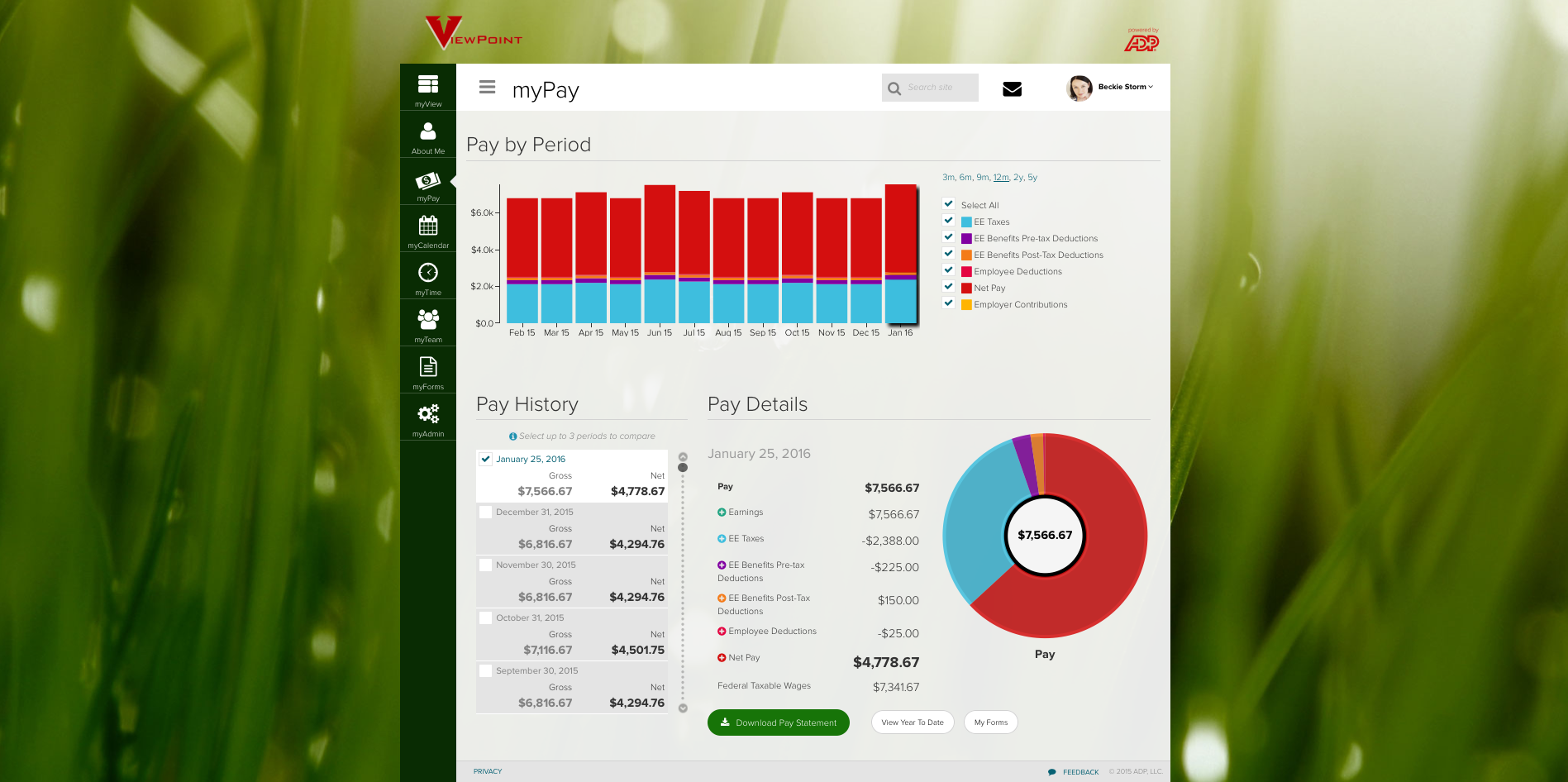
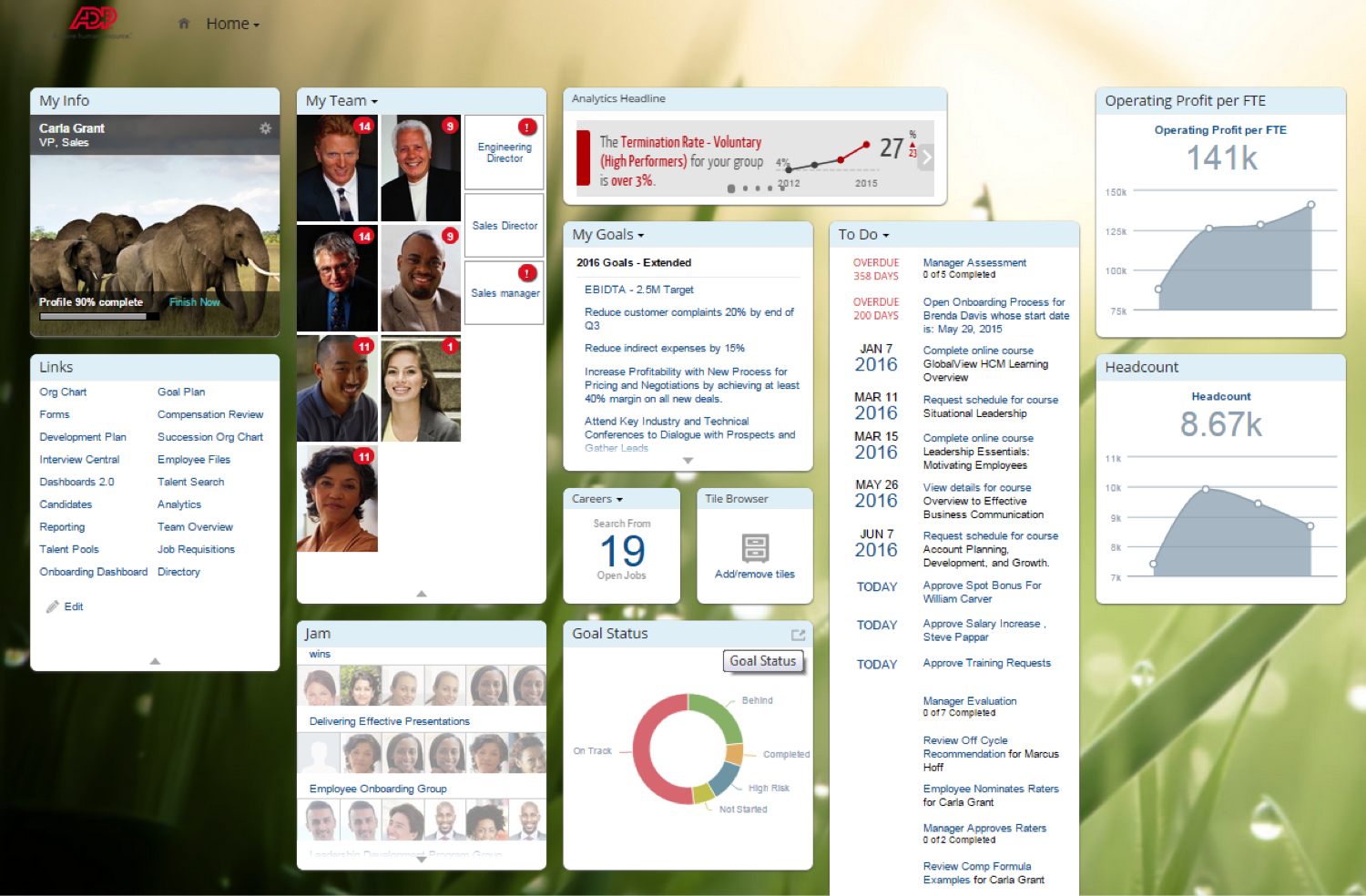
Screenshot of ADP myView Portal - completely configurable employee portal for all HCM activities.Screenshot of ADP myPay - delivers a personalized experience so employees can easily explore pay detailsScreenshot of ADP GlobalView HR Central - a complete, cloud technology-based core HR system of record that combines HR transactions, processes and data with social collaboration features and mobile functionalityScreenshot of ADP GlobalView Learning - Customize employee learning to improve business results, boost productivity and increase organization competitivenessScreenshot of ADP GlobalView Performance - Effectively manage employee performance through a structured approach to reward and develop your talentScreenshot of ADP GlobalView Recruiting - Find and hire the best candidates by combining recruiting marketing and management to improve business performance

CheckMark Payroll Screenshots

Screenshot of A dashboard giving access to setup, payroll processing, and reporting functions. A News Feed is constantly updated with important payroll changes. Other useful information is listed for quick reference including the number of active employees and where the data is being saved. Quick links in the upper right-hand corner provide access to order paper products, contact support, browse the Knowledge Base, open the Payroll Manual.Screenshot of A Company or Trade Name can be used to print on checks and reports. Also, an encrypted password keeps information away from prying eyes.Screenshot of 20 Additional Income categories can be set up for the company and up to 8 per employee assigned. Offers a list of pre-set categories to use or modify.Screenshot of Set up to 30 Deduction categories for the company and assign up to 16 per employee. Users can set up an Employer Match for categories like a 401(k).Screenshot of Sort employees by their last name, employee number, or department. Separate active or inactive employees, track accrued hours and assign specific Incomes and Deductions for each employee.Screenshot of Input hours in a spreadsheet-type format or import them from a time and attendance system. Option to sort hourly employees first vs. those set up as salary for easier input.