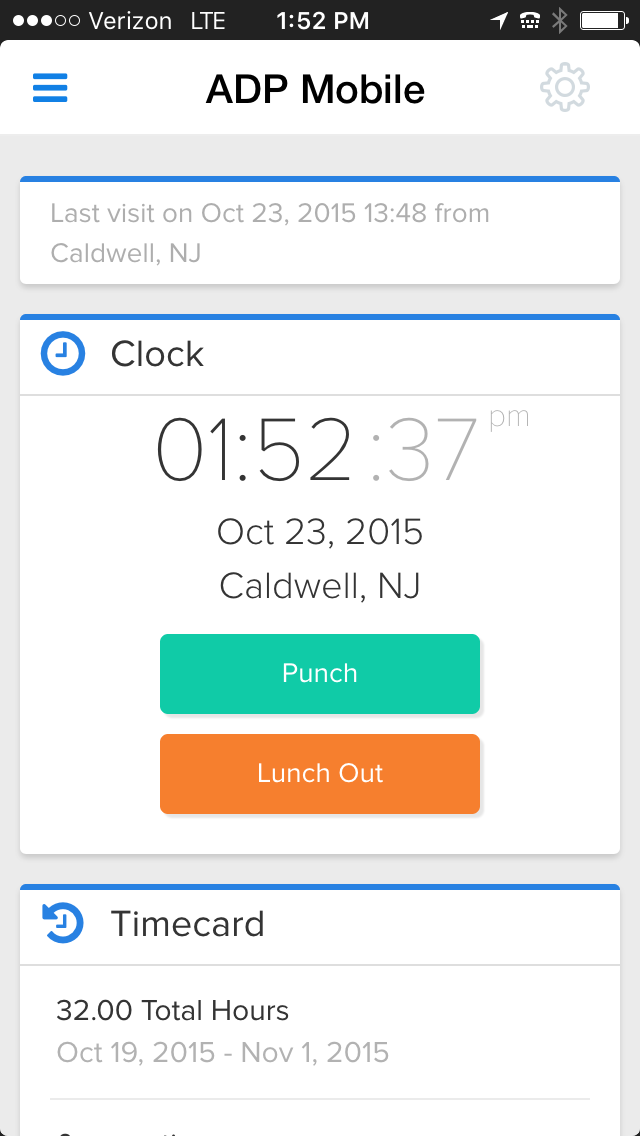
ADP ezLaborManager vs. Ganttic

Overview
ProductRatingMost Used ByProduct SummaryStarting Price
ADP ezLaborManager
Score 3.8 out of 10
Mid-Size Companies (51-1,000 employees)
ADP's ezLaborManager is a time tracking and attendance offering.N/A
Ganttic
Score 10.0 out of 10
Enterprise companies (1,001+ employees)
Ganttic is an online platform for resource planning scheduling and management. The tool provides a graphical interface as well as interactive Gantt charts for a company’s real-time collaboration and discussion with unlimited number of users. Ganttic aims to make collaboration quick and easy. It promises to help with scheduling projects, people, facilities, and equipment, with drag-and-drop capabilities.
$0
Max 10 resources
Pricing
ADP ezLaborManagerGanttic
Editions & Modules
ADP Time and Attendance
Call for details
ADP Workforce Now Essential Time
Call for details
Free
$0.00
Max 10 resources
PRO20
$25.00 per month or $250.00 per year
Max 20 resources
PRO50
$59.00 per month or $590.00 per year
Max 50 resources
PRO150
$149.00 per month or $1490.00 per year
Max 150 resources
PRO250
$229.00 per month or $2290.00 per year
Max 250 resources
PRO500
$379.00 per month or $3790.00 per year
Max 500 resources
PRO1000
$599.00 per month or $5990.00 per year
Max 1000 resources
Offerings
Pricing Offerings
ADP ezLaborManagerGanttic
Free Trial
NoYes
Free/Freemium Version
NoYes
Premium Consulting/Integration Services
NoNo
Entry-level Setup FeeRequiredNo setup fee
Additional DetailsGanttic has a resource not user based pricing. So an unlimited amount of users can be supported while paying only for the amount of resources used. In Ganttic, anything or anyone that should be planned or booked in order to complete a project is a resource. That means that resources can be employees, meeting rooms, production lines, vehicles, robots etc.
More Pricing Information
Community Pulse
ADP ezLaborManagerGanttic
Best Alternatives
ADP ezLaborManagerGanttic
Small Businesses
Dayforce Powerpay
Dayforce Powerpay
Score 9.5 out of 10
7shifts
7shifts
Score 9.9 out of 10
Medium-sized Companies
TimeClock Plus
TimeClock Plus
Score 9.5 out of 10
PowerDMS by NEOGOV
PowerDMS by NEOGOV
Score 7.0 out of 10
Enterprises
Zoho People
Zoho People
Score 8.4 out of 10
Zoho People
Zoho People
Score 8.4 out of 10
All AlternativesView all alternativesView all alternatives
User Ratings
ADP ezLaborManagerGanttic
Likelihood to Recommend
8.0
(0 ratings)
10.0
(0 ratings)
Likelihood to Renew
8.0
(0 ratings)
-
(0 ratings)
Usability
7.0
(0 ratings)
-
(0 ratings)
Availability
7.0
(0 ratings)
-
(0 ratings)
Performance
7.0
(0 ratings)
-
(0 ratings)
Support Rating
8.1
(0 ratings)
-
(0 ratings)
Online Training
8.0
(0 ratings)
-
(0 ratings)
Implementation Rating
3.0
(0 ratings)
-
(0 ratings)
Configurability
5.0
(0 ratings)
-
(0 ratings)
Ease of integration
7.0
(0 ratings)
-
(0 ratings)
Product Scalability
7.0
(0 ratings)
-
(0 ratings)
User Testimonials
ADP ezLaborManagerGanttic
Likelihood to Recommend
Clocking in/out is easy on the multiple time punch options. Cleaning up punches is also easy when they need to be fixed due to power outages or internet outages. It also helps with approving time off requests by showing on a calendar anyone in that manager's team who might already have the day scheduled off.
Read full review
Whenever you need a simple tool for tracking projects or work shedules. For instance, you might want to manage a team and assign jobs to each of the members, planning the start and end time, and be able to modify this schedule when some modifications are required, assigning the job to a different member or changing the start and end dates
Read full review
Pros
  • The interface of ADP ezLaborManager is simple to use, training only takes a couple of minutes for employees and a couple more for managers.
  • Time off requests are simple to add to the system, review, and approve or deny. There is a space for comments so that managers and employees can communicate directly on the time off request.
  • The employee and supervisor approval process confirms that the employees and managers agree on hours work to satisfy in errors in time before processing payroll.
  • Importing ADP ezLaborManager to RUN Powered by ADP only takes a couple minutes allowing you to get started on processing your payroll in a fraction of the time compared to manual time cards.
Read full review
  • Easy modifications of the plans
  • Ease of adding information to the task
  • Nice cathegorization
Read full review
Cons
  • To cancel or delete a recurring schedule has too many steps for the managers to do so they ask me to do their updates for them.
  • Having several places to make updates is good but also can be bad. When you call ADP, everyone you talk with does things the way they were taught which in turns is you get a different answer. Then you have to remember, how did they do that again?
  • Sometimes less is more. If you update in one area, it does not cross over to another area that it may be tied to, then it's like you are doing double the work.
Read full review
  • Better graphic interface
  • Activities assigned to multiple users
  • Some bugs while moving a task from one member to another
Read full review
Likelihood to Renew
Still have some issues with it but usage seems to improve
Read full review
No answers on this topic
Usability
ADP is a good system to track information but, what it lacks is just some detail that provides time savings. Some instances they have made "updates" that tend to have been better previous to those "updates." One example is for staff to see how they have used their time off in the past. There should be an easy way to report and review such other than looking at pay periods. Pay statement and review and totals can also improve.
Read full review
No answers on this topic
Support Rating
The support is not the best as they take much time to get back to you, days for some items as simple as a standard report. They do not know much about their own system I feel and it shows a lack of knowledge on their part. We have gotten wrong answers and it's not so user friendly.
Read full review
No answers on this topic
Online Training
The training provided was based on a generic database and reporting which made it difficult to compare when you had your own database to work at. It also didn't provide good written materials that would be useful after the training session. It was more geared towards the practice tests or applications within the training.
Read full review
No answers on this topic
Implementation Rating
Should have had a project manager from ADP to assist.
Read full review
No answers on this topic
Alternatives Considered
We use ADP Workforce Now for our U.S.-based employees and overall for reporting and information storing ADP is better. However, the customer service of ezLaborManager may be a little better. Also the sister program to process payroll at work is light years ahead of Workforce Now.
Read full review
It is a much easier tool to use for simple schedule managements. It is also much cheaper, considering that we are not aiming for a complete project management, but rather to schedule some jobsite interventions assigning them to one of the users and adding some relevant information to them such as customer name or equipment serial number.
Read full review
Return on Investment
  • ADP ezLaborManager saves time, as time sheets are all in the system and can be processed easily with payroll.
  • Reporting makes it easy to look into any discrepancies related to time cards.
  • The process of reconciliation of subcontractors' billing is easier.
Read full review
  • Easy accessible information for everybody
  • Cheap for the services it provides
  • Simple graphic interface, very easy to read
Read full review
ScreenShots

ADP ezLaborManager Screenshots

Screenshot of Simple and quick time reportingScreenshot of Intuitive and easy schedulesScreenshot of Flexible and convenient time collection

Ganttic Screenshots

Screenshot of Screenshot of Project view.Screenshot of Resource view.Screenshot of Single project view.Screenshot of Ganttic personal settingsScreenshot of User permissions.