
Adobe XD vs. Crank Storyboard
Adobe XD vs. Crank Storyboard
| Product | Rating | Most Used By | Product Summary | Starting Price |
|---|---|---|---|---|
 Adobe XD | N/A | Adobe XD is a prototyping and UX/UI option for website and mobile application design, featuring a range of UI tools and and templates, a versatile artboard and contextual layer panels, and deep integration with Adobe's creative suite of products for fast import of objects from these applications. | $33.99 per month per license | |
 Crank Storyboard | N/A | Crank Storyboard is GUI Design and Development software that enables engineers and designers to create optimized GUIs for embedded devices. Crank Storyboard can be used to create touch screens for their smart kitchens, white goods, cars, and industrial devices. Its proprietary design and development platform encourages GUI designers and software engineers to work side-by-side for efficiency, yet independently so they can validate designs and performance earlier, handle iterations in… | N/A |
| Adobe XD | Crank Storyboard | |||||||||||||||
|---|---|---|---|---|---|---|---|---|---|---|---|---|---|---|---|---|
| Editions & Modules |
| No answers on this topic | ||||||||||||||
| Offerings |
| |||||||||||||||
| Entry-level Setup Fee | No setup fee | No setup fee | ||||||||||||||
| Additional Details | — | — | ||||||||||||||
| More Pricing Information | ||||||||||||||||
| Adobe XD | Crank Storyboard |
|---|
| Adobe XD | Crank Storyboard | |
|---|---|---|
| Small Businesses |  OmniGraffle Score 9.1 out of 10 | OmniGraffle Score 9.1 out of 10 |
| Medium-sized Companies | OmniGraffle Score 9.1 out of 10 | OmniGraffle Score 9.1 out of 10 |
| Enterprises | OmniGraffle Score 9.1 out of 10 | OmniGraffle Score 9.1 out of 10 |
| All Alternatives | View all alternatives | View all alternatives |
| Adobe XD | Crank Storyboard | |
|---|---|---|
| Likelihood to Recommend | 5.5 (0 ratings) | - (0 ratings) |
| Likelihood to Renew | 7.7 (0 ratings) | - (0 ratings) |
| Usability | 5.5 (0 ratings) | - (0 ratings) |
| Support Rating | 8.3 (0 ratings) | - (0 ratings) |
| Implementation Rating | 10.0 (0 ratings) | - (0 ratings) |
| Adobe XD | Crank Storyboard | |
|---|---|---|
| Likelihood to Recommend | 
 Gonzalo Puig Content Team Manager |  No answers on this topic |
| Pros |
| No answers on this topic |
| Cons |
| No answers on this topic |
| Likelihood to Renew |
 D Walwyn e-Learning Analyst | No answers on this topic |
| Usability |
| No answers on this topic |
| Support Rating |
| No answers on this topic |
| Implementation Rating |
D Walwyn e-Learning Analyst | No answers on this topic |
| Alternatives Considered |
| No answers on this topic |
| Return on Investment |
| No answers on this topic |
| ScreenShots | Crank Storyboard Screenshots 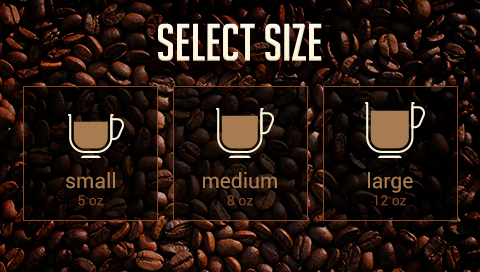 |