Adobe XD is a prototyping and UX/UI option for website and mobile application design, featuring a range of UI tools and and templates, a versatile artboard and contextual layer panels, and deep integration with Adobe's creative suite of products for fast import of objects from these applications.
$33.99
per month per license
Balsamiq
Score 7.6 out of 10
N/A
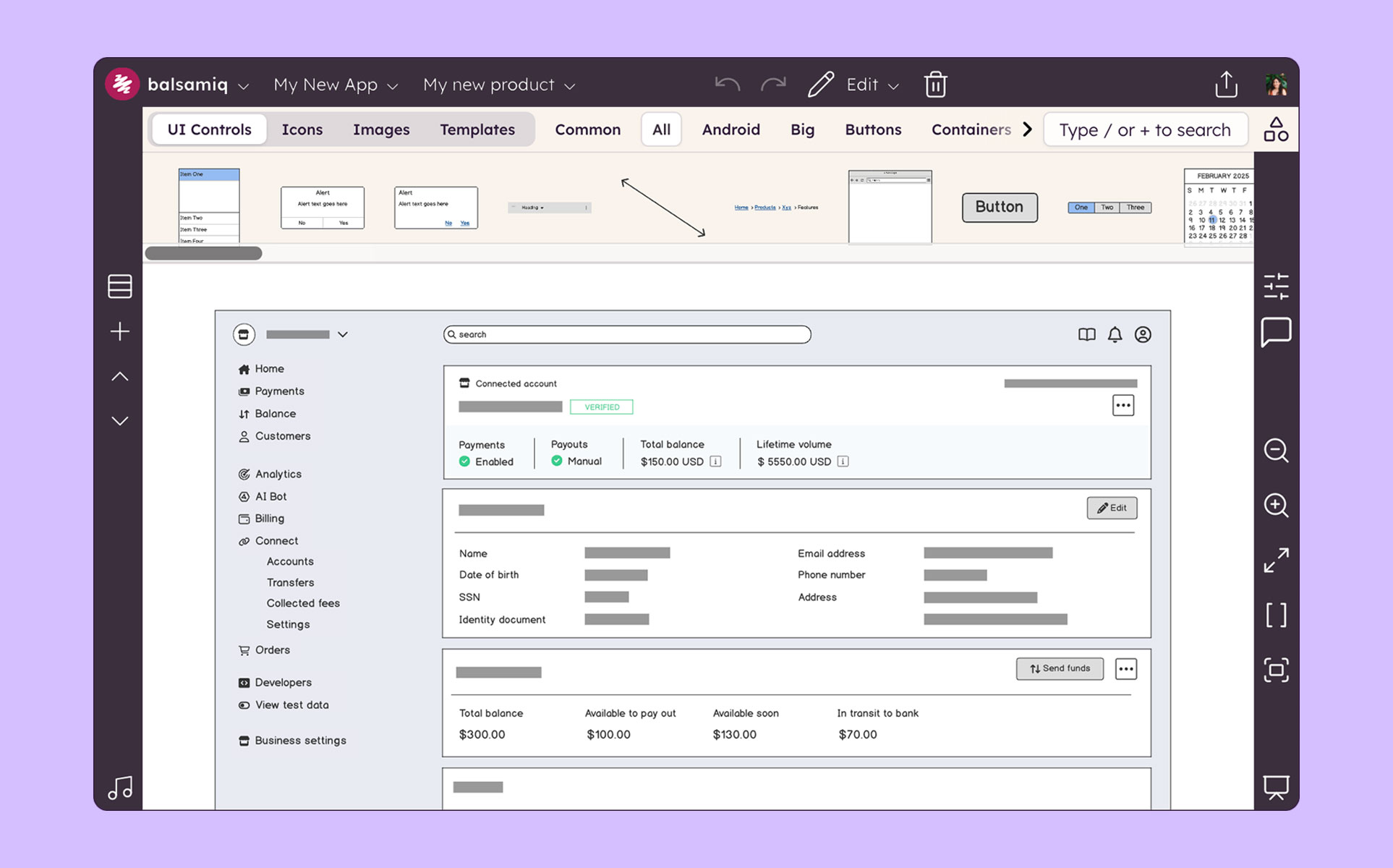
Balsamiq is a wireframing tool that helps lean product teams turn early ideas into clear, actionable direction. The tool helps product managers, founders, and engineers worldwide share concepts, reduce rework, and build better products.
Adobe XD is particularly useful and extremely easy to learn if you are a designer or a frequent user of the Adobe Creative Suite. Like all Adobe software, the tools, shortcuts, and interface are very similar to each other and allow for easy migration. Now, if you are not a frequent user of Adobe, it will probably cost a bit more to learn how to use the software, plus it is probably not going to be worth the price just for Adobe XD.
Balsamiq is excellent for creating low-fidelity wireframes where the designer is trying to communicate a general, loose idea of how the design should look. Because of this, it should be used early in the design stage, when there are still many decisions to be made about how the final design should look like. However, it is less suitable for situations where one wants to communicate a more final-appearing version of a design. There are limited functionalities (which appear intentional, as the Balsamiq website says that the tool "has 'just enough' prototyping capabilities, but not more”). Because of this, it is likely wise to choose a more high-powered tool, such as Axure, to create a fuller design toward the later stages of the design process
Wireframing/high fidelity mockups. We're using it for both responsive websites and apps.
Prototyping. It just gets better with each update, especially with auto-automate.
Ridiculously small learning curve. In my opinion, everything seems to be just where I would expect it to be, especially being familiar with other Adobe products.
Ease of use: Balsamiq is the easiest wireframing platform I've ever used. You will be able to learn how to work with the drag-and-drop interface in less than a day. Use familiar resizing controls (click and drag) to control elements. Familiar keyboard shortcuts for grouping, duplicating, undoing, and more make the platform incredibility intuitive.
Cartoony: I think Balsamiq's intentionally "cartoony" style is great. Again, this helps clients focus on the "what" on the page without spending too much time worrying about the actual look. We have a content-first approach. We always want to nail down the user-flow first before we delve into graphics.
Symbols: The symbols library did not exist when I first started using Balsamiq 7 years ago, but it's a great addition. Assign design elements to your symbols library within a project for easy re-use throughout multiple pages. This is a great way to maintain consistency in your design and reduce re-work. For example, if you copy-paste a footer on each page of your 10 page design, you will need to go back and update all 10 versions if you make a change. If you use the symbols library, you would only need to update it once.
Presentation: Presentation mode allows you to display a full-screen presentation. This is extremely helpful when walking through mocks with clients.
Linking: You can link elements of pages in a project together. This can help you illustrate functionality.
The project can get a bit laggy around 70-100 pages (on a MacBook Pro). It didn't happen to me but I've seen it in a presentation of a project and it froze in a moment and had to restart the app.
I don't find the design of the components very "pretty". It's totally subjective but still wanted to mention it. I know this is the style they have had since the beginning and it's almost something that identifies Balsamiq, but I think it can be improved.
We utilize many of the applications in the Adobe CC suite and our usage of this application came about simply because it was the one that was already paid for. Bearing that in mind we will definitely be renewing the software upon the expiration of the licensing. I am not sure if this is the solution we would go with were it not already included, we would have to evaluate all other options
Balsamiq is just so simple, intuitive and fast at creating wireframes. It has just the right amount of UI elements to get the job done without weighing you down with decision fatigue. If you really need something that is not there, you can either draw or import your own elements. I also like the way that you can organize your assets for reuse.
Adobe XD is basically on life-support now, there are much better software out there that do everything XD can do, and a few that you don't even have to pay a monthly subscription fee on. While Adobe XD is great as shortcuts that are used in other CC software works, and its integration with CC is great. But it still lacks compared to its closest competitor.
Very intuitive and easy to understand. It only takes minutes to get the hang of it and get back to work. For new analysts (like, brand new, fresh out of school) it's not difficult and they need minimal to no hand-holding. The training content that is embedded is easy to find and use.
I have not had a need to connect with the Adobe XD support team as of yet, but from past experience when dealing with the other products, the support has been very very good, and I would have no reason to think that this product would be any different. There are a good number of training videos on the Adobe site for this product as well as on other social media sites so a quick search should let you find the answers in several different ways.
Adobe XD used to be able to stack great, but I would select Figma over Adobe XD any day. Much better features, better quality of life features and includes darkmode. Another great part of Figma is the fact you can strickly use it in a browser without having to install any apps, but if you do install the apps, it works great if not better.
In the past I have just used HTML to mock up UIs, but as I've previously mentioned this can cause problems with user's thinking that the system is already built. Balsamiq is far quicker and easier to create wireframes, it is more collaborative and the resulting wireframes cannot be confused with a real system as they have a hand drawn feel to them.
The product works very well for showing product owners and developers design ideas for purposes of discussion, debate and refinement.
The products also works very well for specifying new designs for developers. This is best done in a series of screens that show various screen states and user interactions.
I also use the products to document bugs in software products and websites we have developed. This includes outlining and documenting bugs and changes to user interactions and refinements to the usability of completed interfaces and user experiences.