Adobe Workfront, acquired by Adobe in late 2020, is a web-based project-management tool. It is designed for both IT and marketing teams, but can be implemented for any kind of project. Workfront offers all the features standard to project management platforms, as well as resource allocation, automation, and agile workflow.
N/A
Bubble PPM
Score6.6 out of 10
Enterprise companies (1,001+ employees)
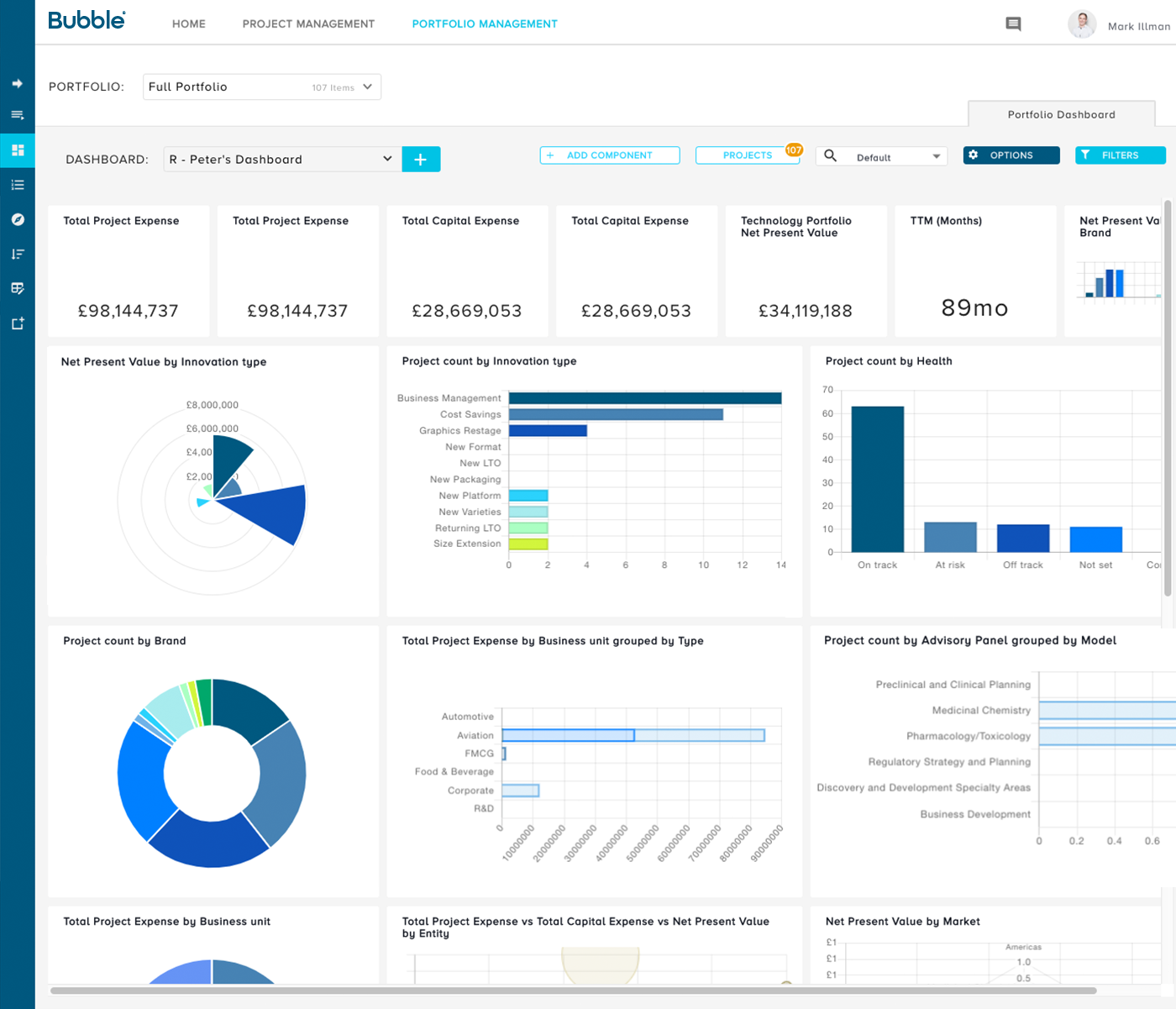
Bubble PPM is a cloud-based Project and Portfolio Management (PPM) software solution from Bubble®. Founded in 1999, the company serves clients globally via offices in London, Cambridge, and Melbourne. Its cloud-based solutions help customers improve the planning, governance, and delivery of Innovation, New Product Development, Engineering, IT, and other initiatives. Their software supports Portfolio Planning, ongoing Project and Portfolio Management, and Resource management.…
N/A
Pricing
Adobe Workfront
Bubble PPM
Editions & Modules
No answers on this topic
No answers on this topic
Offerings
Pricing Offerings
Adobe Workfront
Bubble PPM
Free Trial
No
Yes
Free/Freemium Version
No
No
Premium Consulting/Integration Services
Yes
Yes
Entry-level Setup Fee
Optional
Required
Additional Details
—
Element 1: One-time fixed SaaS set-up fee
One-time investment based on required configuration and deployment.
Element 2: Monthly license fee
Calculated on #users (per user type). Variable - According to required users/types.
Workfront enables us to manage all our projects effectively while providing a comprehensive overview of team resources. The Resource Planner helps the team identify their capacity to determine whether they are over- or under-allocated. This information is crucial for project planning and ensuring team members do not experience burnout.
A de minimis incentive was given to thank the reviewer for their time. The incentive was not used to bias or drive a particular response, nor was the incentive contingent on a positive endorsement. More Info
Bubble PPM is well suited for anyone who manages product related projects, especially new product development. As we've matured in our implementation of the system we found that it is great for managing all projects, but the specific strength is product development to launch. Bubble PPM would not be as appropriate for use as a CRM tool, as the references to people are best suited to users within the organization
A de minimis incentive was given to thank the reviewer for their time. The incentive was not used to bias or drive a particular response, nor was the incentive contingent on a positive endorsement. More Info
I already mentioned the simple user interface for data upload, and the equally intuitive customized reporting. Leadership and "supporting" functions for product development get tremendous value from this because they don't need to hunt down answers anymore. Everything from pipeline planning to operational planning can be built on the same foundation of objective data, rather than many different sources interpreted through many different lenses.
But the greatest value I think Bubble Innovator delivers is not really the product itself. It's the sense of partnership and responsiveness from the Bubble Innovation team. The Bubble Innovation team becomes a part of your team. They are valued consultants with helpful input on best practices for stage gate management, portfolio analytics, and report visualization. I have continually been impressed with the responsiveness and effort that their team brings to the table. When we have challenges and need to customize our data or analytics or reporting, they are right there beside us, finding the best solution, sharing prototypes in a test environment, and implementing as fast as possible.
A de minimis incentive was given to thank the reviewer for their time. The incentive was not used to bias or drive a particular response, nor was the incentive contingent on a positive endorsement. TR verified that a representative sample of customers was invited. More Info
Development of custom functionality, and redefining 'standard' options for the software. As Bubble grows and their customer base increases there will be opportunity for this, at present development projects can be slow and expensive. However the standard software options are excellent, but as processes evolve within organisations the flexibility to evolve the software could be made simpler.
All that I've said already is why. I suppose the clearest way to say it is that at this point? I cannot imagine running the 300+ active projects in eMarketing without AtTask; it simply wouldn't be possible and even more; I wouldn't imagine why we'd try to find an alternative tool when we have one meeting our needs.
The business has been extremely satisfied with Bubble Innovator and is in support of rolling this tool out to our other businesses within the overall franchise.
For my needs, it's easy to jump in and out of, make changes and update projects, and check in with my employers. I haven't used to it create my own projects, they're created by my employer as we go, I suspect it's not hard to use in that way, but I don't have first-hand knowledge.
A de minimis incentive was given to thank the reviewer for their time. The incentive was not used to bias or drive a particular response, nor was the incentive contingent on a positive endorsement. More Info
The user interface is highly visual and simple. Literally within 10-15 minutes of my introduction to the software, I was up and running. Of course, deeper capabilities become apparent after additional use, but the basic functionality is very simple to grasp. Where there are consistent challenges reported by multiple users, the Bubble Innovation team is quick to connect and put plans in place to address the challenges.
Maintenance is required, but usually after work hours, Some days the proofing tool function is not operational, but this is a new function of the tool that WF is working out. the kinks on. Chrome is the best browser to use the system in and we find Firefox and Explorer lose some view functionality - Gantt Chart, Resource Grid
A de minimis incentive was given to thank the reviewer for their time. The incentive was not used to bias or drive a particular response, nor was the incentive contingent on a positive endorsement. More Info
Workfront's performance has been very good. Everything always feels very fast and snappy in my experience. We have integrated it with custom scripts to create folder structure for media managing our projects. It works very well.
A de minimis incentive was given to thank the reviewer for their time. The incentive was not used to bias or drive a particular response, nor was the incentive contingent on a positive endorsement. More Info
It would be nice if the support forms were more dynamic so you could add more information to the support ticket when you enter it to reduce back and forth with the support team member. Also communication on escalated tickets isn't always great. It's gotten better over the years but still needs improvement. Other than that, initial response on support tickets is really quick and the people I've dealt with have always been very professional.
Outstanding response times, and solutions to issues requiring support are quickly implemented. For bigger issues or longer term developments, Bubble happily takes the time to meet in person and discuss requirements to drive detailed solutions.
The training is very easy to use and you can simply choose the topics included in the course(s) that are most important to your training needs. After each training course, you are tested on what you have learned. If you need a refresher course, they provide Course Catalogs as well as instructor-led courses & workshops.
Most people learn as you go, a lot of this stuff requires trial and error throughout so my suggestion is to provide as much information in the upfront and keep it as simple as possible. You can add other tools and features as you go but everyone should have the basics down so no bad habits can start to develop. Be persistent with everyone, and don't be afraid to correct and talk through steps again so everyone is on the same page
A de minimis incentive was given to thank the reviewer for their time. The incentive was not used to bias or drive a particular response, nor was the incentive contingent on a positive endorsement. More Info
The number of variables made this extremely challenging (org changes, stage gate harmonization, pipeline prioritization, and new governance model). I think the implementation was handled very well in spite of this, and managed to deliver on time and on budget.
It's been a while since I've used another time and resource management platform, but I would say that Adobe Workfront takes the cake. Its newly refreshed user interface is simple to navigate, whereas other platforms can be quite confusing when "drilling down" on a project. Also, Adobe Workfront has features that I have not seen in other platforms, including collaboration capabilities and the ability to upload a document as proof so it can be reviewed for grammar, consistency, formatting, etc., before being presented or sent to a client.
A de minimis incentive was given to thank the reviewer for their time. The incentive was not used to bias or drive a particular response, nor was the incentive contingent on a positive endorsement. More Info
When evaluating Bubble Innovator against the competition, we felt that Bubble Innovator gave us the flexibility that we were looking for. Other solutions tended to have some hardwired functionality. Bubble Innovator was a great fit for managing our projects and was efficient to deploy, especially within our existing business processes.
As I stated earlier, I didn't have to pay for Workfront myself- I'm a user under a large organization. I know it's not cheap to implement, I don't know how the price scales for a small-business, but I do like the product enough that I'm going to look into it in the future for my own company.
A de minimis incentive was given to thank the reviewer for their time. The incentive was not used to bias or drive a particular response, nor was the incentive contingent on a positive endorsement. More Info
We have been using Workfront for about 3 years. During this time they continue to be a very stable project management system. Workfront's overall scalability is able to handle increased loads of work. When using Workfront for a project management tool for the web team, we store documents, images & video's without any issues. They work with their customer's to provide the best project management system in the market today! I highly recommend Workfront for all project management needs. Workfront strives to deliver unique technology solutions to growing companies!
A de minimis incentive was given to thank the reviewer for their time. The incentive was not used to bias or drive a particular response, nor was the incentive contingent on a positive endorsement. More Info