Adobe Journey Optimizer vs. MailUp

Overview
ProductRatingMost Used ByProduct SummaryStarting Price
Adobe Journey Optimizer
Score 7.5 out of 10
N/A
Adobe Journey Optimizer is a customer engagement solution, enabling brands to orchestrate and deliver personalized customer engagement across all channels — including email, web, app, mobile, and more — in the moments that matter to customers.N/A
MailUp
Score 6.0 out of 10
N/A
MailUp is the eponymous email & SMS platform from the Italian company that was founded in 2002 that now has a modest but respectable presence across the western world with a diverse customer base (Yamaha, Amnesty International, Korean Air, etc.). Mailup's platform combines email marketing, with transactional email and SMS features, and offers SMTP relay and plugins for ecommerce, CRM and CMS systems. Their unusual pricing scheme is tiered just on subscribers but on volume of sends and that…N/A
Pricing
Adobe Journey OptimizerMailUp
Editions & Modules
No answers on this topic
Offerings
Pricing Offerings
Adobe Journey OptimizerMailUp
Free Trial
NoYes
Free/Freemium Version
NoNo
Premium Consulting/Integration Services
NoNo
Entry-level Setup FeeOptionalOptional
Additional Details
More Pricing Information
Community Pulse
Adobe Journey OptimizerMailUp
Features
Adobe Journey OptimizerMailUp
Email & Online Marketing
Comparison of Email & Online Marketing features of Product A and Product B
Adobe Journey Optimizer
-
Ratings
MailUp
9.5
Ratings
18% above category average
WYSIWYG email editor00 Ratings10.00 Ratings
Dynamic content00 Ratings10.00 Ratings
Ability to test dynamic content00 Ratings8.00 Ratings
Mobile optimization00 Ratings10.00 Ratings
Best Alternatives
Adobe Journey OptimizerMailUp
Small Businesses
Simplify360
Simplify360
Score 7.8 out of 10
Vbout
Vbout
Score 9.9 out of 10
Medium-sized Companies
Dialpad Support
Dialpad Support
Score 9.0 out of 10
VerticalResponse
VerticalResponse
Score 10.0 out of 10
Enterprises
Verint Community
Verint Community
Score 9.9 out of 10
Emma by Marigold
Emma by Marigold
Score 9.4 out of 10
All AlternativesView all alternativesView all alternatives
User Ratings
Adobe Journey OptimizerMailUp
Likelihood to Recommend
6.6
(0 ratings)
10.0
(0 ratings)
Usability
5.8
(0 ratings)
-
(0 ratings)
User Testimonials
Adobe Journey OptimizerMailUp
Likelihood to Recommend
If you need enterprise-level flexibility to organize, design, orchestrate, and execute email communications, then Adobe Journey Optimizer is potentially a very well-suited tool. Sending a high volume of emails is easily accomplished, and targeting either a broad or very targeted audience is also relatively easy. Regardless of your specific circumstances, this "best-in-class" option is worth a look.
Read full review
Great for marketing teams looking to quickly deploy emails without the need for HTML coding.
Read full review
Pros
  • pre built use case playbooks provide a basis for various trips
  • provides customized messaging
  • custom actions let different systems and databases be easily integrated
Read full review
  • Email marketing creation
  • Email design
  • HTML template creation
Read full review
Cons
  • It doesn´t keep the last search you sis in the journeys and you have to enter the search parameter every time
  • there is a window of time during the day that the audiences give out errors and you can´t see the estimates
  • I should be able to select STO in campaigns, not only in journeys
  • I should be able to select the email parameters when using campaigns
Read full review
  • Alt tag styling within the editor
Read full review
Usability
Like I said before some things are very friendly user, But the majority of capabilities are very difficult to access and really understand. That´s why there is a need of big groups in order to work with Adobe Journey Optimizer because a few people not would be able to own and know all the Items.
Read full review
No answers on this topic
Alternatives Considered
Each of these products represents a legacy solution that has been replaced by AJO. AJO allows for all of these marketing functions to live within a single platfrom. While AJO has a learning curve that is steeper than working with individual vendors, it does allow for a consolidation of knowledge and the underlying data stack, so eventual efficiencies may be realized over time
Read full review
Mailup has hands down the best editor for creating responsive emails, I've tried almost everything out there and this is the best, I recommend this to colleagues all the time!
Read full review
Return on Investment
  • Multichannel onboarding journey improving the engagement of freshmen in the business, resulting in a decrease in the dropout rate.
  • Separate business of anticipation of receivables from suppliers that used to be manual and now I have connected this entire operation via the S3 connector, less manual work and significant gains in conversions and payments
Read full review
  • Faster email development
  • More team members able to contribute to the email development process
  • Better templates
Read full review
ScreenShots

Adobe Journey Optimizer Screenshots

Screenshot of Channel Setup in Adobe Journey OptimizerScreenshot of Content Accelerator in Adobe Journey OptimizerScreenshot of In App Message Designer in Adobe Journey OptimizerScreenshot of Screenshot of Profiles Dashboard in Adobe Journey OptimizerScreenshot of SMS Journey in Adobe Journey Optimizer

MailUp Screenshots

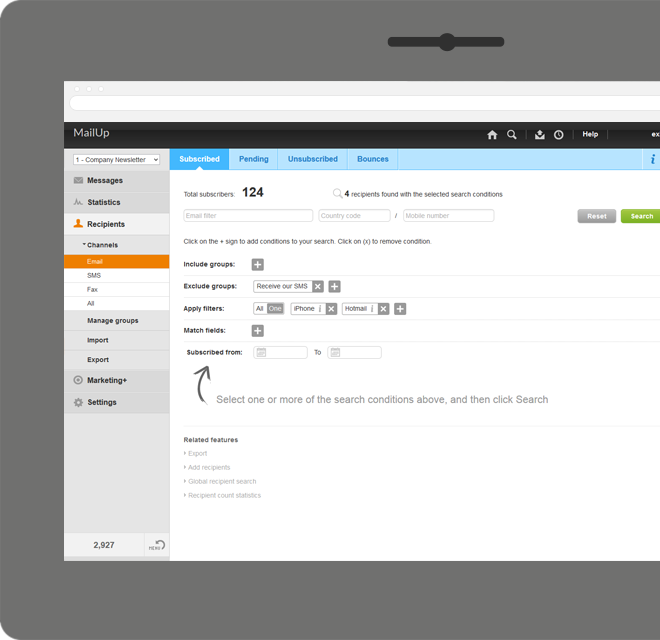
Screenshot of Manage lists. With MailUp, you can manage mailing lists, groups and sending profiles, automatically eliminating duplicate addresses and handling users who cancel their subscription. The procedure is guided, quick and safe. The utmost simplicity, with no need to install additional software. Not bad, right?Screenshot of he winning variable, with mathematical certainty
With A/B testing, discover, prior to mailing, what your recipients prefer to read, by automatically testing several versions of the same text, measuring its effectiveness on a select group. Opening results improve by up to 30% and, for each version, you have more statistical information. Mailing after mailing, you can only do better!Screenshot of Creating emails for mobile devices is easy
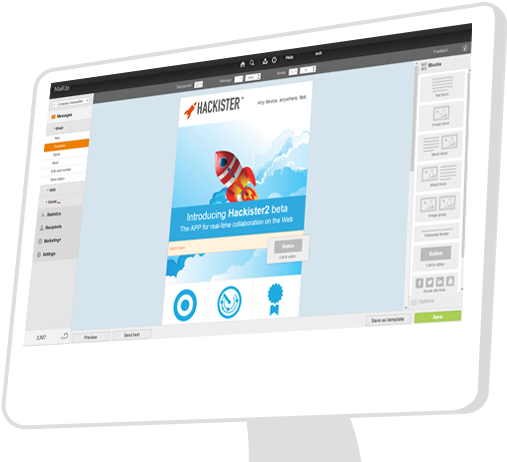
Free your creativity and create emails and newsletters that have great visual impact, optimised for mobile devices. While you concentrate on the content of your campaign, MailUp takes care of the rest with the aid of an intelligent editor and plenty of cutting-edge functions. Not bad, right?Screenshot of Countless ways to create your messages.

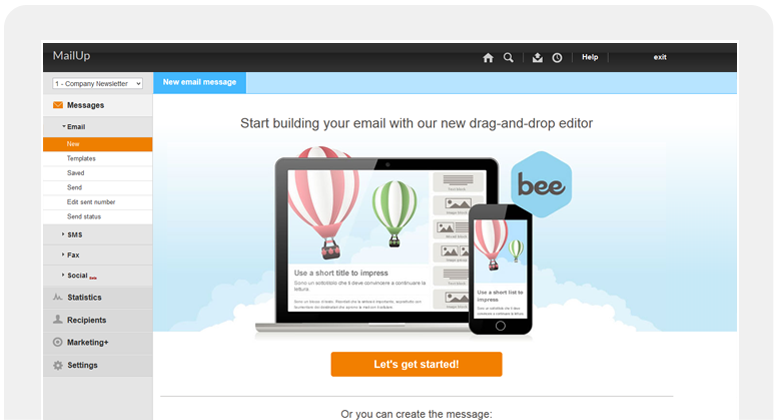
There's not only BEE with which create messages. You can start with HTML documents, RSS/Atom, URL or choose from hundreds of graphic models. Starting with an empty email? The convenient WYSIWYG editor helps you put your messages together with just a few clicks. It's all up to you!Screenshot of .and you can do the same with unsubscribe lists.

Automatic management of unsubscribe lists allows you to activate the UNSUBSCRIBE button directly in the email client interface. The unsubscribers list also shows a list of users who performed this action, which may be edited and exported. This function also allows you to make up random groups of users, specifying the number of subscribers. This makes it easier to manage random sampling and A/B testing.Screenshot of