comScore's Digital Analytix Enterprise (DAX) product was acquired by Adobe in 2015 largely for its European customer base, with the goal of migrating former DAX customers to the Adobe Analytics cloud. Thus, DAX is no longer available.
N/A
Chartbeat
Score6.9 out of 10
N/A
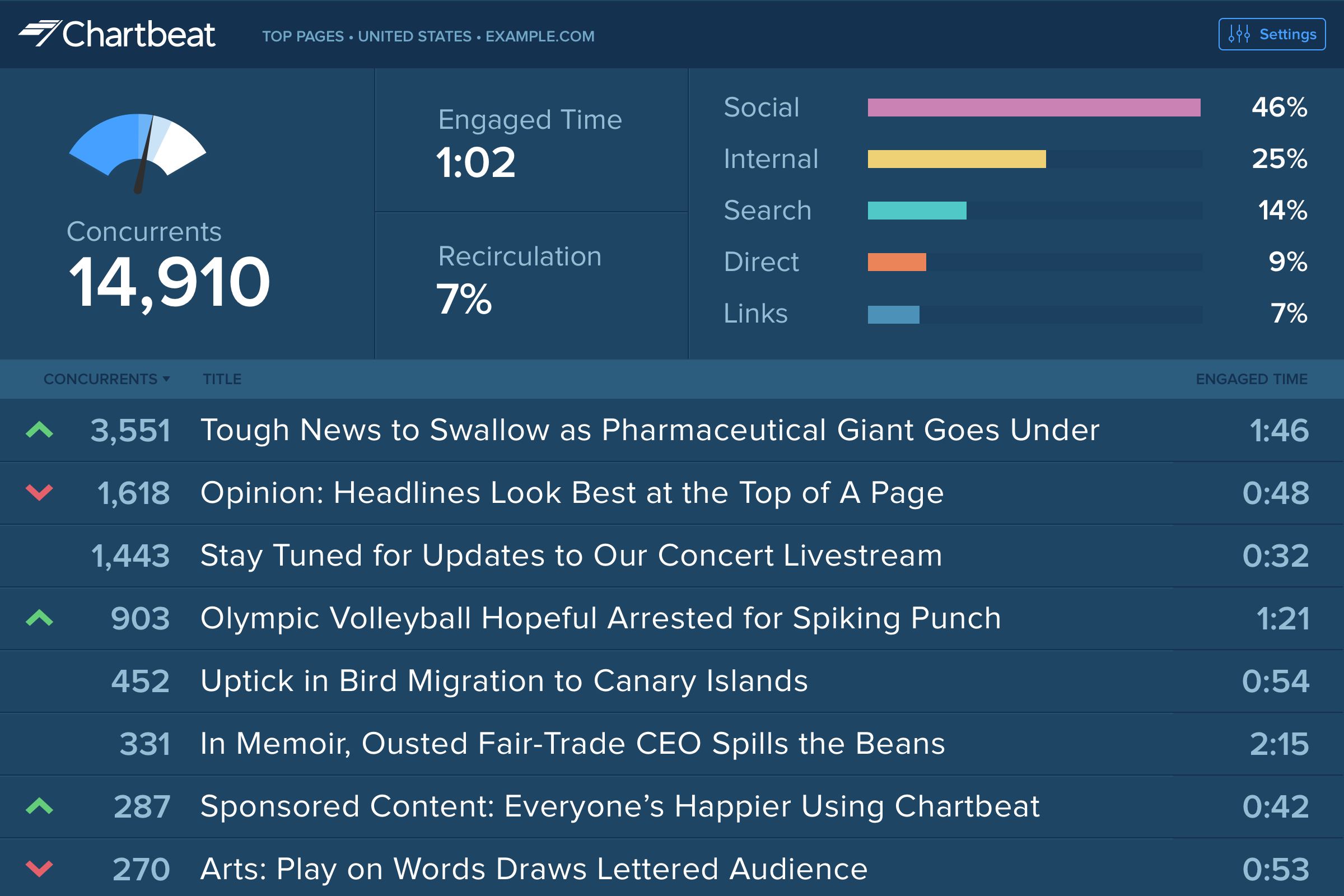
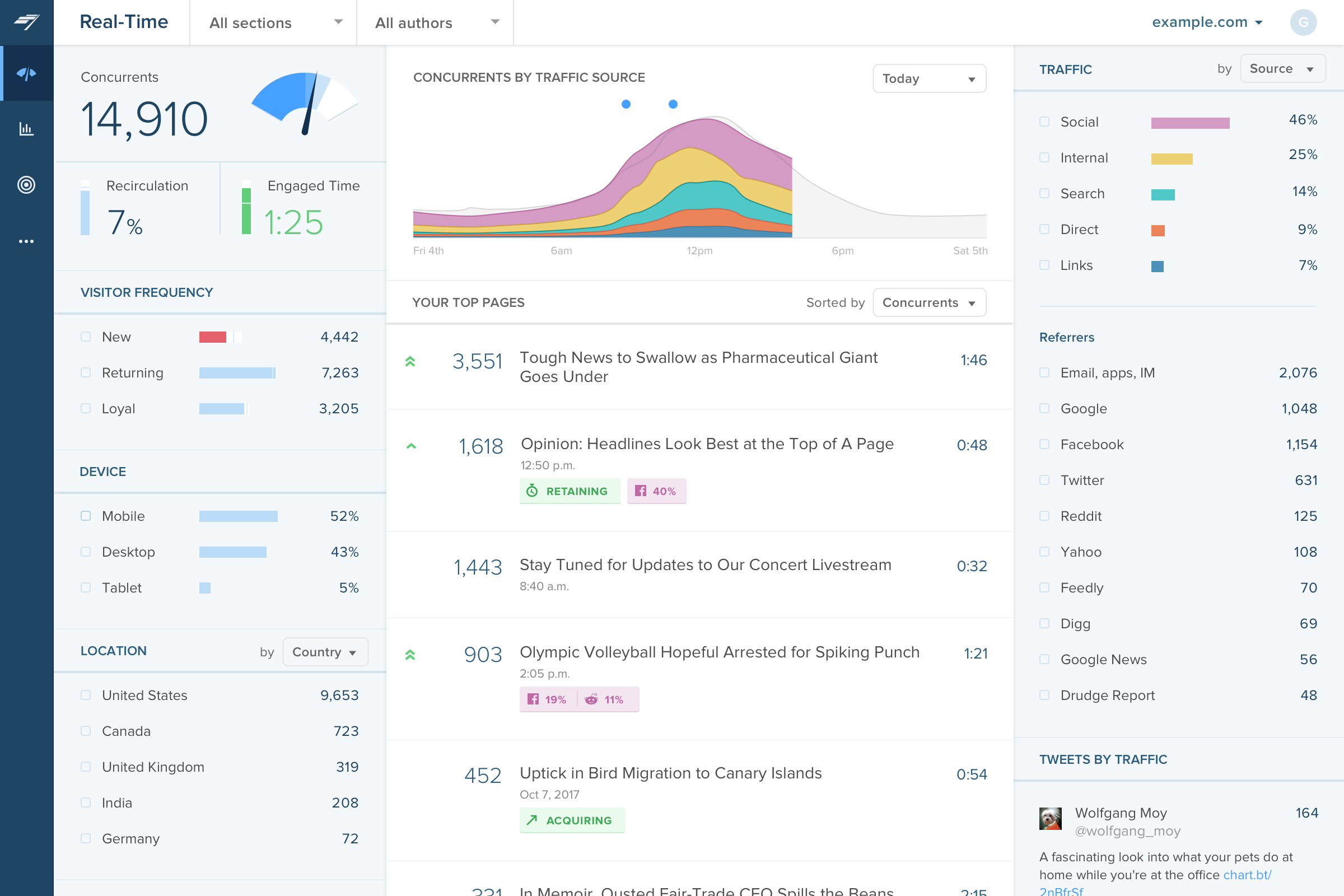
Chartbeat delivers real-time analytics, insights, and transformative tools for content teams around the world, to help improve audience engagement, inform editorial decisions, and increase loyalty.
N/A
Pricing
comScore Digital Analytix (discontinued)
Chartbeat
Editions & Modules
No answers on this topic
No answers on this topic
Offerings
Pricing Offerings
comScore Digital Analytix (discontinued)
Chartbeat
Free Trial
No
Yes
Free/Freemium Version
No
No
Premium Consulting/Integration Services
Yes
Yes
Entry-level Setup Fee
No setup fee
No setup fee
Additional Details
—
Chartbeat pricing is based on monthly site page views. Discounts are applied to multi-year contracts. The Basic Plan includes the Real-time Dashboard, Historical Dashboard, Heads Up Display, Reports, Big Board, iOS and Android app, and Real-time API endpoints.
The Plus Plan includes all of the Basic Plan features, plus ONE of the following Premium features: Headline Testing, Advanced Queries, or Multi-Site View.
The Premium Plan includes all of the Basic Plan features, plus ALL Premium features: Headline Testing, Advanced Queries, Multi-Site View, and enterprise-level support and custom trainings.
A de minimis incentive was given to thank the reviewer for their time. The incentive was not used to bias or drive a particular response, nor was the incentive contingent on a positive endorsement. More Info
DAx has the features, very advanced features (mentioned later) that a power user needs, and is highly customizable, but doesn't require software or hardware ownership. For those capabilities that are not currently there, the customer reporting team often finds a workable solution that we can present to our client. For the more basic users and executives, the dashboard often meets their needs; else the report tab can help with quick access to metrics that have already been built by analysts. Lastly, the level of complex analysis in the tool still impresses. You can analyze web events at the event level, visit level and visitor level. You can apply filters at the report level (for all three - event, visit and visitor) or metric level (again for all three levels). On top of that, they have a concept of scope and rules which, combined with the 3 levels, can really allow a power analyst to ask just about any question and get an answer.
The main point of benefit is the realtime data. This is vital to our team as we are publishing a lot of content per day, so we have a busy homepage to manage and it's important to know which content is performing well. We also like to get an understanding as quickly as possible - which Chartbeat offers - of where traffic is coming from. Often we will see an example where a page is getting high traffic from Google, for example, and we know that might not need to be placed so prominently on the homepage because the traffic is arriving to us externally anyway. Without that depth of understanding what is performing best and why - updated immediately, unlike in Google Analytics now - our homepage would not be as well optimised for users coming to us direct
A de minimis incentive was given to thank the reviewer for their time. The incentive was not used to bias or drive a particular response, nor was the incentive contingent on a positive endorsement. More Info
While I know they are making strides in this area, Digital Analytix is definitely built with power users in mind. The learning curve can be steep.
Because the platform is non-restrictive in terms of label/variable naming, power users need to have intimate knowledge of their schema in order to build reports on their custom variables.
Source of traffic needs improvement. Search and social make sense, but "internal" and "links" is a grey area. It would be helpful to define those with an organization and provide an information icon so users can easily remember what each of those buckets is tracking.
More ways to customize the real-time board. For example, with video content, that's great that I can see a user has started a video, but what is the completion rate, was that only on O&O or can that track Facebook, too?
Would like to see demo (age) information included as a way to slice the data so I can see what's working with my older and younger demo.
A de minimis incentive was given to thank the reviewer for their time. The incentive was not used to bias or drive a particular response, nor was the incentive contingent on a positive endorsement. TR verified that a representative sample of customers was invited. More Info
My company does not utilize Digital Analytix for our own service, we simply provide professional services for it. As such, I can't really answer this question in a meaningful way.
I gave Chartbeat a 5 for a renewal rating, because, while it delivers clear and understandable content, Google Analytics also provides many of the same features for free. For a small to medium website, I believe it would be more cost effective to use Google Analytics. A website with a high amount of traffic, however, could merit spending the money on Chartbeat to maximize their potential.
I am able to "set it and forget it," keeping it up on my monitor for either constant checking or just keeping an eye on the numbers during the day. I'm also able to keep track of what times are perfect to post a story and which stories rack up the most traffic.
A de minimis incentive was given to thank the reviewer for their time. The incentive was not used to bias or drive a particular response, nor was the incentive contingent on a positive endorsement. More Info
I have had limited experience of support for Chartbeat but whenever I have needed help it has been there. Recently there was an issue of seeing different forms of data in real time - app and otherwise effectively, and the issue was being clearly dealt with and communicated back to us.
A de minimis incentive was given to thank the reviewer for their time. The incentive was not used to bias or drive a particular response, nor was the incentive contingent on a positive endorsement. More Info
I have proficiency with Google, Adobe and IBM (formerly Unica's) enterprise offerings. For companies primarily interested in basic reporting, managing a lot of users with very similar needs, and who don't necessarily have the in-house manpower or expertise to build a lot of reporting from scratch Google and Adobe's offerings can typically be safer choices. comScore and Unica offer a more advanced, analyst friendly tool that can be essential for targeted marketing and for a more flexible implementation and can still do all the things that their competitors can do - if you're satisfied with the learning curve for basic users, the advanced capabilities of comScore make this a very worthwhile tool for a digital business.
Omnilytics is more robust, detailed, and catered for an intermediate media user, while I think Chartbeat is a more user-friendly and beginner-oriented piece of technology. That being said, there is an impressive amount of lift for Chartbeat, and it's evident that simplicity is the key to using a software daily (which is absolutely the point in the content world).
A de minimis incentive was given to thank the reviewer for their time. The incentive was not used to bias or drive a particular response, nor was the incentive contingent on a positive endorsement. More Info
A de minimis incentive was given to thank the reviewer for their time. The incentive was not used to bias or drive a particular response, nor was the incentive contingent on a positive endorsement. More Info