Acrobat Sign is an e-signature solution that combines simple and secure e-signatures with Adobe Acrobat. With Acrobat Sign, the user can create, sign, send for signature, manage, and track documents from one Adobe platform. The user can create signing experiences for customers and teams by enabling them to sign documents on any device or browser – anytime, anywhere. No additional software download or accounts are needed. As Microsoft’s e-signature solution, Acrobat Sign…
$14.99
per month license
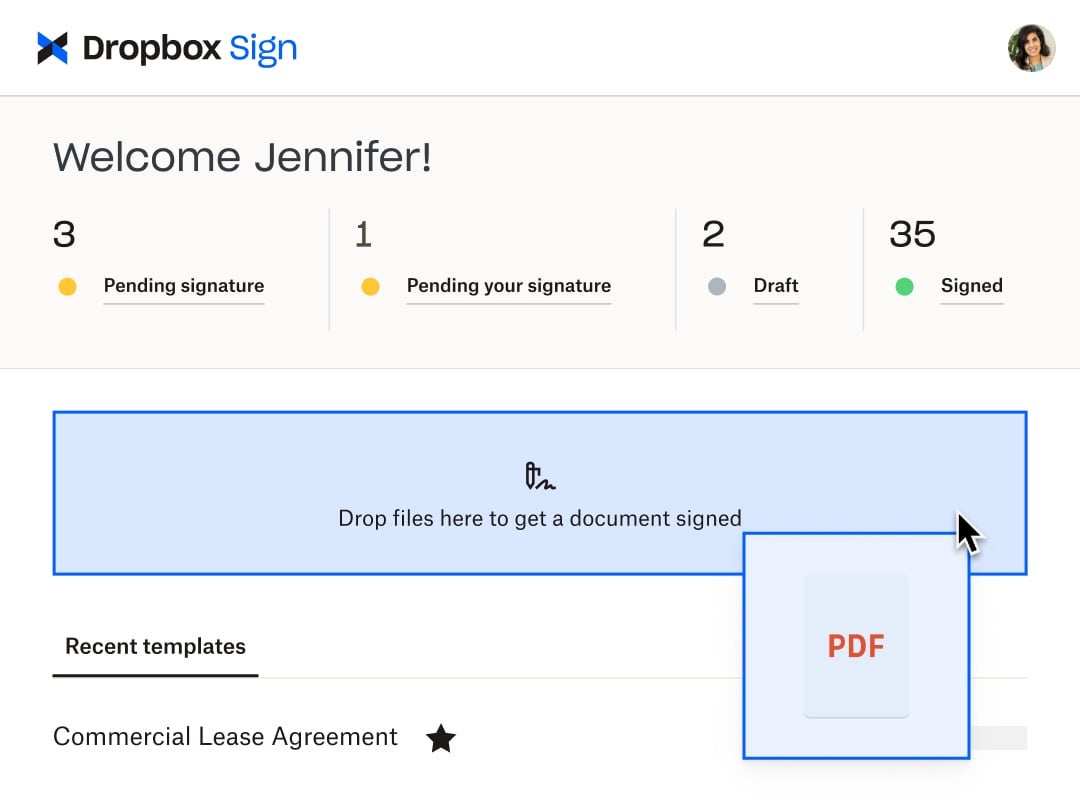
Dropbox Sign
Score8.3 out of 10
N/A
HelloSign is an electronic signature software offering acquired by Dropbox in early 2019. It includes features such as customization for businesses of any size and bank-level security.
$0
per month
Pricing
Adobe Acrobat Sign
Dropbox Sign
Editions & Modules
Acrobat Standard DC for teams
$14.99
per month license
Acrobat Pro DC with advanced e-sign
$16.99
per month license
Acrobat Sign Solutions
Call 800-685-4192 for pricing
Free
$0
Essentials
$15
per month
Standard
$17.5
per month starting at two users, per user
Essentials API
$75
per month Starting at 50 signature requests / mo.
Standard API
$250
per month Starting at 100 signature requests / mo.
Premium
Custom
Custom
Offerings
Pricing Offerings
Adobe Acrobat Sign
Dropbox Sign
Free Trial
Yes
Yes
Free/Freemium Version
No
Yes
Premium Consulting/Integration Services
Yes
No
Entry-level Setup Fee
$34.99 license per month
Optional
Additional Details
—
Additional pricing available for HelloWorks and HelloFax
A de minimis incentive was given to thank the reviewer for their time. The incentive was not used to bias or drive a particular response, nor was the incentive contingent on a positive endorsement. More Info
Chief Executive Officer in Sales at Gladiator Excellence, LLC (Marketing & Advertising, 1-10 employees)
Chose Adobe Acrobat Sign
Even though we are happy with Adobe Sign, we gave HelloSign a try because their interface seems to have a fresher, more modern look, and we thought maybe it would have more features and a better mobile app than Adobe Sign. It turned out HelloSign had far less features than …
A de minimis incentive was given to thank the reviewer for their time. The incentive was not used to bias or drive a particular response, nor was the incentive contingent on a positive endorsement. TR verified that a representative sample of customers was invited. More Info
Verified User
Chose Adobe Acrobat Sign
HelloSign is a similar product to Adobe Sign; however, I found it lacking in some features that are present in Adobe Sign. Usability is similar, [but] I believe that Adobe Sign has a slight edge and I found it nicer to use [with a] better layout and design to be honest.
A de minimis incentive was given to thank the reviewer for their time. The incentive was not used to bias or drive a particular response, nor was the incentive contingent on a positive endorsement. TR verified that a representative sample of customers was invited. More Info
Verified User
Chose Adobe Acrobat Sign
Other e-sign programs like DocuSign and HelloSign offer comparable services to Adobe Sign. Ultimately, we went with Adobe Sign because there was a sale price, and their package (# transactions/documents included for the price) had better value. HelloSign is a great option for …
A de minimis incentive was given to thank the reviewer for their time. The incentive was not used to bias or drive a particular response, nor was the incentive contingent on a positive endorsement. More Info
Business Services in Marketing at Generational Equity, LLC. (201-500 employees)
Chose Adobe Acrobat Sign
DocuSign is a per-email pricing structure, which is extremely inconvenient for us as we send out thousands of emails a day - and also MUCH more technical in setup. Adobe Sign most certainly meets our needs and expectations. HelloSign is great for a Non-Profit type tool, but …
Head of People in Human Resources at Earthrise Energy (Renewables & Environment, 11-50 employees)
Chose Adobe Acrobat Sign
I have prior experience at a previous company with DocuSign, and while that platform may provide a smaller set of features & functionality, it is also more intuitive for first-time users.
A de minimis incentive was given to thank the reviewer for their time. The incentive was not used to bias or drive a particular response, nor was the incentive contingent on a positive endorsement. TR verified that a representative sample of customers was invited. More Info
Marketing Operations Manager in Marketing at Moby Capital (Financial Services, 11-50 employees)
Chose Adobe Acrobat Sign
We felt Adobe's branding and trustworthiness as a great fit for what we do, considering we deal with many sets of sensitive information. We also use other Adobe products, so it was a natural fit with the rest of our mix of tools. We also felt the advanced functionality would be …
A de minimis incentive was given to thank the reviewer for their time. The incentive was not used to bias or drive a particular response, nor was the incentive contingent on a positive endorsement. More Info
Verified User
Chose Adobe Acrobat Sign
Adobe Sign has the brand-name edge on the other products. It is towards the upper end of the price range, with features comparable to the others. It would be a stronger contender if it had support and if logging in wasn't such a challenge. Not my first choice, but not a bad …
A de minimis incentive was given to thank the reviewer for their time. The incentive was not used to bias or drive a particular response, nor was the incentive contingent on a positive endorsement. More Info
A de minimis incentive was given to thank the reviewer for their time. The incentive was not used to bias or drive a particular response, nor was the incentive contingent on a positive endorsement. More Info
Director in Professional Services at Proactiv Financial Solutions (Financial Services, 1-10 employees)
Chose Dropbox Sign
Great software, however the integration of the Dropbox cloud in tandem with this is amazing and simpler than this great competitor for an all in one solution.
A de minimis incentive was given to thank the reviewer for their time. The incentive was not used to bias or drive a particular response, nor was the incentive contingent on a positive endorsement. More Info
A de minimis incentive was given to thank the reviewer for their time. The incentive was not used to bias or drive a particular response, nor was the incentive contingent on a positive endorsement. More Info
A de minimis incentive was given to thank the reviewer for their time. The incentive was not used to bias or drive a particular response, nor was the incentive contingent on a positive endorsement. More Info
Event and Data Management Specialist in Information Technology at Prime Time Palm Beach County (Non-profit Organization Management, 11-50 employees)
Chose Dropbox Sign
It is less expensive and assists nonprofits. That was the biggest factor for us, especially when it came to the integration with Salesforce and SharePoint. Although we do not use it now, we plan on using it other applications were way out of our price range, and DocuSign was …
A de minimis incentive was given to thank the reviewer for their time. The incentive was not used to bias or drive a particular response, nor was the incentive contingent on a positive endorsement. More Info
A de minimis incentive was given to thank the reviewer for their time. The incentive was not used to bias or drive a particular response, nor was the incentive contingent on a positive endorsement. More Info
Verified User
Chose Dropbox Sign
Cost and interface were the main factors, as well as DocuSign has issue with IRS tax forms deleting all the prefilled fields upon upload.
A de minimis incentive was given to thank the reviewer for their time. The incentive was not used to bias or drive a particular response, nor was the incentive contingent on a positive endorsement. More Info
Verified User
Chose Dropbox Sign
I selected Dropbox Sign because it was very easy to use, started with a free plan, and I knew that if I needed a professional plan, it would be reasonably priced. DocuSign was too expensive, and Adobe products are always hard to use and integrate with.
A de minimis incentive was given to thank the reviewer for their time. The incentive was not used to bias or drive a particular response, nor was the incentive contingent on a positive endorsement. More Info
Verified User
Chose Dropbox Sign
Dropbox sign stacks up positively against other signature programs in ease of use and cost.
A de minimis incentive was given to thank the reviewer for their time. The incentive was not used to bias or drive a particular response, nor was the incentive contingent on a positive endorsement. More Info
Growth Manager in Corporate at Spinwheel (Financial Services, 11-50 employees)
Chose Dropbox Sign
While the options above are viable, they don't seem to have the cost structures set up appropriately to capture the longtail of users that my company and I exist in. Even if they are cheaper, they entangle you in a mesh that basically leaves you stuck in their ecosystem. …
A de minimis incentive was given to thank the reviewer for their time. The incentive was not used to bias or drive a particular response, nor was the incentive contingent on a positive endorsement. More Info
Verified User
Chose Dropbox Sign
One feature DocuSign and Sertifi do better are "forward to another contact" for signature.
A de minimis incentive was given to thank the reviewer for their time. The incentive was not used to bias or drive a particular response, nor was the incentive contingent on a positive endorsement. More Info
A de minimis incentive was given to thank the reviewer for their time. The incentive was not used to bias or drive a particular response, nor was the incentive contingent on a positive endorsement. More Info
Founder in Corporate at Berry Interesting Productions, Inc. (Marketing & Advertising, 1-10 employees)
Chose Dropbox Sign
We've been using HelloSign for so long that we are sticking with Dropbox Sign. I find Adobe's proprietary nonsense to be frustrating and annoying; I'm happy with Dropbox as a company and don't want to learn a new tool.
A de minimis incentive was given to thank the reviewer for their time. The incentive was not used to bias or drive a particular response, nor was the incentive contingent on a positive endorsement. More Info
A de minimis incentive was given to thank the reviewer for their time. The incentive was not used to bias or drive a particular response, nor was the incentive contingent on a positive endorsement. More Info
Verified User
Chose Dropbox Sign
Very similar to the others, except this is tightly integrated within the dropbox file/cloud storage, which our company already uses, so that makes it that much more convenient you don't have to go to another platform. You can access it directly within the dropbox ecosystem.
A de minimis incentive was given to thank the reviewer for their time. The incentive was not used to bias or drive a particular response, nor was the incentive contingent on a positive endorsement. More Info
Verified User
Chose Dropbox Sign
Dropbox Sign stacks up very comparably, but I think the mobile UE on DocuSign is better.
A de minimis incentive was given to thank the reviewer for their time. The incentive was not used to bias or drive a particular response, nor was the incentive contingent on a positive endorsement. More Info
Verified User
Chose Dropbox Sign
I used HelloSign because I read good reviews. I had no time to look for other competitors during the lockdown period. Now, we are evaluating other e-signature systems and I will spend more time to compare them with HelloSign. I don't know if other solutions are as focused as …
A de minimis incentive was given to thank the reviewer for their time. The incentive was not used to bias or drive a particular response, nor was the incentive contingent on a positive endorsement. More Info
Owner in Corporate at Sound Wave Events (Events Services, 11-50 employees)
Chose Dropbox Sign
We trialed HelloSign, Adobe Sign, DocuSign, and Instanet. We chose HelloSign because it was the most user-friendly for us and for our signers. The customization was unmatched and met all of our needs fully. The other platforms felt bulky or not intuitive, where HelloSign was …
A de minimis incentive was given to thank the reviewer for their time. The incentive was not used to bias or drive a particular response, nor was the incentive contingent on a positive endorsement. More Info
Website Support, Managing Director in Information Technology at Jolly Good Media (Marketing and Advertising, 1-10 employees)
Chose Dropbox Sign
HelloSign and DocuSign offer similar features. I prefer to recommend HelloSign to freelancers and smaller businesses because they can get started on the free plan and only upgrade when they are ready. DocuSign doesn't offer a free plan. Adobe Sign isn't very intuitive so I'm …
A de minimis incentive was given to thank the reviewer for their time. The incentive was not used to bias or drive a particular response, nor was the incentive contingent on a positive endorsement. More Info
Verified User
Chose Dropbox Sign
We chose to use HelloSign due to ease and flexibility of their API as compared to competitive solutions in the market. Cost was a secondary factor, but our primary driver was the control that we had in integrating the e-sign step in our onboarding.
A de minimis incentive was given to thank the reviewer for their time. The incentive was not used to bias or drive a particular response, nor was the incentive contingent on a positive endorsement. More Info
A de minimis incentive was given to thank the reviewer for their time. The incentive was not used to bias or drive a particular response, nor was the incentive contingent on a positive endorsement. More Info
Acrobat Sign isn't quite as user friendly as other E-Sign platforms I have used. However, it offers a wide range of features that provide convenience and efficiency. For example, I can have multiple people receive the same document separately, or I can have multiple people receive and review the exact same document. I also like that I can choose to set a signing order or not, this is important for when I send Offer Letters and other things that require order of approvals.
Someone who has never used Dropbox Sign before could quickly figure it out without needing a tutorial or guide. It is very useful in instantly collecting signatures and keeping others in the loop as well, even if they aren't signers. I love that there's an option to cc someone in basically and they'll be able to see the documents and when it's signed. It's also impossible to miss a document not being signed because it automatically sends reminders to signers if they do not sign and emails reminders daily, letting me know how many documents are pending signatures.
Adobe Acrobat Sign tracks whether or not a signer has viewed a document
Adobe Acrobat Sign tracks when a signer has signed, and the document has been sent to the next signer
Adobe Acrobat Sign sends you confirmation emails and progress update emails along the way
Adobe Acrobat Sign provides a "confirmation of signing" page at the end of the document package you put together, to prove the signatures are authentic
A de minimis incentive was given to thank the reviewer for their time. The incentive was not used to bias or drive a particular response, nor was the incentive contingent on a positive endorsement. More Info
A de minimis incentive was given to thank the reviewer for their time. The incentive was not used to bias or drive a particular response, nor was the incentive contingent on a positive endorsement. More Info
Builds on Adobe platform so it is easy to utilize, but many features require enterprise subscription.
Integrations available but your CRM integration is only available with enterprise license.
Lots of templates but there are additional templates with enterprise only and there was no drag and drop editor.
Adobe captures some analytical metrics but many of the analytics we required were not available - specifically metrics related to how the tool converts and reduces use time by our team and the impact on clients.
A de minimis incentive was given to thank the reviewer for their time. The incentive was not used to bias or drive a particular response, nor was the incentive contingent on a positive endorsement. TR verified that a representative sample of customers was invited. More Info
It would be nice to be able to build a template for just the location of the signature boxes that would allow me to upload a document, and the boxes could be basically replaced. I have the exact same doc for each of my clients, but there are small changes here and there, and I have to fill in their personal info through another program, so it would be nice to be able to do a template this way instead of just tying a template to one document.
A de minimis incentive was given to thank the reviewer for their time. The incentive was not used to bias or drive a particular response, nor was the incentive contingent on a positive endorsement. More Info
It is by far the easiest service we have used to obtain digital signatures from employees. In the past we had done it by hand (a process I would not recommend for 1500+ employees) and with another company that would not allow us to create our own forms and would charge us for each form.
A de minimis incentive was given to thank the reviewer for their time. The incentive was not used to bias or drive a particular response, nor was the incentive contingent on a positive endorsement. More Info
Because this product has been affordable which is so important for a non profit however it is also of good quality so its not like you get a cheap version of this you get a quality product at an affordable price and that is so important for a non profit
A de minimis incentive was given to thank the reviewer for their time. The incentive was not used to bias or drive a particular response, nor was the incentive contingent on a positive endorsement. More Info
I've had very little trouble with it in all my uses with it. I do wish the text boxes you add wouldn't cut off the text if you entered too many words and that it would adjust it's size to fit within the space you've provided. However, that just takes a little refining in the initial set up of the document before you send it out.
A de minimis incentive was given to thank the reviewer for their time. The incentive was not used to bias or drive a particular response, nor was the incentive contingent on a positive endorsement. TR verified that a representative sample of customers was invited. More Info
I found this to be super user-friendly and easy to teach other teammates how to use in 5 minutes. I use it frequently, and there was little to no learning curve with this product. I also find that document signers have no problem navigating the documents we need them to review.
A de minimis incentive was given to thank the reviewer for their time. The incentive was not used to bias or drive a particular response, nor was the incentive contingent on a positive endorsement. More Info
I would have rated this a 9 or greater had they not had had such critical outages. They have taken steps to resolve this so I may come in and revise this
I have not encountered this because it was so easy to use however just seeing how they created a community is great and shows that they are here for their users. I am going to say I am sure they are available and ready to assist when needed. The fact that we have not yet experienced an outage and issues says a lot though :)
A de minimis incentive was given to thank the reviewer for their time. The incentive was not used to bias or drive a particular response, nor was the incentive contingent on a positive endorsement. More Info
The Adobe Acrobat Sign's performance are excellent.
When we send electronic document by email for signature all the customers receive it regularly, nobody has any issue to open it and the signature phase was very easy. The user-friendly aspect of this product reduce or reset the call for IT support
A de minimis incentive was given to thank the reviewer for their time. The incentive was not used to bias or drive a particular response, nor was the incentive contingent on a positive endorsement. TR verified that a representative sample of customers was invited. More Info
Again I cannot say it is enough this app is simple. We are preparing to be able to integrate with Salesforce and Sharepoint at a very small cost per user (these are the platforms we use) and it is great that they have the option to integrate these apps. We love this app
A de minimis incentive was given to thank the reviewer for their time. The incentive was not used to bias or drive a particular response, nor was the incentive contingent on a positive endorsement. More Info
It is a great tool to get signatures from the client and has reduced a lot of overhead that was caused before resulting in very long delays. With the integration of Adobe Acrobat Sign, we have reduced this delay making the process much smoother and more efficient.
A de minimis incentive was given to thank the reviewer for their time. The incentive was not used to bias or drive a particular response, nor was the incentive contingent on a positive endorsement. More Info
Support is limited to email only (for our subscription level), which might be OK for a e-signing platform if support was relatively rapid. This is not the case with HelloSign. Since the issues first arose a week ago, we have made no discernible progress in solving the problem. No matter how quickly I respond to a follow-up email, we receive only 1 email a day from the support. The other issue, which is a true edge case situation, is their insistence on receiving email from the same email account as the HelloSign registration. We changed our organizational email recently, and I was still logging into HS using our old email address. This became a hard stop on further support, which doesn't make sense on a practical level. Why would someone write in for support with specific issues if they weren't a customer? And if they did, wouldn't that be a miniscule proportion of the support requests? So if you adopt a policy that stops providing support to anyone who isn't verified, regardless of the situation, isn't that using a blunt instrument to solve a very rare issue? Reflects the overall organizational values, in my opinion, which is not to value the small customer.
The best types of training are well integrated into the product and Echosign does this well. As mentioned earlier in my review - there are some areas of functionality that can be difficult to understand ("only I sign") for the novice user. Other areas such as macro usage, bulk signature and so on were easily learned and understood via the online tools.
We did not use it in the manner that most companies do, so I am pleased with how our company handled implementation. We will be pushing the full company over into Echosign for various processes which will incorporate more of an implementation effect.
I can not say it enough - this was the easiest implementation we have had with an application. I became an admin, I added the person who would be the back up admin, we moved forward with adding accounts and that was it. All the users we have were self sufficient enough to move forward with very little guidance and the guidance they received was in house.
A de minimis incentive was given to thank the reviewer for their time. The incentive was not used to bias or drive a particular response, nor was the incentive contingent on a positive endorsement. More Info
They are just different. Adobe's number one feature that puts it above it's competitors is that your document, the signing process, all of it exists within Adobe. There is no need to go from Word, to Adobe, to DocuSign. It saves you time and makes life easy for you (and for your clients).
A de minimis incentive was given to thank the reviewer for their time. The incentive was not used to bias or drive a particular response, nor was the incentive contingent on a positive endorsement. TR verified that a representative sample of customers was invited. More Info
Dropbox Sign seems a little more intuitive and user-friendly than DocuSign. DocuSign also has a limit to the number of documents that you can send for signature over a period of time. Dropbox Sign integrates with just as many applications and software as DocuSign does. I also think the amount of templates that they give you to use is more than adequate for most business applications and more than other services seem to give you.
A de minimis incentive was given to thank the reviewer for their time. The incentive was not used to bias or drive a particular response, nor was the incentive contingent on a positive endorsement. More Info
A de minimis incentive was given to thank the reviewer for their time. The incentive was not used to bias or drive a particular response, nor was the incentive contingent on a positive endorsement. More Info
At the beginning we assigned Adobe Acrobat Sign just to Purchase Office Department because at that moment we needed a tool that supported us to avoid manual signature and was compliance with remote working.
Now we are using it also in other situation because it help us with time and we can also reduce cost
A de minimis incentive was given to thank the reviewer for their time. The incentive was not used to bias or drive a particular response, nor was the incentive contingent on a positive endorsement. TR verified that a representative sample of customers was invited. More Info
Between the easy to use app, the pricing, and the team at dropbox. This app is hands down great! Easy to use. Anyone can start using it and if not I am sure the team at dropbox will guide you to implement. The cost especially for us as a nonprofit is sustainable which is great.
A de minimis incentive was given to thank the reviewer for their time. The incentive was not used to bias or drive a particular response, nor was the incentive contingent on a positive endorsement. More Info
A de minimis incentive was given to thank the reviewer for their time. The incentive was not used to bias or drive a particular response, nor was the incentive contingent on a positive endorsement. TR verified that a representative sample of customers was invited. More Info
A de minimis incentive was given to thank the reviewer for their time. The incentive was not used to bias or drive a particular response, nor was the incentive contingent on a positive endorsement. More Info