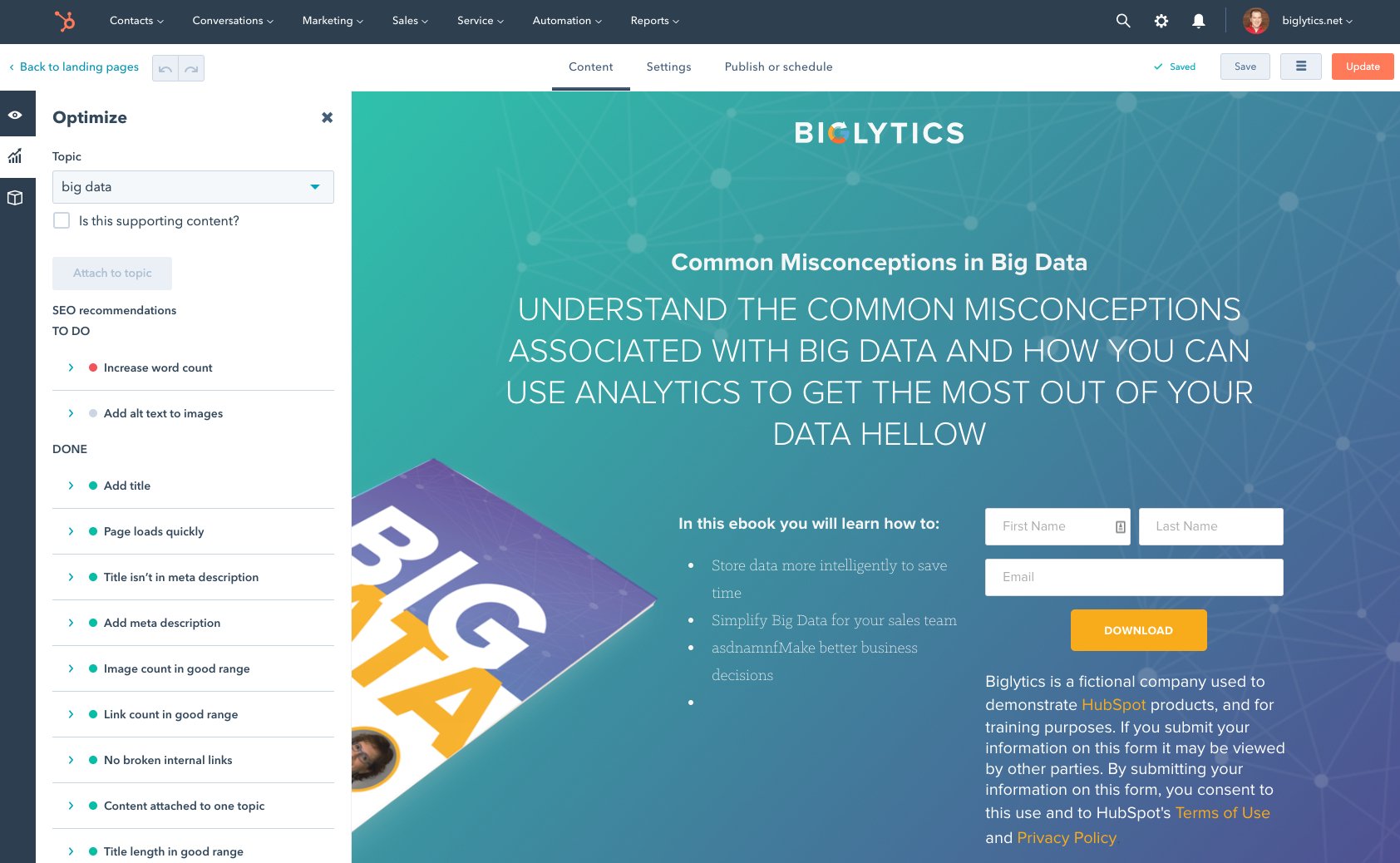
Email automation software with optimized personalization to drive engagement.
N/A
HubSpot Marketing Hub
Score8.8 out of 10
N/A
HubSpot's Marketing Hub is an all-in-one inbound marketing engine that includes tools for email marketing, landing page creation, social media marketing, content management, reporting & analytics, search engine optimization (SEO), and more.
$15
per month per seat
Pricing
Adestra
HubSpot Marketing Hub
Editions & Modules
No answers on this topic
Marketing Hub Starter
$15
per month per seat
Marketing Hub Professional
$890
per month Includes 3 Core Seats (Additional Core Seats start at $50)
Marketing Hub Enterprise
Starts at $3,600
per month Includes 5 Core Seats (Additional Core Seats start at $75)
Small businesses with even smaller marketing budgets and no email marketing experience would be better off selecting a lower-end email marketing provider. However, Adestra will provide a growing company with every email marketing tool along the way.
A de minimis incentive was given to thank the reviewer for their time. The incentive was not used to bias or drive a particular response, nor was the incentive contingent on a positive endorsement. More Info
As I said previously, I was not a fan at the beginning because, like everyone, I don't take change so well. Once I started following leads through HubSpot Marketing Hub, I integrated it with my email and created templates for what I needed, I started to see the positives immediately. My time working was better spent as I eliminated time put in routine tasks. I was able to track all communication in HubSpot Marketing Hub, we created systems in the office assigning tasks to one another and, through HubSpot Marketing Hub, our leads were able to book meetings in my calendar automatically. To be honest, if you are in sales and marketing, I cannot think of scenarios where HubSpot Marketing Hub cannot help. All I would like to say is, when using templates, pay attention to where you send them - you may need some personalization. I would encourage the management of HubSpot Marketing Hub to create short tutorials for beginners like me who need to configure and start using various features: setting up deals, templates, and dashboards.
A de minimis incentive was given to thank the reviewer for their time. The incentive was not used to bias or drive a particular response, nor was the incentive contingent on a positive endorsement. More Info
Adestra's "dynamic" list allows users to consolidate multiple lists in combination with data filters and exclusion lists. This implements segmentation and is a powerful marketing tool.
Adestra's MessageFocus API integration provides developer-tools for list, campaign or transactional automated requirements.
Campaigns can be sorted into project folders. This allows marketers to group campaigns together for management or reporting requirements. Moving or copying campaigns from one project to another is a simple process.
Data downloads via Reporting is available at every level, from overview to individual KPI.
Creating "core" tables helps marketers develop lists with similar attributes. Whether a list has many fields or simply the one required email address field, a "core" table helps to quickly map data labels from spreadsheet to online database. Creating data labels on the fly is a simple process, as well. The "core" table also groups similar contacts into one core database.
Any list can be quickly "emptied" for to manage refreshed data. The contacts within the "emptied" list would still be members of the "core" table and so the process does not negatively impact reporting.
Unsubscribes can be managed in one list (as a default) or individual lists. Creating individual unsubscribe lists -- dependent on business requirements -- would allow for a preference center, whereby recipients could be given a choice as to which campaigns they receive.
The Form tool creates signup forms, simple surveys and landing pages. These can be hosted via Adestra or otherwise on the web. The tool provides for branding and proprietary cascading stylesheets, with a number of actions available through a drag-and-drop interface.
A de minimis incentive was given to thank the reviewer for their time. The incentive was not used to bias or drive a particular response, nor was the incentive contingent on a positive endorsement. More Info
A de minimis incentive was given to thank the reviewer for their time. The incentive was not used to bias or drive a particular response, nor was the incentive contingent on a positive endorsement. More Info
As of this writing, there are at least 3 different editors available (a drag-and-drop, a WYSIWYG and HTML). However, only a small template library is available if requested through support. Those expecting to find ready-built templates for re-branding would find them through the third-party EDM Designer drag-and-drop editor.
A de minimis incentive was given to thank the reviewer for their time. The incentive was not used to bias or drive a particular response, nor was the incentive contingent on a positive endorsement. More Info
While Hubspot has added some collaborative tools, I think this could improve. I'd like to see more options to comment on emails and ways of being able to share out changes as well as approval channels.
The ability to update ads via the calendar is pretty cumbersome. There's no good way to bulk edit or update. You have go into each one individually.
Real time edits would be nice. If you have multiple people working on the same thing, you'll get kicked out and your changes might not be saved.
A de minimis incentive was given to thank the reviewer for their time. The incentive was not used to bias or drive a particular response, nor was the incentive contingent on a positive endorsement. More Info
Our business relies on the HubSpot platform to manage our marketing, sales and CRM processes. HubSpot marketing automation helps us define our activities and streamlines them in a cohesive and efficient way. Without HubSpot, we will have to revert to the 'old way' of doing everything with a variety of disparate systems.
A de minimis incentive was given to thank the reviewer for their time. The incentive was not used to bias or drive a particular response, nor was the incentive contingent on a positive endorsement. More Info
I have been self-trained on different ESPs for over 10 years, so my experience isn't comparable to most users. However, I've trained people on various email marketing platforms, and with some training, clients have a positive user-experience with Adestra.
A de minimis incentive was given to thank the reviewer for their time. The incentive was not used to bias or drive a particular response, nor was the incentive contingent on a positive endorsement. More Info
While there are some frustrating things that pop up unexpectedly ("wait... I can't do X?"), I have found HubSpot to be easy to use and extremely helpful to my daily work. The documentation is really good, and when it's not helpful, the support staff have been amazing.
A de minimis incentive was given to thank the reviewer for their time. The incentive was not used to bias or drive a particular response, nor was the incentive contingent on a positive endorsement. More Info
They have had issues with system availability over the course of days. Sometimes the system is unusable, other times updates simply take a long time to show up. It's better now but, from a reliaibility standpoint, HubSpot is not Salesforce.com yet. Still great software though.
With all the new features in HubSpot, the system can get a tad slow sometimes... That said, most of the time it is lightning fast and I have no problems. Because most of the integrations are API, they silently work in the background. I have not had trouble with lag due to HubSpot integration
I have had campaign related issues solved very quickly. When there are technical issues, that involve more than one departmental, it may involve a longer turn-around and management.
A de minimis incentive was given to thank the reviewer for their time. The incentive was not used to bias or drive a particular response, nor was the incentive contingent on a positive endorsement. More Info
During the few times I've needed it, HS support has been accessible, helpful and efficient. Often rolling up their sleeves to make changes for you as opposed to leaving you with a list of instructions to decipher on your own.
I did the 2-day classroom at HubSpot's corporate office in Cambridge. First off, it was amazing to see their corporate office in general. They have such a cool office environment. But it was also great to have the ability to learn in a workshop format with other HubSpot users and meet my Account Manager/ Inbound Marketing Consultant in person.
I went through Inbound Marketing University in 2006. Great training and helped my transition from traditional (outbound) marketing to inbound marketing that I've been able to apply to a number of businesses from wastewater and water reuse, to professional services and SaaS. Share information of value to build awareness and trust. Answer customers' questions in a transparent way to generate more qualified leads. Understand the difference between a marketing qualified lead and a sales qualified lead and put together a lead nurturing program. Your sales and marketing efforts will see significant ROI.
My biggest piece of advice for those who are implementing Hubspot is that you need to devote the time up front and learn how to use the product. Once you learn how to use Hubspot, it will be much more effective as well as much easier to use in the long run
For medium and large sized businesses, Adestra competes well with dotMailer. While many of the functions are available through either provider, creating campaigns, managing lists and reviewing metrics are somewhat different. As of this writing, dotMailer's drag-and-drop editor dominates that platform and performs well for low-end users with little-to-no HTML experience. Even high-end users will appreciate how quickly campaigns can be built via the drag-and-drop editor. While Adestra utilizes the EDM Designer drag-and-drop, the third-party functionality is not completely cohesive and lack of a template library gives dotMailer a bit of an advantage.
A de minimis incentive was given to thank the reviewer for their time. The incentive was not used to bias or drive a particular response, nor was the incentive contingent on a positive endorsement. More Info
Other competing software such as Zoho and Boomtown may have more bells and whistles, but it is too cumbersome and has many parts that only advanced users can operate. With HubSpot, each function is within reach of the average agent. It doesn't overpromise and then makes you feel incompetent when you can't use it all...
A de minimis incentive was given to thank the reviewer for their time. The incentive was not used to bias or drive a particular response, nor was the incentive contingent on a positive endorsement. More Info
HubSpot is addressing this more and more. Currently you can assign tasks to designated sales teams, which grow as you grow. They've added free baseline products for those just getting started. These and more contribute to the scalability of HubSpot - so I gave it an 8 and am hoping for more in the future!
A de minimis incentive was given to thank the reviewer for their time. The incentive was not used to bias or drive a particular response, nor was the incentive contingent on a positive endorsement. More Info
A de minimis incentive was given to thank the reviewer for their time. The incentive was not used to bias or drive a particular response, nor was the incentive contingent on a positive endorsement. More Info