Action1 vs. ManageEngine Patch Manager Plus

Overview
ProductRatingMost Used ByProduct SummaryStarting Price
Action1
Score 9.5 out of 10
N/A
Action1 is an autonomous endpoint management platform that is cloud-native, scalable, and configurable in 5 minutes. It is free for the first 200 endpoints, with no functional limits. By pioneering autonomous OS and third-party patching - AEM’s foundational use case - through peer-to-peer patch distribution and real-time vulnerability assessment without needing a VPN, it eliminates costly, time-consuming routine labor, preempts ransomware and security risks, and protects the digital…N/A
ManageEngine Patch Manager Plus
Score 9.0 out of 10
N/A
Patch Manager Plus is an automated patch management software that provides enterprises with a single interface for all patch management tasks. The vendor claims it works across platforms, helping users patch Windows, Mac, Linux & 300+ third-party applications. With Automated Patch Deployments, users can automate the entire process of patch management:…
$245
50 endpoints
Pricing
Action1ManageEngine Patch Manager Plus
Editions & Modules
No answers on this topic
Professional
$245.00
50 endpoints
Enterprise
$345.00
50 endpoints
Professional
$345.00
50 endpoints
Enterprise
$445.00
50 endpoints
Offerings
Pricing Offerings
Action1ManageEngine Patch Manager Plus
Free Trial
NoYes
Free/Freemium Version
YesYes
Premium Consulting/Integration Services
NoNo
Entry-level Setup FeeOptionalOptional
Additional Details
More Pricing Information
Community Pulse
Action1ManageEngine Patch Manager Plus
Best Alternatives
Action1ManageEngine Patch Manager Plus
Small Businesses
Avast CloudCare
Avast CloudCare
Score 10.0 out of 10
Action1
Action1
Score 9.5 out of 10
Medium-sized Companies
KACE Systems Management Appliance
Score 10.0 out of 10
Action1
Action1
Score 9.5 out of 10
Enterprises
KACE Systems Management Appliance
Score 10.0 out of 10
CrowdStrike Falcon
CrowdStrike Falcon
Score 9.1 out of 10
All AlternativesView all alternativesView all alternatives
User Ratings
Action1ManageEngine Patch Manager Plus
Likelihood to Recommend
9.4
(0 ratings)
7.1
(0 ratings)
Likelihood to Renew
9.4
(0 ratings)
-
(0 ratings)
Usability
9.1
(0 ratings)
-
(0 ratings)
Support Rating
5.0
(0 ratings)
9.0
(0 ratings)
Implementation Rating
10.0
(0 ratings)
-
(0 ratings)
User Testimonials
Action1ManageEngine Patch Manager Plus
Likelihood to Recommend
For small teams having to deal with significant ammount of devices, I can't express how useful Action1 is. With very small effort, you can easily keep track of your devices, keep them up to date, deploy new software to your users, create recurring reports/alerts and so on. Initially, the 100 endpoints for free was also a nice touch. Now, even better since they increased to 200. For the forseeable future, I have not to worry about costs and still can't believe it's a full solution for free, not those freeware stuff where what you really desire is behind a cost.
Read full review
Its a best tool for managing and patching an corporate environment, specially the dashboards and the UI which is relatively easy to adapt for someone without prior knowledge of Patching as well. If a company has Secure Gateway Server, then the remote deployment is a plus, it helps to even remotely deploy patches to the remote employees.
Read full review
Pros
  • Provide a friendly and easy-to-use interface to manage all my endpoints
  • Provide automated patch management that can be placed on a schedule. Patch approval is easy and intuitive
  • Scan for available software updates and readily report critical updates
  • Uploading and installing software via the Action1 console is very easy to use
  • The app deployment works very well and fast
Read full review
  • All the patches are tested before delivered to us.
  • It's on cloud so we does not need to maintain Hardware and Network.
  • It also upgrades the hardware drivers & BIOS. But for BIOS only we use monthly updates no automatic policy just push to target computers.
Read full review
Cons
  • Lots of times Action1 will identify a program that needs to be patched, but then not really have a path laid out to get that done...so they just remain as they are, but are tagged as such.
  • Really wants to replace the windows update mechanism. Resists (or did at least) you if you try to keep updates as they are and update occasionally from Action1
  • Could develop the scripts section a bit more, looked pretty sparse last time I checked it out.
Read full review
  • If this tool can fetch serial numbers of the devices on which this is deployed
  • This tool should collect all application installed at client machine which is not available as of now.
  • Intergate more application which can be patch using this tool.
Read full review
Likelihood to Renew
Price, functionality, and continuous improvement of the product.
Read full review
No answers on this topic
Usability
Agent deployment is simple (and silent) - once that is done, you're good to go. Everything is simple, centralized and very easy to work with. There isn't one aspect of this platform that requires crawling over forums and Google, it just works!
Read full review
Very easy to use once you get used to it. It can be a little overwhelming at first since there is so many thing you can do. But as soon as you get use to it, it works like a charm.
Read full review
Support Rating
I never contacted support services
Read full review
The support team at Patch Manager Plus has been awesome. Very responsive and knowledgeable. There are times when there is confusion between different tickets but there is still good service.
Read full review
Implementation Rating
very easy to start using it.
Read full review
No answers on this topic
Alternatives Considered
After looking at different solutions, Action1 [Cloud Remote Monitoring and Management Solution] was the perfect fit for us that delivered all of the features we wanted without being as costly as some of the others alternatives we've looked at. There was no minimum endpoint count and they even offer up to 50 endpoints for free, which is really great for a small organization like us to help us lower our starting costs and still allows us to grow at our pace without having to commit to a defined amount of endpoints to start.
Read full review
SolarWinds was not selected because it runs on top of
SCCM which in itself is problematic and unreliable. We need an application that
runs in standalone mode and does not rely on any other application. SolarWinds
is also one of the most expensive. Kaseya and GFI LanGuard are overkill as they contain
functionality that we do not need or already have. GFI LanGuard for instance
does security auditing the same as Qualys that we already have. Kaseya is a full
management and automation solution.
Read full review
Return on Investment
  • Saved hours per week on patching and able to ensure a 100% patching success rate.
  • Able to create custom alerting on potential problems as well as able to create some automation to automatically address problems.
  • Improved support to our remote locations and users.
  • Custom deployments allow us to have a mechanism to deploy custom applications we build as well as other third party applications we need to distribute.
Read full review
  • The tool is cheap compared to any quotes we asked for other suppliers
  • It helps us to accomplish remediation from the vulnerabilities reported by our vulnerability management software
  • It helps us to achieve our infosec goals of risk in our environment
Read full review
ScreenShots

Action1 Screenshots

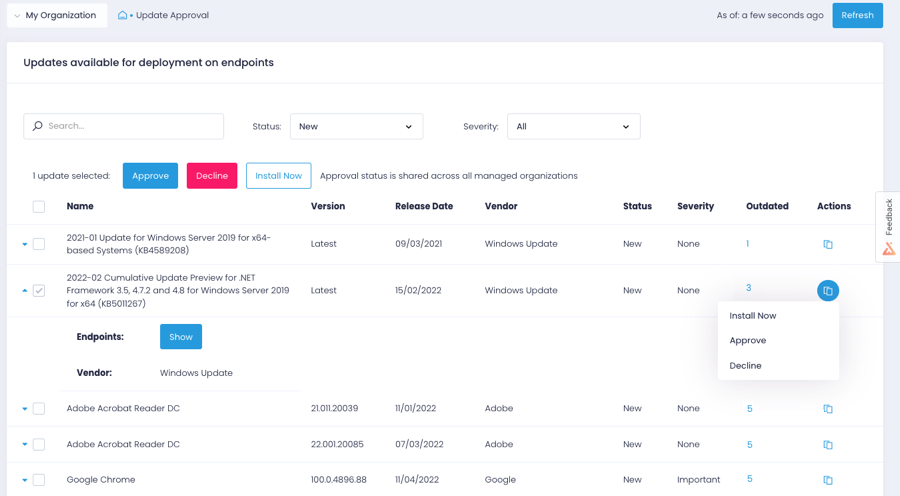
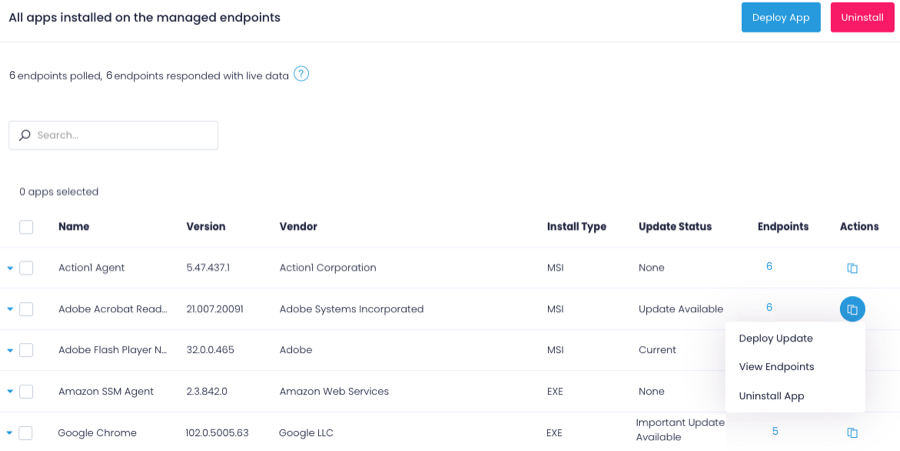
Screenshot of the Action1 dashboardScreenshot of Action1 patch managementScreenshot of Action1 software deploymentScreenshot of Action1 endpoint managementScreenshot of an Action1 vulnerabilities viewScreenshot of Action1 vulnerabilities remediation

ManageEngine Patch Manager Plus Screenshots
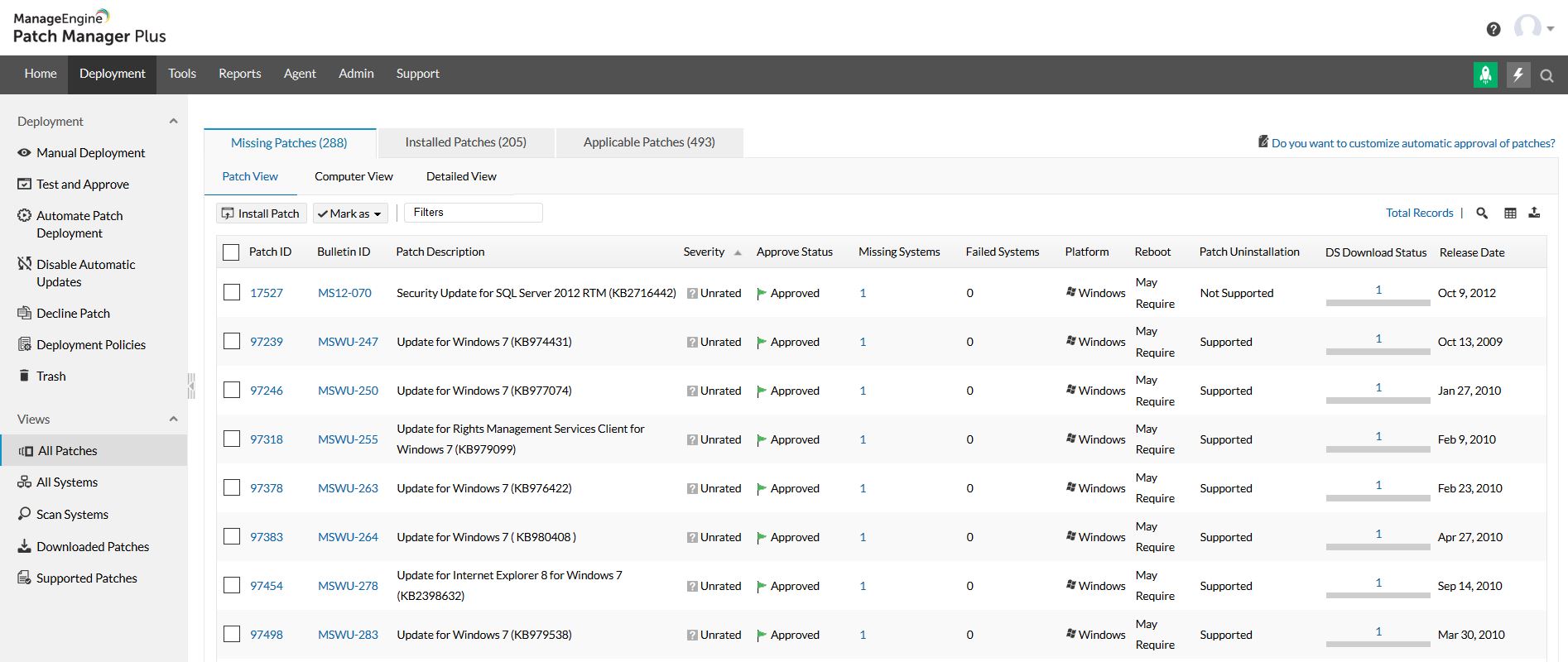
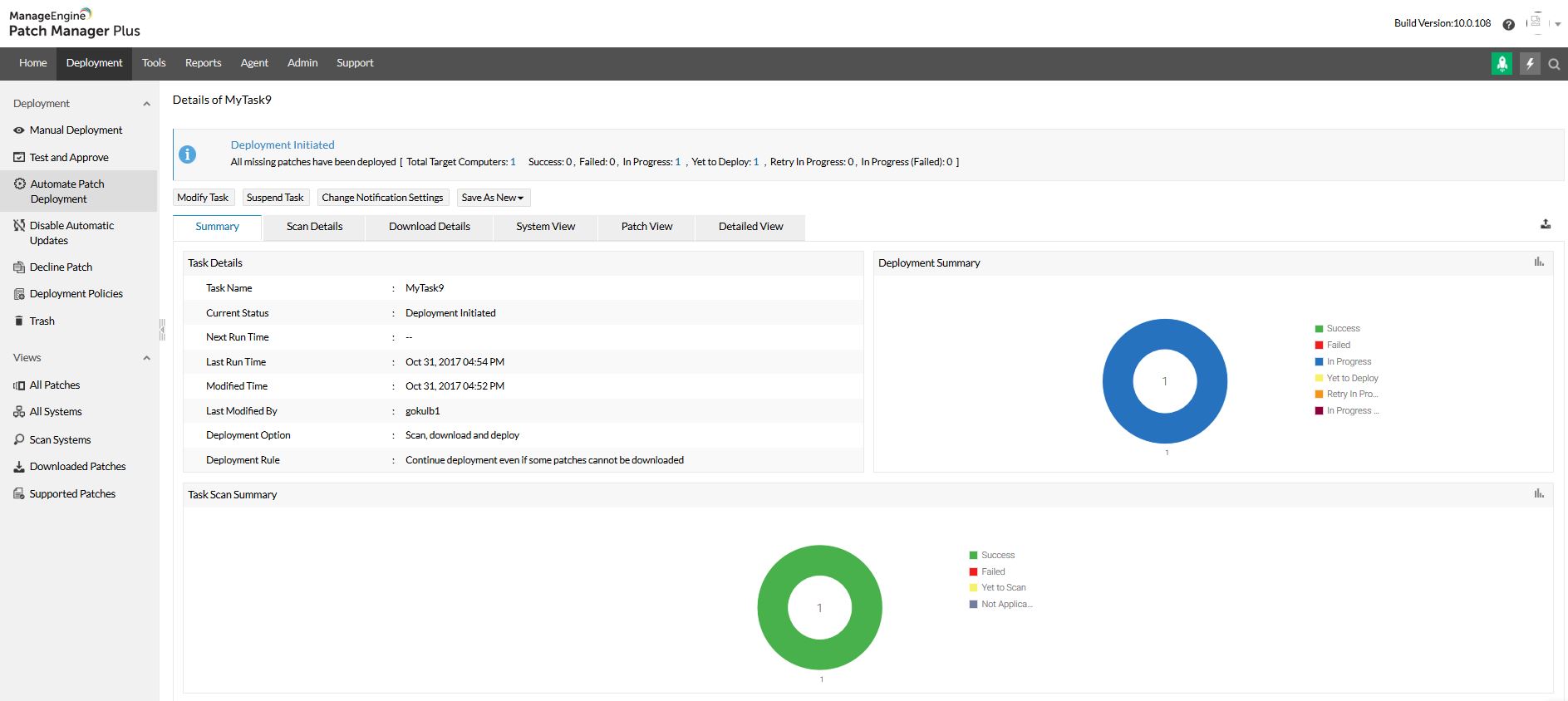
Screenshot of Home view and security news feedScreenshot of All patches viewScreenshot of All systems viewScreenshot of Automated patch deploymentScreenshot of Scope of managementScreenshot of Configurations