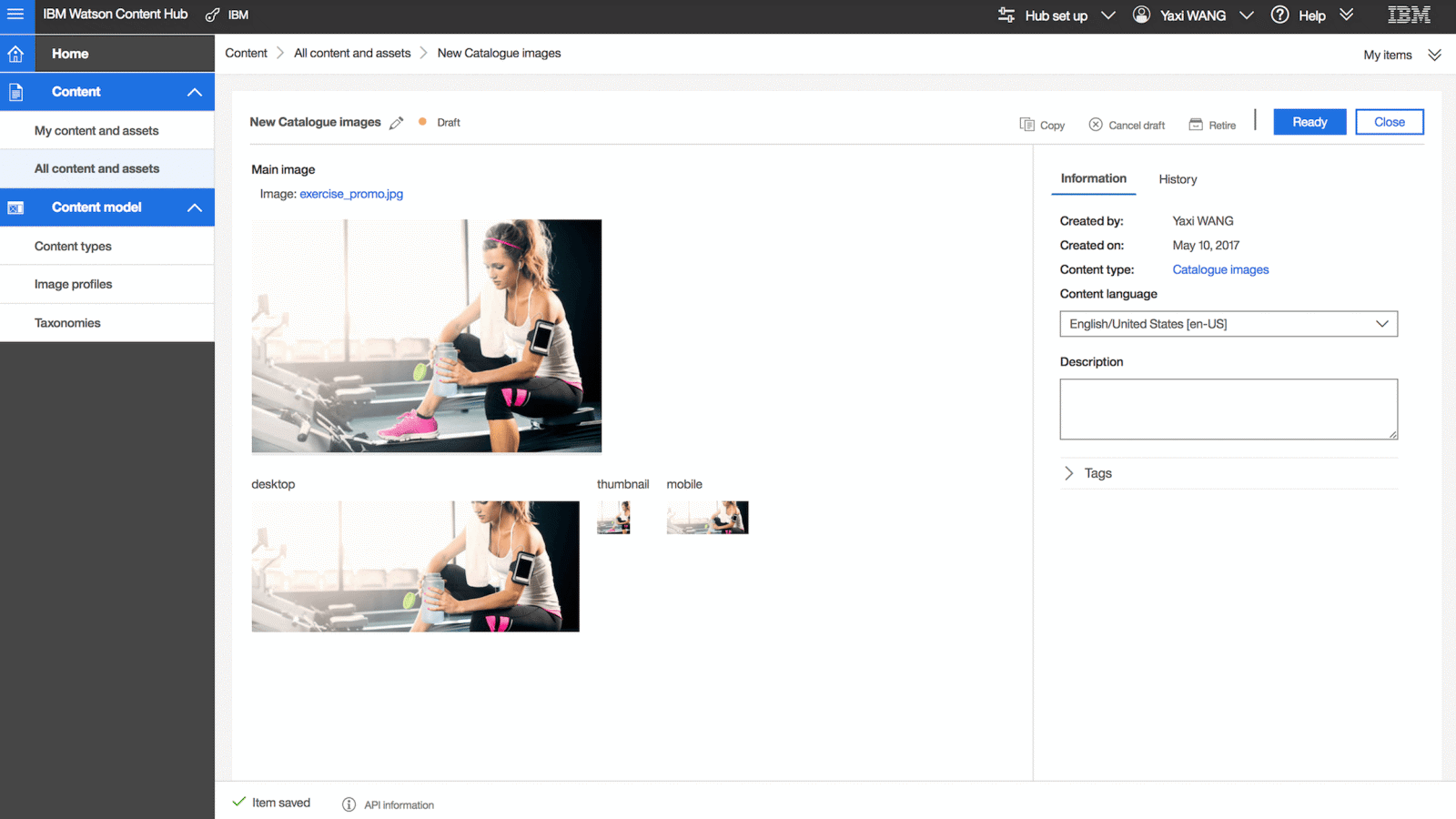
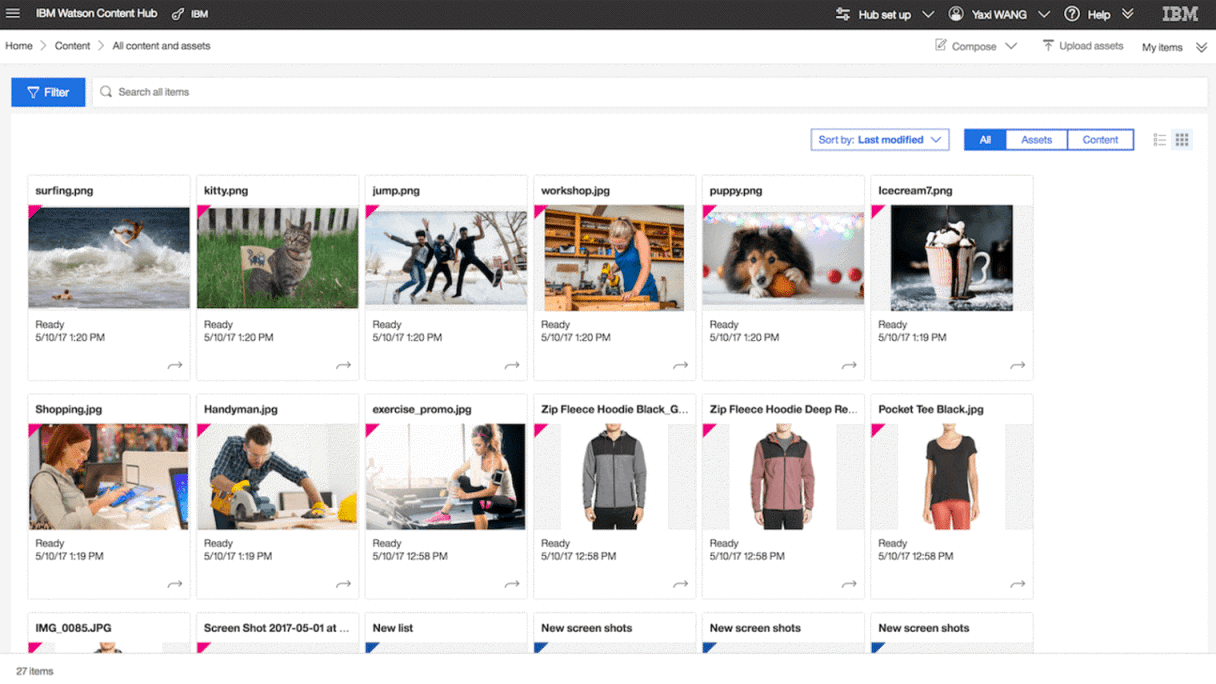
Acoustic Content (formerly Watson Content Hub) gives business owners the power to create, robust and consistent brand experiences using cloud-based, cognitive content management capabilities. Marketing and merchandising professionals can quickly select content to create relevant offers delivered across multiple channels, such as mobile, web-based or email. Acoustic is an independent spun off from IBM Watson Marketing in 2019.
N/A
Craft CMS
N/A
N/A
Craft is a CMS for creating custom digital experiences on the web. Craft can support design portfolios, multinational marketing sites, and other kinds of sites, and integrates with tools like Salesforce, Mailchimp or Hubspot to offer a full business solution.
$130
per month per project
Pricing
Acoustic Content
Craft CMS
Editions & Modules
No answers on this topic
Team
$130
per month per project
Pro
$240
per month per project
Team
$279
per year includes one year of updates ($99 for support each subsequent year)
Pro
$399
per year includes one year of updates ($99 for support each subsequent year)
Enterprise
Contact Sales
for when a project has specific licensing requirements
Offerings
Pricing Offerings
Acoustic Content
Craft CMS
Free Trial
Yes
Yes
Free/Freemium Version
No
Yes
Premium Consulting/Integration Services
No
No
Entry-level Setup Fee
No setup fee
No setup fee
Additional Details
—
Hosted Craft CMS option available with a discount for annual pricing.
More Pricing Information
Features
Acoustic Content
Craft CMS
Security
Comparison of Security features of Acoustic Content and Craft CMS
Feature
Acoustic Content
8.4
3 Ratings
4% above category average
Craft CMS
-
Ratings
Role-based user permissions
8.43 Ratings
00 Ratings
Platform & Infrastructure
Comparison of Platform & Infrastructure features of Acoustic Content and Craft CMS
Feature
Acoustic Content
8.4
3 Ratings
10% above category average
Craft CMS
-
Ratings
API
8.33 Ratings
00 Ratings
Internationalization / multi-language
8.43 Ratings
00 Ratings
Web Content Creation
Comparison of Web Content Creation features of Acoustic Content and Craft CMS
Feature
Acoustic Content
8.6
3 Ratings
11% above category average
Craft CMS
-
Ratings
WYSIWYG editor
7.43 Ratings
00 Ratings
Code quality / cleanliness
8.33 Ratings
00 Ratings
Admin section
8.33 Ratings
00 Ratings
Page templates
8.33 Ratings
00 Ratings
Library of website themes
9.03 Ratings
00 Ratings
Mobile optimization / responsive design
9.03 Ratings
00 Ratings
Publishing workflow
9.43 Ratings
00 Ratings
Form generator
9.43 Ratings
00 Ratings
Web Content Management
Comparison of Web Content Management features of Acoustic Content and Craft CMS
We can organize all our content easily by uploading content files and other digital assets. CMS smart AI generates metadata by tagging them automatically which helps us to sort our content into different categories. CMS content modeling feature helps us to visualize our content structure, assemble them in an intelligent manner and reuse the content whenever we want to for different purposes.
A de minimis incentive was given to thank the reviewer for their time. The incentive was not used to bias or drive a particular response, nor was the incentive contingent on a positive endorsement. More Info
Suitable for mid-size to large websites (20 pages+). If you have a massive project with dozens or hundreds of content contributors, complex editorial process/workflow, are tied to a non-Linux platform (Microsoft Server), you may want an enterprise CMS like Episerver. If you need a small, cheap, theme-based, basic website with 5-15 pages, you'll probably go to WordPress.
A de minimis incentive was given to thank the reviewer for their time. The incentive was not used to bias or drive a particular response, nor was the incentive contingent on a positive endorsement. More Info
Design-agnostic templating system. No themes. This means you can use whatever HTML, CSS, JS you want, and integrate it with Craft.
Versatile field types, with 3rd party plugins providing a bunch more. Everything from plain text to address, color picker, date/time, file assets, one-to-many relationships, and more.
Control panel with clean, responsive UI makes content updates easy for clients.
A de minimis incentive was given to thank the reviewer for their time. The incentive was not used to bias or drive a particular response, nor was the incentive contingent on a positive endorsement. More Info
A de minimis incentive was given to thank the reviewer for their time. The incentive was not used to bias or drive a particular response, nor was the incentive contingent on a positive endorsement. More Info
A de minimis incentive was given to thank the reviewer for their time. The incentive was not used to bias or drive a particular response, nor was the incentive contingent on a positive endorsement. More Info
A de minimis incentive was given to thank the reviewer for their time. The incentive was not used to bias or drive a particular response, nor was the incentive contingent on a positive endorsement. More Info
Craft was originally developed in response to ExpressionEngine's shortcomings. While ExpressionEngine has caught up in some regards, it still looks and feels a bit unpolished by comparison. Additionally, ExpressionEngine's vendor has never gotten UI right - not on their website, nor in their CMS. Craft remains easier to use, more polished and provides a wider feature set in its base install (without needing plugins). As for WordPress - while I recognize its massive popularity, I find its reliance on themes, third-party plugins, along with security shortcomings, make it a poor fit for the larger custom projects we build. On the other hand, if you want to throw up a passable website in a day, you can't beat WordPress.
A de minimis incentive was given to thank the reviewer for their time. The incentive was not used to bias or drive a particular response, nor was the incentive contingent on a positive endorsement. More Info
With the AI based content organizer in place, we can focus more on the content creation.
Acoustic Content makes sure your content is safe and secure with its Content Delivery Networks and we can easily pull out the right content into our channels with the help of its REST APIs.
With their rich Digital Asset Management capabilities, we can find most suitable images to go with your content
A de minimis incentive was given to thank the reviewer for their time. The incentive was not used to bias or drive a particular response, nor was the incentive contingent on a positive endorsement. More Info
We don't have hard numbers on Craft's impact on our ROI, but we recognize that its feature set, ease of use, and integrated ECommerce allows offering a superior product to clients.
A de minimis incentive was given to thank the reviewer for their time. The incentive was not used to bias or drive a particular response, nor was the incentive contingent on a positive endorsement. More Info