TrustRadius: an HG Insights company

AccessPatrol by CurrentWare vs. Arcserve UDP

Save this comparison

Save this comparison

Add Product

Recommended Comparisons

    Overview
    ProductRatingMost Used ByProduct SummaryStarting Price

    AccessPatrol by CurrentWare

    Score6 out of 10
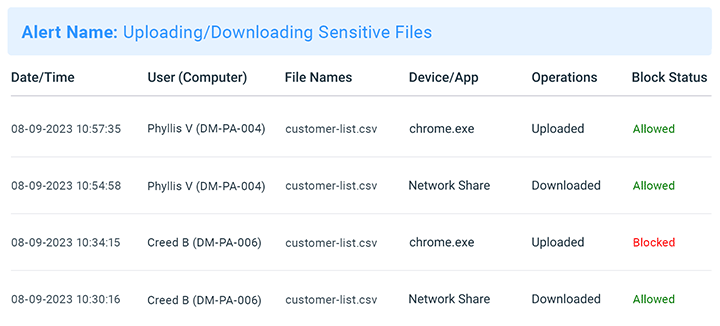
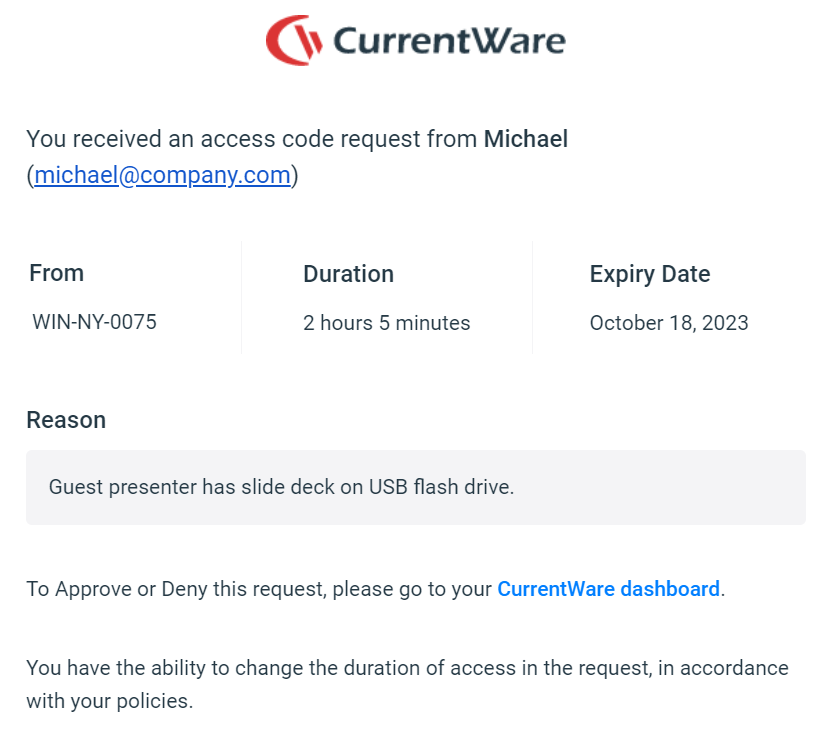
    N/AAccessPatrol by CurrentWare provides a solution for securing company endpoints against data breaches caused by illicit data transfers and rogue USB devices. AccessPatrol can be used to block flash drives, cell phones, tablets, Bluetooth, and more. File operations alerts and permissions can be configured to alert IT administrators to suspicious file operations and proactively prevent data transfers by unauthorized users.

    $72

    per year per user

    Arcserve UDP

    Score7.9 out of 10
    N/AArcserve Unified Data Protection (UDP) is designed to future-proof infrastructure by delivering data protection and disaster recovery for every type of workload. Backed by heterogeneous, image-based technology that protects to and from any target, the vendor boasts combining enterprise-ready features without the complexity of traditional enterprise solutions. Arcserve UDP supercedes the former Zetta DataProtect backup and recovery solution from Zetta.net, acquired by Arcserve July…N/A
    Pricing
    AccessPatrol by CurrentWareArcserve UDP
    Editions & Modules
    10-99 Users
    $6
    per month (billed annually) per user
    100+ Users
    Volume & prepurchase discounts available. Please contact sales for info.
    Per User Per Month
    No answers on this topic
    Offerings
    Pricing Offerings
    AccessPatrol by CurrentWareArcserve UDP
    Free Trial
    YesNo
    Free/Freemium Version
    NoNo
    Premium Consulting/Integration Services
    NoNo
    Entry-level Setup FeeNo setup feeNo setup fee
    Additional DetailsPricing is based on the volume of licenses purchased. There are additional discounts available for educational organizations, non-profits, managed services providers, and businesses that pre-purchase multiple-year plans.
    More Pricing Information
    Best Alternatives
    AccessPatrol by CurrentWareArcserve UDP
    Small Businesses
    No answers on this topic
    No answers on this topic
    Medium-sized Companies
    Forcepoint DLP
    Score6.2 out of 10
    Forcepoint DLP
    Score6.2 out of 10
    Enterprises
    Forcepoint DLP
    Score6.2 out of 10
    Forcepoint DLP
    Score6.2 out of 10
    All AlternativesView all alternativesView all alternatives
    User Ratings
    AccessPatrol by CurrentWareArcserve UDP
    Likelihood to Recommend
    -
    (0 ratings)
    8.0
    (3 ratings)
    Usability
    -
    (0 ratings)
    10.0
    (1 ratings)
    Support Rating
    -
    (0 ratings)
    9.9
    (2 ratings)
    User Testimonials
    AccessPatrol by CurrentWareArcserve UDP
    Likelihood to Recommend
    CurrentWare Inc.
    No answers on this topic
    Arcserve
    If I were speaking to a fellow Managed Service Provider, I would likely NOT recommend this product. There are simply too many other tools out there that are better hitting this particular market. And the pain points that we do have with them are especially difficult because of our business model. However in speaking to pretty much anyone else in IT/Disaster Recovery this is an enterprise tool built to handle anything you throw at it. UNC paths and linking backup servers to one another, the flexibility of the tool allows for maximum cost savings if you build it right.
    Incentivized
    Read full review
    Pros
    CurrentWare Inc.
    No answers on this topic
    Arcserve
    • It is reliable and once it is up and running you do not need to worry about it.
    • It is flexible; you can use it to backup on-prem or in the cloud.
    • Backup and DR
    Incentivized
    Read full review
    Cons
    CurrentWare Inc.
    No answers on this topic
    Arcserve
    • Notifications - on the odd occasion something doesn't work, I get way too many email notifications!
    • Explanation of issues - sometimes when there is a problem, the explanation is a bit lacking in the logs as to why
    • Flagging of errors - sometimes minor errors just get a warning flag, and it doesn't really notify you that they are there.
    Incentivized
    Read full review
    Usability
    CurrentWare Inc.
    No answers on this topic
    Arcserve
    It works great in our infrastructure, we have reduced the risk of losing information at a lower TCO compared to other solutions. The implementation process was precise and fast and upgrades have always been smooth. It delivers what it promises.
    Incentivized
    Read full review
    Support Rating
    CurrentWare Inc.
    No answers on this topic
    Arcserve
    Pretty good--I haven't actually had to call them much so it's hard to say. The box works well enough and most of my issues have been related to the rest of my network, rather than the appliance itself.
    Incentivized
    Read full review
    Alternatives Considered
    CurrentWare Inc.
    No answers on this topic
    Arcserve
    Arcserve [UDP] has stood the test of time due to its low cost-to-feature value proposition for our company. We have ultimately decided to move to a more MSP-friendly product in N-Able Backup, but Arcserve [UDP] kept us around for years with their reliable and inexpensive product that delivered above and beyond technologically of their competitors throughout all that time.
    Incentivized
    Read full review
    Return on Investment
    CurrentWare Inc.
    No answers on this topic
    Arcserve
    • We have been able to keep our clients' costs low and add advanced features with no additional overhead for us in licensing.
    • It does however cost us a significant amount of additional technician time to review backups each day compared to other products aimed in our vertical.
    Incentivized
    Read full review
    ScreenShots

    AccessPatrol by CurrentWare Screenshots
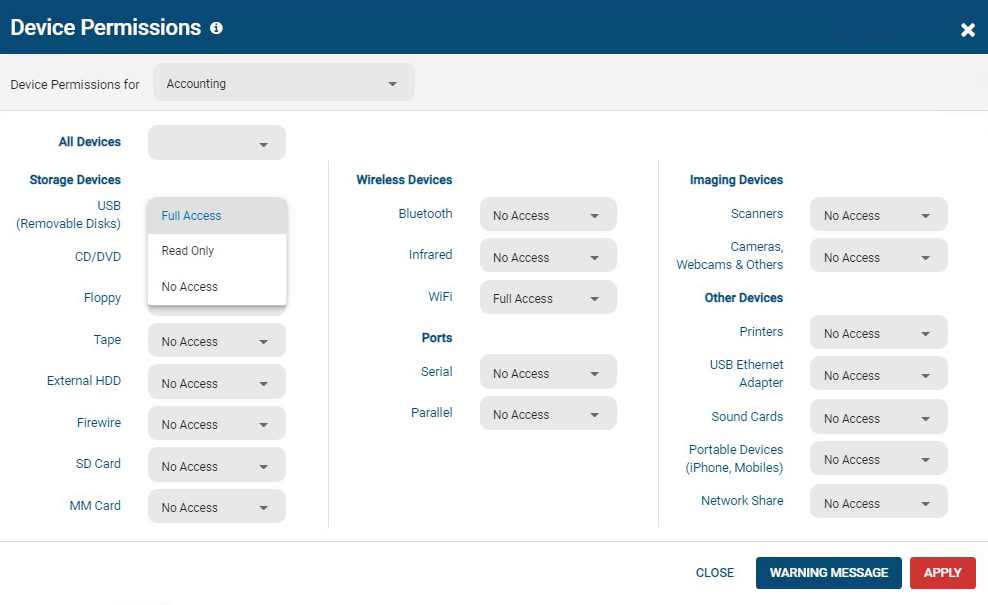
    Screenshot of AccessPatrol's web console. This password-protected console is accessible to designated operators using a desktop or laptop that is connected to the LAN that the CurrentWare console is installed on.

All users and computers with CurrentWare Clients installed can be managed from the console, including offsite/remote workers.Screenshot of AccessPatrol's device permissions window. This is the list of devices that can be blocked with AccessPatrol, including removable storage devices such as USB flash drives, optical media, and floppy disks. AccessPatrol can also block WiFi, Printers/Scanners, and other peripheral devices.

If specific USB devices need to be allowed that can be whitelisted using the Allowed List. By design AccessPatrol does not block USB-based HID devices such as keyboards and mice; blocking USBs will still allow these devices to function as normal.Screenshot of AccessPatrol's USB activity dashboards provide aggregated and granular USB activity data at a glance including file operations and blocked vs allowed devicesScreenshot of AccessPatrol's Block File Transfers window.  File transfers can be blocked based on extensions or specific file names.Product screenshotProduct screenshot