TrustRadius: an HG Insights company

Save this comparison

Save this comparison

Add Product

Recommended Comparisons

    Overview
    ProductRatingMost Used ByProduct SummaryStarting Price

    Accelo

    Score8 out of 10
    Small Businesses (1-50 employees)
    Accelo provides cloud-based Professional Services Automation (PSA) software designed to unify and streamline client, project, resource, and financial management for service-based businesses. By centralizing operations into a single, intuitive platform, Accelo eliminates the need for fragmented tools, delivering a comprehensive solution that improves efficiency, transparency, and collaboration across teams. Serving industries such as consulting, engineering, architecture, IT…N/A

    Projectworks

    Score8.9 out of 10
    N/AProjectworks cloud-based software automates time-tracking, invoicing, resourcing, forecasting, and reporting, getting experts out of the project weeds. Projectworks integrates with any existing tech stack, saving time on data double handling. Projectworks integrates with Xero, QuickBooks Online, MYOB, Jira, Azure DevOps, Salesforce, and other applications. Business users of Projectworks start with comprehensive training, expert data migrations, and responsive…

    $190

    per month for 10 users (minimum)

    Pricing
    AcceloProjectworks
    Editions & Modules
    No answers on this topic
    No answers on this topic
    Offerings
    Pricing Offerings
    AcceloProjectworks
    Free Trial
    NoYes
    Free/Freemium Version
    NoNo
    Premium Consulting/Integration Services
    YesNo
    Entry-level Setup FeeOptional$1,000 (starting cost for implementation)
    Additional DetailsThe minimum number of users is 10. There is a 10% discount for annual pricing.
    More Pricing Information
    Best Alternatives
    AcceloProjectworks
    Small Businesses
    Autotask PSA
    Score8.9 out of 10
    Autotask PSA
    Score8.9 out of 10
    Medium-sized Companies
    Planview AdaptiveWork
    Score7.4 out of 10
    Planview AdaptiveWork
    Score7.4 out of 10
    Enterprises
    Planview AdaptiveWork
    Score7.4 out of 10
    Planview AdaptiveWork
    Score7.4 out of 10
    All AlternativesView all alternativesView all alternatives
    User Ratings
    AcceloProjectworks
    Likelihood to Recommend
    8.0
    (8 ratings)
    -
    (0 ratings)
    Likelihood to Renew
    9.0
    (1 ratings)
    -
    (0 ratings)
    Usability
    7.0
    (1 ratings)
    -
    (0 ratings)
    Performance
    10.0
    (1 ratings)
    -
    (0 ratings)
    Support Rating
    8.2
    (3 ratings)
    -
    (0 ratings)
    User Testimonials
    AcceloProjectworks
    Likelihood to Recommend
    Accelo
    Accelo is a system that can do it all. It's extremely sophisticated. Depending on the sophistication of your organization, or specifically the abilities of the people you put in charge of the implementation, it can almost be too sophisticated. It all just depends on your situation. The more you use it, the more data you give it, the more you'll be able to see and do. It's incredibly powerful. But it's definitely not a tool that would be appropriate for smaller boutique type organizations that have only basic needs.
    Incentivized
    Read full review
    Spiderworks
    No answers on this topic
    Pros
    Accelo
    • Timing Client Work: You are able to better manage your time on your clients.
    • Housing Client Info in one Area: You can view all you need for any given client in one area.
    Incentivized
    Read full review
    Spiderworks
    No answers on this topic
    Cons
    Accelo
    • Accelo is excellent on the adaptation to its deep functionalities.
    • Managing multiple project is very challenging.
    • Not easy to collect multiple reports across platforms.
    Incentivized
    Read full review
    Spiderworks
    No answers on this topic
    Likelihood to Renew
    Accelo
    Looking forward to seeing more refinement of features provided and upcoming features promised :)
    Read full review
    Spiderworks
    No answers on this topic
    Support Rating
    Accelo
    From the beginning the Accelo team has been very invested in ensuring our success and overall happiness with the platform. The initial implementation specialists and trainers did a fairly good job of learning our company and needs, and tried to tailor the trainings accordingly. However, once we made the formal switch to the platform, meaning we no longer were using our legacy systems, we found that we had a lot of questions....and a lot of ideas and recommendations. The support team is extremely responsive and seemingly happy to receive our continual feedback. And if we encounter an issue that seems to be a system issue, they work diligently to fix it (we've actually had an engineer join a call with us to learn of the issue - and subsequently fix it)
    Incentivized
    Read full review
    Spiderworks
    No answers on this topic
    Alternatives Considered
    Accelo
    Accelo doesn't really exceed any competitors in any one area of their product, but in 2015 when we made the move this was the best option that included all the tools we wanted. However, user adoption was low in some areas due to the UI, so we scaled back Accelo and added other tools.
    Incentivized
    Read full review
    Spiderworks
    No answers on this topic
    Return on Investment
    Accelo
    • It substantially reduced the number of systems we use to run our business.
    • It reduced the need to train our staff on a variety of platforms.
    • It gave us the ability to have a client-facing portal that directly integrates with our backend systems.
    Incentivized
    Read full review
    Spiderworks
    No answers on this topic
    ScreenShots

    Accelo Screenshots

    Screenshot of the PSA / Platform - a client profileScreenshot of the included CRM functionality, used to communicate, track and engage with leads and clientsScreenshot of the Sales interface, providing lead management functionalityScreenshot of quote creation, where users can compose, modify and send professional work proposalsScreenshot of projects, the interface to plan, manage and collaborate on client deliverablesScreenshot of ticket generation, where users can submit, monitor and complete ad-hoc work requests

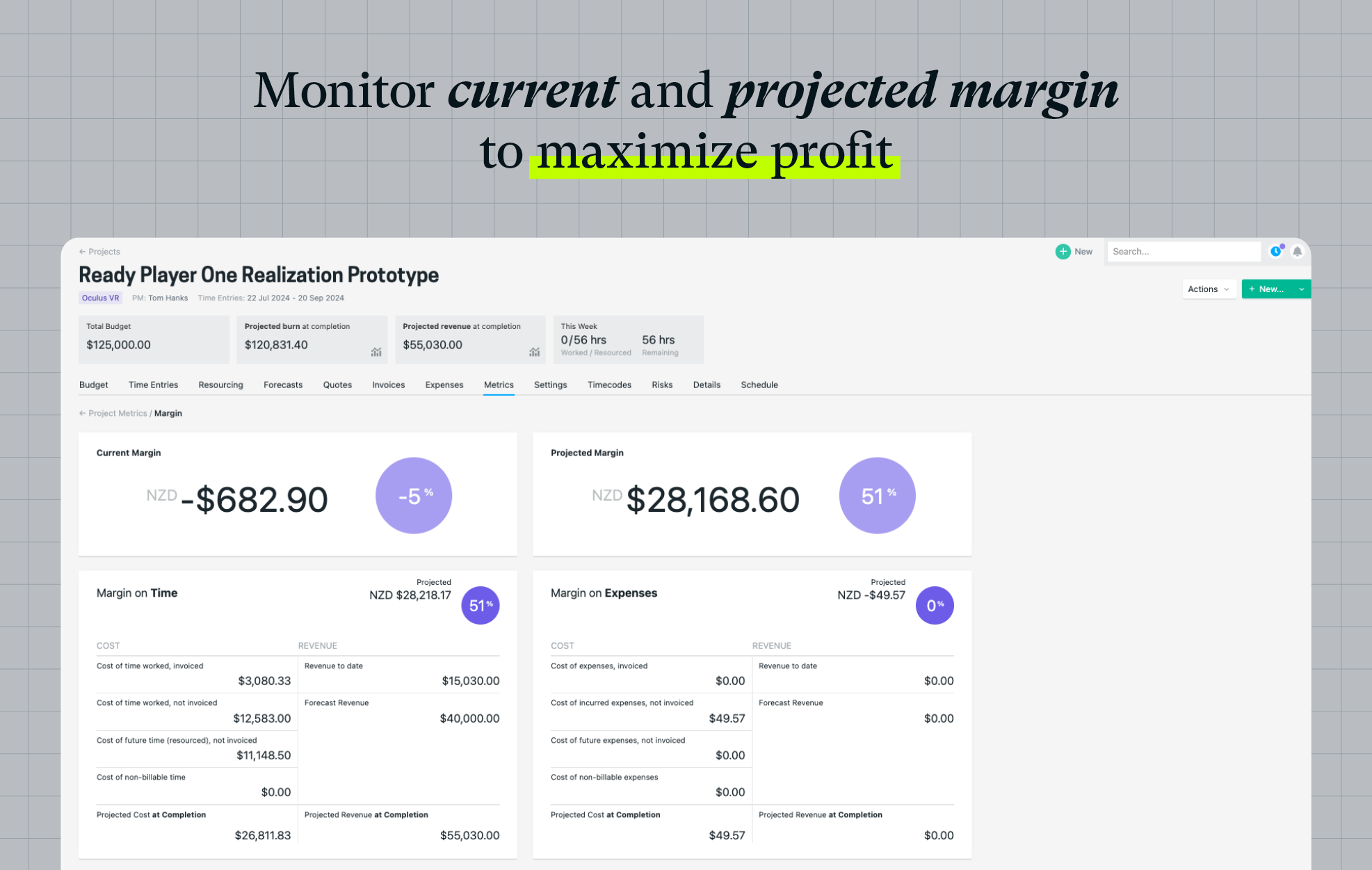
    Projectworks Screenshots

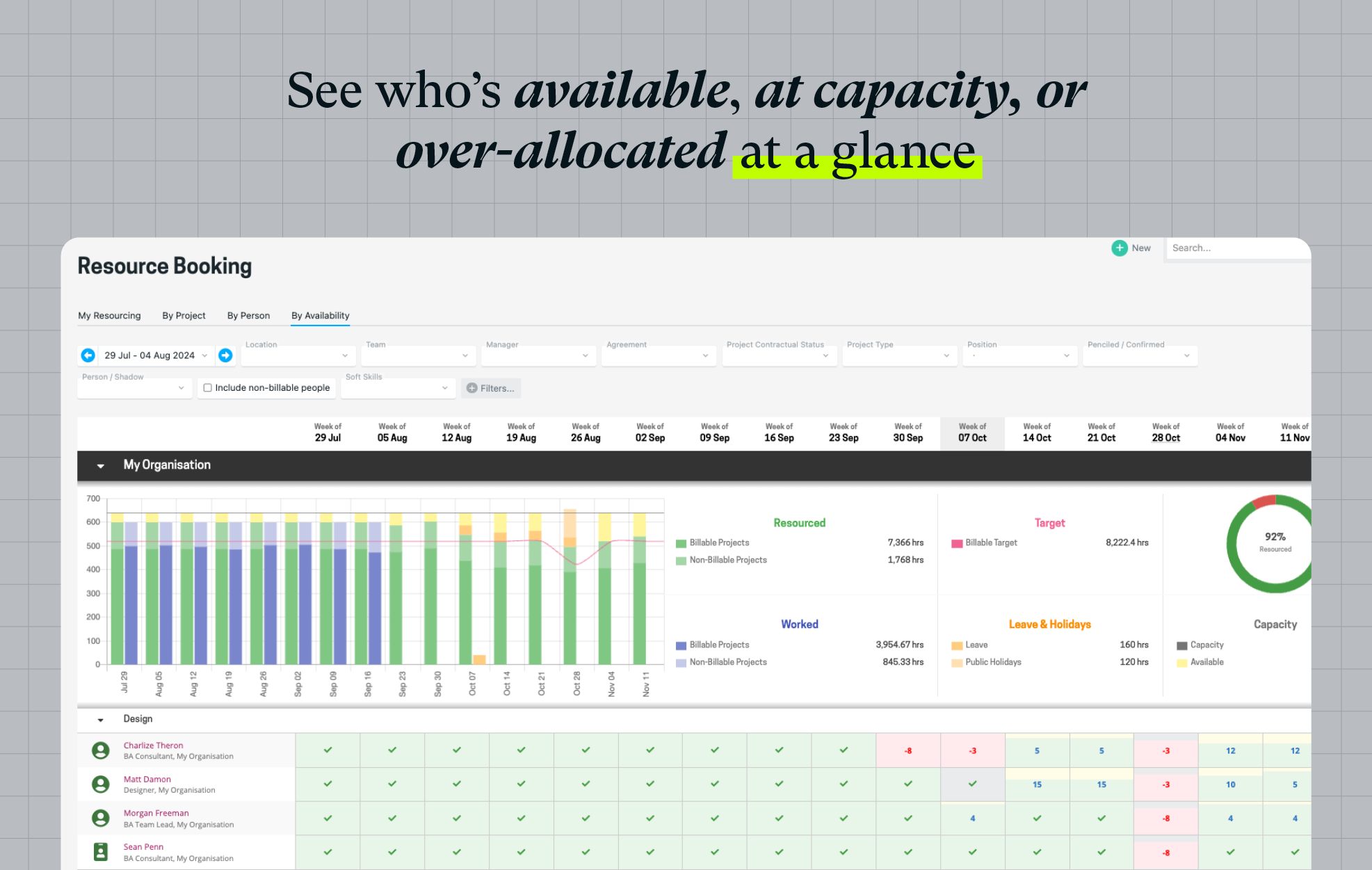
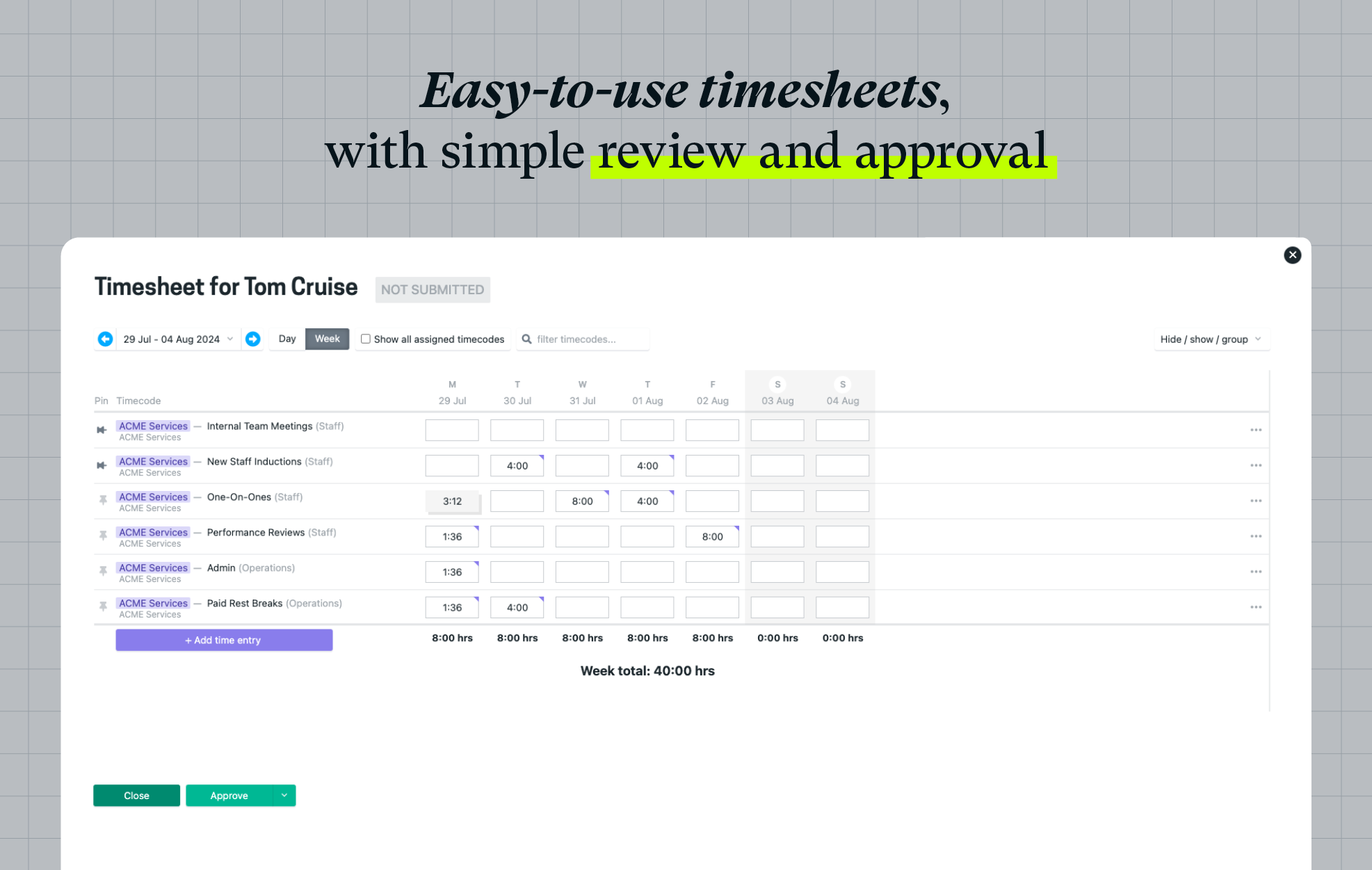
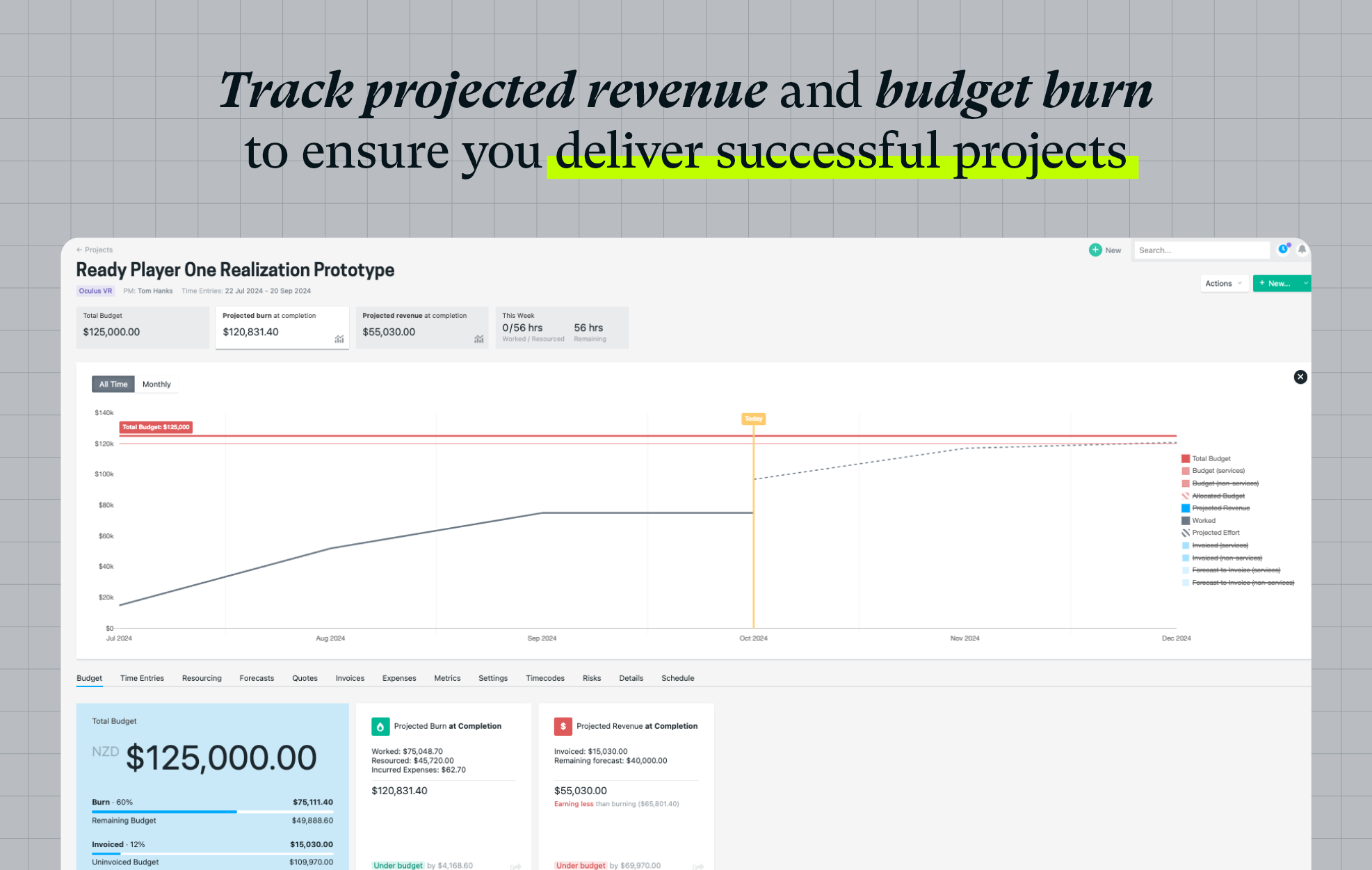
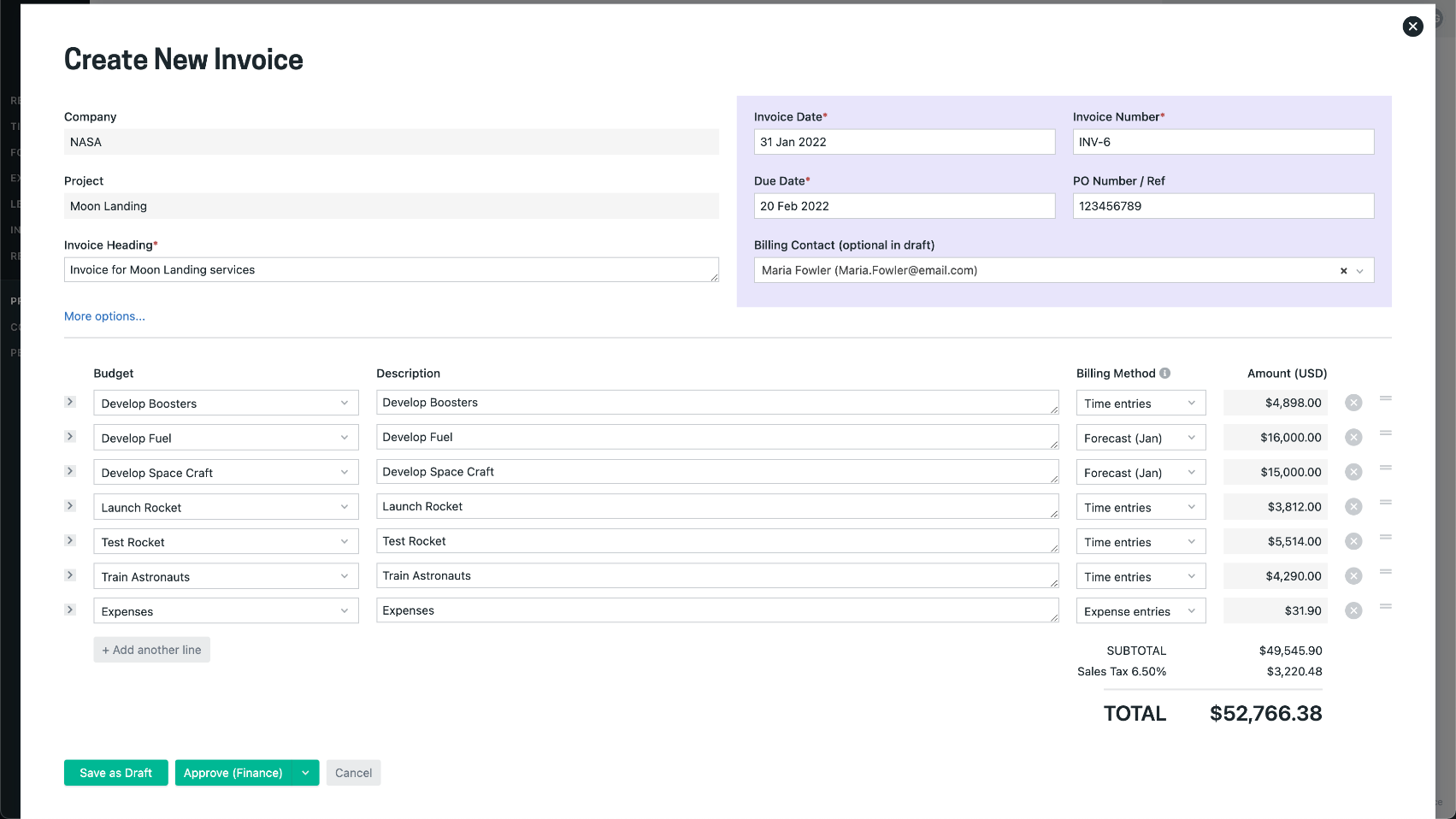
    Screenshot of a visualization that helps to understand capacity, who is available, and when more staff will be needed for work coming down the pipeline. Tag and filter staff by skills and certifications to help make the right staffing decisions.Screenshot of an example timesheet built for professional services firms. The timecode setup is flexible, to enable users to track how time is spent on projects at any level of detail.Screenshot of the interface for tracking project financials in real-time. This helps prevent projects from going over budget by always knowing their current financial status.Screenshot of a display showing how much of the budget has been burned through actual time spent, as well as what is planned. This lets users know when a project is going over budget. These forecasts can be used to set a billing schedule for fixed-price projects, and a percentage mode to support percentage-based billing. Invoicing runs can be started from the forecasts screen.Screenshot of an example invoice, which can be based on a timesheet (time and material / T&M), fixed price engagements, or percentage-based billing. It integrates with accounting systems.Screenshot of where to track actuals and see where a project will land against the project budget.