Accelo vs. Kytes

Overview
ProductRatingMost Used ByProduct SummaryStarting Price
Accelo
Score 8.0 out of 10
Small Businesses (1-50 employees)
Accelo provides cloud-based Professional Services Automation (PSA) software designed to unify and streamline client, project, resource, and financial management for service-based businesses. By centralizing operations into a single, intuitive platform, Accelo eliminates the need for fragmented tools, delivering a comprehensive solution that improves efficiency, transparency, and collaboration across teams. Serving industries such as consulting, engineering, architecture, IT…N/A
Kytes
Score 9.7 out of 10
N/A
Kytes (formerly ProductDossier) is an enterprise-class low-code/ no-code software platform for digitizing & automating business processes for project-based industries like IT Software & Services, Consulting & others. The key capabilities include opportunity management, project estimations & Proposal making, project & delivery management, project financials, resource management, timesheets and leave management, billing automation & others. Some key differentiators are integrated rule-based…N/A
Pricing
AcceloKytes
Editions & Modules
No answers on this topic
Offerings
Pricing Offerings
AcceloKytes
Free Trial
NoNo
Free/Freemium Version
NoNo
Premium Consulting/Integration Services
NoNo
Entry-level Setup FeeOptionalNo setup fee
Additional Details
More Pricing Information
Community Pulse
AcceloKytes
User Ratings
AcceloKytes
Likelihood to Recommend
8.0
(0 ratings)
-
(0 ratings)
Likelihood to Renew
9.0
(0 ratings)
-
(0 ratings)
Usability
7.0
(0 ratings)
-
(0 ratings)
Performance
10.0
(0 ratings)
-
(0 ratings)
Support Rating
8.2
(0 ratings)
-
(0 ratings)
User Testimonials
AcceloKytes
Likelihood to Recommend
The best services management, easy operations reporting, and data analytics features from Accelo are impressive and easy on data visualization and workflow management software. Accelo was very helpful in collaboration and easy to collect feedback from integrated platforms and the scheduling ability is very unique. The Automation tools are also cost-effective and the ability to manage time through Accelo is perfect.
Read full review
No answers on this topic
Pros
  • Tracking customer interactions. Nice integration with G Suite, could be a lot better if they acknowledged that contacts may actually have more than one email address.
  • Support Ticket system is integrated, so we can view support history and other email correspondence easily. It's cheaper that Zendesk.
  • Support is reasonably good, usually prompt and responsive.
  • Constant development - lots of updates, just not often to areas that we use.
Read full review
No answers on this topic
Cons
  • The client portal needs to be improved. It does not have the same user interface as we have within Accelo and we get a lot of client complaints about it.
  • It needs more executive-style reporting and the ability to create your own reports and filters.
  • It needs to be faster. With all of the things Accelo is doing to give you all the data, it is kind of slow compared to other systems in the browser.
Read full review
No answers on this topic
Likelihood to Renew
Looking forward to seeing more refinement of features provided and upcoming features promised :)
Read full review
No answers on this topic
Support Rating
From the beginning the Accelo team has been very invested in ensuring our success and overall happiness with the platform. The initial implementation specialists and trainers did a fairly good job of learning our company and needs, and tried to tailor the trainings accordingly. However, once we made the formal switch to the platform, meaning we no longer were using our legacy systems, we found that we had a lot of questions....and a lot of ideas and recommendations. The support team is extremely responsive and seemingly happy to receive our continual feedback. And if we encounter an issue that seems to be a system issue, they work diligently to fix it (we've actually had an engineer join a call with us to learn of the issue - and subsequently fix it)
Read full review
No answers on this topic
Alternatives Considered
Harvest and Asana combined don't even scratch the surface of what Accelo can do. Harvest is nothing more than rudimentary time tracking. It's about as easy to use as they come, but it stops there. There's no tie in to project management, invoicing, capacity planning, etc. and the reporting isn't great. Asana we found to be very difficult to use for complex projects with multiple deliverables, multiple deadlines, multiple teams - and it didn't tie back to budgets and hours worked. So the deficiencies of those two tools are what led us to Accelo. In terms of more comparable systems, I had previously used Workamajig. The sophistication of Workamajig was there, but it didn't seem to have quite as much flexibility and customization. ProWorkflow we evaluated just based on sales and marketing information available on the platform and felt it wasn't quite as good.
Read full review
No answers on this topic
Return on Investment
  • Save Money on Lost Time. You won't go over your client retainers in any given month if you use Accelo properly. This ultimately saves your company time and money.
  • Lost or Broken Communications. They need to get it together with their email system, aka "request inboxes" ... There are too many lost or broken emails for them to be trustworthy with this. My suggestion is to make sure you know everyone you communicate with (including outside sources like Google or other companies) and set them up in Accelo, then send test emails. Also, when in doubt, use your Outlook or other primary sourced email when you want to make sure an email goes through with all appropriate files.
Read full review
No answers on this topic
ScreenShots

Accelo Screenshots

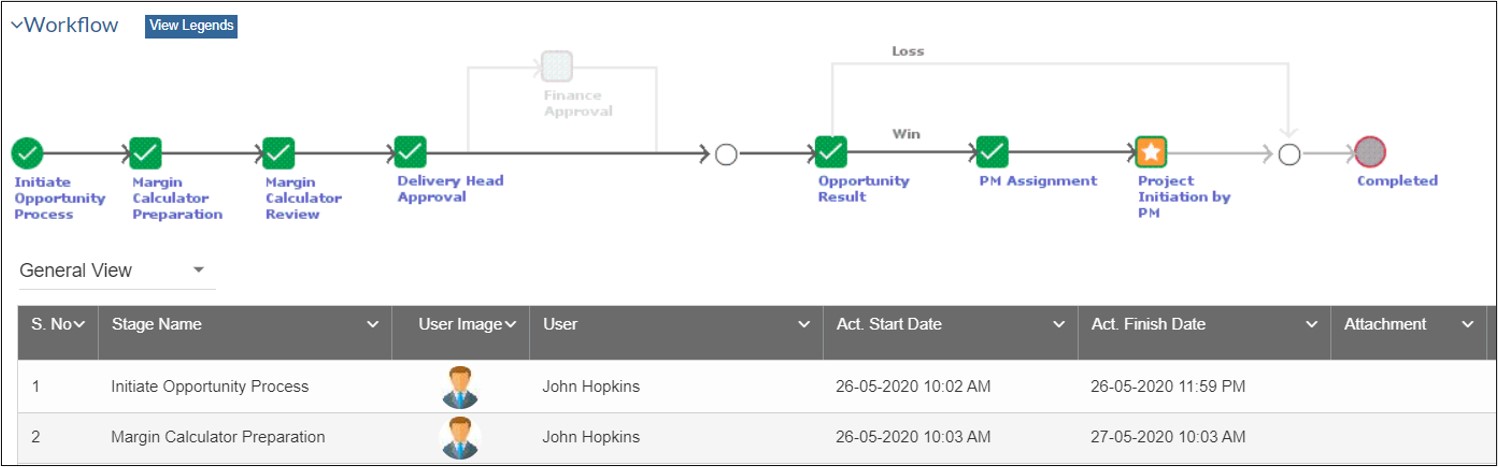
Screenshot of the PSA / Platform - a client profileScreenshot of the included CRM functionality, used to communicate, track and engage with leads and clientsScreenshot of the Sales interface, providing lead management functionalityScreenshot of quote creation, where users can compose, modify and send professional work proposalsScreenshot of projects, the interface to plan, manage and collaborate on client deliverablesScreenshot of ticket generation, where users can submit, monitor and complete ad-hoc work requests

Kytes Screenshots

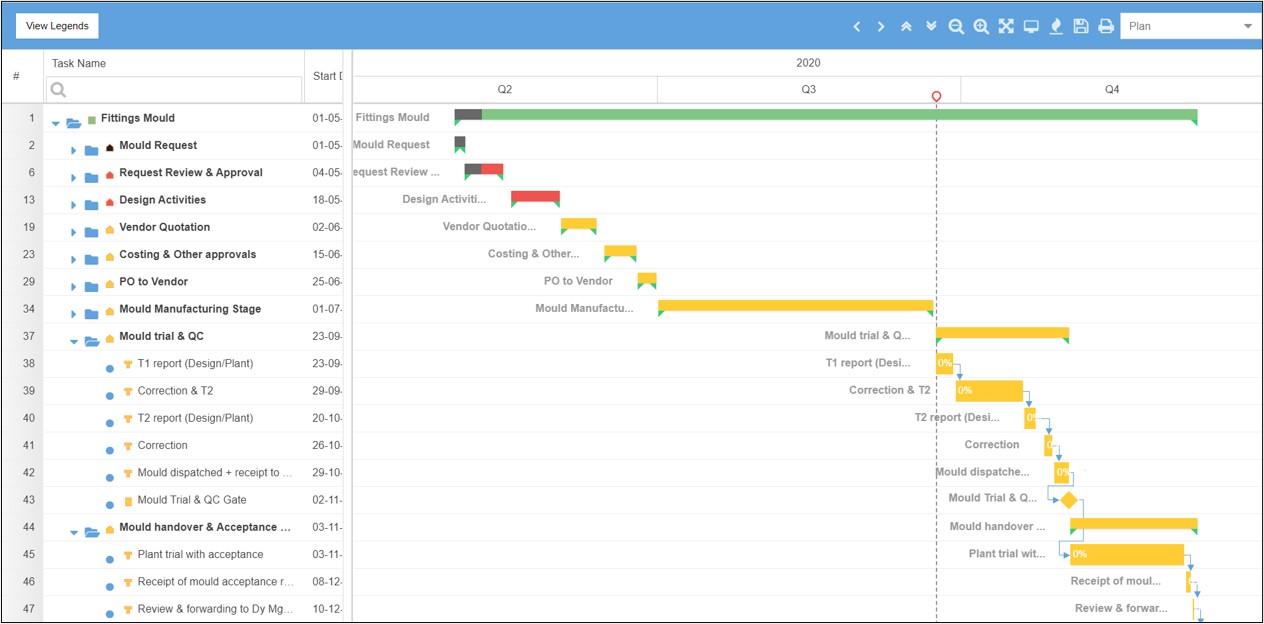
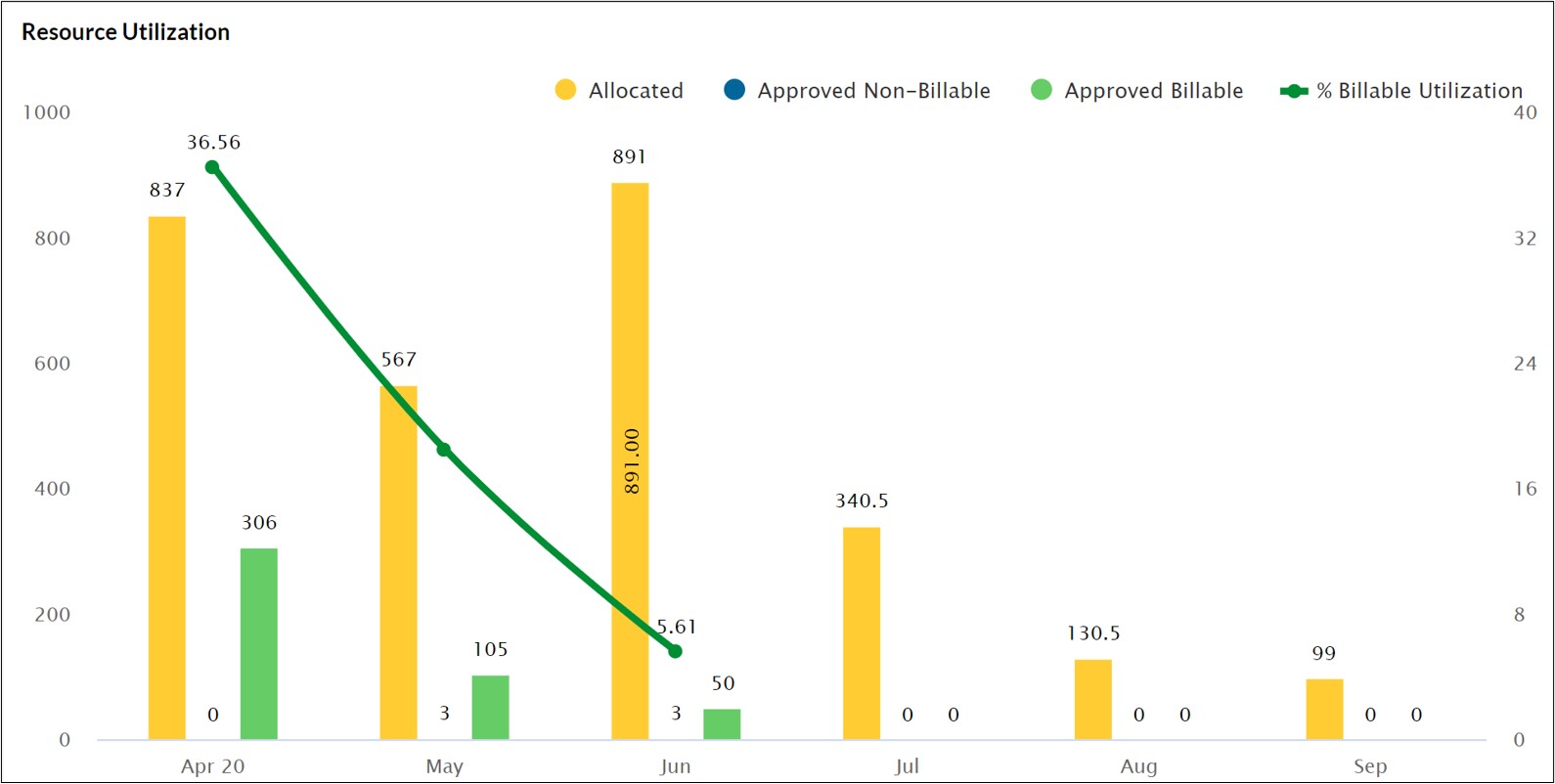
Screenshot of New Product EvaluationScreenshot of New Product PlanningScreenshot of Project Revenue AnalysisScreenshot of Workflow ManagementScreenshot of Gantt ChartScreenshot of Resource Utilization