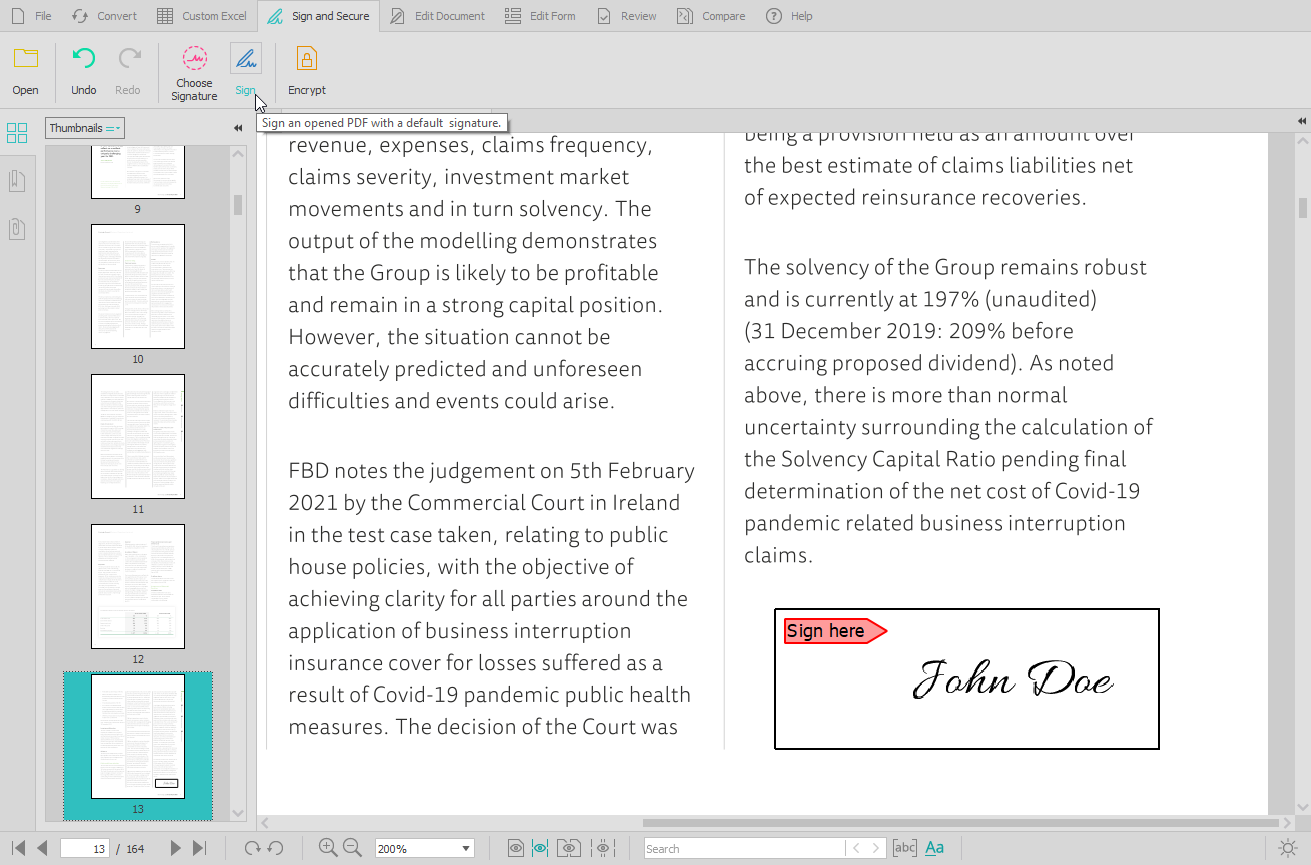
Able2Extract Professional, is a PDF converter, editor, and creator - a PDF suite that aims to cut down on time spent dealing with PDFs and increase PDF productivity in the office. Able2Extract lets users convert scanned (multi-language OCR included) and native PDFs to more than 10 formats, such as MS Word, Excel, PowerPoint, Publisher, Text, AutoCAD, HTML, CSV, and image formats. It also comes with batch PDF conversion and creation that let users manage multiple PDFs in seconds.…
$34.95
30-day full version single-user license.
Soda PDF
Score9.9 out of 10
N/A
LULU Software in Montreal offers Soda PDF Anywhere, their flagship product, a full-featured desktop and online PDF solution.
Able2Extract is extremely helpful if you have a PDF with text that you want to manipulate. By converting it into another file format that is more conducive to text, you can correct spelling mistakes, copy paragraphs, and remove them or relocate them. Since I had to take spreadsheets and text from a PDF and insert them into a Word document, Able2Extract Professional was the exact tool I needed to avoid simply taking screenshots.
A de minimis incentive was given to thank the reviewer for their time. The incentive was not used to bias or drive a particular response, nor was the incentive contingent on a positive endorsement. More Info
When I get any pdf form to fill, I use this software to fill in all the required details. It is very easy to fill any form in pdf format in this software. Whenever I need to sign any official document digitally, I use this software. It also helps us to protect our confidential documents with password protection. We add passwords to our confidential documents with the help of this software.
A de minimis incentive was given to thank the reviewer for their time. The incentive was not used to bias or drive a particular response, nor was the incentive contingent on a positive endorsement. More Info
A de minimis incentive was given to thank the reviewer for their time. The incentive was not used to bias or drive a particular response, nor was the incentive contingent on a positive endorsement. More Info
OCR comes in handy when you need to scan a document image for embedded text for edits. This feature is a common tool but the accuracy of OCR helps for quick edits.
Conversion options are a plus and a must-have when you need to convert between Microsoft Office and PDF.
During the pandemic, the ability to offer digital signing with personalized signatures is a major plus. Glad to have this tool available when needed.
A de minimis incentive was given to thank the reviewer for their time. The incentive was not used to bias or drive a particular response, nor was the incentive contingent on a positive endorsement. More Info
A de minimis incentive was given to thank the reviewer for their time. The incentive was not used to bias or drive a particular response, nor was the incentive contingent on a positive endorsement. More Info
A de minimis incentive was given to thank the reviewer for their time. The incentive was not used to bias or drive a particular response, nor was the incentive contingent on a positive endorsement. More Info
A de minimis incentive was given to thank the reviewer for their time. The incentive was not used to bias or drive a particular response, nor was the incentive contingent on a positive endorsement. More Info
I tried Smallpdf for sometime. It is also a very good tool for pdf related tasks but it doesn't provide a comprehensive functionality to edit a pdf document. I couldn't modify the text of my pdf documents in Smallpdf. But SodaPDF gives me the functionality to edit/change the text of my pdf documents. So I shifted from Smallpdf to this software.
A de minimis incentive was given to thank the reviewer for their time. The incentive was not used to bias or drive a particular response, nor was the incentive contingent on a positive endorsement. More Info
Able2Extract Professional allows me to compile annual reports without having to seek out creators of supplemental material and ask them to rerun their reports in a different file format
Our business objective of maintaining consistent branding is achievable through converting PDFs into file formats where we can alter text and swap out logos
Able2Extract Professional has the speed and ease of use we need to meet our reporting deadlines
A de minimis incentive was given to thank the reviewer for their time. The incentive was not used to bias or drive a particular response, nor was the incentive contingent on a positive endorsement. More Info
A recent project came across my desk where we had to recreate static files into editable word documents. Thank goodness for the OCR feature. It made for an almost flawless conversion. Minor edit here and there, no fault of the program. It was more due to the file quality of the original scan. Saved me time.
The feedback option is another plus: The review/comment function is great for easily getting document feedback. We just started using this feature. Another time-saver.
Document management due to file conversion options makes it easier to keep documents all in one place. Also, the ability to share these documents with coworkers is a major plus!
A de minimis incentive was given to thank the reviewer for their time. The incentive was not used to bias or drive a particular response, nor was the incentive contingent on a positive endorsement. More Info