ABBYY FineReader vs. Able2Extract Professional

Overview
ProductRatingMost Used ByProduct SummaryStarting Price
ABBYY FineReader
Score 9.0 out of 10
N/A
ABBYY FineReader is a PDF editor that allows users to convert, edit, share, and collaborate on PDFs. FineReader also converts scanned documents into searchable PDF files.
$16
per month per user
Able2Extract Professional
Score 8.4 out of 10
N/A
Able2Extract Professional, is a PDF converter, editor, and creator - a PDF suite that aims to cut down on time spent dealing with PDFs and increase PDF productivity in the office. Able2Extract lets users convert scanned (multi-language OCR included) and native PDFs to more than 10 formats, such as MS Word, Excel, PowerPoint, Publisher, Text, AutoCAD, HTML, CSV, and image formats. It also comes with batch PDF conversion and creation that let users manage multiple PDFs in seconds.…N/A
Pricing
ABBYY FineReaderAble2Extract Professional
Editions & Modules
FineReader PDF Standard for Windows
$16
per month per user
FineReader PDF Corporate for Windows
$24
per month per user
FineReader PDF for Mac®
$69
per year per user
FineReader PDF Standard for Windows
$99
per year per user
FineReader PDF Corporate for Windows
$165
per year per user
No answers on this topic
Offerings
Pricing Offerings
ABBYY FineReaderAble2Extract Professional
Free Trial
YesYes
Free/Freemium Version
NoNo
Premium Consulting/Integration Services
NoNo
Entry-level Setup FeeNo setup feeNo setup fee
Additional DetailsLifetime license: $149.95 / 30-Day License: $34.95 / Volume licensing available: Contact us
More Pricing Information
Community Pulse
ABBYY FineReaderAble2Extract Professional
User Ratings
ABBYY FineReaderAble2Extract Professional
Likelihood to Recommend
10.0
(0 ratings)
10.0
(0 ratings)
User Testimonials
ABBYY FineReaderAble2Extract Professional
Likelihood to Recommend
The most common scenario is a need to do a high-level OCR-scan of a document followed by heavy editing. I believe that FineReader is in its own league in that regard, and there is no single reason why would someone choose an alternative soft for the purpose.
Another common scenario is a need of detailed comparison of pdf documents. A massive help!
Read full review
Able2Extract is extremely helpful if you have a PDF with text that you want to manipulate. By converting it into another file format that is more conducive to text, you can correct spelling mistakes, copy paragraphs, and remove them or relocate them. Since I had to take spreadsheets and text from a PDF and insert them into a Word document, Able2Extract Professional was the exact tool I needed to avoid simply taking screenshots.
Read full review
Pros
  • Read and analyze complicated documents
  • Automatically recognize tables and charts
  • Convert any documents into various common formats
Read full review
  • Creates editable spreadsheets from Excel documents that have been scanned.
  • Allows certain segments of documents to be selected for editing.
  • Allows bulk conversion.
Read full review
Cons
  • Conversion to MS Word (formatting accuracy issues occur)
  • Conversion to MS Excel (formatting accuracy issues occur)
Read full review
  • GUI can always improve, even if it's currently good
  • Better how-to instructions to address initial learning curve
  • Functionality could be inserted into Adobe Acrobat Pro, potentially merging products
Read full review
Alternatives Considered
While Adobe Reader can identify documents and convert them to some other various formats, it cannot process the documents to identify tables for use in Excel. We only had success by letting Adobe read a file for any identifiable text but it wasn't always accurate. FineReaders ability to handle hundreds of pages at once felt leaps and bounds above Adobe
Read full review
None, except for conversions in Acrobat.
Read full review
Return on Investment
  • Great positive impact on productivity as it helps to avoid spending so much time scanning or editing documents
  • Staff use the time saved with this tool on the substantive tasks of their position
  • Our objective, being a public institution, is of a benefit to the population and not commercial, therefore everything that we add to perform efficiently and effectively, our work is always well appreciated.
Read full review
  • Able2Extract Professional allows me to compile annual reports without having to seek out creators of supplemental material and ask them to rerun their reports in a different file format
  • Our business objective of maintaining consistent branding is achievable through converting PDFs into file formats where we can alter text and swap out logos
  • Able2Extract Professional has the speed and ease of use we need to meet our reporting deadlines
Read full review
ScreenShots

ABBYY FineReader Screenshots

Screenshot of a display of the options: view, edit, and convert PDFs or compare different versions.Screenshot of PDF editing in FineReader, which is almost like a Word document, where users can rewrite text paragraphs, edit the content in tables, or rearrange the layout.Screenshot of the software's collaboration features, with the ablity to comment on, annotate, or mark up documents.Screenshot of PDF to Word document conversion.Screenshot of fillable fields, in a PDFScreenshot of PDF organization options, which include the ability to merge and rearrange pages, or adding Bates numbering and stamps.

Able2Extract Professional Screenshots

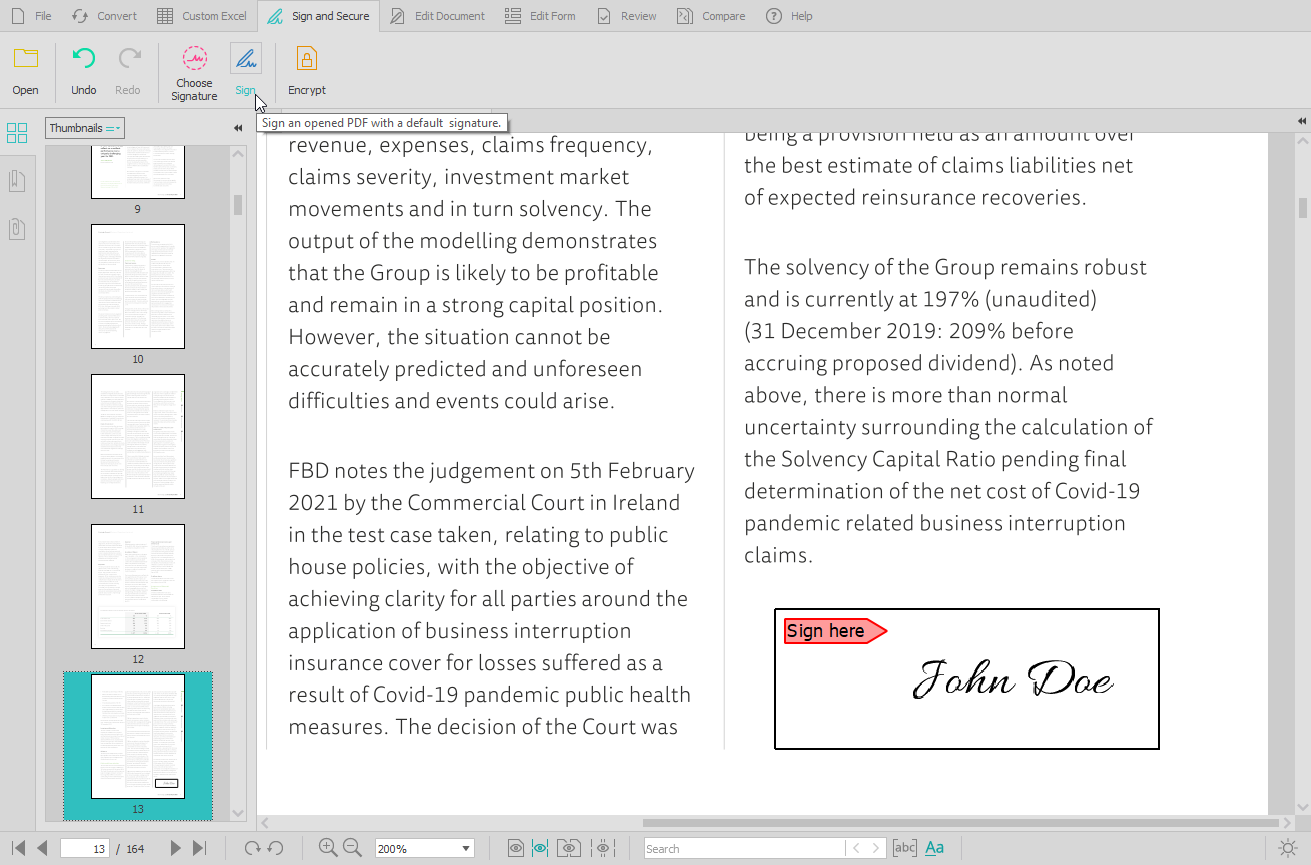
Screenshot of the PDF conversion interface, that work with most popular formats and lets users extract all images from a PDF document in one click, extract PDF form data, and Batch convert hundreds of PDFs in one go.Screenshot of the Custom PDF to Excel feature, for the conversion of PDF tables to spreadsheet file formats. Users can manually designate columns and rows, preview results before conversion, or manage headers and footers.Screenshot of the PDF editing interface, used to modify or add text and graphics, redact content, merge and split documents, insert, delete, move, rotate, and resize PDF pages.Screenshot of the digital signature feature, secured with cryptographic certificates.Screenshot of the comparison of printable documents, that displays all differences in a handy side-by-side view.